Vantage Framework
Vantage is a data entity persistence and abstraction framework for Rust.
Vantage changes the way you think about your data. Instead of writing queries and loading rows, you work with sets of records — “unpaid invoices older than 30 days”, “customers who ordered today” — narrowing them, combining them, traversing from one to another, and acting on them where they live.
Vantage offers two ways to work with your data. In transactional mode there is no state to manage: load a set, act on it, done — each operation goes straight to the backend. This is the natural shape of a REST endpoint: handle the request, read or update the data, respond. (The name describes that request/response shape, not database transactions — BEGIN/COMMIT is the backend’s business, and Vantage doesn’t wrap your operations in one.) In live mode Vantage maintains a local representation of the data segment you’re working with: you operate on your local copy, and it reconciles with the source over time. That’s how a user interface behaves — any kind. Live mode is built on top of transactional mode, so everything you learn about the first carries into the second.
This documentation tracks the current 0.6 release line.
Ethos
A few principles run through every layer of the framework:
- Let the backend do the work. If a database or API can filter, join, aggregate, or paginate, Vantage pushes the work there — data is narrowed at the source, not in your process.
- Fill the gaps client-side, honestly. Where a backend can’t (a CSV file can’t sort; two databases can’t join), the layer above provides it — and every handle advertises exactly what it supports, so a missing capability is an explicit error, never a silent guess.
- Respect native types. Each backend keeps its own type system end to end — decimals stay precise, dates stay dates, nothing is funnelled through JSON.
- Business logic lives on the entity. Validation, audit, soft-delete, and domain methods attach to your model once and apply everywhere the entity is used.
- Fail loudly, retry safely. No panics, no silent zeros or match-alls; operations are idempotent wherever possible, so retrying is always an option.
- Be aware of observers. Data knows who is watching: changes stream to subscribers, and edits reconcile instead of clobbering. (This is live mode — the second half of the guide builds it up.)
Three ways to work with data
Vantage lets you choose how strongly typed your data access is — per component, not per project:
- Entity mode — records are plain Rust structs (
Table<SqliteDB, Product>). Columns and conditions are compiler-checked, and business logic attaches to the entity: full type safety, the natural choice for hand-written Rust code. - Record mode — each record is an arbitrary structure of named values (
Record<V>), with schema introspectable at runtime. No entity struct required — built for generic code: data grids, admin tools, import/export. - Rhai scripts — more generic still: schema declared in YAML, custom expressions and logic in Rhai. Defined, loaded, and sealed at runtime with no recompiling — made for configuration-driven and agent-driven tooling.
The three interoperate: a Rhai-declared table serves records, records deserialize into entities, and all of it sits behind the same capability-checked handles.
What makes Vantage different
Vantage is a framework, not a library. A library solves one concern and hands the rest back to you; Vantage takes over the data layer entirely — modelling, querying, types, caching, reactivity — and gives you well-defined places to plug in what’s yours. The implementation spans 10+ crates (query builders, backend drivers, the entity layer, the reactive stack), all built on the same cohesive, extensible principles: what you learn in one crate applies in the next, and every extension point looks the same wherever you meet it.
Vantage also doesn’t mimic frameworks from other languages. No reflection, no runtime magic, no inheritance hierarchies. It leans on what Rust is uniquely good at — traits for composition, ownership for safe sharing, generics that compile away, async throughout — so the framework feels native rather than translated.
The four layers
Everything above maps onto four layers. Each builds on the one below, and you climb only as far as your application needs:
Table<SqliteDB, Product>   entity mode — typed, compiler-checked, transactional
Vista                      record mode — schema known at runtime, capabilities honest
Dio                        live mode begins — local cache, write queue, change events
Scenery                    reactive views over a Dio — what a UI binds to and watches
A Table is where your model and business logic live. Wrap it into a Vista when generic code
needs to consume it (record mode, above). Bind the Vista to a Dio when you want a live local representation —
caching, write routing, reconciliation. Open a Scenery over the Dio for an ordered table, a
single record, or an aggregate that updates as the data changes. Layers never leak upward: a
Table doesn’t know it’s being cached, and a Scenery consumer can’t tell which backend is
underneath.
Vantage and Vantage UI
Vantage UI is a native admin console built directly on these crates — point it at your databases, APIs, and tools, and an AI agent configures tables, forms, and dashboards over them. It is a closed-source product (free download), and this framework is its open foundation: Vantage is open-sourced so that you can build your own services, CLIs, and UIs on the same data layer — and extend it, adding persistences and capabilities that custom builds can carry further than the stock app does.
If you want the finished tool, start with Vantage UI. If you want the foundation, read on.
Getting Started
Vantage covers a lot of ground — multiple databases, type systems, entity frameworks, UI adapters — but none of that matters until you’ve seen it do something useful.
This guide introduces Vantage concepts one at a time, each building on the last. We start with something you already know — SQL — and build a shared foundation: a small product catalog that begins as a CLI, becomes an HTTP API, and switches databases without touching its handlers, then erases into a runtime-generic data handle.
From there the guide forks by the shape of your problem. The reactive stack that sits on top — caching, change events, watchable views — is the same whichever backend is underneath, so you follow it down whichever path is yours:
- A facade over an API you don’t control — a slow, read-only cloud API that can’t sort, search, or paginate. Diorama caches it and fills the gaps.
- A live view in front of your own database — a relational database you own and write to. Diorama gives it a cached, watchable facade, and the path ends by moving the same app from SQLite to PostgreSQL with a single switch.
Same abstractions, opposite backends — that contrast is the point.
The foundation
- SQLite and the Query Builder — connect to a database, build and execute typed queries, map rows to structs.
- Tables and Typed Data Access — define entities and tables, narrow sets with conditions, traverse relationships, add computed fields; CRUD becomes one-liners.
- A Standalone Axum Server — put the model behind HTTP with one generic CRUD handler for every entity, then migrate the whole server from SQLite to MongoDB by editing only the model.
- Vista — the Universal Data Handle — erase the entity and backend into a schema-bearing runtime handle, with explicit capability contracts.
Choose your path
With a Vista in hand, pick the path that matches your data — a facade over an API you don’t control, or a live view over your own relational database. Both build the same caching, reactive, watch-streaming stack; they differ only in the backend beneath it.
You’ll need basic Rust experience (structs, traits, async/await, cargo). No prior Vantage knowledge required.
Start here: SQLite and the Query Builder
Beyond the guide
The rest of the book is reference material — read it when the guide points at it, or jump straight to what you need:
- Expressions & Queries and the per-backend chapters (SQL, SurrealDB) — the query-building layer in depth.
- Records: Traversal, Invariants & Hooks — the write pipeline: audit stamps, validation, soft-delete.
- Model-Driven Architecture — how Vantage expects you to structure business software.
- Config-Driven Vistas: YAML & Rhai — define and reshape data handles from configuration, sealed at runtime without recompiling.
- Adding a New Persistence — nine incremental steps to connect Vantage to a backend it doesn’t know yet; the main path for extending the framework.
- Augmentation and the Type System — enriching rows from a second source, and teaching backends your own types.
- Historical Timeline — how the framework got here, release by release.
SQLite and the Query Builder
Vantage is a big framework. It covers SQL databases, SurrealDB, MongoDB, CSV files, REST APIs — and ties them all together with a shared type system, expression engine, and data abstraction layer.
We’ll get to all of that. But right now, let’s start with something familiar: building SQL queries.
A query builder is a tool that assembles SQL from composable parts instead of string concatenation. You’ve probably seen this pattern before:
- Knex.js (JavaScript) —
knex('users').where('age', '>', 18).select('name') - SQLAlchemy Core (Python) —
select(users.c.name).where(users.c.age > 18) - JOOQ (Java) —
dsl.select(USERS.NAME).from(USERS).where(USERS.AGE.gt(18)) - Diesel (Rust) —
users.filter(age.gt(18)).select(name)
Vantage has its own query builder too. Each supported database gets a dedicated builder —
SqliteSelect, PostgresSelect, SurrealSelect — so you get the right quoting, parameter
binding, and dialect features for your target.
For this chapter we’ll use SQLite. It’s lightweight, needs no server, and works with a plain file on disk.
By the end of this page you’ll be able to:
- Connect to an SQLite database from Rust
- Build SELECT queries with fields and conditions
- Execute queries and read results
- Convert results into
Vec<Record>with typed field access - Understand how Vantage keeps parameters separate from SQL (no injection risk)
Set up
Create a new project:
cargo init learn-1 && cd learn-1
cargo add vantage-sql --features sqlite
cargo add vantage-expressions
cargo add tokio --features full
Three dependencies — vantage-sql gives us the SQLite query builder and connection pool,
vantage-expressions is needed by the sqlite_expr! macro, and tokio provides the async
runtime because all database operations are async.
Create and populate a database
We’ll make a small product catalog from scratch. Create seed.sql in your project root:
CREATE TABLE product (
    id INTEGER PRIMARY KEY,
    name TEXT NOT NULL,
    price INTEGER NOT NULL,
    category_id INTEGER,
    is_deleted BOOLEAN NOT NULL DEFAULT 0
);

INSERT INTO product VALUES (1, 'Cupcake',           120, 1, 0);
INSERT INTO product VALUES (2, 'Doughnut',          135, 1, 0);
INSERT INTO product VALUES (3, 'Tart',              220, 2, 0);
INSERT INTO product VALUES (4, 'Pie',               299, 2, 0);
INSERT INTO product VALUES (5, 'Cookies',           199, 1, 0);
INSERT INTO product VALUES (6, 'A Stale Cake',       80, 1, 1);
INSERT INTO product VALUES (7, 'Sourdough Loaf',    350, 3, 0);

CREATE TABLE category (
    id INTEGER PRIMARY KEY,
    name TEXT NOT NULL
);

INSERT INTO category VALUES (1, 'Sweet Treats');
INSERT INTO category VALUES (2, 'Pastries');
INSERT INTO category VALUES (3, 'Breads');
Run it:
sqlite3 products.db < seed.sql
You now have products.db — 7 products (6 active, 1 deleted) across 3 categories. Quick check:
sqlite3 products.db "SELECT name, price FROM product WHERE is_deleted = 0"
Start with an async main
All database operations in Vantage are async, so we need a Tokio runtime. Replace src/main.rs
with:
use vantage_sql::prelude::*;

#[tokio::main]
async fn main() {
    if let Err(e) = run().await {
        e.report();
    }
}

async fn run() -> VantageResult<()> {
    println!("Ready!");
    Ok(())
}
A few things going on here:
use vantage_sql::prelude::*brings in everything we need for this chapter —SqliteDB,SqliteSelect, thesqlite_expr!macro, error types, and the traits that make builder and execution methods work.VantageResult<()>is Vantage’s own Result type. It usesVantageError, which tracks context and error chains for readable diagnostics.e.report()prints the error in a structured format. We call it frommain()because Rust’s defaultResult-returning main usesDebugformatting, which is ugly. This pattern gives us clean error output instead.
Run cargo run to make sure it compiles.
Connect to SQLite
Add this inside run():
#![allow(unused)]
fn main() {
let db = SqliteDB::connect("sqlite:products.db?mode=ro")
    .await
    .context("Failed to connect to products.db")?;
}
SqliteDB wraps an sqlx connection pool. The connection string is an
sqlx URL — ?mode=ro
opens read-only, which is all we need for now.
If you’re adding Vantage to an existing project that already has a SqlitePool, wrap it directly:
#![allow(unused)]
fn main() {
let db = SqliteDB::new(existing_pool);
}
The reverse works too — db.pool() gives you the underlying SqlitePool, although Vantage
expressions will eliminate any need to execute queries directly.
.context() wraps any error with a human-readable message. If the database file doesn’t exist,
instead of a raw sqlx error you get:
Error: Failed to connect to products.db
│
╰─▶ error returned from database: (code: 14) unable to open database file
You’ll see .context() used throughout Vantage code. It comes from VantageError and works on
any Result with a standard error type.
Build a SELECT
SqliteSelect is the query builder for SQLite.
Other persistences have their own —
PostgresSelect,
MongoSelect — and they all implement the
Selectable trait, so the interface is identical apart from
vendor-specific extensions. None of them need a database connection — they’re just structs that
accumulate query parts. You build them with a chain of .with_*() calls:
#![allow(unused)]
fn main() {
let select = SqliteSelect::new()
    .with_source("product")
    .with_field("name")
    .with_field("price");

println!("{}", select.preview());
// SELECT "name", "price" FROM "product"
}
.preview() renders the final SQL as a string — handy for debugging, but never used for execution.
.with_*() consumes the builder and returns a new one. Call .with_field() as many times as you
need; skip it entirely for SELECT *.
Every .with_*() method has a corresponding .add_*() that mutates in place instead of
consuming. Use whichever fits your code:
#![allow(unused)]
fn main() {
// Builder style
let select = SqliteSelect::new()
    .with_source("product")
    .with_field("name");

// Mutable style
let mut select = SqliteSelect::new();
select.add_source("product", None);
select.add_field("name");
}
Same result. The .with_*() style is nicer for one-shot construction, .add_*() is useful when
you’re building a query conditionally in a loop.
Execute it
#![allow(unused)]
fn main() {
let result = db.execute(&select.expr()).await?;
println!("{:?}", result);
}
Two steps here: .expr() turns the builder into an Expression
— Vantage’s internal representation that keeps parameters separate from the SQL template. Then
db.execute() sends it to the database.
The result is AnySqliteType — a type-tagged wrapper around whatever came back. The Debug output
isn’t pretty, but you should see all 6 product rows in there.
Only on .await. Everything before that — with_source, with_field, with_condition — is
synchronous struct manipulation. You always know when a database call happens because you typed
.await.
Adding conditions
Our database has a soft-delete flag — “A Stale Cake” has is_deleted = 1. Let’s filter it out:
#![allow(unused)]
fn main() {
let condition = sqlite_expr!("\"is_deleted\" = {}", false);

let select = SqliteSelect::new()
    .with_source("product")
    .with_field("name")
    .with_field("price")
    .with_condition(condition);

println!("{}", select.preview());
// SELECT "name", "price" FROM "product" WHERE "is_deleted" = 0
}
sqlite_expr! creates an Expression — a SQL template with
typed, bound parameters. That {} is not Rust’s format!: the value false is stored
separately and bound through sqlx’s parameterized query interface at execution time — no injection
risk, ever. The preview shows it inline for readability.
In SQL persistences, a condition is just an expression. When you pass it to .with_condition(),
it’s nested inside the select’s own expression tree. At execution time the whole tree is
flattened into a single template + parameter list that
the database driver can bind safely.
Run it — you should see 5 rows, with “A Stale Cake” filtered out.
Notice that you passed false but the preview shows 0. SQLite has no native boolean — Vantage’s
SqliteType implementation for bool converts it to an integer automatically. PostgreSQL would
render FALSE instead. Each persistence maps Rust types to the correct native representation.
The {} parameter accepts any type that implements SqliteType: bool, i64, f64, String,
chrono::NaiveDate, Option<T>, and more. You can implement SqliteType for your own types too.
See Persistence-aligned Type System for details.
Typed columns and operators
Writing \"is_deleted\" in a raw expression works, but there’s a cleaner way.
Column<T> creates a typed column reference, then chain an
SqliteOperation like .eq() to build the
condition. (Column lives in the vantage-table crate, but the vantage_sql prelude re-exports
it — no new dependency needed.)
#![allow(unused)]
fn main() {
let is_deleted = Column::<bool>::new("is_deleted");
let condition = is_deleted.eq(false);
}
Same result, but the type parameter <bool> ensures you can only compare against matching types.
Try is_deleted.eq(42) — it won’t compile. Other operators — .gt(), .lt(), .ne(), .in_() —
enforce the same type safety.
The result is a SqliteCondition — the backend’s native condition type — ready to be passed
directly to .with_condition().
Each SQL backend has its own operation trait — SqliteOperation, PostgresOperation,
MysqlOperation — imported automatically via the prelude. Type safety is enforced at the
column level; conditions themselves are expressions, so operations chain further
(price.gt(10).eq(false) reads “price > 10 is false”). Operations take ownership of their
arguments — .clone() a column you want to reuse. The
Expressive trait reference covers the chaining mechanics.
Multiple conditions combine with AND:
#![allow(unused)]
fn main() {
let is_deleted = Column::<bool>::new("is_deleted");
let price = Column::<i64>::new("price");

let select = SqliteSelect::new()
    .with_source("product")
    .with_field("name")
    .with_condition(is_deleted.eq(false))
    .with_condition(price.gt(150));
// ... WHERE "is_deleted" = 0 AND "price" > 150
}Typed columns aren’t the only way to reference a column. Primitives are reusable building blocks for SQL expressions — they handle quoting, escaping, and vendor-specific syntax. The identifier primitive builds the same condition without declaring a type:
#![allow(unused)]
fn main() {
use vantage_sql::sqlite::sqlite_ident as ident;

let condition = ident("is_deleted").eq(false);
}
Primitives are not part of the prelude — import them when needed. Besides identifiers, you get
Fx (function calls), Case, Concat, Interval, and more. The
Primitives reference has the full list, including the typed
(sqlite_ident(), pg_ident()) versus generic (ident()) identifier variants.
Primitives, query builders, Column, conditions — even native values like i64 and bool —
all implement Expressive<T>, where T is your database’s any-type (AnySqliteType for
SQLite, AnyMongoType for MongoDB). That shared trait is what makes any of them usable as a
parameter inside any expression.
Working with Any-types
Record<V> is an ordered map (IndexMap<String, V>) — one record per row,
with column names as keys. It lives in the vantage-types crate, so add that dependency and import
its prelude:
cargo add vantage-types --features serde
#![allow(unused)]
fn main() {
use vantage_types::prelude::*;
}
So far we’ve been printing raw AnySqliteType with Debug. That works for verifying queries, but
it’s useless for real work. When db.execute() returns a multi-row result, the
AnySqliteType holds an array of maps internally. Convert it
to Vec<Record<AnySqliteType>> to work with individual rows:
#![allow(unused)]
fn main() {
let raw = db.execute(&select.expr()).await?;

let records = Vec::<Record<AnySqliteType>>::try_from(raw)
    .context("Failed to convert to records")?;

for rec in &records {
    let name: String = rec["name"].try_get::<String>().unwrap();
    let price: i64 = rec["price"].try_get::<i64>().unwrap();
    println!("{} — {} cents", name, price);
}
// Cupcake — 120 cents
// Doughnut — 135 cents
// ...
}
Access fields by column name with rec["name"]. Each value is still an AnySqliteType, so you call
.try_get::<T>() to extract a typed Rust value. If the type doesn’t match (say you call
.try_get::<i64>() on a text column), you get None — no panics, no garbage.
If you need JSON-friendly records, call .into_record() on each Record<AnySqliteType>:
#![allow(unused)]
fn main() {
let json_rec: Record<serde_json::Value> = rec.into_record();
}
This is convenient for serialization, but serde_json::Value supports a narrower set of
types — you’ll lose precision on Decimal and chrono types (dates become strings,
decimals become floats). Stick with Record<AnySqliteType> when you need full type fidelity.
Under the hood, each persistence has its own type system for storing values. SQLite uses
CBOR — a compact binary format that preserves types like Decimal, NaiveDate,
and NaiveDateTime through tagged values. MongoDB uses BSON natively. The
AnySqliteType / AnyMongoType wrappers hide these details — you interact with .try_get::<T>()
regardless of which persistence you’re using. If you ever need to inspect the raw representation,
.value() gives you the underlying CBOR value:
#![allow(unused)]
fn main() {
let price_cbor = rec["price"].value();
println!("{:?}", price_cbor);
// Integer(Integer(120))
}
See Persistence-aligned Type System for the full picture.
Mapping rows to structs
Calling .try_get::<T>() on every field gets tedious. The #[entity] macro generates
TryFromRecord<AnySqliteType> for your struct, so conversion
happens in one call with no type information lost:
#![allow(unused)]
fn main() {
#[entity(SqliteType)]
struct Product {
    name: String,
    price: i64,
}

let raw = db.execute(&select.expr()).await?;
let records = Vec::<Record<AnySqliteType>>::try_from(raw)?;

for rec in records {
    let product = Product::from_record(rec)?;
    println!("{} — {} cents", product.name, product.price);
}
}
The macro needs vantage-core as a direct dependency (it’s already a transitive dep through
vantage-sql, but the generated code references it in your crate):
cargo add vantage-core
The macro also supports multiple type systems in one attribute —
#[entity(SqliteType, PostgresType, MongoType)] generates a separate TryFromRecord impl for each
persistence. One struct, all backends.
#[entity] converts each field directly through the persistence’s type system — your struct
fields just need to implement SqliteType. You could instead convert to
Record<serde_json::Value> (as above) and derive serde::Deserialize — but that funnels
values through JSON, with the same precision loss. Prefer #[entity] when your schema
includes decimals or dates.
Putting it together
Here’s the complete src/main.rs — connect, query, convert to entities, print:
use vantage_sql::prelude::*;
use vantage_types::prelude::*;

#[entity(SqliteType)]
struct Product {
    name: String,
    price: i64,
}

#[tokio::main]
async fn main() {
    if let Err(e) = run().await {
        e.report();
    }
}

async fn run() -> VantageResult<()> {
    let db = SqliteDB::connect("sqlite:products.db?mode=ro")
        .await
        .context("Failed to connect to products.db")?;

    let select = SqliteSelect::new()
        .with_source("product")
        .with_field("name")
        .with_field("price")
        .with_condition(Column::<bool>::new("is_deleted").eq(false));

    let raw = db.execute(&select.expr()).await?;
    let records = Vec::<Record<AnySqliteType>>::try_from(raw)?;

    for rec in records {
        let p = Product::from_record(rec)?;
        println!("{:<12} {:>3} cents", p.name, p.price);
    }

    Ok(())
}
cargo run
# Cupcake 120 cents
# Doughnut 135 cents
# Tart 220 cents
# Pie 299 cents
# Cookies 199 cents
What we covered
| Concept | What it does | More info |
|---|---|---|
SqliteSelect | Builds SELECT queries via builder pattern | Selectable |
Column | Typed column reference — enforces matching operand types | |
SqliteOperation | Ext trait giving .eq(), .gt(), etc. → SqliteCondition | |
sqlite_expr! | Creates expressions with typed, bound parameters | Expression |
db.execute() | Runs an expression, returns AnySqliteType | ExprDataSource |
Record<V> | Ordered map of column names to values — row-level access | .try_get::<T>() |
#[entity(SqliteType)] | Generates lossless record-to-struct conversion | TryFromRecord |
This chapter used the smallest useful slice of the query layer. When you need more, the reference half of the book has it:
- Expressions & Queries — how expressions nest and flatten, building
lists with
from_vec(multi-row INSERTs), anddefer()— a parameter whose value is fetched from a different database at execution time. - SQL Primitives — the building blocks we skipped:
or_()/and_()grouping,fx!function calls,Case,ternary(),concat_!,Interval, and portabledate_format(). - SQL: PostgreSQL, MySQL & SQLite — the other two SQL backends (same interface, different dialects) and the type-conversion tables showing exactly how chrono and decimal types round-trip per column type.
- Three Paths — Query Building — worked examples of the heavy artillery:
JOINs, CTEs, window functions,
DISTINCT ON.
None of it is required for the next chapter — come back when a query calls for it.
Tables and Typed Data Access
A table is a structure representing a collection of records in a database:
#![allow(unused)]
fn main() {
let products = Product::table(db);

for (id, product) in products.list().await? {
    println!("{} — {} cents", product.name, product.price);
}
}
Think of Table<SqliteDB, Product> as a Vec<Product> — except the records aren’t in memory. They
live somewhere else (a database, a file, an API), and you don’t know how many there are or what they
contain until you list them.
If you’ve used an ORM before, you might expect Vantage to work with individual records — load one, change it, save it back. Vantage works differently: you always operate on a set of records. A set might contain one record, no records, or millions — you don’t pull them into memory to find out.
Operations like counting, filtering, and updating happen on the database side — Vantage builds the right query and sends it over. Even traversal operations and sub-queries are done by building queries and executing remotely — if the database supports it, of course.
When you .clone() a table, you don’t clone the data — you clone the definition. From there you
can narrow it down by adding conditions, turning it into a subset. Some examples of sets you might
work with:
- all user records except those with a soft-delete flag
- orders placed today
- orders of paid customers
- customers who have an unpaid invoice older than 30 days
- products that sold at least 5 items today
Each of these is a set — defined by conditions, not a list of IDs — and one set can serve as the condition of another (“orders of paid customers”). Acting on a set is a single call: notify those customers, archive those orders, apply that discount. Put together, even complex operations are easy to express in code:
#![allow(unused)]
fn main() {
// "notify customers who have an unpaid invoice older than 30 days"
let mut overdue = Invoice::table(db);
overdue.add_condition(overdue["status"].eq("unpaid"));
overdue.add_condition(overdue["issued_at"].lt(days_ago(30)));

overdue.ref_customer().send_reminder().await;
}
#![allow(unused)]
fn main() {
// "apply a discount to customers who spent more than $500 this month"
let mut customers = Customer::table(db);
customers.add_expression("spent_this_month", |c| {
c.subquery_orders().only_this_month().field_sum("total")
});
customers.add_expression("discount", |c| {
primitives::ternary(c["spent_this_month"].gt(500), 10, 0)
});
}Don’t worry about the exact syntax — we’ll get to all of it. The point is that sets compose naturally: define one, use it to narrow another, then act on the result.
Defining a Table
The syntax for defining a table looks similar to query building from chapter 1, but there are important differences:
| Query | Table | |
|---|---|---|
| Lifetime | Built, executed, dropped | Sticks around, spawns many queries |
| Operations | One SQL statement (SELECT, INSERT, …) | Higher-level CRUD: list, get, add, patch, delete |
| Columns | String field names via .with_field() | Typed Column<T> definitions |
| Database | Not bound — just a struct | Holds a database reference (Arc) |
| Idempotency | INSERT fails on duplicate key | replace() and delete() are idempotent |
| Data sources | Only databases with a query language | Any data source: SQL, CSV, APIs, queues, etc. |
A Table is typically defined in its own file alongside the entity.
Create src/product.rs:
#![allow(unused)]
fn main() {
// src/product.rs
use vantage_sql::prelude::*;
use vantage_types::prelude::*;

#[entity(SqliteType)]
#[derive(Clone, Default)]
pub struct Product {
    pub name: String,
    pub price: i64,
}

impl Product {
    pub fn table(db: SqliteDB) -> Table<SqliteDB, Product> {
        let is_deleted = Column::<bool>::new("is_deleted");
        Table::new("product", db)
            .with_id_column("id")
            .with_column_of::<String>("name")
            .with_column_of::<i64>("price")
            .with_column_of::<bool>("is_deleted")
            .with_condition(is_deleted.eq(false))
    }
}
}In most cases you already know which database a table lives in — passing db every time
is noise. A common pattern is to wrap the connection in a global accessor:
#![allow(unused)]
fn main() {
impl Product {
    fn table() -> Table<SqliteDB, Product> {
        Table::new("product", get_sqlite_db())
            // ...columns...
    }
}
}
We’ll keep passing db explicitly in this tutorial for clarity, but real applications
typically use this pattern.
This defines the product table once. You can now generate queries from it:
#![allow(unused)]
fn main() {
let table = Product::table(db);

// Full SELECT with all columns and conditions applied
let select = table.select();
println!("{}", select.preview());
// SELECT "id", "name", "price", "is_deleted" FROM "product"

// Count query (does not execute — just builds the expression)
let count_query = table.get_count_query();
// SELECT COUNT(*) FROM "product"

// Sum query for a specific column
let sum_query = table.get_sum_query(&table["price"]);
// SELECT SUM("price") FROM "product"
}
These return the same SqliteSelect and Expression types from chapter 1 — the table just
assembles them for you. But most of the time you won’t need the raw query at all.
CRUD operations
With the table defined, all four operations — create, read, update, delete — are one-liners. Each comes from a trait in the prelude:
#![allow(unused)]
fn main() {
let table = Product::table(db);

// Read — list all, get one by ID
let all = table.list().await?;             // IndexMap<String, Product>
let pie = table.get("4").await?;           // Option<Product> — id 4 is Pie

// Create — insert with a known ID
let muffin = Product { name: "Muffin".into(), price: 175 };
table.insert(&"8".to_string(), &muffin).await?;

// Update — replace the entire record
let updated = Product { name: "Blueberry Muffin".into(), price: 195 };
table.replace(&"8".to_string(), &updated).await?;

// Delete
table.delete(&"8".to_string()).await?;
}
That’s it. list() returns an IndexMap<Id, Product> — ordered and keyed by ID. get() returns
Option<Product> — None when the ID doesn’t exist, so you can pattern-match or .ok_or(...) into
your own not-found error. There’s also get_some() which returns an (Id, Product) pair (still
Option-wrapped) for sampling, and insert_return_id() for when you want the database to generate
the ID.
Our id column is INTEGER PRIMARY KEY, yet every id above is a string. That’s deliberate:
at the Vantage API level ids are always strings — the one type that can carry any backend’s
key (SQLite rowids, Mongo ObjectIds, S3 object keys). The persistence binds the string into
the id-column comparison when it builds the query, so get("4") matches the integer 4.
You’ll meet the same convention wherever ids travel through the framework — including the
JSON output in the next chapter.
Try duplicating the replace() and delete() calls — the result is the same. Replacing
a record that already has the new values is a no-op. Deleting a record that’s already gone
succeeds silently. This makes table operations safe to retry without worrying about
side effects.
Listing any table
Table<SqliteDB, Product> is great when you know the types at compile time. Sometimes you want a
function that lists any table — products, orders, customers — without naming the entity type.
With generics you keep full type safety, limited to Rust callers:
#![allow(unused)]
fn main() {
async fn list_table<E: Entity + std::fmt::Debug>(
    table: &impl ReadableDataSet<E>,
) -> VantageResult<()> {
    for (id, entity) in table.list().await? {
        println!("  {}: {:?}", id, entity);
    }
    Ok(())
}
}
To go fully type-erased — iterate columns by name, get runtime values, and expose tables
outside Rust (a web admin UI, FFI, scripting) — wrap the table in a Vista, the universal
schema-bearing data handle. That’s the subject of its own chapter; Vista
replaced the older AnyTable carrier in 0.5.
Relationships
Our database has a category table that we haven’t used yet. Let’s define it and connect it to
products.
Create src/category.rs:
#![allow(unused)]
fn main() {
// src/category.rs
use vantage_sql::prelude::*;
use vantage_types::prelude::*;

#[entity(SqliteType)]
#[derive(Debug, Clone, Default)]
pub struct Category {
    pub name: String,
}

impl Category {
    pub fn table(db: SqliteDB) -> Table<SqliteDB, Category> {
        Table::new("category", db)
            .with_id_column("id")
            .with_column_of::<String>("name")
            .with_many("products", "category_id", Product::table)
    }
}
}
The important line is .with_many("products", "category_id", Product::table). This declares:
- “products” — the name of the relationship (you’ll use this to traverse it)
- “category_id” — the foreign key column on the
producttable Product::table— a function that builds the target table (same one we defined earlier)
No changes to Product are needed — the relationship is declared on the side that “owns” it.
Category has many products; the foreign key lives on product.
Given a set of categories, get_ref_as traverses the relationship and returns matching products:
#![allow(unused)]
fn main() {
let categories = Category::table(db.clone());
let products = categories.get_ref_as::<Product>("products")?;
}
The result is a Table<SqliteDB, Product> with an extra condition — only products whose
category_id matches one of the category IDs. Narrow the categories first and the subquery narrows
too. Let’s use this in a CLI that accepts an optional search filter. The .with_search() method
adds a LIKE condition across all columns of the table — handy for quick filtering.
Update src/main.rs:
mod category;
mod product;

use category::Category;
use product::Product;
use vantage_sql::prelude::*;

async fn list_products(table: &Table<SqliteDB, Product>) -> VantageResult<()> {
    for (id, p) in table.list().await? {
        println!("  {:<4} {:<20} {:>3} cents", id, p.name, p.price);
    }
    Ok(())
}

#[tokio::main]
async fn main() {
    if let Err(e) = run().await {
        e.report();
    }
}

async fn run() -> VantageResult<()> {
    let db = SqliteDB::connect("sqlite:products.db")
        .await
        .context("Failed to connect to products.db")?;

    let filter = std::env::args().nth(1);

    let products = match &filter {
        Some(search) => Category::table(db.clone())
            .with_search(search)
            .get_ref_as::<Product>("products")?,
        None => Product::table(db),
    };

    list_products(&products).await?;

    Ok(())
}
Try it:
cargo run                # all active products
cargo run "Sweet"        # Cupcake, Doughnut, Cookies
cargo run "Pastries"     # Tart, Pie
cargo run "t"            # matches "Sweet Treats" AND "Pastries" — 5 products
The search "t" matches two categories (“Sweet Treats” and “Pastries”), so products from both are
returned.
Notice what happened with cargo run "t": the search matched two categories, and we got
products from both — without writing a JOIN or collecting IDs manually.
This is because Vantage relationships work through sets. with_search("t") narrowed
the category table to two rows. get_ref_as then generated a subquery:
SELECT ... FROM "product"
WHERE "category_id" IN (SELECT "id" FROM "category" WHERE "name" LIKE '%t%')
AND "is_deleted" = 0
The subquery comes from whatever conditions are on the source table. Add more conditions and the subquery narrows further. The relationship definition stays the same — you never need to rewrite the traversal logic.
Computed fields with expressions
So far, list_products only shows name and price. It would be nice to show the category name too —
but Product doesn’t have a category field, and the category name lives in a different table.
Vantage solves this with expressions — computed fields that are evaluated as part of the SELECT query. You define them on the table, and they appear alongside regular columns.
First, add a with_one relationship on Product (the reverse of with_many on Category):
#![allow(unused)]
fn main() {
.with_one("category", "category_id", Category::table)
}
This says: each product has one category, linked through category_id. Now you can use
get_subquery_as inside with_expression to build a correlated subquery:
#![allow(unused)]
fn main() {
.with_expression("category", |t| {
    t.get_subquery_as::<Category>("category")
        .unwrap()
        .select_column("name")
})
}
select_column("name") builds a subquery like
SELECT "name" FROM "category" WHERE "id" = "product"."category_id" — a correlated subquery that
fetches the category name for each product row.
Here’s the updated src/product.rs:
#![allow(unused)]
fn main() {
use vantage_sql::prelude::*;
use vantage_types::prelude::*;

use crate::category::Category;

#[entity(SqliteType)]
#[derive(Debug, Clone, Default)]
pub struct Product {
    pub name: String,
    pub price: i64,
    pub category: Option<String>,
}

impl Product {
    pub fn table(db: SqliteDB) -> Table<SqliteDB, Product> {
        let is_deleted = Column::<bool>::new("is_deleted");
        Table::new("product", db)
            .with_id_column("id")
            .with_column_of::<String>("name")
            .with_column_of::<i64>("price")
            .with_column_of::<bool>("is_deleted")
            .with_condition(is_deleted.eq(false))
            .with_one("category", "category_id", Category::table)
            .with_expression("category", |t| {
                t.get_subquery_as::<Category>("category")
                    .unwrap()
                    .select_column("name")
            })
    }
}
}
A few things to note:
category: Option<String>— the field isOptionbecause a product might not have a category (NULL in the database). The expression result is deserialized into this field automatically.- No
with_column_offor “category” — the expression replaces what would normally be a column. Vantage adds it to the SELECT as a computed field. with_one+with_expression— the relationship defines how to traverse; the expression defines what to fetch. They work together but serve different purposes.
Update list_products to show the category:
#![allow(unused)]
fn main() {
async fn list_products(table: &Table<SqliteDB, Product>) -> VantageResult<()> {
    for (id, p) in table.list().await? {
        let cat = p.category.as_deref().unwrap_or("-");
        println!("  {:<4} {:<20} {:>3} cents  [{}]", id, p.name, p.price, cat);
    }
    Ok(())
}
}
Run it:
cargo run
  1    Cupcake              120 cents  [Sweet Treats]
  2    Doughnut             135 cents  [Sweet Treats]
  3    Tart                 220 cents  [Pastries]
  4    Pie                  299 cents  [Pastries]
  5    Cookies              199 cents  [Sweet Treats]
  7    Sourdough Loaf       350 cents  [Breads]
The category name comes from a subquery — no JOIN, no extra round trip. And the category filter still works:
cargo run "t"
  1    Cupcake              120 cents  [Sweet Treats]
  2    Doughnut             135 cents  [Sweet Treats]
  3    Tart                 220 cents  [Pastries]
  4    Pie                  299 cents  [Pastries]
  5    Cookies              199 cents  [Sweet Treats]
Expressions can reference other expressions. For example, we could add a product_count
expression to Category that counts products via a subquery, then build a title expression
that combines the name and count:
#![allow(unused)]
fn main() {
// In Category::table()
.with_expression("product_count", |t| {
    t.get_subquery_as::<Product>("products")
        .unwrap()
        .get_count_query()
})
.with_expression("title", |t| {
    let name = t.get_column_expr("name").unwrap();
    let count = t.get_column_expr("product_count").unwrap();
    concat_!(name, " (", count, ")").expr()
})
}
get_column_expr returns the expression for either a real column or a computed expression
by name. Here it resolves "product_count" to the count subquery, so title becomes
something like name || ' (' || (SELECT COUNT(*) FROM product WHERE ...) || ')'.
Now change Product’s category expression to fetch title instead of name:
#![allow(unused)]
fn main() {
.with_expression("category", |t| {
    t.get_subquery_as::<Category>("category")
        .unwrap()
        .select_column("title")
})
}
select_column("title") resolves the title expression on Category and builds it into
the subquery. The result:
  1    Cupcake              120 cents  [Sweet Treats (3)]
  2    Doughnut             135 cents  [Sweet Treats (3)]
  3    Tart                 220 cents  [Pastries (2)]
  4    Pie                  299 cents  [Pastries (2)]
  5    Cookies              199 cents  [Sweet Treats (3)]
  7    Sourdough Loaf       350 cents  [Breads (1)]
Vantage renders everything into a single SQL query. The nested subqueries might look redundant, but modern SQL databases optimise and execute them efficiently — there’s no extra round trip to the database.
Extension traits
Throughout this chapter you’ve seen calls like categories.get_ref_as::<Product>("products"). The
turbofish ::<Product> and the string "products" are repetitive and error-prone — get the string
wrong and you get a runtime error.
Rust’s extension traits solve this. Define a trait on Table<SqliteDB, Category> that wraps the
traversal:
#![allow(unused)]
fn main() {
pub trait CategoryTable {
    fn ref_products(&self) -> Table<SqliteDB, Product>;
}

impl CategoryTable for Table<SqliteDB, Category> {
    fn ref_products(&self) -> Table<SqliteDB, Product> {
        self.get_ref_as("products").unwrap()
    }
}
}
The trait declares the vocabulary; the impl block supplies the bodies. Nothing is
auto-implemented — ref_products() appears on Table<SqliteDB, Category> the moment you write
this impl, and on nothing else. The bodies must live impl-side, too: methods like get_ref_as are
inherent to Table, so they’re only reachable where self is concretely that table — inside the
impl, not inside a trait default.
The unwrap() is safe because we know “products” is defined on every CategoryTable. If the
string were wrong, it would panic immediately during development, not silently fail at runtime.
Now callers write categories.ref_products() — no turbofish, no string, no ?, and the compiler
catches typos.
The same pattern works for typed column access:
#![allow(unused)]
fn main() {
pub trait ProductTable {
    fn price(&self) -> Column<i64>;
}

impl ProductTable for Table<SqliteDB, Product> {
    fn price(&self) -> Column<i64> {
        self.get_column("price").unwrap()
    }
}
}
With both traits in place, code reads naturally:
#![allow(unused)]
fn main() {
let products = categories.ref_products();
let expensive = products.with_condition(products.price().gt(200));
}Define extension traits in the same file as the entity — product.rs gets ProductTable,
category.rs gets CategoryTable. They’re part of your model’s public API: anyone who
imports the entity gets the typed accessors for free.
This is how Vantage scales to large codebases. The table definition (columns, conditions, relationships, expressions) is declared once. Extension traits give it a clean, typed API. Business logic code never sees raw strings or turbofish — just method calls.
Extension traits aren’t limited to column and relationship accessors — you can add any
business logic. For example, the vantage-cli-util crate provides print_table(), which
accepts any &Table<T, E> and renders it for the terminal. Declare the method on your trait
and implement it in the same impl block as the accessors:
#![allow(unused)]
fn main() {
pub trait ProductTable {
    fn price(&self) -> Column<i64>;
    async fn print(&self) -> VantageResult<()>;
}

impl ProductTable for Table<SqliteDB, Product> {
    fn price(&self) -> Column<i64> {
        self.get_column("price").unwrap()
    }

    async fn print(&self) -> VantageResult<()> {
        vantage_cli_util::print_table(self).await
    }
}
}
Now products.print().await? gives you a formatted table in the terminal:
+----+----------------+-------+-------------------+
| id | name           | price | category          |
+----+----------------+-------+-------------------+
| 1  | Cupcake        | 120   | Sweet Treats (3)  |
| 2  | Doughnut       | 135   | Sweet Treats (3)  |
| 3  | Tart           | 220   | Pastries (2)      |
| ...                                              |
+----+----------------+-------+-------------------+
Other methods you might add: only_expensive() that returns a filtered clone,
total_revenue() that computes a sum, or export_csv() that writes to a file.
The table is yours to extend.
Persistence Abstraction
The files you have written so far — Cargo.toml, product.rs, category.rs, main.rs — are the
makings of an extensible business software architecture: scalable, maintainable, testable, and
portable across databases without rewriting a single line of business logic.
What you have is four distinct components, each with a clear job:
flowchart TD
    A["<b>Business code</b><br/><code>main.rs</code><br/>minimal, domain-focused"]
    B["<b>Model definitions</b><br/><code>product.rs</code>, <code>category.rs</code><br/>entities, tables, relationships, domain methods"]
    C["<b>Persistence crate</b><br/><code>vantage-sql</code> (or surrealdb, mongodb, csv…)<br/>query builder, CRUD, type system"]
    D["<b>Vantage framework</b><br/><code>vantage-table</code>, <code>vantage-expressions</code>, <code>vantage-types</code><br/>the extensible mechanism that ties it together"]
    A --> B
    B --> C
    C --> D
The majority of your business code can work with data without any knowledge of where it’s stored or how. It operates on typed entities, relationships, and domain methods — nothing else.
The model definitions focus on describing where and how data is stored, but they don’t micro-manage the process. If storage requirements change — a new backend, a schema migration, a cached layer in front — the model is where you make the tweaks. Business code remains untouched.
This separation gives you the ergonomics scripting-language ORMs are known for — concise, domain-focused code — with Rust’s type safety and performance underneath: the abstraction compiles down to direct calls. When storage requirements shift, the change stays contained in the model layer instead of rippling through business code, and the whole architecture travels as a single static binary — server, desktop, or embedded.
Table has considerably more surface than one chapter can show. The reference pages pick up where
this one stops:
- Records: Traversal, Invariants & Hooks — lifecycle hooks (audit stamps, validation, soft-delete that intercepts a real delete), set invariants that fill and enforce foreign keys on every write through a relation, and traversing relations from a single loaded record.
- Expressions & Queries — the machinery underneath
with_expressionand every condition you wrote in this chapter. - Model-Driven Architecture — how entities, table constructors, and connection management are organised in a real model crate, including one entity with constructors for several backends.
- Three Paths for Developers — how this chapter’s entity framework relates to raw query building and custom persistences, and when to reach for each.
The pattern you’ve just built scales well beyond a product catalog:
- Client-side caching and reactive data — the second half of this guide puts a model behind a persistent cache with live updates streaming to a UI, over a slow external API or your own relational database — whichever path matches your problem.
- Cross-persistence traversal — follow a relationship from a Postgres table into a MongoDB collection, expressed in Rust, executed efficiently on each side.
- UI framework integration — the same model drives desktop, terminal, and web UIs through
vantage-ui-adapters: define once, render anywhere.
A Standalone Axum Server
Chapter 2 ended with a CLI that prints products to stdout. In this chapter we put the same model behind an HTTP API:
curl "http://localhost:3001/categories"
[{ "name": "Sweet Treats" }, { "name": "Pastries" }, { "name": "Breads" }]
# Products in a specific category
curl "http://localhost:3001/categories/1/products"

# Writes
curl -X POST "http://localhost:3001/categories" \
  -H 'content-type: application/json' -d '{"name":"Gluten-Free"}'
A few things about the shape of this API:
/categories/{id}/productsis a nested route — products narrowed by the relationship we defined in chapter 2. The handler for it is the same genericlistas/categories, just applied to a scoped table./productsand/categoriesstart out on SQLite, same as chapter 2. Toward the end of the chapter we migrate them to MongoDB. That migration is a change to the model file; the handlers and routes don’t know the difference.
The handler functions are each written once and mounted against any
Table<Backend, Entity> the router has on hand — one list, one
get, one post, one patch, one delete, parameterised over the backend and entity types.
Adding another entity is a route registration, not a new handler.
The minimum Axum skeleton
Two pieces: a small adaptation to chapter 2’s entities so they round-trip through HTTP, then the server itself. One new dependency:
cargo add axum
Tokio and serde are already pulled in from earlier chapters. axum is the HTTP framework; it uses
the existing serde to encode response bodies as JSON.
Entities. Chapter 2’s Product carried a computed category field, and the Expressions
compose callout showed Category gaining a computed title. Both were assembled from
subqueries — great for display, but they don’t
round-trip cleanly through a POST body because the JSON would try to write columns that don’t
exist. For a writable API we replace the computed fields with the plain FK column that sits under
them. (See with_expression for the chapter-2
computed-field setup we’re walking away from here.)
src/category.rs:
#![allow(unused)]
fn main() {
use serde::{Deserialize, Serialize};

#[entity(SqliteType)]
#[derive(Debug, Clone, Default, Serialize, Deserialize)]
pub struct Category {
    pub name: String,
}

impl Category {
    pub fn table(db: SqliteDB) -> Table<SqliteDB, Category> {
        Table::new("category", db)
            .with_id_column("id")
            .with_column_of::<String>("name")
            .with_many("products", "category_id", Product::table)
    }
}
}src/product.rs:
#![allow(unused)]
fn main() {
use serde::{Deserialize, Serialize};

#[entity(SqliteType)]
#[derive(Debug, Clone, Default, Serialize, Deserialize)]
pub struct Product {
    pub name: String,
    pub price: i64,
    #[serde(skip_serializing_if = "Option::is_none", default)]
    pub category_id: Option<String>,
    #[serde(default)]
    pub is_deleted: bool,
}

impl Product {
    pub fn table(db: SqliteDB) -> Table<SqliteDB, Product> {
        let is_deleted = Column::<bool>::new("is_deleted");
        Table::new("product", db)
            .with_id_column("id")
            .with_column_of::<String>("name")
            .with_column_of::<i64>("price")
            .with_column_of::<String>("category_id")
            .with_column_of::<bool>("is_deleted")
            .with_condition(is_deleted.eq(false))
            .with_one("category", "category_id", Category::table)
    }
}
}
Two things to notice:
category_idis now a real column in both the struct and the table, not a computed expression. Same information as before, but clients can read it fromGETand supply it onPOST.is_deletedpicks up#[serde(default)]soPOST /productsbodies don’t have to carry it; new products default to live.
The soft-delete condition from chapter 2 stays — GET /products will still hide rows with
is_deleted = true.
Now the server. Replace src/main.rs with:
mod category;
mod product;

use std::sync::OnceLock;

use axum::{routing::get, Json, Router};
use category::Category;
use vantage_sql::prelude::*;

static DB: OnceLock<SqliteDB> = OnceLock::new();

fn db() -> SqliteDB {
    DB.get().expect("database not initialised").clone()
}

async fn list_categories() -> Json<Vec<Category>> {
    let rows = Category::table(db()).list().await.unwrap();
    Json(rows.into_values().collect())
}

#[tokio::main]
async fn main() -> VantageResult<()> {
    let conn = SqliteDB::connect("sqlite:products.db")
        .await
        .context("Failed to connect to products.db")?;
    DB.set(conn).ok();

    let app = Router::new().route("/categories", get(list_categories));

    let listener = tokio::net::TcpListener::bind("0.0.0.0:3001").await.unwrap();
    axum::serve(listener, app).await.unwrap();

    Ok(())
}
A few notes on what this is doing:
static DB: OnceLock<SqliteDB>. The handler needs a database handle but we don’t want to open a new connection per request. A program-wideOnceLockis the simplest possible holder — set once inmain, read from anywhere.- Each request calls
Category::table(db())— building the table (columns, relationships) and then lists it. - The handler returns
Json<Vec<Category>>directly. No DTO layer — the entity’s fields become the JSON fields.
Run it:
cargo run
In another terminal:
curl http://localhost:3001/categories
[
  { "name": "Sweet Treats" },
  { "name": "Pastries" },
  { "name": "Breads" }
]
Caching table definitions
We can cache each table definition so it’s built once and handed out by reference on every
subsequent call. In src/category.rs, add use std::sync::OnceLock; at the top and wrap the body
of Category::table:
#![allow(unused)]
fn main() {
impl Category {
    pub fn table(db: SqliteDB) -> &'static Table<SqliteDB, Category> {
        static CACHE: OnceLock<Table<SqliteDB, Category>> = OnceLock::new();
        CACHE.get_or_init(|| {
            Table::new("category", db)
                // ...columns unchanged...
                .with_many("products", "category_id", |db| Product::table(db).clone())
        })
    }
}
}
Three changes from chapter 2’s version:
- Return type is
&'static Table<...>instead ofTable<...>. The cache owns the definition; callers get a shared reference. Most table operations (list,get,insert,replace,delete,get_ref_as) take&self, so they work on the reference without any clone. static CACHE: OnceLock<...>lives inside the function. A function-local static is still a program-wide single instance — Rust allows this and it keeps the cache private to the table that owns it.- The
with_manycallback is a closure:|db| Product::table(db).clone(). The framework still hands us a db and expects an ownedTable<SqliteDB, Product>back, so we call the cached accessor and clone the reference. On the first call this triggers Product’s cache to build; every subsequent call just clones a pre-built definition.
src/product.rs follows the same pattern — wrap the body in OnceLock::get_or_init, change the
return type to &'static Table<SqliteDB, Product>, and rewrite with_one as
|db| Category::table(db).clone().
The handler in main.rs doesn’t change at all — Category::table(db()) used to return an owned
Table, and now it returns a &'static Table that auto-derefs through the same .list() call.
Restart the server and hit /categories — the response is identical, but now the table definitions
are built on the first request and reused forever after.
Most operations work on &Table<...>, but the builder methods that add conditions — like
with_condition, with_search, with_pagination, and with_order — consume self and
return a new Table. If a handler needs to narrow the cached definition, it clones first:
#![allow(unused)]
fn main() {
let narrowed = Category::table(db())
    .clone()                      // owned copy of the cached definition
    .with_condition(...)           // now we can narrow it
}
That’s chapter 2’s rule in action — cloning a table copies the definition, and it’s cheap.
Products of a category
The with_many relationship we kept from chapter 2 lets
us serve a nested route — /categories/{id}/products. Before writing the handler, give the
relationship a proper name with an extension trait on Table<SqliteDB, Category>. Add this to
src/category.rs:
#![allow(unused)]
fn main() {
pub trait CategoryTable {
    fn ref_products(&self) -> Table<SqliteDB, Product>;
}

impl CategoryTable for Table<SqliteDB, Category> {
    fn ref_products(&self) -> Table<SqliteDB, Product> {
        self.get_ref_as("products").unwrap()
    }
}
}
Chapter 2 introduced this pattern — a typed, discoverable name instead of the string-and-turbofish
call. The .unwrap() is safe here because we’re the ones who registered "products"; a typo
surfaces immediately at startup.
Now the handler. Take the cached category table, narrow it to a single id, and traverse the relationship:
#![allow(unused)]
fn main() {
use axum::extract::Path;
use category::CategoryTable;
use product::Product;

async fn list_category_products(Path(id): Path<i64>) -> Json<Vec<Product>> {
    let id_col = Column::<i64>::new("id");
    let products = Category::table(db())
        .clone()
        .with_condition(id_col.eq(id))
        .ref_products();
    let rows = products.list().await.unwrap();
    Json(rows.into_values().collect())
}
}
Three things going on:
Category::table(db()).clone()— we need an ownedTableto chainwith_conditiononto, so we clone the cached definition — the shape, not any rows.with_condition(id_col.eq(id))— narrows the category table to one row: the one we’re asking for. Nothing hits the database yet.ref_products()— traverses thewith_manyrelationship we registered on Category in chapter 2, viaget_ref_as. The returned table isTable<SqliteDB, Product>, already scoped to products whosecategory_idmatches the narrowed category set. Chapter 2 walked through what the emitted SQL looks like; it’s the same here.
Register the route in main.rs:
#![allow(unused)]
fn main() {
let app = Router::new()
    .route("/categories", get(list_categories))
    .route("/categories/{id}/products", get(list_category_products));
}
Hit it:
curl http://localhost:3001/categories/1/products
[
  { "name": "Cupcake", "price": 120, "category_id": "1", "is_deleted": false },
  { "name": "Doughnut", "price": 135, "category_id": "1", "is_deleted": false },
  { "name": "Cookies", "price": 199, "category_id": "1", "is_deleted": false }
]
curl http://localhost:3001/categories/2/products
[
  { "name": "Tart", "price": 220, "category_id": "2", "is_deleted": false },
  { "name": "Pie", "price": 299, "category_id": "2", "is_deleted": false }
]
Swap the id in the URL and the products narrow accordingly. The relationship was declared once, back in chapter 2, and we haven’t touched it since — every new nested route reuses the same declaration.
Notice "category_id": "1" in the responses — a string, even though the SQLite column is INTEGER.
This is chapter 2’s id convention at work: ids travel as strings through Vantage, so the entity
declares category_id: Option<String> and the value converts on its way out of the database.
A generic crud helper
Two handlers so far — list_categories and list_category_products — and they’re already doing the
same thing: take a narrowed table, call .list(), return JSON. Adding POST /categories,
PATCH /categories/{id}, and DELETE /categories/{id} would mean four more near-identical handlers
per entity. That’s not how you scale a codebase.
The five HTTP methods of CRUD all map onto one of two operation shapes:
- List-level at
/collection:GET(list all) andPOST(create one). - Item-level at
/collection/{id}:GET(read one),PATCH(update),DELETE(remove).
If we can describe the set of rows this endpoint operates on with one closure, the same handler
bodies serve every entity. That closure is Fn(SqliteDB, &Params) -> Table<SqliteDB, E> — given the
database and whatever path params axum extracted, return the Table to act on. Put it in main.rs:
#![allow(unused)]
fn main() {
use std::collections::HashMap;
use std::sync::Arc;
type Params = HashMap<String, String>;
fn crud<E, F>(make_table: F) -> Router
where
F: Fn(SqliteDB, &Params) -> Table<SqliteDB, E> + Send + Sync + 'static,
E: Entity<AnySqliteType> + Serialize + DeserializeOwned + Send + Sync + 'static,
{
let f = Arc::new(make_table);
Router::new()
.route(
"/",
get({
let f = f.clone();
move |p: Option<Path<Params>>| async move {
let params = p.map(|Path(p)| p).unwrap_or_default();
let rows = f(db(), ¶ms).list().await.unwrap();
Json::<Vec<E>>(rows.into_values().collect())
}
})
.post({
let f = f.clone();
move |p: Option<Path<Params>>, Json(entity): Json<E>| async move {
let params = p.map(|Path(p)| p).unwrap_or_default();
let id = f(db(), ¶ms).insert_return_id(&entity).await.unwrap();
Json(serde_json::json!({ "id": id }))
}
}),
)
.route(
"/{id}",
get({
let f = f.clone();
move |Path(params): Path<Params>| async move {
let id = params["id"].clone();
let entity = f(db(), ¶ms).get(&id).await.unwrap().unwrap();
Json(entity)
}
})
.patch({
let f = f.clone();
move |Path(params): Path<Params>, Json(partial): Json<E>| async move {
let id = params["id"].clone();
let updated = f(db(), ¶ms).patch(&id, &partial).await.unwrap();
Json(updated)
}
})
.delete({
let f = f;
move |Path(params): Path<Params>| async move {
let id = params["id"].clone();
WritableDataSet::<E>::delete(&f(db(), ¶ms), &id).await.unwrap();
StatusCode::NO_CONTENT
}
}),
)
}
}Five handler bodies, each tiny, all generic over the entity type. Mount
crud(...) under a prefix with .nest(...) and every route below it gets the full CRUD verb set
for free.
/categories becomes a one-liner:
#![allow(unused)]
fn main() {
.nest("/categories", crud(|db, _| Category::table(db).clone()))
}
That gives us:
| Method | Path | Does |
|---|---|---|
| GET | /categories | list all |
| POST | /categories | insert, return new id |
| GET | /categories/{id} | fetch one |
| PATCH | /categories/{id} | partial update |
| DELETE | /categories/{id} | remove |
The nested /categories/{cat_id}/products route uses the same helper. The closure reads cat_id
out of the params map to narrow the set:
#![allow(unused)]
fn main() {
.nest(
    "/categories/{cat_id}/products",
    crud(|db, p| {
        let cat_id: i64 = p["cat_id"].parse().unwrap();
        let mut c = Category::table(db).clone();
        c.add_condition(c.id().eq(cat_id));
        c.ref_products()
    }),
)
}
c.id() comes from extending the CategoryTable trait we already set up — add it next to
ref_products:
#![allow(unused)]
fn main() {
pub trait CategoryTable {
    fn id(&self) -> Column<i64>;
    fn ref_products(&self) -> Table<SqliteDB, Product>;
}

impl CategoryTable for Table<SqliteDB, Category> {
    fn id(&self) -> Column<i64> {
        self.get_column("id").unwrap()
    }
    fn ref_products(&self) -> Table<SqliteDB, Product> {
        self.get_ref_as("products").unwrap()
    }
}
}
Nesting crud under /categories/{cat_id}/products gives a full CRUD surface for products
belonging to that category:
| Method | Path | Does |
|---|---|---|
| GET | /categories/{cat_id}/products | list |
| POST | /categories/{cat_id}/products | create |
| GET | /categories/{cat_id}/products/{id} | fetch one |
| PATCH | /categories/{cat_id}/products/{id} | partial update |
| DELETE | /categories/{cat_id}/products/{id} | remove |
Try it:
curl -X POST http://localhost:3001/categories \
  -H 'content-type: application/json' -d '{"name":"Gluten-Free"}'
# {"id":"4"}

curl http://localhost:3001/categories/1/products/1
# {"name":"Cupcake","price":120,"category_id":"1","is_deleted":false}

curl -X PATCH http://localhost:3001/categories/1 \
  -H 'content-type: application/json' -d '{"name":"Sweet Things"}'
# {"name":"Sweet Things"}

curl -X DELETE http://localhost:3001/categories/4
# HTTP/1.1 204 No Content
The inline list_categories and list_category_products functions can be deleted — crud covers
them both.
Axum only lets a handler run the Path extractor once per request — after that, the URL
params are considered consumed. We need the outer {cat_id} inside the closure and the inner
{id} to identify which record to fetch, which rules out calling Path<i64> plus a second
Path<String>. Grabbing all params in one shot as HashMap<String, String> sidesteps the
limit — the closure picks out what it needs by name, and the item-level handlers pull id
from the same map.
The cost is a small amount of stringly-typed parsing (p["cat_id"].parse::<i64>()), which
is a fair trade for letting one crud function cover every route shape in the server.
Each HTTP method gets its own closure in the Router. They all need to share the same
make_table function, but Rust closures that capture by move can’t be cloned by default, and
each axum handler is an independent Fn — so we wrap make_table in an Arc once and let
each handler clone the Arc (cheap — just a refcount bump). Inside the async block, the
closure can then invoke f(db(), ¶ms) to build the narrowed table for that request.
Error handling
Every handler in crud still ends in .unwrap(). The happy path has been fine to demo, but
an API that panics on the slightest database hiccup isn’t usable. The worst part isn’t the
500 — it’s what happens on the wire when axum’s request task panics: the connection is
dropped and the client sees an empty reply, with no status code and no body to explain.
A proper REST API needs three things:
- Missing resources return 404, not 500.
- Bad JSON bodies return 400 with a useful message.
- Everything else returns 500 but with a structured JSON body, not silence.
Axum already gives us the middle one for free — it rejects malformed Json<E> bodies with 400.
The other two come down to converting VantageError into an HTTP
response. Add an ApiError type to main.rs:
#![allow(unused)]
fn main() {
use axum::response::{IntoResponse, Response};

struct ApiError {
    status: StatusCode,
    message: String,
}

impl IntoResponse for ApiError {
    fn into_response(self) -> Response {
        (
            self.status,
            Json(serde_json::json!({ "error": self.message })),
        )
            .into_response()
    }
}

impl From<VantageError> for ApiError {
    fn from(e: VantageError) -> Self {
        eprintln!("API error: {:?}", e);
        Self {
            status: StatusCode::INTERNAL_SERVER_ERROR,
            message: e.to_string(),
        }
    }
}

fn not_found(id: &str) -> ApiError {
    ApiError {
        status: StatusCode::NOT_FOUND,
        message: format!("not found: {}", id),
    }
}

type ApiResult<T> = Result<T, ApiError>;
}
Three pieces matter here:
IntoResponsemakesApiErrorreturnable from a handler; axum callsinto_response()to assemble status, headers, and body.From<VantageError>lets us use?inside a handler — every.await?short-circuits to anApiErrormapped to a 500, which axum will render for us.not_found(id)is how we build a 404 explicitly. Vantage’sgetreturnsOption<E>, so we.ok_or_else(|| not_found(&id))?the missing case straight into a 404 — no error-message string-matching, no brittleness.
With that in place, the unwraps inside crud turn into ?, and each handler returns
ApiResult<T>:
#![allow(unused)]
fn main() {
get({
let f = f.clone();
move |p: Option<Path<Params>>| async move {
let params = p.map(|Path(p)| p).unwrap_or_default();
let rows = f(db(), ¶ms).list().await?;
ApiResult::Ok(Json::<Vec<E>>(rows.into_values().collect()))
}
})
}For the GET /{id} handler, convert the Option into a 404 at the handler:
#![allow(unused)]
fn main() {
get({
let f = f.clone();
move |Path(params): Path<Params>| async move {
let id = params["id"].clone();
let entity = f(db(), ¶ms)
.get(id.clone())
.await?
.ok_or_else(|| not_found(&id))?;
ApiResult::Ok(Json(entity))
}
})
}Do the same shape for post, patch, delete — drop the .unwrap(), add ?, wrap the
happy path in ApiResult::Ok(...). Handlers that don’t read by id just need the ?.
Try a few error cases:
curl -w "\nstatus=%{http_code}\n" http://localhost:3001/categories/999
# {"error":"not found: 999"}
# status=404

curl -w "\nstatus=%{http_code}\n" -X PATCH http://localhost:3001/categories/999 \
  -H 'content-type: application/json' -d '{"name":"Ghost"}'
# {"error":"patch_table_value: no row found (id: \"999\")"}
# status=500

curl -w "\nstatus=%{http_code}\n" -X POST http://localhost:3001/categories \
  -H 'content-type: application/json' -d '{not-json}'
# Failed to parse the request body as JSON: ...
# status=400

curl -w "\nstatus=%{http_code}\n" -X DELETE http://localhost:3001/categories/999
# status=204
Missing ids produce 404s with a clean JSON body. The malformed body gets axum’s built-in 400
for free. DELETE on a missing id still returns 204 — vantage’s delete is idempotent, and
“the resource is gone” is true whether or not it was ever there. PATCH on a missing id
still 500s for now — patching doesn’t go through get, so there’s no Option to intercept;
adding a pre-flight get-and-ok_or(not_found) before the patch call would give you 404
there too.
An earlier draft of this tutorial matched e.to_string().contains("no row found") to
decide between 404 and 500 — brittle, because it hard-codes a vantage-internal error
string. Once ReadableDataSet::get switched to Result<Option<E>>, the handler can map
missing rows explicitly with .ok_or_else(|| not_found(&id))?. Errors are errors, misses
are None — no string-matching required.
eprintln!("API error: {:?}", e); prints the full error structure — location, context,
nested sources — which is exactly what a human debugging a 500 needs. The client meanwhile
only sees e.to_string(), the short one-liner message. That’s the whole point of
.context("…") from chapter 1: context accumulates on the server, a single sentence reaches
the client.
Swap eprintln! for tracing::error! if you’re wired up for structured logging. The
mechanics are identical.
Pagination and search
Three categories is fine for dev; three thousand would crush any client that naively calls
GET /categories and tries to render everything. Real APIs page through long lists and let
callers filter by a search term — two query-string features that belong inside crud so
every entity gets them.
Axum parses query strings for us via the Query<T> extractor. Add a small struct for the
parameters, and a second extractor on the list handler:
#![allow(unused)]
fn main() {
use axum::extract::Query;
use vantage_table::pagination::Pagination;

#[derive(Deserialize, Default)]
struct ListQuery {
    page: Option<i64>,
    per_page: Option<i64>,
    q: Option<String>,
}
}
Inside crud, only the GET / handler changes. It takes both extractors, mutates the narrowed
table with whatever the caller asked for, and lists:
#![allow(unused)]
fn main() {
get({
let f = f.clone();
move |p: Option<Path<Params>>, Query(q): Query<ListQuery>| async move {
let params = p.map(|Path(p)| p).unwrap_or_default();
let mut t = f(db(), ¶ms);
if q.page.is_some() || q.per_page.is_some() {
t.set_pagination(Some(Pagination::new(
q.page.unwrap_or(1),
q.per_page.unwrap_or(50),
)));
}
if let Some(term) = q.q.as_deref() {
t.add_search(term);
}
let rows = t.list().await?;
ApiResult::Ok(Json::<Vec<E>>(rows.into_values().collect()))
}
})
}Two things happen:
set_pagination(Some(Pagination::new(page, per_page)))takes a page number and a page size. Vantage applies these asLIMIT … OFFSET …on the SELECT. Missing params fall back to the defaults (page 1, 50 per page) — and if neither is supplied we don’t touch pagination at all, so the unfiltered list still hits the whole set.add_search(term)is the.with_searchwe used in chapter 2 to add a LIKE filter across all columns. Both end up as extraWHEREclauses on the query that vantage already compiles for us.
Try it:
curl "http://localhost:3001/categories?page=1&per_page=2"
# [{"name":"Sweet Treats"},{"name":"Pastries"}]

curl "http://localhost:3001/categories?page=2&per_page=2"
# [{"name":"Breads"}]

curl "http://localhost:3001/categories?q=Pastries"
# [{"name":"Pastries"}]

curl "http://localhost:3001/categories?q=e"
# [{"name":"Sweet Treats"},{"name":"Pastries"},{"name":"Breads"}]
The nested route gets these for free — crud is the same function. per_page works on
/categories/{cat_id}/products out of the box:
curl "http://localhost:3001/categories/1/products?per_page=2"
# [
#   {"name":"Cupcake","price":120,"category_id":"1","is_deleted":false},
#   {"name":"Doughnut","price":135,"category_id":"1","is_deleted":false}
# ]
Because the closure for the nested mount narrows the table with with_condition before
crud applies its own pagination/search, the filters compose cleanly: the category scope stays
in effect, and pagination just counts rows within it.
A full ?order_by=price&dir=desc pairing is the obvious next thing — and the Table API
supports it via add_order(column.ascending()) — but the OrderBy type is generic over the
backend’s condition type (T::Condition), not the easier-to-hand-you Expression<T::Value>
that get_column_expr returns. Wiring it up at the generic crud level takes a small extra
layer of From conversions that would balloon this section.
For a single-entity handler, you can simply narrow with let mut t = Category::table(db()) .clone(); t.add_order(sqlite_expr!("{}", ident("name")).ascending());. Adding ordering to
crud is a fine exercise once the rest of the server is in place — and a natural thing to
push back into the framework so every backend picks it up uniformly.
Our ListQuery silently accepts page=0, per_page=-5, or per_page=1000000. Pagination::new
clamps page and items-per-page to at least 1, so the first two can’t crash us — but an API
that hands out 1M rows because someone asked for it is a DoS target. For production,
extend ListQuery with a fn validate(&self) -> Result<(), ApiError> that caps per_page
at something like 200 and returns 400 otherwise. The plumbing is already there — ApiError
already knows how to render a 400.
Migrating to MongoDB
Chapter 2 closed on a claim: the model layer isolates business code from storage, so swapping
databases is a change to the model, not to the routes, handlers, or business logic. Now we
cash the check. /categories, /categories/{id}, and /categories/{cat_id}/products keep
their exact URL shape, response bodies, and behaviour — but the data lives in
MongoDB instead of SqliteDB.
Start Mongo — Docker is the easiest way:
docker run -d --name mongo-learn -p 27017:27017 mongo:7
Cargo.toml
Drop vantage-sql, add vantage-mongodb:
[dependencies]
axum = "0.8.9"
serde = { version = "1", features = ["derive"] }
serde_json = "1"
tokio = { version = "1", features = ["full"] }
vantage-core = "0.6"
vantage-dataset = "0.6"
vantage-expressions = "0.6"
vantage-mongodb = "0.6"
vantage-table = "0.6"
vantage-types = { version = "0.6", features = ["serde"] }
Entities
Swap the #[entity] type tag from SqliteType to MongoType and the id column name from
id to the MongoDB-idiomatic _id. Imports collapse to a single prelude use-line.
src/category.rs:
#![allow(unused)]
fn main() {
use std::sync::OnceLock;

use vantage_mongodb::prelude::*;

use crate::product::Product;

#[entity(MongoType)]
#[derive(Debug, Clone, Default, Serialize, Deserialize)]
pub struct Category {
    pub name: String,
}

impl Category {
    pub fn table(db: MongoDB) -> &'static Table<MongoDB, Category> {
        static CACHE: OnceLock<Table<MongoDB, Category>> = OnceLock::new();
        CACHE.get_or_init(|| {
            Table::new("category", db)
                .with_id_column("_id")
                .with_column_of::<String>("name")
                .with_many("products", "category_id", |db| Product::table(db).clone())
        })
    }
}
}
src/product.rs gets the symmetric changes:
#![allow(unused)]
fn main() {
use std::sync::OnceLock;

use vantage_mongodb::prelude::*;

use crate::category::Category;

#[entity(MongoType)]
#[derive(Debug, Clone, Default, Serialize, Deserialize)]
pub struct Product {
    pub name: String,
    pub price: i64,
    #[serde(skip_serializing_if = "Option::is_none", default)]
    pub category_id: Option<String>,
    #[serde(default)]
    pub is_deleted: bool,
}

impl Product {
    pub fn table(db: MongoDB) -> &'static Table<MongoDB, Product> {
        static CACHE: OnceLock<Table<MongoDB, Product>> = OnceLock::new();
        CACHE.get_or_init(|| {
            let is_deleted = Column::<bool>::new("is_deleted");
            Table::new("product", db)
                .with_id_column("_id")
                .with_column_of::<String>("name")
                .with_column_of::<i64>("price")
                .with_column_of::<String>("category_id")
                .with_column_of::<bool>("is_deleted")
                .with_condition(is_deleted.eq(false))
                .with_one("category", "category_id", |db| Category::table(db).clone())
        })
    }
}
}
Nothing about the struct shape changed — category_id and is_deleted have been real columns
since § 2. The with_* calls line up one-for-one with the SQLite version; only the id column
name and the entity’s type tag shift.
The CategoryTable trait from § 3 also updates — MongoDB’s _id is a string, not an integer:
#![allow(unused)]
fn main() {
impl CategoryTable for Table<MongoDB, Category> {
    fn id(&self) -> Column<String> {
        self.get_column("_id").unwrap()
    }
    fn ref_products(&self) -> Table<MongoDB, Product> {
        self.get_ref_as("products").unwrap()
    }
}
}
The nested route’s closure gets a little simpler as a result — no parse step, just narrow by the
URL’s cat_id string directly:
#![allow(unused)]
fn main() {
crud(|db, p| {
    let mut c = Category::table(db).clone();
    c.add_condition(c.id().eq(p["cat_id"].as_str()));
    c.ref_products()
})
}
.eq(&str) works here because vantage-mongodb’s From<&str> for
AnyMongoType auto-promotes 24-character hex strings to
ObjectId and leaves everything else as String. The comparison fires with the right BSON type
whichever _id convention the collection uses.
main.rs
The crud function’s generic bounds shift from Entity<AnySqliteType> to Entity<AnyMongoType>
and its Fn(SqliteDB, ...) becomes Fn(MongoDB, ...). Body unchanged.
#![allow(unused)]
fn main() {
fn crud<E, F>(make_table: F) -> Router
where
    F: Fn(MongoDB, &Params) -> Table<MongoDB, E> + Send + Sync + 'static,
    E: Entity<AnyMongoType> + Serialize + DeserializeOwned + Send + Sync + 'static,
}
Connection and id handling are the only handler-level changes:
#![allow(unused)]
fn main() {
// db() returns MongoDB; connect with URL + database name.
let conn = MongoDB::connect("mongodb://localhost:27017", "learn3")
    .await
    .context("Failed to connect to MongoDB")?;

// item-level ids are MongoId. String → MongoId dispatches to ObjectId when the
// string is a 24-char hex, otherwise stays a plain String, via a `From<String>`
// smart-parse in vantage-mongodb.
let id: MongoId = params["id"].clone().into();
}
The 404 path needs no change at all. Mongo’s get returns Result<Option<E>> just like
SQLite’s, so the same .ok_or_else(|| not_found(&id))? maps a missing document to 404 — the
promise of the Why not match on the error message? box holds across backends.
Running it
cargo run
The collection is empty, so the first request returns an empty array:
curl http://localhost:3001/categories
# []
POST a few categories — responses carry the auto-generated MongoDB ObjectId as the new id:
SWEETS=$(curl -s -X POST http://localhost:3001/categories \
  -H 'content-type: application/json' -d '{"name":"Sweet Treats"}' \
  | jq -r .id)
echo "$SWEETS"
# 69e2b9101a552c206f5f8468
Create a product in that category by POSTing to the nested route, including the parent id as
category_id in the body:
curl -X POST "http://localhost:3001/categories/$SWEETS/products" \
  -H 'content-type: application/json' \
  -d "{\"name\":\"Cupcake\",\"price\":120,\"category_id\":\"$SWEETS\"}"
# {"id":"69e2b9101a552c206f5f846a"}

curl "http://localhost:3001/categories/$SWEETS/products"
# [{"name":"Cupcake","price":120,"category_id":"69e2b9101a552c206f5f8468","is_deleted":false}]
Same URL shape as the SQLite version. Same JSON. Same error codes. Handlers, routing, pagination, filtering — nothing in the request path learned that storage moved from a local file to a document database.
CategoryTable::ref_products() still works. MongoDB’s _id defaults to ObjectId, but
application fields like product.category_id arrive as plain JSON strings and get stored as
BSON String. A naive $in: [ObjectId(...)] wouldn’t match. vantage-mongodb sidesteps that
by pushing both representations into the $in inside related_in_condition — an ObjectId
value also emits its 24-char hex string, and a hex-shaped String value also emits the
parsed ObjectId. Traversal works regardless of which form the target stores.
Nothing in MongoDB requires _id to be an ObjectId — it can be any BSON value, including a
plain string. If the app supplies _id explicitly on insert (or the framework generates a
UUID and writes it into _id), both category._id and product.category_id are strings and
everything lines up without the $in dual-push. Useful when you want stable, human-legible ids
or ids that came from an upstream system.
Scaling up: CRUD as a one-liner
The crud function, ApiError, Params, and ListQuery aren’t really tied to this app —
they’re generic over any Table<MongoDB, E>. Move them into their own module and main.rs
collapses to exactly what it’s about: connecting the database and registering routes. Three
files do the work:
src/vantage_axum.rs (one file, ~120 lines) — everything HTTP: ApiError, ListQuery,
and the crud<E, F> helper. Accepts any entity E that implements Entity<AnyMongoType>
plus the usual serde bounds.
src/db.rs (17 lines) — the static DB: OnceLock<MongoDB>, an init(url, db) helper
that connects and stores the handle, and a pub fn db() -> MongoDB accessor that hands out
cheap MongoDB clones.
src/main.rs — now down to ~30 lines:
mod category;
mod db;
mod product;
mod vantage_axum;

use axum::Router;
use category::{Category, CategoryTable};
use vantage_axum::crud;
use vantage_mongodb::prelude::*;

#[tokio::main]
async fn main() -> VantageResult<()> {
    db::init("mongodb://localhost:27017", "learn3").await?;

    let app = Router::new()
        .nest("/categories", crud(|db, _| Category::table(db).clone()))
        .nest(
            "/categories/{cat_id}/products",
            crud(|db, p| {
                let mut c = Category::table(db).clone();
                c.add_condition(c.id().eq(p["cat_id"].as_str()));
                c.ref_products()
            }),
        );

    let listener = tokio::net::TcpListener::bind("0.0.0.0:3001").await.unwrap();
    axum::serve(listener, app).await.unwrap();

    Ok(())
}
Adding a new entity to this server is now two things:
- Write a
Table::new(...)constructor for it — declarative, one function, same shape we learned in chapter 2. - Mount it.
#![allow(unused)]
fn main() {
.nest("/widgets", crud(|db, _| Widget::table(db).clone()))
}
The full surface: GET list, POST create, GET /{id}, PATCH /{id}, DELETE /{id}, pagination via ?page=&per_page=, full-text search via ?q=, 404s for missing ids,
400s for malformed bodies, structured JSON errors. No new handler code. No per-entity error
mapping. No per-entity query-param struct. One line per entity.
Every route plays by the same rules because every route is served by the same crud — the
single description of “what this route does” lives in the entity’s Table definition, and
the HTTP boundary just routes to it. That is the “one description, many operations”
principle from chapter 2’s Table carried all the way to the wire, unbroken.
The vantage_axum module is generic enough to lift directly into a larger codebase — it has
no knowledge of Category, Product, or your particular routes. Drop it into your own
binary, give it a db() accessor, write entity files, mount routes.
One thing it deliberately doesn’t do is authentication — every endpoint here is anonymous.
Auth belongs to the HTTP layer: wrap the Router in your usual tower middleware; Vantage
stays out of it.
Vista — the Universal Data Handle
Chapters 1–3 built a typed data layer: Table<SqliteDB, Product>, conditions, relationships, CRUD.
That layer is great when you know the entity at compile time. But step 3’s generic crud() helper
already showed the limitation — it could only exist because we erased the entity type with
Serialize + DeserializeOwned and went through JSON.
A CLI that lists “any table from any backend”, a web admin that draws forms from a YAML schema, a UI
data grid that works with whatever you point it at — none of these know your Product struct. They
need a handle that carries its own schema, speaks a single value type, and works regardless of which
database sits underneath.
That handle is Vista.
Vantage is named for the view. Stand at a vantage point — the peak above your infrastructure — and the landscape arranges itself below: every database, API, and file your organisation keeps, observable from one place. The framework’s names stay true to that scene, borrowing from landscape and photography rather than reusing overloaded database words.
A table isn’t one of ours — it’s what you already have. Vantage describes your tables; it
doesn’t reinvent them. A vista is the first thing the framework adds: in the landscape sense, a
wide view opening up from where you stand. And that is precisely what a Vista is here — one data
source seen in full, its schema, capabilities, and records composed into a single view, no matter
what produces it. Further along the trail wait a Lens, a Diorama, and Scenery — each
another way of looking, never another thing to store.
By the end of this page you’ll be able to:
- Wrap a typed
Tableinto a Vista - Read schema metadata (columns, references, id column) from a Vista
- Add conditions, search, and ordering through the Vista API
- Fetch paginated results with
fetch_pageandfetch_next - Traverse relationships and cross-backend references
- Understand capabilities — the explicit contract between Vista and its driver
What Vista actually is
A Vista wraps a typed Table<DB, E> and erases both the backend and the entity. All data flows
through Record<CborValue> — an ordered map of string keys to CBOR values. All schema lives on the
Vista itself: columns (with types and flags), references, id column, and a set of capability flags.
Think of the progression:
Table<SqliteDB, Product>   — typed entity, typed backend, compile-time safe
Vista                      — fully erased: schema-bearing, CborValue, no generics
Vista trades away compile-time knowledge for runtime flexibility: everything is a string key and a
CBOR value, and the schema travels with the handle rather than with your types. Wrapping a typed
Table — this chapter’s path — is also not the only way to get one: every driver ships a
VistaFactory that can materialize a Vista from a declarative YAML spec, with Rhai scripts for the
expressions YAML can’t state. That path has its own guide —
Config-Driven Vistas — and this chapter stays on the typed one.
Vista uses ciborium::Value as its carrier type — a CBOR value. CBOR preserves type fidelity that JSON loses (integer vs float, binary blobs, precise decimals). You’ll see CborValue in every Vista method signature.
If you need JSON (for an HTTP response, for example), convert at the boundary — Record<CborValue> → Record<serde_json::Value> is a one-liner. But inside the Vista layer, CBOR is the standard.
Wrapping a typed Table
Each backend ships a factory that turns a typed table into a Vista. For SQLite:
#![allow(unused)]
fn main() {
use vantage_sql::prelude::*;
use vantage_vista::Vista;

let table = Product::table(db.clone());
let vista = SqliteVistaFactory::new(db).from_table(table)?;
}
That’s it. The factory harvests columns, id field, title fields, and references from the typed table definition you already built in chapter 2. No extra mapping code.
For MongoDB it would be MongoVistaFactory, for AWS it would be AwsVistaFactory — same shape,
different import. The resulting Vista is identical regardless of which factory produced it.
Reading schema
Once you have a Vista, everything is runtime introspection:
#![allow(unused)]
fn main() {
// Columns — name, original type, flags
for name in vista.get_column_names() {
    let col = vista.get_column(name).unwrap();
    println!("{}: {}", col.name, col.original_type);
}
// name: String
// price: i64
// is_deleted: bool

// ID column
if let Some(id_col) = vista.get_id_column() {
    println!("id column: {}", id_col);
}

// Title columns — the human-readable ones
for title in vista.get_title_columns() {
    println!("title: {}", title);
}

// References — relationships declared on the typed table
for (name, kind) in vista.list_references() {
    println!("ref: {} ({:?})", name, kind);
}
// ref: products (HasMany)
}
Column carries an original_type string (preserved from the typed column
definition) and a set of flags. The standard flag vocabulary:
| Flag | Meaning |
|---|---|
"id" | This column is the primary key |
"title" | Human-readable label column |
"searchable" | Included in quicksearch |
"orderable" | Can be sorted server-side |
"hidden" | Don’t show in default views |
"mandatory" | Required on insert |
Flags are open — drivers and consumers can add their own.
Adding conditions
Vista doesn’t carry its own condition type. Instead, it delegates to a
TableShell — the per-driver executor every Vista wraps, and the
piece each factory actually builds — which translates the value into whatever the backend speaks:
#![allow(unused)]
fn main() {
let mut v = vista.clone();
v.add_condition_eq("category_id", 1.into())?;

let rows = v.list_values().await?;
// Only products with category_id == 1
}
.into() converts the i64 into a CborValue. The driver’s shell translates that into a native
condition — Expression for SQL, bson::Document for MongoDB, AwsCondition::Eq for AWS — and
pushes it onto the wrapped table.
Unlike Table’s .with_condition() (which consumes and returns a new table), Vista’s
add_condition_eq mutates in place. Vista is a runtime handle — there’s no builder pattern to
preserve. The mutability rules:
| Operation | Semantics |
|---|---|
add_condition_eq, with_id | Accrete — each call narrows further; none can be removed |
add_search, add_order | Replace — calling again swaps the previous one out |
| Widening | Clone first — narrow the clone, keep the original |
A narrowed Vista is a different, smaller set — not a view you toggle filters on.
Narrowing by id
A common pattern — “I have an id and want the row”:
#![allow(unused)]
fn main() {
let mut v = vista.clone();
v.with_id("7")?;
let row = v.get_some_value().await?;
}
with_id reads the id column name from the schema and calls
add_condition_eq for you. Returns &mut Self so you can chain.
Search and ordering
#![allow(unused)]
fn main() {
let mut v = vista.clone();

// Quicksearch — fans across columns flagged SEARCHABLE
v.add_search("tart")?;

// Sort by column
v.add_order("price", SortDirection::Descending)?;

let rows = v.list_values().await?;
}
Both are replace semantics — calling again drops the previous filter/order. Both return an error if the driver doesn’t support them. Check capabilities first (or just try and handle the error).
A CSV file can’t sort or search server-side — it loads everything into memory. DynamoDB can only order by its declared sort key. Each driver declares its capability flags accordingly:
#![allow(unused)]
fn main() {
let caps = vista.capabilities();
if caps.can_search {
    v.add_search("query")?;
}
if caps.can_order {
    v.add_order("name", SortDirection::Ascending)?;
}
}
Calling a method the driver doesn’t advertise returns an Unsupported error. This is by design — it’s better to fail clearly than to silently return unfiltered results.
Pagination
Vista exposes two pagination primitives. Not every driver supports both — capabilities tell you which to use.
Offset pagination: fetch_page
Random-access — jump to any page by number:
#![allow(unused)]
fn main() {
let mut v = vista.clone();
v.set_page_size(25)?;

let page1 = v.fetch_page(1).await?;   // first 25 rows
let page2 = v.fetch_page(2).await?;   // next 25 rows
}
Works for SQL databases, MongoDB, anything with LIMIT … OFFSET. Requires can_fetch_page.
Cursor pagination: fetch_next
Forward-only — each call returns a token for the next:
#![allow(unused)]
fn main() {
let v = vista.clone();

let (rows, token) = v.fetch_next(None).await?;        // first page
let (rows, token) = v.fetch_next(token).await?;      // second page
// token is None when exhausted
}
The token is opaque — its shape is driver-private (a DynamoDB LastEvaluatedKey, a REST
nextToken, an offset counter). Just round-trip it. Requires can_fetch_next.
If both can_fetch_page and can_fetch_next are false, the driver has no native pagination. Fall through to list_values() which returns everything. This is the CSV case — fine for small datasets.
Traversing references
Same-persistence references (the with_many / with_one from chapter 2) come through
automatically. Given a parent row, get_ref resolves the relationship:
#![allow(unused)]
fn main() {
// Given a category row, traverse to its products
let products = vista.get_ref("products", &category_row)?;
for (id, row) in products.list_values().await? {
    println!("  {} — {:?}", id, row["name"]);
}
}
get_ref needs a Record<CborValue> — the parent row. It reads the join field (e.g. category_id)
out of that row to build the eq-condition on the target. You can’t traverse from a Vista alone; you
need a row first. Typical flow: fetch the parent with get_some_value() or list_values(), then
traverse from each row.
get_ref routes in order:
- Contained relations — records embedded in a column of the parent row (an order’s
linesarray) resolve first, as an editable sub-Vista. - Foreign-key references — the shell forwards to the
with_one/with_manyrelationships declared on the typed table, and re-wraps the narrowed target as a fresh Vista.
Either way the result is another Vista, so traversal chains without ever leaving the universal
surface.
Cross-backend references
What if your categories live in PostgreSQL and your products in MongoDB? That is deliberately
not a Vista’s job — a Vista honestly describes one backend, and there is no engine that could
execute a join across two. Cross-persistence traversal lives one layer up, in
vantage-vista-factory’s VistaCatalog: register a loader per model
name, declare the relation, and catalog.traverse_from("category", "products", &row) resolves the
target in its backend and narrows it by values read from the parent row. The consumer still just
receives a Vista — see Config-Driven Vistas for the catalog in
action.
Capabilities — the explicit contract
VistaCapabilities is a struct of booleans. The driver sets
each flag to reflect what it actually implements:
#![allow(unused)]
fn main() {
let caps = vista.capabilities();
println!("can_count: {}", caps.can_count);
println!("can_insert: {}", caps.can_insert);
println!("can_update: {}", caps.can_update);
println!("can_delete: {}", caps.can_delete);
println!("can_order: {}", caps.can_order);
println!("can_search: {}", caps.can_search);
println!("can_fetch_page: {}", caps.can_fetch_page);
println!("can_fetch_next: {}", caps.can_fetch_next);
}
A CSV file sets can_count and nothing else — it’s read-only. A SQL database sets everything. AWS
DynamoDB sets can_count and can_fetch_next (cursor-only) but not can_fetch_page (no random
access).
The capability flags aren’t suggestions — they’re a contract. If can_search is false, calling add_search() returns an Unsupported error. If a flag is true but the driver forgot to implement the method, you get an Unimplemented error instead. Both are VantageError variants you can match on.
UI adapters branch on these flags to decide which controls to show. A data grid checks can_fetch_page to decide between a scrollbar (random access) and a “load more” button (cursor-based).
Putting it together
Here’s a small function that takes any Vista and prints a summary — works with any backend:
#![allow(unused)]
fn main() {
use vantage_vista::Vista;

async fn print_vista(vista: &Vista) -> VantageResult<()> {
    let columns = vista.get_column_names();
    let caps = vista.capabilities();

    // Header
    print!("  {:>12} ", vista.get_id_column().unwrap_or("id"));
    for col in &columns {
        print!("{:>16} ", col);
    }
    println!();

    // Count
    if caps.can_count {
        println!("  ({} rows)", vista.get_count().await?);
    }

    // Rows
    let rows = vista.list_values().await?;
    for (id, record) in &rows {
        print!("  {:>12} ", id);
        for col in &columns {
            let val = record
                .get(col)
                .map(|v| format!("{:?}", v))
                .unwrap_or_default();
            print!("{:>16} ", val);
        }
        println!();
    }
    Ok(())
}
}
No generics. No entity type. No backend knowledge. print_vista works with a SQLite Vista, a
MongoDB Vista, an AWS Vista — anything the framework can produce.
What we covered
| Concept | What it does |
|---|---|
Vista | Universal schema-bearing data handle, wraps any Table |
TableShell | Per-driver executor that Vista delegates to |
VistaCapabilities | Explicit contract of what the driver supports |
Column | Column metadata with name, type, and flags |
add_condition_eq | Narrow results to field == value |
with_id | Convenience: narrow by primary key |
add_search / add_order | Quicksearch and sorting (replace semantics) |
fetch_page / fetch_next | Offset and cursor pagination |
get_ref | Traverse a relationship from a parent row |
VistaCatalog | Cross-persistence traversal, one layer above Vista |
Vista gives you a universal read/write handle. But every call still hits the database — there’s no caching, no reactivity, no way to push live updates to a UI.
The next chapter introduces Dio and Lens — the caching and event layer that sits between a Vista (your master data) and a Scenery (the reactive view a UI consumes).
Choose Your Path
You now have a Vista — a runtime handle over your data that works the same no matter what’s behind it. Everything up to here was the foundation. Everything past here is the reactive stack: a local cache, an event bus, and watchable views that update as the data changes.
That stack is backend-agnostic, and the rest of the guide proves it by forking here into two paths. Both build the same layers — Dio, Lens, Augmentation, Scenery, and a watch-streaming HTTP server — and differ only in the backend underneath. Pick the one shaped like your problem; the code you write is nearly identical either way.
Which one is yours?
Your data lives behind something slow you cannot change — a cloud API, a legacy service, a third-party endpoint. It is read-only, hundreds of milliseconds away, and cannot sort, search, or paginate. You want a fast, queryable local view of it.
The example builds an inventory of a public S3 bucket (NOAA’s climate archive) — thousands of files served seamlessly and responsively. Diorama caches the listing, injects the capabilities S3 lacks, and enriches each row from its contents; the path ends with a terminal UI (ratatui) and an Axum API feeding a React frontend.
Take Path A → — steps 5–8.
Your data lives in a relational database you own — you read it, write it, and it already sorts, searches, and joins. What you want is a live, cached, watchable facade in front of it: instant reads, changes streaming to every viewer, writes routed on your terms.
The example builds a bar’s product inventory whose stock ticks down in real time as items sell. The same caching, reactive, watch-streaming stack — and the path ends by moving the app from SQLite to PostgreSQL with a single switch, proving the backend was never load-bearing.
Take Path B → — steps 5–7.
Why the guide leads with S3
If you own a SQL database, an S3 bucket may look like a strange place to start teaching caching and reactivity. That is deliberate. A slow, read-only, capability-poor backend makes the value of the layer above visible: every millisecond the cache saves, and every sort the backend cannot do but Diorama can, is obvious. A capable SQL database would hide the very problem the reactive stack solves — so Path A teaches it where it shows, and Path B proves it was never about S3.
| Path A — Custom API (S3) | Path B — Relational DB (SQL) | |
|---|---|---|
| Backend | slow, remote, read-only | fast, local, writable |
| Sort / search | no — Diorama injects it | yes — natively |
| Writes | routed elsewhere (the master can’t take them) | routed to the database |
| Reactivity source | periodic reconcile (S3 can’t push) | your own writes + reconcile |
| The payoff | a rich handle over a poor backend | a live facade, then a backend swap |
Both paths converge on the same idea: once a Dio wraps a Vista, nothing above it knows or cares what the backend is. Read whichever path is yours — or both, and watch the code stay the same while the backend changes underneath it.
Dio & Lens — Caching and Events
Chapter 4 gave you Vista — a universal handle that works with any backend. But every call still hits the backend. That was easy to forgive with a local SQLite file; this chapter picks a data source where it hurts: a real cloud API, hundreds of milliseconds away, read-only, and unable to sort or search. We’ll build a small CLI around it — an inventory of a public S3 bucket, with a cache.
Diorama (vantage-diorama) is the layer that makes this pleasant. It sits between your Vista
and whatever consumes it, and does three things:
- Transparent caching. Keep a local copy of your data. Reads come from cache, not from the master — a listing that costs seconds over the network costs microseconds after the first fetch.
- Capability injection. A Vista backed by S3 can’t sort, search, or paginate a listing. Diorama caches the dataset locally and answers those queries from cache — the consumer sees a richer handle than the backend actually offers.
- Custom write routing. Writes don’t have to go to the master — useful when the master can’t take them at all. You decide what a write means: a queue, a different store, an API call.
The vista from the peak is magnificent — and far away. Sooner or later you want a piece of it close at hand: on your desk, under glass, alive. A diorama is exactly that — a crafted miniature of a real scene, small enough to hold, faithful enough to study.
That’s the layer this chapter builds. A Lens is the optics you capture the scene through — ground once, reused for every capture, deciding what is kept and how it refreshes. A Dio is one captured segment: your local, living copy of the data, reconciling with the world it depicts. And once the miniature is lit and running, Scenery (chapter 7) is what an audience actually watches.
Table, Vista, Dio
This is the third handle to the same records — and like the query-vs-table comparison back in chapter 2, each one trades something away for something new:
Table<DB, E> | Vista | Dio | |
|---|---|---|---|
| Purpose | Model your data; business logic | Let generic code consume any table | Keep a live local copy of a data segment |
| Typing | Compile-time entity & backend | Schema carried at runtime | Same records as Vista |
| Reads | Query the backend | Query the backend | Served from a local cache |
| Writes | Applied immediately | Applied immediately | Enqueued — routed by policy |
| Changes | You re-query | You re-query | Announced on an event bus |
| Capabilities | Whatever the backend supports | Honestly advertised | Extended — the cache fills the gaps |
| Mode | Transactional | Transactional | Live |
| Lifecycle | A definition — cheap to clone, narrowed per use | A handle — built, narrowed, dropped | Long-lived — owns its cache, queue, and background tasks |
Caching
Diorama caches at two levels. Page segments hold windows of an ordered query result — they’re what lets a viewport scroll a huge listing without re-asking the master, and they power the loading strategies you’ll meet in chapter 7. Beneath them sits the key/value record store — one entry per record id, plain and dumb. We keep it simple for now: everything in this chapter runs on the record store alone.
A Dio owns exactly the two blocks above: a master Vista — the source of truth, however far away — and a cache, the local copy. What it deliberately does not decide is policy: when the cache fills, when it goes stale, what a write means. There are too many valid answers for one default — seed once and keep forever, re-fetch on a timer, reconcile from a push stream, write through to the master, write somewhere else entirely. That’s what the Lens is for: it describes how the cache is used. The simplest possible Lens pumps the master into the cache once, when the Dio loads:
#![allow(unused)]
fn main() {
let lens = Arc::new(
    Lens::new()
        .cache_at("cache.redb")
        .on_start(|dio| {
            let dio = dio.clone();
            async move {
                // Pump: read everything from the master, write it to the cache.
                let rows = dio.master().list_values().await?;
                dio.cache().insert_values(rows).await
            }
        })
        .build()?,
);

let dio = lens.make_dio(vista).await?;   // runs on_start, returns a warm Dio
}
With the Dio in place, there are two ways to consume it. The first is the facade Vista —
dio.vista() — for proactive querying: you ask, it answers, exactly like the backend’s own
Vista from chapter 4. Same interface, same records — except the answers come from the cache, and
the capability set can be wider than the master’s, because the Lens decides what to add: a
read-only master gains writes when the Lens routes them somewhere, and counting is always on the
menu because the cache can count. The second way in is the Scenery — a standing, reactive
view that keeps itself current and tells you when it changed. UIs bind to sceneries; chapter 7
lives there.
The facade Vista
Hand dio.vista() to chapter 4’s print_vista and it just works — it never learns a cache is
underneath. What makes the facade interesting is its capability set. Chapter 4’s contract was
honest but rigid: whatever the backend can’t do, your application can’t have. The facade solves
that — it
carries the master’s capabilities, and the Lens can manipulate and extend them. Our read-only S3
listing gains can_insert the moment an on_write callback gives writes somewhere to go. The
honesty contract still holds; the facade just advertises what the pipeline can do, not what the
backend alone can.
| facade Vista | Scenery | |
|---|---|---|
| Access style | Proactive — you ask, it answers | Reactive — a standing view that stays current |
| Interface | Chapter 4’s Vista API, unchanged | Purpose-built: rows by index, a record, a scalar |
| Freshness | As fresh as the cache when you ask | Recomputes on every change |
| Change awareness | None — ask again | subscribe() → generation channel |
| Capabilities | The master’s, plus whatever the Lens adds | Ordering, search, viewport — regardless of backend |
| Typical consumer | Handlers, scripts, CLI commands | UIs, dashboards, live views |
The project: a weather-station inventory
NOAA publishes its daily climate archive — GHCN, one CSV per weather station — as a public S3 bucket in the AWS Open Data registry. It’s a perfect Diorama subject: listing it is slow, every listing request is paid again on every run, and the API can’t sort or search. We’ll grow one small tool across three chapters:
- This chapter — a CLI that lists the station files from a persistent local cache.
- Chapter 6 — augmentation: each file gains columns computed from its contents (how many readings, how recent).
- Chapter 7 — a live terminal UI that scrolls the whole archive and fetches per-file data for exactly the rows on screen.
The bucket allows anonymous access, the way aws s3 ls --no-sign-request reads it.
AwsAccount::public(region) is the vantage-aws equivalent: requests go out unsigned, so there are
no credentials to configure — nothing to install, nothing to pay.
Set up the project:
cargo new learn-4 && cd learn-4
cargo add serde --features derive
cargo add tokio --features full
cargo add vantage-aws vantage-diorama vantage-vista
vantage-aws is the S3/DynamoDB/IAM driver — it signs (or deliberately doesn’t sign) requests
itself, so there’s no AWS SDK in the tree. vantage-diorama is what this chapter is about. The
code splits into two files: files.rs holds the table definition, main.rs uses it.
files.rs — the listing as a table
One row per file in the bucket. This is chapter 2’s pattern — an entity, and a table()
constructor that describes the source — pointed at a cloud API instead of a database:
#![allow(unused)]
fn main() {
use serde::{Deserialize, Serialize};
use vantage_aws::prelude::*;

/// One file in the bucket. Field names match S3's wire XML
/// (`<Contents><Key/><Size/></Contents>`).
#[derive(Debug, Clone, Default, Serialize, Deserialize)]
pub struct File {
    #[serde(rename = "Key")]
    pub filename: String,
    #[serde(rename = "Size")]
    pub size: String,
}
}
The serde renames map S3’s wire names onto the fields we actually want to write in Rust. Size
is a String because that’s what the XML carries — no silent coercion.
#![allow(unused)]
fn main() {
impl File {
    /// `ListObjectsV2` narrowed to one bucket and prefix. S3 sends at
    /// most `max-keys` keys per response; the `@continuation-token`
    /// cursor tells the framework to keep requesting pages until the
    /// listing is complete.
    pub fn table(aws: AwsAccount, bucket: &str, prefix: &str) -> Table<AwsAccount, File> {
        Table::new(
            "restxml/Contents@continuation-token=NextContinuationToken:s3/GET /{Bucket}?list-type=2",
            aws,
        )
        .with_id_column("Key")
        .with_column_of::<String>("Size")
        .with_condition(eq("Bucket", bucket))
        .with_condition(eq("prefix", prefix))
        .with_condition(eq("max-keys", 100))
    }
}
}
The table name is doing a lot of work here — for vantage-aws, it’s the wire protocol spelled
out: restxml is the protocol S3 speaks; Contents is the response element holding the rows;
s3/GET /{Bucket}?list-type=2 is the service and request. Conditions complete the request the
same way chapter 2’s conditions completed a WHERE clause: Bucket fills the path placeholder,
and anything else (prefix, max-keys) becomes a query parameter.
The @continuation-token=NextContinuationToken part is auto-pagination. S3 answers at most
max-keys files per response, plus a continuation token when more exist; the cursor declaration
tells the driver to keep re-issuing the request — token folded back in — until the listing is
complete. One list() call, as many HTTP requests as it takes.
The full shape vantage-aws parses is:
{protocol}/{array_key}[@cursor|@request=response]:{service}/{METHOD} {path}?{query}
protocol is one of json1, json10, query, restxml, restjson; array_key names the
response element holding the rows; the optional @ suffix declares the pagination cursor
(one name if request and response fields match, request=response when they differ, as here).
Get it wrong and the first query returns a VantageError quoting this grammar — an unknown
protocol lists the valid ones. Nothing is guessed and nothing fails silently.
A first listing
main.rs, shortest possible version — build the table, list it, print:
mod files;

use files::File;
use vantage_aws::prelude::*;

const BUCKET: &str = "noaa-ghcn-pds";
const PREFIX: &str = "csv/by_station/GM";

#[tokio::main]
async fn main() {
    if let Err(e) = run().await {
        e.report();
    }
}

async fn run() -> VantageResult<()> {
    let aws = AwsAccount::public("us-east-1");
    let files = File::table(aws, BUCKET, PREFIX);

    for (filename, file) in files.list().await? {
        println!("{:>10}  {filename}", file.size);
    }
    Ok(())
}
The GM prefix narrows the archive to Germany’s stations — 1122 files, small enough to look at,
big enough to feel:
   4796352  csv/by_station/GM000001153.csv
   7057976  csv/by_station/GM000001474.csv
   2978238  csv/by_station/GM000002277.csv
   ...
1122 files in 2.3s
2.3 seconds: twelve HTTPS round-trips (1122 files at 100 per page), paid on every run, forever, because nothing remembers the answer. This is the itch the rest of the chapter scratches.
The master Vista, and what it can’t do
The Dio wants a Vista for its master, so we erase the typed table the same way chapter 4 did:
#![allow(unused)]
fn main() {
let master = aws
    .vista_factory()
    .from_table(File::table(aws.clone(), BUCKET, PREFIX))?;
}
Ask this Vista what it can do, and you’ll see why this backend needs a Diorama:
#![allow(unused)]
fn main() {
let caps = master.capabilities();
// can_count: true    can_fetch_next: true — and that's it.
// can_search: false   can_order: false   can_insert: false
}
can_fetch_next is worth pausing on — it’s the one capability this chapter leans on.
fetch_next(token) is Vista’s cursor-style pagination from chapter 4: pass None for the
first page, pass back the returned token for the next one. For S3 the driver defines the token
as the last key of the previous page, because S3 lists keys in order and accepts any key as
a starting point (start-after). That has a consequence the generic contract doesn’t promise:
this cursor survives process restarts. Any key you already hold — say, the last key in a cache —
resumes the listing right after it.
The Lens: pump pages, resume where you left off
Now the Lens. One callback — on start, synchronize the cache with the bucket:
#![allow(unused)]
fn main() {
let lens = Arc::new(
    Lens::new()
        .cache_at("cache.redb")
        .on_start(|dio| {
            let dio = dio.clone();
            async move { sync(&dio).await }
        })
        .build()
        .context("Failed to build lens")?,
);
let dio = lens.make_dio(master).await?;
}.cache_at("cache.redb")opens a redb file on disk. This is why the cache survives process restarts. An in-memory alternative,.cache_in_memory(), is there for when persistence isn’t wanted..on_start(...)fires once, insidemake_dio. Callbacks receive&Dioand clone it to hold across.await— a cheapArcbump; every Lens callback follows this shape.make_diodoes the rest in one call: opens a cache table named after the master, spawns the write worker, runson_start, and hands back theDio.
sync is where the cursor pays off. Instead of one big list_values(), it pulls the listing
one page at a time and seeds the cursor from the cache:
#![allow(unused)]
fn main() {
/// Pump the master listing into the cache, one page per request. S3's
/// paging cursor is simply "the last key seen" — so the last key already
/// in the cache resumes the listing, and pages loaded by an earlier run
/// (even one that was interrupted) are never fetched again.
async fn sync(dio: &Dio) -> VantageResult<()> {
    let mut token: Option<CborValue> = dio
        .cache()
        .list_values()
        .await?
        .keys()
        .last()
        .cloned()
        .map(Into::into);
    loop {
        let start = Instant::now();
        let (page, next) = dio.master().fetch_next(token).await?;
        let count = page.len();
        dio.cache().insert_values(page.into_iter().collect()).await?;
        println!("fetched {count} files in {:?}", start.elapsed());
        if next.is_none() {
            return Ok(());
        }
        token = next;
    }
}
}
Read the first statement again: the initial token is the last filename already cached. On a
cold cache that’s None — start from the top. On a warm cache it’s the end of what we have —
S3 continues from there. Kill the process halfway through a sync and run it again: the pages you
already paid for are never fetched twice. The cache isn’t just an answer store; it’s the resume
point.
Reads come from the cache
The listing loop stops asking S3 and starts asking the Dio — through the facade Vista from
the first half of the chapter. Notice who talks to what: sync, being Lens plumbing, addresses
the Dio’s two sides directly (dio.master() to fetch, dio.cache() to store and resume);
a consumer asks dio.vista() and never learns what’s underneath. The records come back as
Record<CborValue> — the erased form from chapter 4 — so field access goes through the
CborValueExt helpers the prelude brings in:
#![allow(unused)]
fn main() {
let start = Instant::now();
let listing = dio.vista().list_values().await?;
for (filename, file) in &listing {
    let size = file.get("Size").and_then(|v| v.as_str()).unwrap_or("");
    println!("{size:>10}  {filename}");
}
println!("{} files from cache in {:?}", listing.len(), start.elapsed());
}
First run — cold cache, the sync pump narrating each page:
fetched 100 files in 215ms
fetched 100 files in 217ms
...
fetched 22 files in 114ms
   4796352  csv/by_station/GM000001153.csv
   7057976  csv/by_station/GM000001474.csv
   ...
1122 files from cache in 18ms
Second run — same command, new process:
fetched 0 files in 370ms
1122 files from cache in 17ms
One round-trip — the resume request from the last cached key, confirming nothing new exists — and then the full listing in 17 milliseconds. New files that do appear under the prefix arrive on exactly that request, without re-fetching the thousand we already hold.
Invalidating
A resuming cache has one blind spot: it only ever looks past what it holds, so files deleted from the bucket linger locally. The honest fix is to start over — wipe and re-pump:
#![allow(unused)]
fn main() {
if std::env::args().any(|a| a == "--invalidate") {
    dio.cache().clear().await?;
    sync(&dio).await?;
}
}
$ cargo run -- --invalidate
fetched 0 files in 370ms
fetched 100 files in 215ms
...
1122 files from cache in 18ms
The CLI is complete: two seconds once, milliseconds forever after, resumable mid-sync, and an escape hatch back to the truth.
The event bus
One more thing make_dio set up, invisibly: every Dio carries a broadcast event bus.
Anything that changes data announces it there as a DioEvent —
DatasetChanged when the set of records was rewritten wholesale, RecordChanged /
RecordInserted / RecordRemoved for row-level changes, Refreshing when a reconcile starts,
WriteFailed when a queued write fails. Nothing in this chapter listens yet; chapter 7’s
sceneries subscribe to this bus to know when to recompute, and chapter 6’s hydration uses it to
report progress.
One rule is worth forming as a habit now: direct cache writes are silent. Our sync calls
dio.cache().insert_values(...), which stores rows and announces nothing — harmless while
nothing listens, invisible data the moment something does. When observers exist, either use the
Dio’s row-level helpers that write and announce in one motion — patched(id, record),
removed(id) — or follow a bulk cache write with notify_dataset_changed(), the “re-read
everything” announcement. Chapter 7’s live view does exactly that.
Our S3 listing has no way to notify us, so freshness is pulled: sync on start,
--invalidate by hand, or refresh_every(duration) on a timer (chapter 7’s live view uses it).
Backends that can push — a SurrealDB live query, a Kafka topic, a webhook — feed
ChangeEvents into dio.handle_event(...) and reconcile through
an on_event callback instead, using the same row-level helpers. Same cache, same events — only
the trigger differs.
S3’s listing Vista advertises can_insert: false, and the facade won’t pretend otherwise — by
default. Register an on_write callback on the Lens and the write queue becomes yours:
each queued WriteOp is handed to your closure, which can append to
a journal, call a different API, or write a queue — this is exactly the introduction’s
“a read-only CSV file accepts writes by routing them into a queue”. Without on_write, queued
ops are applied to the master directly, and a master that can’t take them surfaces
DioEvent::WriteFailed on the bus — never a silent drop.
Callback summary
| Callback | When it fires | In this chapter |
|---|---|---|
on_start | Once at make_dio | sync — pump pages, resume from cache |
on_refresh | refresh() + timer | (not used — chapter 7 reconciles on a timer) |
on_write | Every WriteOp | (not used — S3 listing is read-only) |
on_event | Upstream ChangeEvent | (not used — S3 can’t push) |
on_list_page | Scenery list pass | Chapter 7 |
on_load_detail | Scenery detail pass | Chapter 7 |
total_provider / on_load_chunk | Scenery loading | Chapter 7 |
What we covered
| Concept | What it does |
|---|---|
AwsAccount::public(region) | Unsigned requests — public buckets, no credentials |
Cursor in the table name (@req=resp) | Auto-pagination: one list(), as many requests as needed |
Lens | Shared infrastructure: cache, callbacks, refresh policy |
Dio | Binding of master Vista + Lens; owns cache, queue, event bus |
cache_at / CacheBackend | Persistent (redb) or in-memory storage for cached rows |
fetch_next(token) | One page per call; S3’s token is the last key — durable |
dio.cache() / dio.master() | The two sides of the Dio, directly addressable from callbacks |
dio.vista() | Facade Vista: reads from cache, writes through the queue |
DioEvent | Bus event: invalidated, record-level changes, write failures |
The inventory knows every file’s name and size — and nothing about what’s inside. The next chapter teaches the Dio to augment its rows: each station file gains a reading count and a latest-reading date, computed from the file itself, fetched once, cached forever.
Augmentation — Enriching Rows
Chapter 5’s inventory knows every station file’s name and size — the two things an S3 listing gives away for free. Everything interesting is inside the files: how many readings a station has recorded, and how recently. Getting that costs one download per file, which is exactly the kind of expense you want to pay once and remember.
Augmentation is Diorama’s answer: enrich the master’s rows, one row at a time, from a detail source — and let the Dio’s cache hold the result. The listing stays the cheap, fast spine it was in chapter 5; each row gains columns it never had, hydrated on demand and persisted alongside the row. This chapter adds two such columns to the inventory:
      SIZE     ROWS     LATEST  FILENAME
   4796352   140629   19911231  csv/by_station/GM000001153.csv
ROWS — how many readings the file holds; LATEST — the date of the most recent one. Neither
exists anywhere in S3’s listing; both are computed from the file’s contents.
We build on chapter 5’s crate unchanged — learn-5 starts as a copy of learn-4
(files.rs and main.rs exactly as they were) and this chapter only adds. One new file,
readings.rs, describes the detail side; a handful of lines in main.rs wire it up.
The detail side: readings.rs
Every station file is a CSV of date-ordered readings:
ID,DATE,ELEMENT,DATA_VALUE,M_FLAG,Q_FLAG,S_FLAG,OBS_TIME
GM000001153,18910101,TMAX,-20,,,I,
GM000001153,18910102,TMAX,-40,,,I,
...
So the two columns we’re after are cheap derivations: rows is the line count minus the
header, latest is the DATE field of the last line. The expensive part is getting the
contents at all.
The detail source is a table — the same ListObjectsV2 listing as the master, in fact, with two
differences: it declares no prefix (the augmentation will narrow it to a single file per
fetch), and it carries the derived columns. Start readings.rs with its entity:
#![allow(unused)]
fn main() {
use serde::{Deserialize, Serialize};
use vantage_aws::prelude::*;

/// One file, seen through the augmenter: the listing row plus columns
/// computed from the file's contents.
#[derive(Debug, Clone, Default, Serialize, Deserialize)]
pub struct Readings {
    #[serde(rename = "Key")]
    pub filename: String,
    pub rows: i64,
    pub latest: String,
}
}
Lazy expressions
Where do rows and latest come from? Chapter 2’s with_expression won’t do it — those
expressions lower into the backend’s query (a SQL subselect), and S3 can’t compute anything
server-side. What we need runs on our side, after the row comes back.
That’s a lazy expression: a column computed in Rust, on the returned record. Lazy expressions apply in declaration order, and each callback borrows the record as built so far — including the columns earlier lazy expressions added. That ordering rule is the whole trick:
#![allow(unused)]
fn main() {
impl Readings {
    pub fn table(aws: AwsAccount, bucket: &str) -> Table<AwsAccount, Readings> {
        let bucket = bucket.to_string();
        Table::new("restxml/Contents:s3/GET /{Bucket}?list-type=2", aws.clone())
            .with_id_column("Key")
            .with_condition(eq("Bucket", bucket.clone()))
            .with_lazy_expression("contents", move |row| {
                let aws = aws.clone();
                let bucket = bucket.clone();
                let key = row.get("Key").and_then(|v| v.as_str()).unwrap_or_default().to_string();
                async move { Ok(s3::get_object(&aws, &bucket, &key).await?.into()) }
            })
            .with_lazy_expression("rows", |row| {
                // Every line after the CSV header is one reading.
                let contents = row.get("contents").and_then(|v| v.as_str()).unwrap_or_default();
                let rows = contents.lines().count().saturating_sub(1) as i64;
                async move { Ok(rows.into()) }
            })
            .with_lazy_expression("latest", |row| {
                // Readings are date-ordered; take the last line's DATE column.
                let contents = row.get("contents").and_then(|v| v.as_str()).unwrap_or_default();
                let latest = contents
                    .lines()
                    .last()
                    .and_then(|line| line.split(',').nth(1))
                    .unwrap_or_default()
                    .to_string();
                async move { Ok(latest.into()) }
            })
    }
}
}
Read it as a pipeline over one record. The listing returns {Key, Size, …}; then:
contentsreadsKeyoff the record and downloads the file —s3::get_objectis the driver’s raw fetch, unsigned here just like the listing. Its return value is inserted into the record undercontents. This is the expensive step, and it happens once.rowsnever touches the network: it readsrow.get("contents")— the column the previous expression just added — and counts lines.latestreads the samecontentsand takes the last line’s date.
One download feeds every derived column declared after it. Each callback clones what it needs out of the borrowed record before going async, and each expression’s name is also registered as a column on the table, so the derived fields are part of its schema like any other.
Like most things declared on a table, lazy columns have a config-driven form: a column spec may
carry lazy: <rhai script>, where the script sees the record built so far as row and its
final expression becomes the value — row.contents.split("\n").len() - 1. Declaration order
chains the same way. See Config-Driven Vistas.
Why not just list this table?
It’s tempting to stop here — the augmenter table already produces every column we want, so why
not make it the Dio’s master? Because lazy expressions run when data is fetched. A
list() on this table triggers the whole pipeline for every row it returns: a thousand files
means a thousand downloads inside one blocking call, and nothing comes back until the last one
lands. That’s not a listing — it’s a batch job wearing a listing’s interface.
What we’re after is different. The list of files should reach the user instantly — it’s chapter 5’s cached listing, it costs milliseconds. The expensive columns should then be fetched one row at a time, each result written into the Dio and announced on the event bus, so anything watching updates progressively. Loading details for every station takes a long time no matter what; the win is in never blocking the listing on it, and in choosing the order — the next chapter puts a viewport in charge, so the rows the user is currently looking at are hydrated first, and rows nobody scrolls to are never fetched at all.
That split — a cheap master everyone lists, an expensive detail source consulted per row — is what augmentation declares.
Wiring the augmentation
Back in main.rs. The augmenter becomes a Vista like any table, and the Dio is told how to use
it — this is the only structural addition to chapter 5’s run():
#![allow(unused)]
fn main() {
let augmenter = aws
    .vista_factory()
    .from_table(Readings::table(aws.clone(), BUCKET))?;

let dio = lens.make_dio(master).await?.augment(
    Arc::new(VistaCatalog::new()),
    vec![Augmentation {
        detail: Detail::Fixed(Arc::new(augmenter)),
        source: Source::Column {
            from: "Key".into(),
            to: Some("prefix".into()),
        },
        fetch: Fetch::PerRow,
        merge: MergeRule {
            columns: vec!["rows".into(), "latest".into()],
        },
    }],
);
}
An Augmentation answers four questions:
detail— where do detail records come from?Detail::Fixedholds our augmenter Vista directly. (Detail::Catalog(name)resolves one by name instead — the config-driven form, which is also whyaugmenttakes aVistaCatalog. Building an empty catalog just to satisfy the signature is admittedly awkward; the parameter earns its place only in the catalog form.)source— how does a master row select its detail record?Source::Columnmaps the master’sKeyonto the detail table’sprefixcondition. A full filename used as an S3 prefix matches exactly one object — so each fetch narrows the augmenter to a one-row listing, and the lazy expressions run for precisely that file.fetch—Fetch::PerRow: one detail fetch per master row.merge— which detail columns land on the master row? Justrowsandlatest.contentsis deliberately absent: it exists only inside the detail fetch, feeds the derived columns, and is never cached. The megabytes stay out of the Dio; the two numbers stay in.
Reads hydrate
Nothing has fetched anything yet — declaring an augmentation is free. The work happens on read: rows a facade read returns come back hydrated — any of them still missing its augment columns runs the detail fetch first, and the result is written back to the cache as complete.
Not every read, though. The listing must stay what chapter 5 made it — instant — so
list_values through the facade returns the cheap rows untouched. Hydration belongs to
bounded reads: get_value for one record, fetch_window for a range. The rows you ask for
are the rows that pay:
#![allow(unused)]
fn main() {
// The listing stays instant — cheap rows, no downloads.
let listing = dio.vista().list_values().await?;
println!("{} files (listed in {:?})", listing.len(), start.elapsed());

// Details are paid for by the rows you ask for: a window of ten.
let window = dio.vista().fetch_window(0, 10).await?;
for (filename, file) in &window {
    let size = file.get("Size").and_then(|v| v.as_str()).unwrap_or("");
    let rows = file.get("rows").and_then(|v| v.as_i64()).unwrap_or(0);
    let latest = file.get("latest").and_then(|v| v.as_str()).unwrap_or("");
    println!("{size:>10} {rows:>8} {latest:>10}  {filename}");
}
}
Ten downloads is still a wait worth narrating, and the Dio announces it: one
DioEvent::Hydrating with the pending count before the first fetch, then a RecordChanged per
row as each lands. A dozen lines of event plumbing become the progress display:
#![allow(unused)]
fn main() {
let mut events = dio.subscribe_events();
tokio::spawn(async move {
    while let Ok(event) = events.recv().await {
        match event {
            DioEvent::Hydrating { pending } => println!("hydrating {pending} files…"),
            DioEvent::RecordChanged { id } => println!("  {id}"),
            _ => {}
        }
    }
});
}
First run — chapter 5’s sync, the instant listing, then the window doing its downloads:
fetched 100 files in 215ms
...
1122 files (listed in 16ms)
hydrating 10 files…
  csv/by_station/GM000001153.csv
  csv/by_station/GM000001474.csv
  ...
   4796352   140629   19911231  csv/by_station/GM000001153.csv
   7057976   206874   20260531  csv/by_station/GM000001474.csv
   2978238    87207   19990131  csv/by_station/GM000002277.csv
   ...
10 files detailed in 20.2s
Real data, and readable at a glance: station GM000001474 has 206,874 readings and is still
reporting (May 2026); its neighbour GM000001153 went silent at the end of 1991.
Second run — new process, warm cache:
fetched 0 files in 340ms
1122 files (listed in 16ms)
   4796352   140629   19911231  csv/by_station/GM000001153.csv
   ...
10 files detailed in 16ms
No hydrating line at all: those ten rows already carry their augment columns, so the window
finds no gaps and never touches the network. Twenty seconds became sixteen milliseconds; the
derived numbers live in cache.redb with the rest of the row. Ask for a different window —
fetch_window(500, 10) — and only its gaps download. (--invalidate still clears everything,
derived columns included — derived data is data.)
Nothing is swallowed. Each failing row broadcasts DioEvent::RecordLoadFailed { id, error }
on the bus — the same listener printing our progress can print failures beside it. The bounded
read that requested the row then returns an error (“augment hydration failed”) rather than
handing you a window that quietly misses data. Retry by asking again: rows that did land are
already cached and are never re-downloaded. Chapter 7’s reactive views are more forgiving — a
failed row is marked RowStatus::LoadFailed while its cheap listing columns stay visible, and
the fetch is retried the next time the viewport reaches for it.
What we covered
| Concept | What it does |
|---|---|
with_lazy_expression(name, callback) | A column computed in Rust on the returned record; chains in order |
s3::get_object | Raw object fetch through the same (unsigned) driver |
Augmentation | Declares detail source, row→detail mapping, fetch style, merge |
Detail::Fixed / Detail::Catalog | Detail Vista held directly, or resolved by name from a catalog |
Source::Column { from, to } | Master column → detail condition (our Key → prefix) |
MergeRule | Which detail columns land on the master row — and which don’t |
| Bounded facade reads hydrate | get_value / fetch_window fill gaps for the rows they return; list_values stays cheap |
DioEvent::Hydrating | Fired before a hydration sweep — the cue for progress UI |
Our CLI asks for one fixed window and exits. A real interface is a standing view: the window should follow the user’s cursor, rows should repaint as details land, and the whole thing should stay current as the bucket changes. The next chapter opens Sceneries over this same Dio — a live terminal UI scrolling the full 122,000-station archive, hydrating the rows the user is looking at.
Augmentation has a reference chapter of its own — batched fetches, the gap rule, demand gating, and the YAML form — at Augmentation.
Scenery — Reactive Views
Chapter 6’s CLI asks for one window of details and exits — the asking is still on the programmer. A real interface is a standing view: the user scrolls, and the window should follow; details land one by one, and the rows should repaint; the bucket changes, and the listing should notice. And it has to hold up at scale — the full GHCN archive is about 122,000 station files, of which a screen shows forty. What a UI actually needs is an ordered row set it can read by index, hydration that follows the user’s attention, and a signal whenever anything on screen changes.
Scenery is that layer. Each Scenery is a reactive view onto a Dio, exposing one access pattern:
TableScenery— ordered rows by index, with a viewportRecordScenery— a single record by idValueScenery— a computed scalar (count, sum, custom)
All three share one reactivity mechanism: a Generation counter
that bumps whenever the view’s state changes. Consumers subscribe() to a watch channel and
redraw on each bump — the channel only ever holds the latest generation, so a burst of changes
costs one repaint, not one per change.
Point a camera at a vista and you never capture the whole of it. The lens frames a scene: a limited cut, chosen by where you aim. But what it frames is alive — pan, and the scene follows; wait, and the light changes in front of you. A Scenery makes the same trade. It will never hold the entire Vista — one window of rows, one record, one number — yet within that frame everything flows: rows repaint as details land, the count ticks as data arrives, the window follows the user’s attention. Limited, but dynamic — that is the whole design.
A Scenery is not another handle to your data — it hands you no records to keep. It maintains one particular view of the Dio’s copy, precomputed and ready for a widget to read:
Dio | Scenery | |
|---|---|---|
| Purpose | Keep a live local copy of a data segment | Present that copy to a consumer, one access pattern at a time |
| Shape | Master + cache + write queue + event bus | Ordered rows / one record / one scalar |
| Reads | You ask — the facade answers from the cache | Precomputed — row(idx) / value() return instantly |
| Changes | Announces them on the event bus | Reacts to the bus, recomputes, bumps its generation |
| Queries | The master’s, carried by the facade | Its own: sort, search, filter, viewport — served locally |
| How many | One per data segment | Many per Dio — one per view variant, shared when identical |
| Lifecycle | Long-lived; owns cache and background tasks | Opened by a view, dropped with it |
| Consumer | Lens callbacks, handlers, scripts | UI widgets, bound through an adapter |
That last cell is where this chapter ends up. The consumer — a terminal table here, a desktop grid or a remote client such as a React page elsewhere — drives its scenery in one repeating loop:
- The consumer declares what it shows:
set_viewport(40..80)— nothing more than “these rows are on screen.” - The scenery turns that into work for the Dio: list pages for the spine, detail fetches for the rows in view.
- Results land in the Dio’s cache, and the event bus announces each one —
RecordChanged, row by row. - The scenery reacts to the bus: it updates the affected slot and bumps its
Generation. - The consumer’s watch channel ticks; it re-reads
row(idx)for what’s visible and repaints.
The code that runs this loop for one particular consumer is the adapter — the same handful of lines whether it paints a terminal, a desktop toolkit, or a wire to the browser.
Back to the inventory
Chapter 6 left the CLI listing one prefix and detailing ten fixed rows. What we actually want from the inventory is the tool you’d reach for daily — and that sets the requirements:
- the whole archive, not a prefix — all 122,000 station files, scrollable end to end;
- instant open, even on the first run — an empty table that fills as the listing arrives, never a frozen prompt;
- details where the user is looking — the rows on screen sprout
ROWSandLATESTas their files are read, and the cursor drags that attention with it; - standing freshness — the bucket changes, the table follows, plus a running total that ticks upward as data lands.
Measure chapter 6’s ending against that. It read from the Dio with
dio.vista().fetch_window(0, 10) — and it works fine, for a CLI: the read is bounded to ten
records, and it resolves once all ten have their details. Nothing blocks — it’s an async wait,
the runtime stays free — but the user waits all the same: twenty seconds of silence on a cold
cache, and every widening of the window widens the wait. For a better experience we need a more
responsive UI:
- display results as soon as we have them — don’t hold rows hostage to their details;
- show data immediately and fix it reactively as better values arrive;
- register what the user is currently looking at, reducing what is fetched and transmitted.
The Scenery implements exactly this:
- rows are served the moment it opens — whatever the cache already holds, with
…standing in for details still pending; - every landed detail updates its own row and bumps the
Generation— one tick, one repaint; set_viewport(range)registers the user’s attention, and only those rows hydrate.
For the consumer, this chapter reaches for ratatui — a terminal-UI library — which Vantage
updates in real time through a ready-made adapter. The dataset-ui-adapters crate ships such
adapters for several UI frameworks (egui, Slint, GPUI, Cursive, Tauri among them), and they all
speak the same scenery loop. Here is ours a few seconds into a cold start — the listing still
streaming in and the first two visible rows already hydrated:
FILENAME                              SIZE        ROWS      LATEST
csv/by_station/ACW00011604.csv        41673       1231      19490814
csv/by_station/ACW00011647.csv        481021      14355     20260710
csv/by_station/AE000041196.csv        1998959     …         …
…
 8000 rows · 2 augmented · total rows 15586 · ↑/↓ PgUp/PgDn scroll · r refresh · q quit
learn-6 starts as a copy of learn-5’s data side — files.rs, readings.rs, and the whole
Dio setup carry over. Three things change: the prefix widens to the entire archive, the Lens
learns to serve a UI, and the printing loop is replaced by a scenery-bound terminal table.
cargo add dataset-ui-adapters --features ratatui
Widening the scope is two touches. The prefix loses its country filter:
#![allow(unused)]
fn main() {
const PREFIX: &str = "csv/by_station/";
}
And the listing pages grow. Every page is one HTTP round-trip: chapter 5 fetched 100 keys at a
time, a comfortable twelve requests for its 1,122 files — but at 122,000 files the same setting
means 1,220 round-trips of mostly latency. S3 caps a single response at 1,000 keys, so
files.rs asks for the cap and the whole archive syncs in about 122 requests:
#![allow(unused)]
fn main() {
        // S3's per-response maximum — we're listing the whole station set.
        .with_condition(eq("max-keys", 1000))
}
A Lens that serves a UI
Chapter 5’s Lens had one job: warm the cache before anyone reads. A UI inverts the priorities — the screen must appear immediately, on whatever is known so far, and data streams in behind it. Three additions to the builder:
#![allow(unused)]
fn main() {
let lens = Arc::new(
    Lens::new()
        .cache_at("cache.redb")
        .on_start(|dio| {
            let dio = dio.clone();
            async move { sync(&dio).await }
        })
        // Don't wait for the sync: the UI opens on whatever the cache
        // holds (nothing, on a first run) and rows stream in behind it.
        .on_start_blocking(false)
        // The scenery's list pages come straight from the warmed cache —
        // zero network. The master is only contacted by the refresh
        // reconcile and the per-row detail fetches.
        .on_list_page(|dio, q| {
            let dio = dio.clone();
            async move {
                Ok(dio
                    .cache()
                    .list_values()
                    .await?
                    .into_iter()
                    .skip(q.offset)
                    .take(q.limit)
                    .collect())
            }
        })
        // Reconcile against the bucket once a minute: new files appear
        // as un-hydrated rows, vanished ones drop out, changed ones are
        // demoted for re-hydration.
        .refresh_every(Duration::from_secs(60))
        .build()
        .context("Failed to build lens")?,
);
}
on_start_blocking(false) detaches the sync: make_dio returns at once and on_start runs
as a background task. The UI’s first frame shows an empty table; a few minutes later it shows
122,000 rows — filling in page by page in between, a thousand at a time. For that to be visible,
the sync itself gains one line — after each landed page it announces the change on the event
bus, and every open view re-reads:
#![allow(unused)]
fn main() {
        dio.cache().insert_values(page.into_iter().collect()).await?;
        dio.notify_dataset_changed();
}
(The println! narration from chapter 5 is gone — a terminal UI owns the screen now.)
on_list_page needs the most context, because it names how a TableScenery loads. An
augmented Dio drives two-pass loading: a list pass fetches cheap rows and establishes the
view’s order — its spine — and a detail pass hydrates individual rows’ augment columns as the
viewport reaches them. The passes are separately pluggable. The detail pass is already defined —
it’s chapter 6’s augmentation. The list pass, left alone, would ask the master — a full
122-request S3 walk every time a view (re)builds its spine. But chapter 5 built something better:
a cache that is the listing. Registering on_list_page overrides the list pass; the
QueryDescriptor argument carries the window (offset,
limit — plus conditions, sort, and search when the view has them), and our implementation is a
window over the cache. The scenery’s spine now costs zero network.
refresh_every completes the freshness story. Once a minute the Dio reconciles its cache
against the master (this does walk the listing — 122 requests, in the background): new files
appear as un-hydrated rows, deleted ones drop out, and a file whose listing entry changed keeps
showing its old numbers but is marked stale — the next time it’s on screen, the detail pass
re-fetches it. Chapter 5 needed --invalidate to notice deletions; a standing view just notices.
Creating the reactive UI
Our UI needs two things from the Dio: the rows, and a running total. Each one is a scenery. Let’s open them one at a time.
The table
#![allow(unused)]
fn main() {
// One list page covers the whole cached listing (~122k station files);
// the viewport's detail pass hydrates whatever is on screen first.
let scenery = dio.table_scenery().page_size(200_000).open().await?;
}
.open() seeds the scenery from the cache, spawns its reactor (the task that watches the Dio’s
event bus), and hands back Arc<dyn TableScenery>. What you get is deliberately small and
synchronous:
row_count()androw(idx)— anEnrichedRecord: the record plus a per-row status;set_viewport(range)— more on this in a moment;subscribe()— the generation channel from the start of the chapter.
The builder can also chain sort(col, dir), search(text), and where_eq(col, value) — every
one of them served locally, on a backend that can do none of it. We don’t use them here — the
table shows the archive as-is.
A UI rarely commits to one order at open time, though — and it doesn’t have to reopen. The
handle mutates in place: set_sort(col, dir) and set_search(text), bound to a key or a header
click, re-point the scenery at the ordered index for the new variant, swap the visible rows in
one atomic step (the grid never blanks mid-reorder), and restart hydration for whatever is on
screen. Sorting back reuses the already-built index — zero list calls. Conditions are the
exception: where_eq defines what the view is, so it’s set at open, not toggled on a live
scenery.
One thing probably caught your eye: page_size(200_000)?! That’s the list pass — how many
spine rows one on_list_page call returns. It’s a separate axis from the viewport, which drives
only the detail pass over rows the spine already holds. Left at the default, the spine would
stop at the first hundred files and nothing in this UI asks for page two. Set past the archive
size, the first list call builds the entire spine — one cheap read of the local cache.
The viewport
The viewport is the scenery’s answer to “which rows is the user actually looking at?” — a
plain range of row indexes, like 40..80. It’s declared through set_viewport(range), the
method on the handle we just opened. You rarely call it yourself: whoever renders the table
calls it as the user scrolls — later in this chapter, that’s the ratatui adapter’s job.
It is the load-bearing call, because the viewport drives hydration. The rows a consumer declares as its viewport are the rows the detail pass works on. Framework code calls this the demand gate: no row is detailed unless some live view demands it. Everything else stays a cheap list row — and rows never observed never cost a download.
Recognize it? This is chapter 6’s bounded read with the asking automated: there the programmer chose the window; here the viewport is the window, and it moves with the user.
The running total
#![allow(unused)]
fn main() {
// Grand total of the ROWS column — recomputes reactively as files
// hydrate, so the status bar counts up while data arrives.
let totals = dio.value_scenery().sum("rows").open().await?;
}
Hold on — how can it sum rows when most rows aren’t augmented yet? It doesn’t wait for them:
- it recomputes over the cache whenever the Dio announces a change;
- rows that have no
rowscolumn yet are skipped — the sum covers what has been observed so far; - each detail fetch that merges
rowsinto the cache firesRecordChanged; the scenery recomputes and bumps its generation only when the value actually moved.
So the number in the status bar is honest about coverage: it starts at zero and climbs with hydration, one landed file at a time.
(There is a third kind, RecordScenery — dio.record_scenery(id) — one record under the same
contract: read it, subscribe, redraw on bump. A detail pane beside the table would use one; our
table doesn’t need it.)
Open freely, drop when done
Sceneries are inexpensive. A page opens as many as it needs — a grid, a running total, a detail pane — and identical opens share one instance under the hood (the sharing key is the scenery’s query — sort, search, conditions — plus the columns it demands; two views asking the same question get the same scenery). The other half of that contract: release them when the page closes. Dropping the handle stops the scenery’s tasks and withdraws its demand, so a closed page stops pulling data. Chapter 8 meets the one case where sharing is wrong — two remote viewers asking the same question but scrolling different pages — and opts out per scenery.
Binding to a terminal
What remains is rendering — and none of it is specific to this app. Scrolling a virtualized
table, forwarding the visible range as the viewport, redrawing on generation bumps: that’s a
reusable binding, and dataset-ui-adapters ships it for ratatui in its
ratatui_dio module. The entire UI:
#![allow(unused)]
fn main() {
    ratatui_dio::SceneryTable::new(scenery)
        .with_column("FILENAME", "Key", 0)
        .with_column("SIZE", "Size", 10)
        .with_column("ROWS", "rows", 8)
        .with_column("LATEST", "latest", 10)
        .with_status_value("total rows", totals)
        .run()
        .await
        .context("terminal UI failed")
}
Line by line:
ratatui_dio::SceneryTable::new(scenery)— hands the scenery to the adapter. The full module path marks the boundary: everything before this line was framework, everything after is the ratatui binding..with_column(header, field, width)— one table column: the header text, the record field it reads, and a width in characters (0= flexible fill). A field the row doesn’t have yet renders as…— which is exactly how un-hydrated rows look..with_status_value(label, scenery)— pins aValueSceneryinto the status bar; it repaints whenever that scenery’s generation bumps, so ourtotal rowssum ticks live..run()— takes over the terminal untilq. It draws only the visible rows (at 122,000 you don’t build widgets for the rest), keeps the scenery’s viewport on a ten-row band around the cursor — details load for the record the user is on and its neighbours, not the whole screen. Band-not-screen is the adapter’s policy, not the scenery’s: each detail fetch here is a multi-second download, and hydrating all forty visible rows would waste most of that work every time the user scrolls on. It listens to every subscribed generation for repaints, and renders the status bar: row count, an augmented counter (how many rows on hand are fully hydrated), your pinned values, and the key legend.rruns the Dio’s reconcile on demand, ahead of the timer.
Running it
cargo run on a cold cache is the whole system visible at once. The table appears instantly —
empty. Within a second the first thousand filenames arrive; the row counter keeps climbing as
the background sync streams pages, passing 122,000 a few minutes in. Meanwhile the rows around
the cursor sprout numbers, one file at a time, as the detail pass works through the band — …
becoming 14355 20260710 — and the augmented counter and total rows sum tick upward with
each one. Move the cursor, and the band follows; jump to End, and the last stations of the
alphabet get their turn. Quit, run again: everything already observed is back instantly, warm
from cache.redb, and hydration resumes wherever you look next.
Notice what the application never wrote: a render loop, a fetch, an event match. It reads
scenery.row(idx) and totals.value() through a binding that repaints when a generation
channel says so. Nothing more passes between data and display — and it’s precisely how a
real UI binds to Vantage.
What we covered
| Concept | What it does |
|---|---|
TableScenery | Ordered rows by index; sort/search/filter served locally |
ValueScenery | Reactive aggregate — count, sum, max, min, or custom |
RecordScenery | One record by id, same subscribe/redraw contract |
Generation / subscribe() | Latest-value watch channel — one bump, one repaint |
| Two-pass loading | List pass builds the spine; detail pass hydrates rows in view |
on_list_page | Plug the list pass — ours serves pages from the chapter-5 cache |
set_viewport(range) | Declares what’s visible — and thereby what hydrates |
on_start_blocking(false) | UI first: make_dio returns immediately, the sync streams behind it |
refresh_every + notify_dataset_changed | Standing freshness: reconcile on a timer, announce every change |
ratatui_dio::SceneryTable | The ratatui binding: virtualized rows, viewport, status bar, keys |
One terminal, one viewport. A web server is the same picture multiplied: every connected browser is its own standing view, each on a different page, all expecting details to stream in — and none of them should ever download a file another view already paid for. The final chapter puts this Dio behind chapter 3’s Axum server: kubernetes-style GET + watch endpoints, a React frontend, and a scheduler that serves every concurrent viewer fairly.
Serving Scenery — Axum & Watch Streams
Chapter 7’s client of the Dio was a terminal driving two sceneries — one showing the rows, the other aggregating a running sum. Sceneries scale well beyond that: the framework can drive many active viewers at once, and nothing requires them to live in the same process. This chapter sends them across the network — every connected browser tab becomes its own viewer, looking at its own page of the archive, with details streaming in as they land.
The traditional plumbing for live updates over HTTP is a
WebSocket,
server-sent events, or the style the
Kubernetes API made standard — the watch: a plain HTTP response that simply never ends,
delivering one JSON line per change over
chunked transfer encoding. We take
the Kubernetes shape: every endpoint answers a plain GET with a snapshot, and the same URL
with ?watch=true keeps the connection open and streams changes for as long as the client
stays. A watch is not a polling loop — it is a Scenery on the far end of an HTTP connection.
This chapter re-uses chapter 3’s Axum server, wired to the Dio through a new adapter crate — and finishes with a small React app browsing the bucket the way the AWS S3 Explorer does. Worth pausing on what the frontend gets for free: the page renders instantly from the cache, cells fill themselves in as augmentation lands, and every open tab stays current — the responsiveness chapter 7 built for the terminal, now delivered over a wire.
One flight per row
Before any of that can be safe, the framework needs an answer to a question chapter 7 never had to ask: what happens when several views drive augmentation at once?
Until now, each scenery ran its own detail fetches, inline, for its own viewport. One terminal, one viewport — fine. But two browser tabs watching overlapping pages would each download the same CSVs; two tabs on disjoint pages would race each other with no ordering at all; and a tab opened mid-download had no way to say “me next”. The fetches were nobody’s job to coordinate.
They are now the Dio’s. Every consumer that wants rows hydrated — a scenery’s viewport, a facade read blocking on its window — registers a queue with the Dio’s augment scheduler and enqueues row ids into it. A worker pool drains the queues:
- Round-robin across consumers. The worker takes one id from each queue in turn, so two views with disjoint pages interleave — neither starves behind the other’s backlog.
- One flight per row. An id already being fetched is never fetched again; every queue waiting on it is notified by the same completion. Overlapping views cost one download, not one per view.
- Closing a view withdraws its work. The queue registration is owned by the scenery; when the last handle drops, its queued ids vanish. A fetch already in the air completes and lands in the cache — paid-for work is kept.
- Workers are configurable. The default single worker keeps fetch order deterministic;
Lens::new().augment_workers(4)hydrates four rows at a time when the detail source can take it.
Nothing in the example code changes for this — the scheduler sits under the same
set_viewport and fetch_window calls the previous chapters used. What changes is what you
can now safely do: open as many sceneries as you have HTTP connections.
One builder flag is new. Sceneries de-duplicate: two identical opens share one instance, which
is right for two widgets showing the same grid — but wrong for two clients watching different
pages of the same query, where each connection must keep its own viewport. The adapter opens
its sceneries with .exclusive(): never shared, still counted in the demand union — the
Dio hydrates the union of the columns every open scenery demands — and still released on drop.
The adapter: DioRouter
Everything HTTP lives in a new adapter crate, vantage-api-adapters — the server-side sibling
of the dataset-ui-adapters crate that provided chapter 7’s ratatui binding. Where a UI
adapter binds a scenery to a widget, an API adapter binds it to a route:
#![allow(unused)]
fn main() {
use vantage_api_adapters::axum_dio::DioRouter;

let api = DioRouter::new(dio.clone())
    .with_column("filename", "Key")
    .with_column("size", "Size")
    .with_column("rows", "rows")
    .with_column("latest", "latest")
    .with_page_size(50)
    .into_router();
}
Each .with_column(name, field) maps a record field to a JSON key — and doubles as the watch
sceneries’ demand: naming rows and latest here is exactly what makes a watch connection
drive their hydration (chapter 7’s demand gate, now per connection). into_router() yields a
plain axum::Router with two routes, each in two modes:
| Request | Answered by | Cost |
|---|---|---|
GET /?offset=&limit= | A window over the cache | Instant; never fetches |
GET /?watch=true&… | An .exclusive() TableScenery | Streams while connected |
GET /{id} | A bounded facade read (get_value) | Hydrates that one row; cached |
GET /{id}?watch=true | A RecordScenery | Streams that record’s changes |
The split embodies the demand philosophy: a plain GET is not a standing view, so it serves
the Dio’s current knowledge instantly — augmented columns appear once some view has paid for
them. A watch is the standing view: it declares its page as the viewport, hydration
follows, and every change streams back as a Kubernetes-style NDJSON line:
{"type":"ADDED","object":{"index":3,"filename":"…","size":"4880965","rows":null,"latest":null}}
{"type":"MODIFIED","object":{"index":3,"filename":"…","size":"4880965","rows":143676,"latest":"20260531"}}
The stream diffs against what it already sent — a generation bump that changed nothing on this page costs nothing on the wire. And the scenery is owned by the response stream: when the client disconnects, the stream drops, the scenery’s guard aborts its tasks, its queued fetches are withdrawn, and its demand drains. A closed tab stops pulling — the same lifecycle rule as chapter 7’s closing grid, now enforced by HTTP.
One honesty note against the Kubernetes original: there is no resume token (no
resourceVersion). A client that reconnects gets a fresh snapshot of ADDED lines and a new
watch — not a replay of what it missed while away.
The server
learn-7 is learn-6 with the terminal swapped for the router — and the prefix narrowed back to
chapter 5’s GM (1,122 files): a server should boot in seconds, and everything below works the
same way on the full archive. The data plumbing is otherwise identical —
files.rs, the augmenter, the Lens — with two differences. First, the cache is opened by hand,
because we want a second table in the same redb file:
#![allow(unused)]
fn main() {
let cache = Arc::new(RedbCache::open("cache.redb").context("Failed to open cache")?);
let contents = ContentsCache::new(cache.open_table("contents").await?);
}
A Lens normally opens cache.redb itself (cache_at); cache_source(cache) hands it ours
instead. The Dio claims one named table for the listing, and open_table("contents") claims
another for the cache we’re about to meet.
Second, on_start stays blocking (the default — learn-6 turned it off to open its UI on an
empty table). A server should answer its first request from a warm cache, so make_dio runs
the chapter-5 sync to completion before axum::serve ever binds the port. On a restart the
sync resumes from redb and confirms with a single request:
fetched 1000 files in 831.454208ms
fetched 122 files in 194.010875ms
serving on http://localhost:3007
The rest of main.rs is mounting:
#![allow(unused)]
fn main() {
let app = axum::Router::new()
    .nest("/api/files", api)
    .fallback_service(ServeDir::new("frontend/dist"));

axum::serve(TcpListener::bind("0.0.0.0:3007").await?, app).await
}
Concurrency needs no further code. Dio is a cheap clone over shared state, redb reads run
concurrently, and no lock is held across a network await anywhere in the read path — every
simultaneous request simply proceeds.
Neither does authentication — because there is none. The endpoints are anonymous, as in chapter 3: wrap the router in your tower auth middleware before exposing it; Vantage deliberately stays out of authn.
A cache that earns its keep
The detail endpoint returns everything about one file, augment columns included — which means
the first GET /{id} downloads the CSV. Chapter 6 deliberately kept contents out of the
cache: at 122,000 stations, storing every casually-viewed file would grow cache.redb by
gigabytes. But a server sees repeat traffic — the same popular stations, again and again —
and re-downloading those is just as wasteful.
ContentsCache splits the difference with lazy admission: a file must be requested twice
before its contents earn a slot. It is application code, not framework — the framework
contributes open_table (a named key-value table in the Dio’s own redb file); the admission
policy is entirely ours to write.
#![allow(unused)]
fn main() {
pub struct ContentsCache {
    table: Arc<dyn CacheTable>,
    /// Keys downloaded at least once — the admission ledger.
    seen: Mutex<HashSet<String>>,
}
}
Its one operation is cache-first with the admission rule on the miss path:
#![allow(unused)]
fn main() {
pub async fn get_or_fetch<F, Fut>(&self, key: &str, fetch: F) -> VantageResult<String>
}
A hit is served from redb. A miss runs fetch either way — but only a key already in seen (a
repeat request) gets its body written to the contents table. One-off requests leave nothing
behind but their key. (The ledger itself is never trimmed — bare keys, fine at 122,000 files; a
bigger keyspace would want an eviction rule, and the policy being application code makes that
your call.) The augmenter’s contents lazy expression routes its download through
it, and everything downstream — rows, latest, the detail endpoint — is unchanged:
#![allow(unused)]
fn main() {
.with_lazy_expression("contents", move |row| {
    // …
    async move {
        let body = contents
            .get_or_fetch(&key, || async move {
                s3::get_object(&aws, &bucket, &fetch_key).await
            })
            .await?;
        Ok(body.into())
    }
})
}
Watching it work
A plain GET is the cache, instantly — rows and latest are null because nothing has
demanded them yet:
$ curl 'localhost:3007/api/files?offset=0&limit=3'
{"total":1122,"offset":0,"limit":3,"items":[
  {"index":0,"filename":"csv/by_station/GM000001153.csv","size":"4796352","rows":null,"latest":null},
  …
A detail GET blocks on the bounded facade read — 1.8 s to download and digest 4.8 MB — and
the same request again is a 21 ms cache hit:
$ curl 'localhost:3007/api/files/csv%2Fby_station%2FGM000001153.csv'
{"Key":"csv/by_station/GM000001153.csv", …"Size":"4796352", …"rows":140629,"latest":"19911231"}
Now the standing view. curl -N holds the connection; the page arrives as ADDED rows, then
each CSV lands as a MODIFIED line the moment its download completes:
$ curl -N 'localhost:3007/api/files?offset=3&limit=3&watch=true'
{"type":"ADDED","object":{"index":3,"filename":"csv/by_station/GM000002288.csv","size":"4880965","rows":null,"latest":null}}
{"type":"ADDED","object":{"index":4,"filename":"csv/by_station/GM000002698.csv","size":"6351302","rows":null,"latest":null}}
{"type":"ADDED","object":{"index":5,"filename":"csv/by_station/GM000002716.csv","size":"5042384","rows":null,"latest":null}}
{"type":"MODIFIED","object":{"index":3,…"rows":143676,"latest":"20260531"}}
{"type":"MODIFIED","object":{"index":4,…"rows":186088,"latest":"20081031"}}
{"type":"MODIFIED","object":{"index":5,…"rows":147011,"latest":"20250824"}}
And the scheduler is visible from outside. Two watches on disjoint pages, side by side:
their MODIFIED lines alternate — B, A, B, A — the single worker taking one row from each
view’s queue in turn:
19:35:35 [B] {"type":"MODIFIED","object":{"index":42,…"rows":201382,…}}
19:35:36 [A] {"type":"MODIFIED","object":{"index":40,…"rows":77595,…}}
19:35:38 [B] {"type":"MODIFIED","object":{"index":43,…"rows":132579,…}}
19:35:40 [A] {"type":"MODIFIED","object":{"index":41,…"rows":128335,…}}
Two watches on the same page: each row’s MODIFIED reaches both connections in the same
second — one download, fanned out by the event bus to every scenery holding the row:
19:36:18 [B] {"type":"MODIFIED","object":{"index":50,…"rows":135802,…}}
19:36:18 [A] {"type":"MODIFIED","object":{"index":50,…"rows":135802,…}}
Run the first GET again afterwards: the page the watches paid for now answers with its
numbers filled in. Current knowledge grew.
A tiny React client
The frontend is one component. It fetches its page with watch=true and reads the NDJSON
stream directly off fetch — no client library, twenty lines:
const res = await fetch(`/api/files?offset=${offset}&limit=${LIMIT}&watch=true`, {
  signal: ctl.signal,
})
const reader = res.body.getReader()
// …accumulate chunks, split on '\n'…
const event = JSON.parse(line)
setRows(rs => ({ ...rs, [event.object.index]: event.object }))
ADDED and MODIFIED merge the same way — the object lands at its index — so the table
renders the listing immediately and the Rows / Latest cells flip from … to numbers as the
watch delivers them, exactly like chapter 7’s terminal cells did. Paging aborts the fetch via
the AbortController, which closes the connection, which drops the scenery server-side.
Clicking a row hits the detail endpoint into a side panel. npm run build in learn-7/frontend
emits dist/, the ServeDir fallback serves it, and http://localhost:3007 is a bucket
explorer: title, file count, Prev/Next, and a table filling itself in.
What we covered
| Concept | What it does |
|---|---|
| Augment scheduler | Dio-owned detail fetches: round-robin across views, one flight per row |
augment_workers(n) | Worker pool size — 1 (deterministic order) by default |
.exclusive() | A scenery that never shares — one standing view per HTTP connection |
DioRouter (vantage-api-adapters) | .with_column() + .with_page_size() → an axum router; columns double as demand |
GET vs ?watch=true | Snapshot of current knowledge vs a Scenery streaming NDJSON events |
ADDED / MODIFIED lines | Kubernetes-style watch events, diffed per row per connection |
| Connection drop = scenery drop | Queued fetches withdrawn, demand drained — a closed tab stops pulling |
Blocking on_start | Pre-fetch: the port opens only once the listing is cached |
cache_source + open_table | One redb file, many named tables — the Dio’s and our own |
ContentsCache | Lazy admission: downloaded once — remembered; twice — cached |
Eight chapters ago this book started with one SQL query; it ends with a fair-scheduled, cache-backed watch API feeding a React frontend — and every layer still speaks through the one below it.
From here, the reference half of the book takes over — Augmentation for batched fetches and demand gating, Config-Driven Vistas for defining all of this from YAML, Model-Driven Architecture for structuring a real application, and Adding a New Persistence when you’re ready to extend the framework itself.
Dio & Lens over SQL
This path builds a live, cached, watchable view in front of a SQL database you own. We start from
a Vista over a SQLite product table — a runtime handle that can already sort, search, paginate,
and write. It is a fully capable backend, which raises a fair question: if the database already
does all that, what is a caching-and-events layer even for?
For the two things a capable backend doesn’t hand you on its own. A Dio keeps a live local
copy of a data segment — reads answered from memory, not round-trips — and it announces every
change on an event bus, so a view can watch the data instead of re-polling it. (A slow, read-only
API needs a third thing from Diorama — the injection of capabilities the backend lacks, like
sorting a listing it cannot sort. A SQL database needs none of that; here the live cache and the
change stream are the whole story.)
We build straight on two ideas from the Introduction: a Table — your typed model — and a Vista, the runtime handle a datasource’s factory wraps that model in. If either is new, read the Introduction first; this path picks up exactly where it ends.
We’ll build a bar’s shelf: a handful of products, each with a stock count, behind a cached,
watchable API. A background “till” will sell items so the data actually moves. This chapter builds
the cache; the next serves it as a live watch; the last moves the whole thing to PostgreSQL
without touching a line of the model.
The full crate is learn-8.
The model
The Introduction’s Product, with one column added — stock, the units on the shelf:
#![allow(unused)]
fn main() {
// src/product.rs
use vantage_sql::prelude::*;
use vantage_types::prelude::*;

#[entity(SqliteType)]
#[derive(Debug, Clone, Default)]
pub struct Product {
    pub name: String,
    pub price: i64,
    pub stock: i64,
}

impl Product {
    pub fn table(db: SqliteDB) -> Table<SqliteDB, Product> {
        Table::new("product", db)
            .with_id_column("id")
            .with_column_of::<String>("name")
            .with_column_of::<i64>("price")
            .with_column_of::<i64>("stock")
    }
}
}
Nothing here knows it is about to be cached, watched, or served from Postgres. That is the whole bet of the four-layer model — the entity is written once and the layers above it decide what to do with it.
The master
The master is the product table as a Vista — built exactly the way the
Introduction built one: hand the table to its datasource’s Vista factory.
#![allow(unused)]
fn main() {
let db = SqliteDB::connect(&url).await?;
let master = db.vista_factory().from_table(Product::table(db.clone()))?;
}
Ask this Vista what it can do and it answers yes to everything — can_order, can_fetch_window,
can_insert, can_update, can_delete. Contrast that with the S3 path, where the Vista admits it
cannot sort or search. There is no gap to fill here, so there is no capability injection in this
path. What we still want is the cache.
The lens: eager and reactive
A slow, paginated backend like S3 is loaded a page at a time, resuming from a cursor. A SQL table needs none of that ceremony — it hands back the whole set in one call — so this path uses the eager shape of a Lens: load everything on start, then reconcile on a timer.
#![allow(unused)]
fn main() {
let lens = Arc::new(
    Lens::new()
        .cache_in_memory()
        .on_start(|dio| {
            let dio = dio.clone();
            async move {
                let rows = dio.master().list_values().await?;
                dio.cache().insert_values(rows).await?;
                Ok(())
            }
        })
        .on_refresh(|dio| {
            let dio = dio.clone();
            async move {
                let rows = dio.master().list_values().await?;
                dio.cache().clear().await?;
                dio.cache().insert_values(rows).await?;
                Ok(())
            }
        })
        .refresh_every(Duration::from_secs(1))
        .build()?,
);
let dio = lens.make_dio(master).await?;
}
Three builder calls carry the whole behaviour:
cache_in_memory()— the cache is ephemeral; a restart re-reads the table. (The S3 path persists its cache withcache_at("cache.redb")because re-listing a remote bucket is expensive. Re-reading a local table is not.)on_start— before the server answers a single request,list_values()pulls the entire table into the cache.make_dioblocks on this, so the first read is already warm.on_refresh+refresh_every— once a second, the cache is rebuilt from the master. This is what makes the copy live: a sale the till commits, or an edit you type intosqlite3, is reconciled on the next tick, and aDatasetChangedevent goes out to every watcher. The clear-then-reload is deliberate — a product that has sold out is simply absent from the master’s answer, so clearing first drops it cleanly.
Reads come from the cache
From here on, reads never touch SQLite. make_dio returned a Dio, and everything a consumer asks
of it — a listing, a page, a single record — is answered from the in-memory cache the on_start
warmed. The database is consulted only by the once-a-second reconcile, never by a reader. The next
chapter puts a DioRouter over this Dio and you’ll see a plain GET return the shelf instantly,
without a query reaching the table.
That is the inversion the whole guide has been climbing toward: the backend is the source of truth, but the handle you read is a local, live mirror of it.
The lens shape changed — eager full-load instead of paged, in-memory instead of redb, no
augmentation because a SQL row already carries its columns. What didn’t change is everything
above make_dio: the Dio, its event bus, and the sceneries and watch server the next chapter
opens over it are byte-for-byte the same code the S3 path uses. The reactive stack never learns
which backend it sits on.
Next: serve this Dio as a Kubernetes-style watch, and turn on the till so the shelf moves while you look at it.
Serving & Watching Live Stock
Last chapter left a Dio holding a live copy of the product table. Now we put it behind HTTP —
using the same adapter the S3 path uses. DioRouter neither knows nor cares that its Dio is backed
by SQL instead of S3; it binds a Dio to a pair of routes, GET and watch, and that is all it needs.
#![allow(unused)]
fn main() {
use vantage_api_adapters::axum_dio::DioRouter;

let api = DioRouter::new(dio.clone())
    .with_column("name", "name")
    .with_column("price", "price")
    .with_column("stock", "stock")
    .with_page_size(50)
    .into_router();

let app = axum::Router::new().nest("/api/products", api);
axum::serve(listener, app).await?;
}
A plain GET is the cache, answered instantly — never a query against SQLite:
$ curl 'localhost:3008/api/products?offset=0&limit=10'
{"total":5,"offset":0,"limit":10,"items":[
  {"index":0,"name":"Espresso","price":280,"stock":12},
  {"index":1,"name":"Cappuccino","price":340,"stock":8},
  {"index":2,"name":"Cold Brew","price":420,"stock":5},
  {"index":3,"name":"Croissant","price":260,"stock":6},
  {"index":4,"name":"Cheesecake","price":520,"stock":2}]}
A till to make it move
A cache over a table nobody writes is just a slow constant. To see the reactive stack work, the data has to change — so the app runs a till: a background task that sells one unit of a random product every 800ms, removes anything that sells out, and every so often takes a delivery. These are ordinary SQL writes, on the same connection the master reads from:
#![allow(unused)]
fn main() {
// src/sim.rs — the interesting line
sqlx::query(
    "UPDATE product SET stock = stock - 1
     WHERE id = (SELECT id FROM product WHERE stock > 0 ORDER BY RANDOM() LIMIT 1)",
)
.execute(db.pool())
.await?;
}
The server itself never calls the till and the till never calls the server. They meet only through
the database and the once-a-second reconcile — which is precisely the point: any writer, in any
process, moves the shelf. The sqlite3 CLI will do just as well, as we’ll see.
The watch
curl -N holds the connection open. The page arrives as ADDED lines — the current shelf — and
then every sale streams back as a MODIFIED line the moment the reconcile picks it up:
$ curl -N 'localhost:3008/api/products?watch=true'
{"type":"ADDED","object":{"index":0,"name":"Espresso","price":280,"stock":12}}
{"type":"ADDED","object":{"index":1,"name":"Cappuccino","price":340,"stock":8}}
{"type":"ADDED","object":{"index":2,"name":"Cold Brew","price":420,"stock":5}}
{"type":"ADDED","object":{"index":3,"name":"Croissant","price":260,"stock":6}}
{"type":"ADDED","object":{"index":4,"name":"Cheesecake","price":520,"stock":2}}
{"type":"MODIFIED","object":{"index":4,"name":"Cheesecake","price":520,"stock":1}}
{"type":"MODIFIED","object":{"index":2,"name":"Cold Brew","price":420,"stock":4}}
{"type":"MODIFIED","object":{"index":0,"name":"Espresso","price":280,"stock":9}}
That is the reactive stack running over SQL, end to end: a SQL write, reconciled into the cache, a
DatasetChanged event, a scenery re-derive, a diff against what this connection last saw, one
NDJSON line on the wire. Nothing in that chain is specific to SQL — it is the same machinery the
S3 path serves the NOAA bucket with.
DioRouter emits only ADDED and MODIFIED, never DELETED — it diffs each page by
position. So a delivery that grows the shelf appears as an ADDED at a new index, but a product
that sells out shows up as the list shrinking and the rows below it shifting up (each shifted
index reported as MODIFIED), not as an explicit removal. A watch client reconstructs “gone” from
the shrinking total. Getting a real DELETED line is a one-call opt-in — key the watch by
identity with .key_by("id") — which the live-push chapter turns on.
It really is the database
The strongest proof that this isn’t an in-process illusion: change the table from outside the app entirely. With a watch open, in another terminal:
$ sqlite3 learn-8/products.db "UPDATE product SET price=999 WHERE id='p1'"
and the open watch stream reflects it within the second:
{"type":"MODIFIED","object":{"index":0,"name":"Espresso","price":999,"stock":11}}
No API call, no shared memory — a separate process wrote a row, the reconcile read it, and the change fanned out to every watcher. The Dio is a mirror of the database, not a copy that happens to agree with it.
Next: the same app, the same shelf, the same watch — served from PostgreSQL instead of a file, changed by flipping one compile flag.
Moving to PostgreSQL
A file on disk is a fine place for a bar to start. When it outgrows one — concurrent writers, a second instance, a backup story — you reach for a real database server. In most stacks that is a migration project. Here it is a refactor that touches one new file and two attributes, and then a compile flag decides which backend the binary speaks.
The finished crate is learn-9 — the
same app as learn-8, made backend-parametric.
Name the backend once
learn-8 wrote SqliteDB in a handful of places. The refactor pulls every one of them into a
single alias, so the concrete backend is named in exactly one file:
#![allow(unused)]
fn main() {
// src/db.rs — the only file that names a database
use vantage_sql::prelude::*;

#[cfg(not(feature = "pg"))]
pub type Db = vantage_sql::sqlite::SqliteDB;
#[cfg(feature = "pg")]
pub type Db = vantage_sql::postgres::PostgresDB;

pub async fn connect() -> VantageResult<Db> {
    #[cfg(not(feature = "pg"))]
    let url = format!("sqlite:{}?mode=rwc", concat!(env!("CARGO_MANIFEST_DIR"), "/products.db"));
    #[cfg(feature = "pg")]
    let url = std::env::var("DATABASE_URL")
        .map_err(|_| vantage_core::error!("DATABASE_URL must be set for the `pg` build"))?;

    Db::connect(&url).await.context("connect db")
}
}PostgresDB::connect, db.pool(), and db.vista_factory().from_table(...) are the same calls as
their SQLite twins — the two backends implement one interface — so connect() is the whole of the
connection difference: a file path on one side, a DATABASE_URL on the other.
Two attributes on the model
The entity marker names whichever backend is compiled in; the table builder now takes the Db
alias instead of SqliteDB. That is the entire change to the model:
#![allow(unused)]
fn main() {
// src/product.rs
#[cfg_attr(not(feature = "pg"), entity(SqliteType))]
#[cfg_attr(feature = "pg",       entity(PostgresType))]
#[derive(Debug, Clone, Default)]
pub struct Product {
    pub name: String,
    pub price: i64,
    pub stock: i64,
}

impl Product {
    pub fn table(db: Db) -> Table<Db, Product> {
        Table::new("product", db)
            .with_id_column("id")
            .with_column_of::<String>("name")
            .with_column_of::<i64>("price")
            .with_column_of::<i64>("stock")
    }
}
}
The builder body — the columns, the id — does not move. #[entity(...)] is a list of the
backends a struct serves, not a choice of one; listing PostgresType alongside SqliteType just
generates a second set of conversions. The same Product could serve six backends at once, as
bakery_model3 does.
Everything else — main.rs, sim.rs, the lens, the Dio, the DioRouter — is unchanged. It
was written against Db and the portable data-set methods, so it never named a backend to begin
with. The reconcile still calls master().list_values(); the till still runs the same
UPDATE … ORDER BY RANDOM(); the watch still streams ADDED/MODIFIED.
The till uses $1 placeholders, ON CONFLICT (id) DO NOTHING, and RANDOM() — all of which
SQLite and PostgreSQL both accept — and the schema uses BIGINT, which is SQLite’s INTEGER
affinity and Postgres’s 64-bit integer. Where the dialects genuinely differ (SQLite’s INTEGER for
booleans vs Postgres’s real BOOLEAN, say), the difference lives in the schema strings in
db.rs — never in the model or the app.
Run it on Postgres
Start a local Postgres (the repo ships the script), point DATABASE_URL at it, and build with the
flag:
$ vantage-sql/scripts/postgres/start.sh          # docker: postgres:17-alpine on :5433
$ export DATABASE_URL='postgres://vantage:vantage@localhost:5433/vantage'
$ cargo run -p learn-9 --no-default-features --features pg
serving on http://localhost:3009 — try: curl -N 'localhost:3009/api/products?watch=true'
The shelf serves and streams exactly as it did on SQLite — same routes, same NDJSON, same till:
$ curl -N 'localhost:3009/api/products?watch=true'
{"type":"ADDED","object":{"index":0,"name":"Espresso","price":280,"stock":12}}
{"type":"ADDED","object":{"index":1,"name":"Cappuccino","price":340,"stock":8}}
...
{"type":"MODIFIED","object":{"index":4,"name":"Cheesecake","price":520,"stock":1}}
And the it-really-is-the-database proof works over Postgres too — edit a row with psql, watch it
land:
$ psql "$DATABASE_URL" -c "UPDATE product SET price=777 WHERE id='p2'"
{"type":"MODIFIED","object":{"index":1,"name":"Cappuccino","price":777,"stock":6}}
What this proves
The reactive stack — cache, events, sceneries, watch server — ran unchanged over a file-backed
SQLite database and a networked PostgreSQL server, and the code that moved between them was one
alias and two attributes. This is not a toy path: the repo’s tests/postgres/6_vista.rs exercises
a Vista over a real Postgres, and the launch-control example deploys the identical model to AWS
Lambda against Aurora Postgres while defaulting to SQLite locally.
The guide’s other path wraps a slow, read-only S3 bucket; this one wraps a fast, writable SQL table
that then became a Postgres server. They need different lenses — paged versus eager,
capability-injecting versus not — but above make_dio they run the same Dio, the same
sceneries, and the same watch adapter. That is the claim the whole guide was built to earn:
the reactive layer does not depend on the backend. Choose the backend your problem has; the
stack above it is the one you just learned.
There is still one thing left on the table. The app reconciles on a one-second timer — it re-reads the table whether or not anything changed, and it is always up to a beat behind. A file on disk can’t do better; a server can. Next, we commit to Postgres and trade that poll for real-time push: the database tells us the moment a row changes.
Real-Time Push with LISTEN/NOTIFY
The app so far reconciles on a timer — Lens::refresh_every(Duration::from_secs(1)). That is
honest polling: once a second the Dio re-reads the master and diffs. It works, but it is a beat
behind every change and it re-queries even when nothing moved. A file-backed SQLite database has no
better option — it can’t call you back. A PostgreSQL server can: it can tell you the instant a row
changes, and then the poll disappears.
This chapter does exactly that. Having proven the app is portable, we commit to Postgres — drop
the feature flag, delete sim.rs, and split the writer into its own process — and replace the
refresh timer with a single dio.watch(). The finished crate is
learn-10.
Teach the database to announce changes
Postgres LISTEN/NOTIFY is a publish/subscribe channel built into the server. A trigger fires
pg_notify on every write; anyone LISTENing on that channel wakes up. So the only schema we add
beyond the table is a trigger:
#![allow(unused)]
fn main() {
// src/db.rs — after CREATE TABLE product (...)
sqlx::query(
    "CREATE OR REPLACE FUNCTION product_notify() RETURNS trigger AS $$
     BEGIN PERFORM pg_notify('product_changed', ''); RETURN NULL; END;
     $$ LANGUAGE plpgsql",
).execute(db.pool()).await?;

sqlx::query(
    "CREATE TRIGGER product_notify_trg
     AFTER INSERT OR UPDATE OR DELETE ON product
     FOR EACH STATEMENT EXECUTE FUNCTION product_notify()",
).execute(db.pool()).await?;
}
FOR EACH STATEMENT fires the notify once per statement, not per row — a single “something
changed” ping is all the Dio needs to reconcile. The payload is empty on purpose (more on that
below).
Tell the Vista the trigger exists
Postgres offers no way to ask “is anything going to notify me on this channel?” — LISTEN on a
channel nobody feeds succeeds and then waits forever. A Vista that assumed it could push just
because the table is writable would advertise a feed that may never arrive, and no consumer could
tell the difference between that and a quiet table. So the application, which is the only party
that knows, says so:
#![allow(unused)]
fn main() {
let mut master = db
    .vista_factory()
    .with_notify(true)   // we installed product_notify_trg above
    .from_table(Product::table(db.clone()))?;
}
That one call is what makes can_watch() answer true in the next section. Leave it off and
dio.watch() becomes a no-op — which matters here, because this chapter is about to delete the
refresh timer. Push and a refresh_every poll are the two ways the cache learns about a write; an
app that declines both never updates.
One line replaces the poll
The server builds the Dio exactly as before — an eager in-memory cache, an on_start that loads it
and an on_refresh that reloads it — but with no refresh_every. Instead:
#![allow(unused)]
fn main() {
let dio = lens.make_dio(master).await?;

// The transparent live feed. The master Vista advertises `can_watch`, so this
// subscribes over LISTEN/NOTIFY and reconciles the instant a write lands — no
// polling timer.
dio.watch().await?;
}
That is the whole change. Dio::watch() asks the master Vista
whether it can push (Vista::can_watch()); because we opted in above, the Postgres Vista answers
yes and opens a PgListener on the product_changed channel. Each notification drives one
reconcile. If the backend couldn’t push, watch() would be a no-op and a refresh_every timer
would carry the load instead — the same call is correct either way, which is the point of the
capability.
dio.watch() only reads and reconciles. Nothing in the server process writes to product. That
separation is what makes the demo honest: whatever you see on screen arrived over the database.
The till becomes its own process
To drive it, learn-10 ships a second binary — the mutator — run alongside the server:
$ cargo run -p learn-10                 # the reactive server, port 3010
$ cargo run -p learn-10 --bin mutator   # a separate writer process
The mutator writes through Vantage’s active-entity API — no hand-written SQL. list_entities()
hands back drinks that each carry their own id and datasource, so selling one is just:
#![allow(unused)]
fn main() {
let mut shelf = table.list_entities().await?;
let drink = shelf.choose_mut(&mut rand::thread_rng()).unwrap();
if drink.stock <= 1 {
    drink.delete().await?;        // last unit — off the shelf
} else {
    drink.stock -= 1;
    drink.save().await?;          // one sale
}
}
Two independent processes that share nothing but the database and the notify channel: the strongest possible proof that the reactive stack tracks the data, not some in-process shortcut.
Removals, and a UI to see them
This app also keys its watch by identity, so a sold-out drink is reported as a real removal rather than a silent list-shrink:
#![allow(unused)]
fn main() {
let api = DioRouter::new(dio.clone())
    .with_column("id", "id")
    .with_column("name", "name")
    .with_column("price", "price")
    .with_column("stock", "stock")
    .key_by("id")            // identity-keyed: emits DELETED when a row leaves
    .with_page_size(50)
    .into_router();
}
With key_by("id"), the watch stream gains a third event — DELETED — alongside ADDED and
MODIFIED. A small React page (frontend/index.html, served by the same axum app) consumes the
stream and animates each drink: arriving with a flash, ticking down as it sells, and disposing
with a “sold out” stamp when a DELETED lands. It is plain React over the watch endpoint — not part
of Vantage — and, notably, the exact same file the next chapter reuses unchanged.
Watch it on the wire:
$ curl -N 'localhost:3010/api/products?watch=true'
{"type":"ADDED","object":{"index":0,"id":"d51...","name":"Mojito","price":1000,"stock":11}}
{"type":"ADDED","object":{"index":1,"id":"d59...","name":"Boulevardier","price":1400,"stock":12}}
{"type":"MODIFIED","object":{"index":0,"id":"d51...","name":"Mojito","price":1000,"stock":10}}
{"type":"DELETED","object":{"index":0,"id":"d59...","name":"Boulevardier","price":1400,"stock":1}}
Every line is a real database write, announced by Postgres, reconciled into the cache, diffed by the scenery, and fanned out — with no timer anywhere in the loop.
NOTIFY carries no row data — the payload is empty. So dio.watch() learns only that something
changed and responds by re-reading the whole set to reconcile. That is perfectly correct and, for a
shelf of a few dozen drinks, instant. But it is a coarse signal: one write means one full
reconcile. Hold that thought — the next chapter switches to a database whose push carries the
changed row itself, so no re-query is needed at all.
Next: the same app, the same frontend, a different database — SurrealDB, whose native live queries push the actual change rather than a ping.
Switching to SurrealDB
Postgres was a migration within SQL — a different server, the same dialect family. SurrealDB is a different database entirely: multi-model, schemaless by default, and reached over a WebSocket rather than a pooled SQL connection. Adopting it is the real test of the claim the whole path has been making. The goal here is to change as little as possible — and then to cash in the one thing SurrealDB does better than a SQL server: it can push the actual change, not just a ping.
The finished crate is learn-11. Set it
next to learn-10 and the diff is small and boring — which is the result we want.
What changes
Three touch-points name the backend, and nothing else does.
The entity marker — swap the backend in the attribute list:
#![allow(unused)]
fn main() {
#[entity(SurrealType)]           // was: #[entity(PostgresType)]
#[derive(Debug, Clone, Default)]
pub struct Product {
    pub name: String,
    pub price: i64,
    pub stock: i64,
    pub created: i64,
}
}
The table builder — the same columns, built against SurrealDB; SurrealDB’s native id is a
Thing (product:⟨key⟩):
#![allow(unused)]
fn main() {
pub fn surreal_table(db: SurrealDB) -> Table<SurrealDB, Product> {
    Table::new("product", db)
        .with_id_column("id")
        .with_column_of::<String>("name")
        .with_column_of::<i64>("price")
        .with_column_of::<i64>("stock")
        .with_column_of::<i64>("created")
}
}
Connect and setup — a DSN instead of a DATABASE_URL, and — notably — no trigger. Where
Postgres needed a pg_notify function and an AFTER … FOR EACH STATEMENT trigger, SurrealDB emits
change frames on its own. Setup is just making sure the table exists:
#![allow(unused)]
fn main() {
let client = SurrealConnection::dsn(&dsn)?.connect().await?;
// The one bit of schema. SurrealDB streams changes natively via LIVE SELECT,
// so there is nothing else to wire.
client.query("DEFINE TABLE IF NOT EXISTS product SCHEMALESS", None).await?;
let db = SurrealDB::new(client);
}
The till (the mutator) is the same active-entity code as before; only the id it hands new_entity
is a Thing:
#![allow(unused)]
fn main() {
table.new_entity(
    Thing::new("product", key),          // was: a String id
    Product { name, price, stock, created },
).save().await?;
}
What doesn’t change
The server’s reactive core is untouched. The Vista comes from SurrealVistaFactory instead of
db.vista_factory(), and then every line is identical to the Postgres chapter — including the one
that matters:
#![allow(unused)]
fn main() {
let mut master = SurrealVistaFactory::new(db.clone())
    .from_table(Product::surreal_table(db.clone()))?;
master.add_order("created", SortDirection::Ascending)?;

let dio = lens.make_dio(master).await?;   // same Lens, same cache, same on_start/on_refresh
dio.watch().await?;                        // the same call — now backed by LIVE SELECT
}
And the frontend is byte-for-byte the same file as learn-10. The React page consumes
?watch=true and animates the shelf; it never learns which database is behind the stream. Diff the
two frontend/index.html files and you get nothing — the clearest statement the guide can make that
the reactive layer, up to and including the UI, does not depend on the backend.
The payoff: precise push, no re-query
dio.watch() looks the same, but underneath it is doing something better than it could on Postgres.
SurrealDB’s LIVE SELECT delivers a typed, per-row notification — the action (CREATE /
UPDATE / DELETE) and the affected record — for every change. So the Dio applies each change
directly to its cache: a create inserts one row, an update repaints one row, a delete removes one
row. There is no “something changed, re-read everything” step, because the change already arrived in
full.
$ curl -N 'localhost:3011/api/products?watch=true'
{"type":"ADDED","object":{"index":0,"id":{"@@TAGGED@@":[8,["product","d51..."]]},"name":"Mojito","price":1000,"stock":11}}
{"type":"MODIFIED","object":{"index":0,"id":{"@@TAGGED@@":[8,["product","d51..."]]},"name":"Mojito","price":1000,"stock":10}}
{"type":"DELETED","object":{"index":0,"id":{"@@TAGGED@@":[8,["product","d59..."]]},"name":"Boulevardier","price":1400,"stock":1}}
(The id arrives as a SurrealDB Thing rather than a bare string — the frontend’s idOf helper
normalises either shape to a stable key, which is why the same UI serves both backends.)
The product shelf has now run behind three backends, and the app above make_dio never changed:
| Backend | How dio.watch() learns of a change | Granularity |
|---|---|---|
| SQLite | a refresh_every timer (it can’t push) | poll, whole-set |
| PostgreSQL | LISTEN/NOTIFY — a payload-less ping → reconcile | coarse push, re-read on each write |
| SurrealDB | LIVE SELECT — the action + the row | fine-grained push, apply the row directly |
Poll, coarse push, fine push — the same dio.watch() call, chosen transparently from what the Vista
advertises. You pick the database your problem has; the freshness you get is the best that database
can offer, and the code that consumes it is the code you already wrote.
Note the asymmetry in what each one costs you: SurrealDB is watchable the moment you build the
Vista, while the PostgreSQL row above assumes the trigger from the previous chapter and the
with_notify(true) that declares it. Every other backend Vantage speaks polls today — see
Live Data for the full picture.
From here the reference half of the book takes over — SurrealDB for the driver details, SQL for the dialects, Config-Driven Vistas for declaring all of this from YAML, Live Data for what every backend does about freshness, and Adding a New Persistence when your backend isn’t one Vantage already speaks.
The Vantage Journey
Vantage didn’t start as a multi-backend entity framework. It started as a weekend experiment to see if Rust could build SQL queries without feeling like Rust.
This page walks you through each release — what changed, why it mattered, and how the API evolved from raw Postgres queries to a universal persistence layer.
- 0.0 — “DORM” (April–November 2024)
- 0.1 — Vantage is born (December 2024)
- 0.2 — Entity Framework & MDA (February 2025)
- 0.3 — The Great Separation (July–October 2025)
- 0.4 — The Type System Rewrite (November 2025–April 2026)
- 0.5 — The Vista Era (May–June 2026)
- 0.6 — Hardening (June 2026)
- The bigger picture
graph LR
    D[0.0 DORM] -->|rename| V1[0.1 Vantage]
    V1 -->|entity framework| V2[0.2 MDA]
    V2 -->|crate split| V3[0.3 UI Adapters]
    V3 -->|type rewrite| V4[0.4 Type System]
    V4 -->|universal handle| V5[0.5 Vista]
    V5 -->|hardening| V6[0.6 Robustness]
    style D fill:#555,color:#fff
    style V1 fill:#4a7c59,color:#fff
    style V2 fill:#2d6a8f,color:#fff
    style V3 fill:#8f5a2d,color:#fff
    style V4 fill:#7c2d8f,color:#fff
    style V5 fill:#2d8f6a,color:#fff
    style V6 fill:#8f2d4a,color:#fff
0.0 — “DORM” (April–November 2024)
The project was originally called DORM — the Dry ORM. It was Postgres-only, monolithic, and proudly opinionated. Everything lived in one crate.
The core idea was already there: Data Sets. Instead of loading records eagerly, you describe what you want and let the framework figure out the query.
#![allow(unused)]
fn main() {
let clients = Client::table();           // Table<Postgres, Client>
let paying = clients.with_condition(
    clients.is_paying_client().eq(&true)
);
let orders = paying.ref_orders();         // Table<Postgres, Order>

for order in orders.get().await? {
    println!("#{} total: ${:.2}", order.id, order.total as f64 / 100.0);
}
}
Behind this innocent-looking code, DORM generated a single SQL query with subqueries, joins, and soft-delete filters — all derived from model definitions:
SELECT id,
    (SELECT name FROM client WHERE client.id = ord.client_id) AS client_name,
    (SELECT SUM((SELECT price FROM product WHERE id = product_id) * quantity)
     FROM order_line WHERE order_line.order_id = ord.id) AS total
FROM ord
WHERE client_id IN (SELECT id FROM client WHERE is_paying_client = true)
  AND is_deleted = false
No hand-written SQL. No query strings. The framework composed everything from relationship
definitions and table extensions like SoftDelete.
Early commits show a battle with Rust’s borrow checker — the infamous “lifetime hell.”
The solution came on April 28: switching to Arc for shared ownership. This unlocked
clonable data sources and composable table references that define the framework to this day.
Milestones
| Date | What happened |
|---|---|
| Apr 11 | First commit — queries, expressions, SQLite binding |
| Apr 18 | Insert/delete support, first Postgres tests |
| Apr 28 | Arc adoption — escaped lifetime hell |
| May 14 | Query::Join implemented |
| May 25 | has_one, has_many, relationship traversal |
| May 26 | Bakery model example — all entities defined |
0.1 — Vantage is born (December 2024)
On December 12, the framework was renamed from DORM to Vantage and published to crates.io for the first time. The API stayed the same — this was a branding milestone, not an architectural one.
A vantage point gives you a clear view of the landscape below. The framework gives you a clear view of your data — no matter where it lives or how complex the relationships are.
The same month brought the first Axum integration (bakery_api), proving that data sets could drive
REST endpoints naturally:
#![allow(unused)]
fn main() {
async fn list_orders(
    client: axum::extract::Query<OrderRequest>,
    pager: axum::extract::Query<Pagination>,
) -> impl IntoResponse {
    let orders = Client::table()
        .with_id(client.client_id.into())
        .ref_orders();

    let mut query = orders.query();
    query.add_limit(Some(pager.per_page));
    Json(query.get().await.unwrap())
}
}
Tags v0.1.0 and v0.1.1 were published the same day. SQLx data source landed 11 days later.
0.2 — Entity Framework & MDA (February 2025)
Version 0.2 repositioned Vantage as a full Entity Framework with Model-Driven Architecture. The README doubled in size. The vision expanded from “clever query builder” to “how enterprises should structure business logic.”
The key insight: entities aren’t just database rows. They’re business objects that might live in SQL, NoSQL, a REST API, or a message queue — and your code shouldn’t care which.
#![allow(unused)]
fn main() {
impl Client {
    fn table() -> Table<Client, Oracle> { /* ... */ }
    fn registration_queue() -> impl Insertable<Client> { /* Kafka */ }
    fn admin_api() -> impl DataSet<Client> { /* REST */ }
    fn read_csv(file: String) -> impl ReadableDataSet<Client> { /* CSV */ }
}
}A developer calling Client::registration_queue().insert(id, client).await doesn’t
need to know it’s Kafka underneath. The SDK hides the transport — only the entity
contract matters.
This release also introduced the idea of struct projection — using different Rust types against the same data set to control which fields get queried:
#![allow(unused)]
fn main() {
struct MiniClient { name: String }
struct FullClient { name: String, email: String, balance: Decimal }

// Only fetches `name` from the database
let name = clients.get_id_as::<MiniClient>(42).await?.name;
}
The monolith was getting heavy, though. Everything still lived in one crate, and adding a new database meant touching core code.
0.3 — The Great Separation (July–October 2025)
Version 0.3 broke the monolith into dedicated crates and bet heavily on SurrealDB as the primary backend. The trait-based architecture that defines Vantage today was born here.
One crate became many: vantage-expressions, vantage-table, vantage-dataset,
vantage-surrealdb, surreal-client, vantage-config, vantage-ui-adapters — each
with a focused responsibility.
Table definitions moved from static initialization to a builder pattern:
#![allow(unused)]
fn main() {
// 0.2 — static, Postgres-only
Table::new_with_entity("bakery", postgres())
    .with_id_column("id")
    .with_column("name")
    .with_many("clients", "bakery_id", || Box::new(Client::table()))

// 0.3 — builder, any datasource
Table::<SurrealDB, Client>::new("client", ds.clone())
    .with_id_column("id")
    .with_column("name")
    .with_column("email")
    .with_many("orders", "client_id", || Client::order_table())
}
Field accessors now return Expression instead of column objects — making them composable across
query builders:
#![allow(unused)]
fn main() {
// Build conditions from expressions
let active = clients.is_paying_client().eq(true);
let big_spenders = clients.balance().gt(1000);
let query = clients.with_condition(active).with_condition(big_spenders);
}
The AnyTable type-erasure system arrived, enabling generic code that works with any
datasource:
#![allow(unused)]
fn main() {
let tables: Vec<AnyTable> = vec![
    AnyTable::new(Client::table()),   // SurrealDB
    AnyTable::new(Product::table()),  // SQLite
];

for table in &tables {
    println!("{}: {} records", table.name(), table.count().await?);
}
}
This release culminated with UI adapters for six frameworks — egui, GPUI, Slint, Tauri, Ratatui,
and Cursive — all driven by the same AnyTable interface.
The same bakery model powered a native desktop app (GPUI), a web app (Tauri), a terminal dashboard (Ratatui), and three more — without changing a single line of business logic.
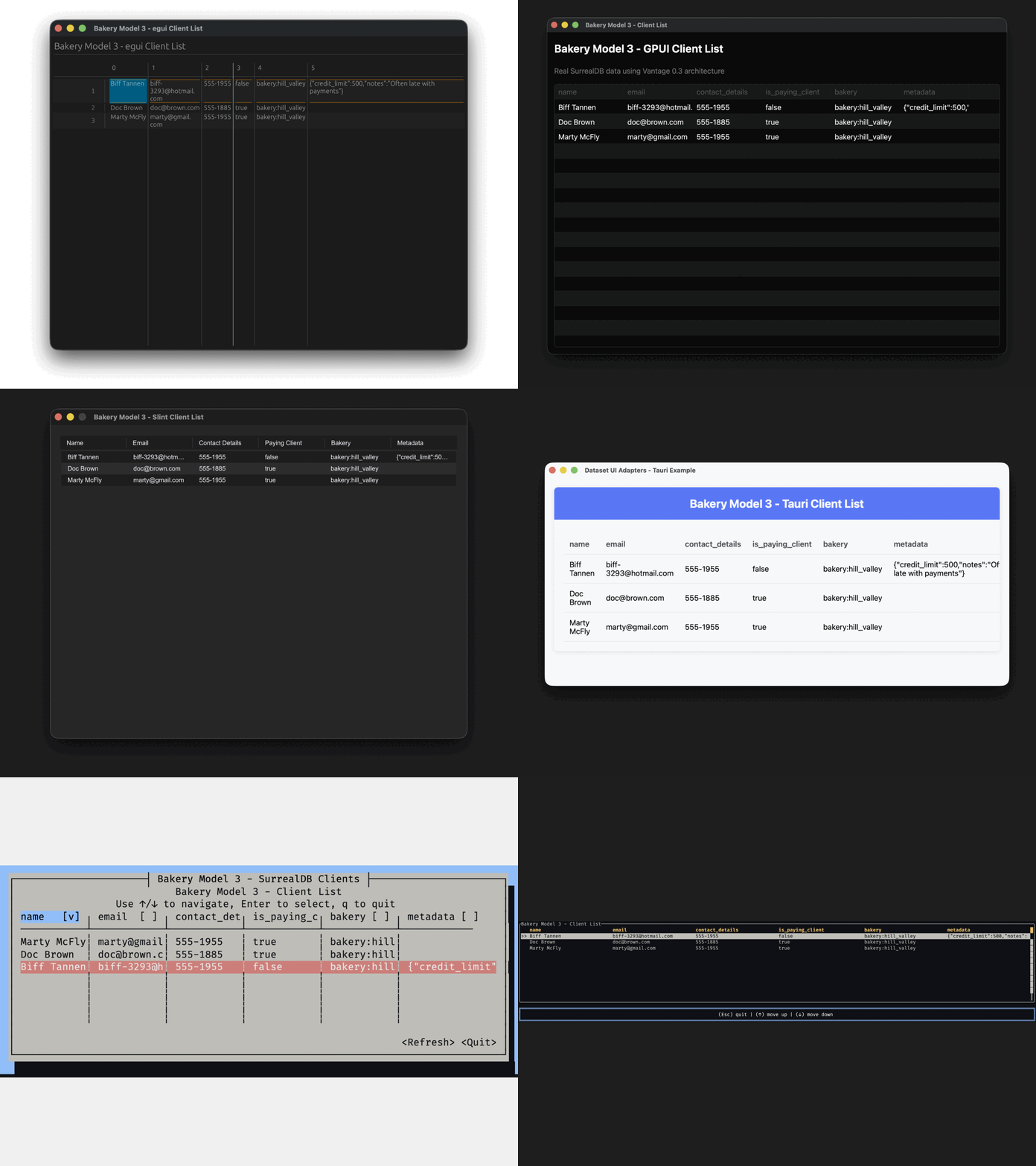
0.4 — The Type System Rewrite (November 2025–April 2026)
Version 0.4 rewrites the type system from the ground up. Custom types per datasource, CBOR
protocol, 7 persistence backends (SurrealDB, Postgres, MySQL, SQLite, MongoDB, CSV, REST API),
ActiveEntity / ActiveRecord patterns, typed columns, unified error handling, and a progressive
trait model where each persistence only implements what its engine supports.
0.5 — The Vista Era (May–June 2026)
Version 0.4 made the type system precise. Version 0.5 asks the next question: how does code that
doesn’t know your entity type talk to your data? A CLI that lists any table, a web admin that draws
forms from a YAML schema, a UI data grid pointed at whatever you give it — none of them know your
Product struct.
0.4’s answer was AnyTable: type-erasure that funnelled everything through JSON. 0.5 replaces it
with Vista — a universal, schema-bearing data handle. A Vista wraps any typed Table<DB, E>,
erases both backend and entity, and carries its own schema (columns, references, capabilities) while
delegating execution to a per-driver TableShell.
#![allow(unused)]
fn main() {
// Wrap any typed table — SQLite, MongoDB, AWS, all the same shape
let vista = SqliteVistaFactory::new(db).from_table(Product::table(db.clone()))?;

// Everything is now runtime introspection — no generics, no entity type
for name in vista.get_column_names() {
    let col = vista.get_column(name).unwrap();
    println!("{}: {}", col.name, col.original_type);
}

let mut v = vista.clone();
v.add_condition_eq("category_id", 1.into())?;     // driver translates to native condition
v.add_search("tart")?;                            // fans across SEARCHABLE columns
v.add_order("price", SortDirection::Descending)?;
let rows = v.fetch_page(1).await?;
}Where AnyTable narrowed every value to serde_json::Value, Vista carries
ciborium::Value end to end — preserving integer-vs-float, binary
blobs, and precise decimals. JSON conversion happens only at the boundary, when you actually need it
(an HTTP response, say).
The AnyTable carrier was deleted outright in vantage-table 0.5.2 — type erasure now lives one
layer up, in Vista. That decommission is what the 0.5 version bump marks.
Capabilities — the explicit contract
Not every backend can do everything. A CSV file can’t sort server-side; DynamoDB can only order by its sort key; a REST API may paginate by cursor but not by page number. Vista makes this explicit with a struct of capability flags, and each driver declares exactly what it supports:
#![allow(unused)]
fn main() {
let caps = vista.capabilities();
if caps.can_search { v.add_search("query")?; }
if caps.can_fetch_page { /* random-access pager */ } else { /* load-more button */ }
}
Calling a method the driver doesn’t advertise returns an Unsupported error — never a silent
match-all, never a panic. UI adapters branch on these flags to decide which controls to render.
Config-driven: YAML specs and Rhai scripting
A Vista no longer needs a hand-written Rust definition. Tables, columns, and relations can be
declared in a YAML spec (VistaSpec) and loaded by the driver’s factory. For anything YAML
can’t express — vendor-specific expressions, derived sources, scripted reference traversal — there’s
an optional Rhai DSL that compiles to native queries:
#![allow(unused)]
fn main() {
let users = table("users").alias("u");
select()
    .from(users)
    .expression(users["name"])
    .where(users["age"] >= 18)
    .order_by(users["name"], "asc")
}
The same script renders dialect-correct SQL for SQLite, Postgres, and MySQL — automatic identifier
quoting, date_format() mapping to strftime/TO_CHAR/DATE_FORMAT, group_concat() becoming
GROUP_CONCAT/STRING_AGG. SurrealDB gets its own vocabulary (graph traversal, RELATE, record
ids). YAML stays the primary format; Rhai is the targeted, serializable escape hatch.
Contained relations and nested writes
Embedded objects and arrays — an order’s lines, a row’s JSON column — now surface as a fully
editable sub-Vista. SurrealDB backs them with native nested objects; SQL backends store them as
JSON columns and patch the host column on writeback. And insert_value learned to walk relations:
hand it a record whose keys name a relation and it sequences the writes, stamping foreign keys
automatically.
Diorama — caching, events, and reactive views
The biggest new subsystem is vantage-diorama — a layer that sits between a Vista and whatever
consumes it. Three concepts:
- Lens — long-lived shared infrastructure: a cache backend, lifecycle callbacks, refresh policy. Built once per application.
- Dio — a Vista bound to a Lens. Owns the cache table, a write queue, an event bus, and a refresh task.
- Scenery — a reactive view onto a Dio (ordered tables, individual records, aggregates) that a UI binds to.
#![allow(unused)]
fn main() {
let lens = Arc::new(
    Lens::new()
        .cache_at("./cache.redb")
        .on_start(|dio| { let dio = dio.clone(); async move {
            let rows = dio.master().list_values().await?;
            dio.cache().insert_values(rows).await?;
            Ok(())
        }})
        .refresh_every(Duration::from_secs(300))
        .build()?,
);
let products = lens.make_dio(products_vista).await?;
let mut v = products.vista();          // facade: reads from cache, writes through the queue
}Diorama caches the full dataset locally, so a read-only CSV Vista that can’t paginate, sort, or search server-side becomes one that can — the consumer sees a richer Vista than the backend actually supports. Two-pass progressive loading renders a cheap list immediately and hydrates expensive per-row detail lazily as rows scroll into view.
More backends, more reach
0.5 also widened the backend roster around the Vista abstraction: redb (embedded key-value
store), AWS (DynamoDB and friends, all returning Vistas directly), a Cmd source that turns a
shell script into a queryable table, and an API pool. Cross-persistence reference traversal —
categories in Postgres, products in MongoDB — moved out of Vista and into
vantage-vista-factory’s VistaCatalog, keeping each Vista strictly single-backend.
The getting-started guide was rewritten around these concepts — chapters on Vista, Dio & Lens, and Scenery build a CLI up from a single SQLite query to a reactive, cached, multi-backend handle.
0.6 — Hardening (June 2026)
If 0.5 was about reach, 0.6 is about trust. The release is a coordinated, workspace-wide sweep with a single theme: no panics, no silent failures. Every path that could abort the process deep inside a write, or quietly return a wrong answer, was made fallible and explicit.
- Serialization is fallible. A new
TryIntoRecordtrait replaces the infallible blanket: a failingSerialize(non-string map keys, an out-of-range number) now becomes a recoverable error instead of a process abort mid-write.Entitywrite paths (insert/replace/patch) propagate it. - No silent zeros.
get_countunwraps the common[{"count": N}]shape and surfaces unrecognized result shapes as errors instead of returning0. - No silent match-all. Search on a backend that can’t search server-side (CSV, redb) returns an
Unsupportederror — never a quietly unfiltered result set. - Expression safety.
f64::IntoValuedegrades NaN/Infinity toNullinstead of panicking;Expression::preview()uses single-pass interleaving so a{}inside a rendered value can’t corrupt the output.select_columnbecame fallible. - Clearer error classification.
vantage-core’s error-kind annotators were renamed tomark_unsupported/mark_unimplemented(theis_*names are now real predicates), and trace emission was decoupled —mark_*no longer logs implicitly; chain.traced()when you want thetracing::error!event. - Security: SurrealDB identifier injection. Identifier escaping was unified into
surreal-client’s singleescape_identifierauthority and fixed for SurrealDB 3.x — a crafted⟩inside a column name could previously break out of⟨…⟩quoting and inject arbitrary SurrealQL.similarity()andtime_group()literals are now bound as parameters rather than interpolated, closing the same hole on the Rhai-exposed search path.
Alongside the hardening, 0.6 folded the standalone vantage-data-script crate into vantage-vista’s
rhai feature, added random-access windowing (fetch_window) with REST lazy-loading, and introduced
ColumnFlag::Label for status-tag display hints.
The bigger picture
Looking at the trajectory:
| Version | Core idea | Backends | Crates |
|---|---|---|---|
| 0.0 | Can Rust build SQL smartly? | Postgres | 1 |
| 0.1 | Let’s publish this | Postgres | 1 |
| 0.2 | Entity Framework for Rust | Postgres | 1 |
| 0.3 | Traits, not inheritance | SurrealDB, SQLite | 10+ |
| 0.4 | Strict types, any persistence | SurrealDB, SQLite, Postgres, MySQL, MongoDB, CSV, REST API | 20+ |
| 0.5 | A universal data handle | + redb, AWS (DynamoDB), Cmd (shell scripts) | 25+ |
| 0.6 | No panics, no silent failures | (same — hardening release) | 25+ |
What started as 16 commits in April 2024 is now 800+ commits, 300+ pull requests, and a
framework that can drive the same business logic across a dozen backends and six UI frameworks —
typed when you know the entity, universal (via Vista) when you don’t.
The destination hasn’t changed since day one: describe your data once, use it everywhere. Each version just made “everywhere” a little bigger.
What’s New in Vantage 0.4
Version 0.4 is a ground-up rewrite of the type system and a massive expansion of persistence support. If 0.3 proved the architecture, 0.4 makes it production-ready.
- Progressive model — implement only what you need
- Persistence-specific Type Systems
- Table — the interface you get for free
- ActiveEntity and ActiveRecord
- Record<V> — persistence-native value bags
- CBOR everywhere
- New persistences
- Unified error handling
- AnyTable goes universal
- What’s still coming
Progressive model — implement only what you need
In earlier versions, adding a new backend meant implementing everything. Version 0.4 flips this: capabilities unlock progressively based on which traits your persistence (backend) implements. There are two parallel trait hierarchies — one for typed entities, one for schema-less records.
DataSet works with your Rust structs:
#![allow(unused)]
fn main() {
// A CSV file is read-only — and that's fine
impl ReadableDataSet<Product> for CsvFile { /* ... */ }

// A message queue can only append
impl InsertableDataSet<Event> for KafkaTopic { /* ... */ }

// A full database gets the complete toolkit
impl ReadableDataSet<Client> for SurrealDB { /* ... */ }
impl WritableDataSet<Client> for SurrealDB { /* ... */ }
// ReadableDataSet + WritableDataSet automatically unlocks ActiveEntitySet!
}
ValueSet is the schema-less counterpart — same hierarchy, but operates on Record<Value>
instead of entities. Useful for dynamic tables, config-driven schemas, or when you don’t have (or
want) a struct:
#![allow(unused)]
fn main() {
// Read raw records — no struct needed
impl ReadableValueSet for CsvFile { /* returns Record<CsvType> */ }

// Full CRUD on raw values
impl WritableValueSet for SurrealDB { /* accepts Record<AnySurrealType> */ }
// ReadableValueSet + WritableValueSet automatically unlocks ActiveRecordSet!
}
Each layer is opt-in. A CSV persistence never pretends it can build select queries.
The DataSource layer is progressive too. These traits aren’t a strict hierarchy — they combine independently, and each persistence implements only what its engine supports:
DataSource                        ← marker, all backends
 ├── TableSource                  ← CRUD, columns, conditions
 ├── ExprDataSource               ← execute expressions, defer()
 └── SelectableDataSource         ← query builder (Selectable)

TableExprSource                   ← count/sum/max/min as composable expressions
 requires: TableSource + ExprDataSource

TableQuerySource                  ← table definition → full query
 requires: TableSource + SelectableDataSource
Here’s what each persistence implements:
CSV
 └── TableSource (read-only, in-memory conditions)

REST API  (vantage-api-client)
 ├── TableSource (read-only, HTTP GET)
 └── ExprDataSource (basic resolve)

MongoDB
 ├── TableSource (full CRUD, native bson::Document conditions)
 └── SelectableDataSource (field projection, $match pipeline)
     └── aggregates via native $sum/$max/$min pipeline

Postgres / MySQL / SQLite  (via sqlx)
 ├── TableSource (full CRUD)
 ├── ExprDataSource (parametric SQL execution)
 ├── SelectableDataSource (JOINs, CTEs, window functions)
 └── TableQuerySource

SurrealDB
 ├── TableSource (full CRUD)
 ├── ExprDataSource (CBOR execution)
 ├── SelectableDataSource (SurrealQL builder)
 ├── TableExprSource (composable aggregates)
 ├── TableQuerySource
 └── vendor extensions (graph queries, RELATE, live queries)
There’s also MockTableSource in vantage-table and ImDataSource in vantage-dataset — a
fully in-memory persistence backed by HashMap<String, IndexMap<String, Record<Value>>>. Great for
tests and prototyping without any database.
Want to add your own? The Adding a New Persistence guide walks through each trait step by step — from type system to full CRUD to multi-backend CLI.
Persistence-specific Type Systems
The vantage-types crate is the foundation of 0.4. Each persistence defines its own type universe
via the vantage_type_system! macro — no more funnelling everything through JSON:
#![allow(unused)]
fn main() {
vantage_type_system!(AnySurrealType, SurrealDB);   // CBOR-native types
vantage_type_system!(AnyMongoType, MongoDB);        // BSON-native types
vantage_type_system!(AnySqliteType, SqliteDB);      // CBOR with integer/real/text markers
vantage_type_system!(AnyPostgresType, PostgresDB);  // CBOR with full PG type coverage
vantage_type_system!(AnyMysqlType, MysqlDB);        // CBOR with MySQL type coverage
}
All SQL backends (SQLite, Postgres, MySQL) now use CBOR as their internal value representation —
not JSON. This preserves type fidelity that JSON loses (integer vs float, binary blobs, precise
decimals) while keeping the same vantage_type_system! ergonomics.
Each SQL backend has detailed type conversion tables covering chrono types (DATE, TIME, TIMESTAMP), numeric types (DECIMAL, BIGINT, FLOAT), and cross-type coercion rules. See the Type Conversions reference for exact round-trip behaviour per column type and Rust type.
Strict conversions replace silent casting — try_into() is explicit and fallible:
#![allow(unused)]
fn main() {
let val: i64 = surreal_value.try_into()?;   // fails if it's actually a string
let val: String = mongo_value.try_into()?;   // fails if it's actually a number
}
These types flow through the entire framework, not just storage. Columns carry their type as a
generic parameter (Column<i64>, Column<String>) — surviving type-erasure via original_type so
UI adapters can inspect what a column actually holds. AssociatedExpression<'a, DS, T, R> is
parameterised by the value type T, so a count query on SurrealDB returns AnySurrealType while
the same query on Postgres returns AnyPostgresType. AssociatedQueryable<R> then converts
that into your expected Rust type — all type-checked at compile time.
#![allow(unused)]
fn main() {
// Column preserves type through erasure
let price = Column::<i64>::new("price").with_flag(ColumnFlag::Indexed);
let erased = Column::<AnyType>::from_column(price);
assert_eq!(erased.get_type(), "i64");  // original type survives

// AssociatedExpression carries the persistence's value type
let count: AssociatedExpression<'_, SurrealDB, AnySurrealType, usize> =
    table.get_expr_count();
let n: usize = count.get().await?;  // executes, converts AnySurrealType → usize
}
This means the full range of your persistence’s native types is preserved end-to-end — from column definition through query building to result extraction — without narrowing down to JSON variants.
Table — the interface you get for free
Once a persistence implements TableSource, the framework hands you Table<DB, Entity> — a
fully-featured abstraction over your data with columns, conditions, ordering, pagination,
relationships, and aggregates. You don’t build any of this yourself; it comes from vantage-table.
Table<DB, E> auto-implements a wide range of traits from the DataSet and ValueSet hierarchies:
ReadableDataSet<E>, WritableDataSet<E>, InsertableDataSet<E>, ActiveEntitySet<E>,
ReadableValueSet, WritableValueSet, InsertableValueSet, and ActiveRecordSet. All of these
come for free once your persistence implements TableSource.
#![allow(unused)]
fn main() {
let products = Product::table(db)
    .with_condition(products["is_deleted"].eq(false))
    .with_order(products["price"].desc())
    .with_pagination(Pagination::ipp(25));

// ReadableDataSet, WritableDataSet, ActiveEntitySet — all auto-implemented
for (id, product) in products.list().await? { /* ... */ }
let count = products.get_count().await?;
}
Additionally, table.select() yields a vendor-specific query builder — SurrealSelect,
SqliteSelect, PostgresSelect — giving you full access to the persistence’s native query
capabilities when you need to go beyond what the generic Table API offers.
This dramatically simplifies implementing new persistences. You implement TableSource methods
(read, write, aggregate) and get the entire Table API for free — conditions compose automatically,
columns carry types, references traverse between tables, and AnyTable type-erasure just works.
graph LR
    P[Select Persistence]
    M[Create Model Layer]
    B[Build Business Logic]
    E[Export via FFI or API]
    P ==> M ==> B ==> E
    style P fill:#4a7c59,color:#fff
    style M fill:#2d6a8f,color:#fff
    style B fill:#8f5a2d,color:#fff
    style E fill:#7c2d8f,color:#fff
Pick your persistence (SurrealDB, Postgres, CSV — or several). Define entities and tables in a
shared model crate. Build business logic against Table and DataSet traits — persistence-agnostic
and testable with mocks. Finally, expose your model to other languages via FFI (C ABI, PyO3, UniFFI,
WASM) or through API layers (Axum, gRPC). The model stays in Rust; consumers don’t need to know.
Read more in Model-Driven Architecture and
Three Paths for Developers.
ActiveEntity and ActiveRecord
The vantage-dataset crate introduces two flavours of the active record pattern:
ActiveEntity<D, E> — wraps a typed entity. Derefs straight to your struct, tracks the ID, and
saves back to any WritableDataSet:
#![allow(unused)]
fn main() {
let mut user = users.get_entity(&id).await?.unwrap();
user.email = "new@example.com".to_string();  // modify via DerefMut
user.save().await?;                           // persists the change
}
ActiveRecord<D> — same idea, but schema-less. Works with Record<Value> instead of a concrete
struct, perfect for dynamic tables or config-driven entities:
#![allow(unused)]
fn main() {
let mut rec = table.get_value_record(&id).await?;
rec["status"] = json!("active");
rec.save().await?;
}
Both auto-unlock via blanket impls — if your datasource implements ReadableDataSet +
WritableDataSet, you get ActiveEntitySet for free. No extra code.
The API is designed for real-world patterns like get-or-create:
#![allow(unused)]
fn main() {
let mut user = users.get_entity(&id).await?
    .unwrap_or_else(|| users.new_entity(id, User::default()));
user.name = "Alice".into();
user.save().await?;
}
Record<V> — persistence-native value bags
Record<V> is an IndexMap<String, V> wrapper — but V is not serde_json::Value. It’s your
persistence’s own type. A SurrealDB table returns Record<AnySurrealType>, Postgres returns
Record<AnyPostgresType>, MongoDB returns Record<AnyMongoType>. This ensures the full range of
your persistence’s native types is preserved — not narrowed down to what JSON can represent.
#![allow(unused)]
fn main() {
// Each persistence speaks its native types
let record: Record<AnySurrealType> = surreal_table.get_value(&id).await?;
let record: Record<AnyPostgresType> = pg_table.get_value(&id).await?;
let record: Record<AnyMongoType> = mongo_table.get_value(&id).await?;

// Type-safe extraction — respects the persistence's type boundaries
let name: String = record["name"].try_get::<String>().unwrap();
}
Record is the common currency across the framework — ReadableValueSet, WritableValueSet,
ActiveRecord, and entity conversion all work through it. JSON conversion only happens at the
boundary when you need AnyTable type-erasure (via from_table()).
CBOR everywhere
The SurrealDB client switched from JSON to binary CBOR, improving serialization performance and type fidelity. All backends followed — Postgres, MySQL, SQLite.
New persistences
MongoDB, CSV, and REST API persistences joined SurrealDB and SQLite. CSV evaluates conditions in-memory. MongoDB uses native BSON filters — no expression translation needed:
#![allow(unused)]
fn main() {
// Same handle_commands function — different persistences
handle_commands(SurrealDB::table("product")).await?;
handle_commands(CsvFile::table("products.csv")).await?;
handle_commands(MongoDB::table("product")).await?;
}
Unified error handling
vantage-core introduced VantageError with structured context — replacing the patchwork of
Box<dyn Error> and .unwrap() calls:
#![allow(unused)]
fn main() {
use vantage_core::{error, util::error::Context, Result};

connection.connect()
    .with_context(|| error!("Failed to connect", dsn = &dsn, timeout = 30))?;
}
AnyTable goes universal
AnyTable::from_table() now wraps any datasource whose types convert to/from JSON, using an
internal JsonAdapter for on-the-fly conversion. This means your generic code works with
persistences that don’t even share a value type:
#![allow(unused)]
fn main() {
// Wrap a MongoDB table for use in generic code
let any: AnyTable = AnyTable::from_table(mongo_products);
let any: AnyTable = AnyTable::from_table(csv_products);
// Both work through the same interface
}
What’s still coming
Trait boundary refinements — Aggregates (get_count, get_sum) currently require
SelectableDataSource but should only need TableSource, so non-query backends like MongoDB
can use them directly. column_table_values_expr forces an ExprDataSource dependency that
document-oriented backends don’t need.
SurrealDB reference traversal — IN subqueries return record objects instead of scalar
values. Needs SELECT VALUE id — a SurrealDB-specific construct not yet in the generic
Selectable trait.
Type system gaps — Vec<u8> (binary data) and Uuid need type trait implementations
across backends. Bind/read paths exist — just missing the impl XxxType wiring.
Query builder — sql_fx!() macro for mixed-type function calls, Expression::empty()
sweep, PostgreSQL ingress scripts.
Architecture — Transaction support, Table JOIN preserving conditions and resolving alias
clashes, Condition::or() beyond two arguments, expression refactor (split Owned/Lazy).
Someday — Table aggregations (GROUP BY), disjoint subtypes pattern, replayable idempotent operations, “Realworld” example application.
Don’t force every persistence into the same mould. Let each one implement what it can, carry its own types, and unlock API surface progressively. The framework adapts to the datasource — not the other way around.
What’s New in Vantage 0.5
Version 0.4 made the type system precise — every backend carries its own types, and a persistence implements only what its engine supports. Version 0.5 answers the question that follows: how does code that doesn’t know your entity type talk to your data?
A CLI that lists any table, a web admin that draws forms from a YAML schema, a UI data grid pointed
at whatever you hand it — none of them know your Product struct. 0.4’s answer was AnyTable:
type-erasure funnelled through JSON. 0.5 replaces it with Vista, a universal, schema-bearing
data handle, and builds an entire reactive stack on top of it.
- Vista — the universal data handle
- CBOR, not JSON
- Capabilities — the explicit contract
- Config-driven: YAML specs and Rhai scripting
- Contained relations and nested writes
- Diorama — caching, events, and reactive views
- Cross-persistence traversal: VistaCatalog
- More backends
- Migrating off AnyTable
- What’s still coming
Vista — the universal data handle
A Vista wraps any typed Table<DB, E> and erases both the backend and
the entity. All data flows through Record<CborValue> — an ordered map of string keys to CBOR
values. All schema lives on the Vista itself: columns (with types and flags), references, the id
column, and a set of capability flags. Execution is delegated to a per-driver
TableShell.
Table<SqliteDB, Product>   — typed entity, typed backend, compile-time safe
Vista                      — fully erased: schema-bearing, CborValue, no generics
Each backend ships a factory that turns a typed table into a Vista. The factory harvests columns, id field, title fields, and references from the table definition you already built — no extra mapping code:
#![allow(unused)]
fn main() {
use vantage_sql::prelude::*;
use vantage_vista::Vista;

let table = Product::table(db.clone());
let vista = SqliteVistaFactory::new(db).from_table(table)?;
}
For MongoDB it’s MongoVistaFactory, for AWS AwsVistaFactory — same shape, different import. The
resulting Vista is identical regardless of which factory produced it. From there, everything is
runtime introspection:
#![allow(unused)]
fn main() {
// Schema — no entity type required
for name in vista.get_column_names() {
let col = vista.get_column(name).unwrap();
println!("{}: {}", col.name, col.original_type); // name: String, price: i64, ...
}
for (name, kind) in vista.list_references() {
println!("ref: {} ({:?})", name, kind); // ref: products (HasMany)
}
// Query — Vista delegates the value to the driver's native condition type
let mut v = vista.clone();
v.add_condition_eq("category_id", 1.into())?;
v.add_search("tart")?; // fans across SEARCHABLE columns
v.add_order("price", SortDirection::Descending)?;
let rows = v.fetch_page(1).await?;
}Unlike Table’s .with_condition() (consume-and-return), Vista’s add_condition_eq /
add_search / add_order mutate in place — it’s a runtime handle, not a builder. Search and order
are replace semantics (calling again drops the previous one). Clone before narrowing if you need
the unfiltered handle later.
CBOR, not JSON
Where AnyTable narrowed every value to serde_json::Value, Vista carries
ciborium::Value end to end. CBOR preserves the type fidelity JSON
loses — integer vs float, binary blobs, precise decimals — so a Record<CborValue> round-trips
through the Vista layer without lossy hops. JSON conversion happens only at the boundary, when you
actually need it (an HTTP response, for example), and it’s a one-liner.
This is the same carrier the backends already use internally (Surreal and SQL store CBOR; Mongo stores BSON), so wrapping a typed table into a Vista no longer crosses a JSON funnel.
Capabilities — the explicit contract
Not every backend can do everything. A CSV file can’t sort or search server-side; DynamoDB orders
only by its declared sort key; a token-paginated REST API offers a forward cursor but no page
numbers. Vista makes this explicit with
VistaCapabilities — a struct of booleans where each driver
declares exactly what it supports:
#![allow(unused)]
fn main() {
let caps = vista.capabilities();
if caps.can_search { v.add_search("query")?; }
if caps.can_fetch_page {
let page = v.fetch_page(2).await?; // random access
} else if caps.can_fetch_next {
let (rows, token) = v.fetch_next(None).await?; // forward cursor
}
}The flags aren’t suggestions — they’re a contract. Calling add_search() when can_search is
false returns an Unsupported error. If a flag is true but the driver forgot to implement the
method, you get Unimplemented instead. Both are VantageError variants you can match on. It’s
better to fail clearly than to silently return an unfiltered result set — a principle 0.6 then drove
through every remaining path.
UI adapters branch on these flags directly: a data grid checks can_fetch_page to decide between a
scrollbar (random access) and a “load more” button (cursor-based).
Config-driven: YAML specs and Rhai scripting
A Vista no longer needs a hand-written Rust definition. Tables, columns, and relations can be
declared in a YAML spec (VistaSpec) and materialized by the
driver’s factory:
table: product
columns:
- { name: name, flags: [title, searchable] }
- { name: price }
references:
- { name: orders, kind: has_many, foreign_key: product_id }
For everything YAML can’t express — vendor-specific expressions, derived sources, scripted reference traversal — there’s an optional Rhai DSL that compiles to native queries. The same script renders dialect-correct SQL across all three SQL backends:
#![allow(unused)]
fn main() {
let users = table("users").alias("u");
select()
.from(users)
.expression(users["name"])
.where(users["age"] >= 18)
.order_by(users["name"], "asc")
}- Automatic identifier quoting (backticks for MySQL, double quotes for Postgres/SQLite)
- Dialect-aware primitives:
date_format()→strftime()/TO_CHAR()/DATE_FORMAT() group_concat()→GROUP_CONCAT(SQLite/MySQL) /STRING_AGG(Postgres)
SurrealDB gets its own Rhai vocabulary — graph traversal (graph()/recurse()), record ids
(thing), $parent references, and SurrealDB-namespaced aggregates. A per-reference Rhai script can
even override the default foreign-key traversal, evaluated lazily with the parent row in scope.
YAML stays the canonical, declarative table format. Rhai is a serializable escape hatch you reach
for only when a relationship or source needs vendor expressions a YAML key can’t represent. Engine-less
backends still understand a conventional uniform vocabulary (table, with_id, add_condition_eq,
add_order) and only lose vendor-specific expression syntax — graceful degradation, not a hard
requirement.
Contained relations and nested writes
Embedded objects and arrays — an order’s lines array, a row’s JSON column — now surface as a fully
editable sub-Vista:
#![allow(unused)]
fn main() {
let order = Order::table(db)
.with_contained_many("lines", |line| {
line.with_column("product_id").with_column("quantity")
});
}SurrealDB backs contained relations with native nested objects and arrays; the SQL backends store
them as JSON columns and patch the host column on writeback. Reads project the column into records;
writes re-serialize the whole collection and patch the parent row. Contained records can even
traverse out to real tables (line.product).
Insert learned to walk relations, too. Hand insert_value a record whose keys name a relation
instead of a column, and Vista sequences the writes so foreign keys populate automatically: a
has-one child is inserted first and its id stamped into the parent’s FK; has-many children are
inserted after the parent with the parent’s id stamped into each. Arbitrary depth, same-persistence
relations only.
Nested insert is best-effort and non-atomic — a mid-sequence failure leaves earlier writes committed. Transaction support is still on the roadmap.
Diorama — caching, events, and reactive views
The largest new subsystem is vantage-diorama, a layer that sits between a Vista and whatever
consumes it. It does three things: caches transparently, injects capabilities the backend lacks, and
routes writes wherever you want.
graph LR
M[Master Vista] --> D[Dio]
L[Lens<br/>cache + callbacks] --> D
D --> F[Facade Vista]
D --> S[Scenery]
D -. cache + events .-> D
style M fill:#4a7c59,color:#fff
style L fill:#2d6a8f,color:#fff
style D fill:#8f5a2d,color:#fff
style S fill:#7c2d8f,color:#fff
style F fill:#7c2d8f,color:#fff
Four words you’ll see throughout:
- Vista — a single-backend data source (the master).
- Lens — long-lived shared infrastructure: cache backend, lifecycle callbacks, refresh policy. Built once per application.
- Dio — a Vista bound to a Lens. Owns the cache table, a write queue, an event bus, and a
refresh task. Produced by
lens.make_dio(vista). - Scenery — a reactive view onto a Dio (ordered tables, individual records, aggregates). The UI binds here.
#![allow(unused)]
fn main() {
let lens = Arc::new(
Lens::new()
.cache_at("./cache.redb")
.on_start(|dio| { let dio = dio.clone(); async move {
let rows = dio.master().list_values().await?; // seed cache from master
dio.cache().insert_values(rows).await?;
Ok(())
}})
.refresh_every(Duration::from_secs(300))
.build()?,
);
let products = lens.make_dio(products_vista).await?;
let mut v = products.vista(); // facade: reads from cache, writes through the queue
let rows = v.list_values().await?; // cache hit — never touches the master
}Diorama caches the full dataset locally and answers queries from it. So a read-only CSV Vista that
can’t paginate, sort, or search server-side becomes one that can — the consumer sees a richer
Vista than the backend actually supports. Register an on_write callback and the facade gains
can_insert too, even though the master is read-only: writes land in the queue and you route them
wherever you like (a Kafka topic, a different database).
Writes go through a queue as WriteOps; the cache updates immediately and persistence happens
asynchronously. A broadcast event bus publishes DioEvents (record changed, inserted, removed,
invalidated) that Sceneries subscribe to. Upstream changes — another user’s edit, a database
trigger, a webhook — feed in as ChangeEvents through an on_event callback that reconciles them
into the cache.
Two-pass progressive loading handles slow sources: a cheap list pass renders immediately, and expensive per-row detail hydrates lazily as rows scroll into view, keyed per query so filter/sort variants share the detail store without blocking the UI.
Cross-persistence traversal: VistaCatalog
A reference can cross a backend boundary — categories in Postgres, products in MongoDB. In 0.5 that’s
no longer a Vista concern (a Vista is strictly single-backend). It moved up into
vantage-vista-factory’s VistaCatalog: register a model loader per table name, then
build_vista(name) materializes a Vista and traverse(relation, parent_row) resolves and narrows
the related Vista regardless of which persistence backs it.
#![allow(unused)]
fn main() {
let catalog = VistaCatalog::new();
catalog.register("category", |name| postgres_factory.build(name));
catalog.register("product", |name| mongo_factory.build(name));
let category = catalog.build_vista("category").await?;
let products = catalog.traverse("products", &category_row).await?; // Postgres → MongoDB
}More backends
0.5 widened the roster around the Vista abstraction:
| Crate | Backend |
|---|---|
vantage-redb | Embedded key-value store (uses ColumnFlag::Indexed for real indexes) |
vantage-aws | DynamoDB and friends — Factory::for_name / from_arn return Vistas directly |
vantage-cmd | A shell script becomes a queryable table (separate list / detail scripts) |
vantage-api-pool | Pooled REST API access |
Each implements TableShell and slots into the same Vista surface, the same YAML/Rhai config, and
the same Diorama caching — nothing downstream changes.
Migrating off AnyTable
AnyTable is gone. The carrier, AnyRecord, the CborAdapter, Table::get_ref (the
AnyTable-returning one), Reference::resolve_as_any, and the model_cli runner were all deleted
across the 0.5.x line.
Anywhere you wrote AnyTable::from_table(table), write T::vista_factory().from_table(table)? to
get a Vista. The typed Table::get_ref_as and Table::get_subquery_as survive untouched — they
never went through AnyTable. For the row-driven case, prefer Table::get_ref_from_row.
The CLI runner story collapsed to one path: vista_cli (in vantage-cli-util), which has carried
the full token grammar — operators, selectors, search, aggregates — since 0.4.5 and is what every
in-tree consumer already uses.
What’s still coming
Transactions — nested insert and multi-step writes are best-effort and non-atomic today.
Live queries — can_subscribe is wired through the capability struct but SurrealDB live-query
push is still a later pass; Diorama’s event bus is the interim path.
Multi-column ordering — add_order is single-column for now; the signature already accommodates
the multi-column future.
Type system gaps — Vec<u8> (binary) and Uuid still need trait wiring across every backend.
Keep the typed layer where you know your entity, and rise to a single universal handle — Vista —
where you don’t. Let each backend advertise exactly what it supports, and let a caching layer fill
the gaps. The framework adapts to the datasource; the consumer writes against one shape.
Expressions & Queries
Vantage builds queries without string concatenation. The vantage-expressions crate provides a
type-safe, composable expression system that works across all persistence backends — SQL, SurrealDB,
MongoDB, CSV, and anything you add yourself.
- The core idea
- Vendor macros
- Composing expressions
- Identifier quoting
- ExprDataSource — executing expressions
- Deferred expressions — cross-database values
- Selectable — the query builder interface
- SelectableDataSource — wiring it up
- Expressive trait
The core idea
An Expression<T> is a template string with typed parameters:
#![allow(unused)]
fn main() {
let expr = sqlite_expr!("SELECT {} FROM {} WHERE {} > {}",
(ident("name")), (ident("product")), (ident("price")), 100i64);
// → SELECT "name" FROM "product" WHERE "price" > ?1 (with 100 bound as i64)
}Parameters are never interpolated into the string. They’re carried separately, each tagged with a
type marker from your persistence’s type system. The bind layer uses these markers to call the right
driver method — bind_i64, bind_str, bind_bool — no guessing, no silent coercion.
Three kinds of parameters:
- Scalar — a typed value:
42i64,"hello",true - Nested — another expression, composed into the template
- Deferred — a closure that executes later (cross-database resolution)
Vendor macros
Each persistence provides a convenience macro that produces Expression<AnyType> with the correct
type wrapping:
#![allow(unused)]
fn main() {
let e = sqlite_expr!("SELECT * FROM product WHERE price > {}", 100i64);
let e = surreal_expr!("SELECT * FROM product WHERE price > {}", 100i64);
let e = postgres_expr!("SELECT * FROM product WHERE price > {}", 100i64);
let e = mysql_expr!("SELECT * FROM product WHERE price > {}", 100i64);
}Same syntax, different type universes. The compiler ensures you can’t accidentally mix a
Expression<AnySqliteType> into a SurrealDB query.
Composing expressions
Expressions nest naturally. Parenthesised arguments call .expr() automatically:
#![allow(unused)]
fn main() {
let condition = sqlite_expr!("{} > {}", (ident("price")), 100i64);
let query = sqlite_expr!("SELECT {} FROM {} WHERE {}",
(ident("name")), (ident("product")), (condition));
}The ExpressionFlattener collapses all nesting into a single flat template with positional
parameters — each one still carrying its type marker.
For building lists (e.g. multi-row INSERT), use Expression::from_vec:
#![allow(unused)]
fn main() {
let row1 = sqlite_expr!("({}, {})", "tart", 220i64);
let row2 = sqlite_expr!("({}, {})", "pie", 299i64);
let rows = Expression::from_vec(vec![row1, row2], ", ");
}Identifier quoting
SQL identifiers need quoting — and each database uses different quote characters. The Identifier
struct handles this by implementing Expressive<T> for each backend type:
#![allow(unused)]
fn main() {
// Quoting adapts to the expression's type context
sqlite_expr!("SELECT {}", (ident("name"))); // → SELECT "name"
mysql_expr!("SELECT {}", (ident("name"))); // → SELECT `name`
// Qualified identifiers
sqlite_expr!("SELECT {}", (ident("name").dot_of("u"))); // → SELECT "u"."name"
// Aliases
mysql_expr!("SELECT {}", (ident("name").with_alias("n"))); // → SELECT `name` AS `n`
}ExprDataSource — executing expressions
The ExprDataSource<T> trait connects expressions to a live database:
#![allow(unused)]
fn main() {
// Execute directly
let result: AnySqliteType = db.execute(&expr).await?;
// Associate with an expected return type
let count: i64 = db.associate::<i64>(sqlite_expr!("SELECT COUNT(*) FROM product"))
.get().await?;
}AssociatedExpression<'a, DS, T, R> carries both the expression and a reference to the datasource.
Call .get() to execute and convert in one step. The return type R is checked at compile time.
Deferred expressions — cross-database values
Sometimes a query on one database needs a value from another. defer() wraps a query as a closure
that resolves at execution time:
#![allow(unused)]
fn main() {
// Query config_db for a threshold — but don't execute yet
let threshold = config_db.defer(
sqlite_expr!("SELECT value FROM config WHERE key = {}", "min_price")
);
// Use the deferred value in a query against shop_db
let expensive = Expression::<AnySqliteType>::new(
"SELECT name FROM product WHERE price >= {}",
vec![ExpressiveEnum::Deferred(threshold)],
);
let result = shop_db.execute(&expensive).await?;
// 1. Resolves deferred → calls config_db, gets 150
// 2. Binds 150 as a scalar parameter
// 3. Executes against shop_db
}This is not a subquery — the deferred query runs first, produces a concrete value, and that value gets bound as a regular parameter.
Selectable — the query builder interface
The Selectable<T> trait is the standard interface for building SELECT queries. Each persistence
provides its own SELECT struct (SqliteSelect, SurrealSelect, PostgresSelect) implementing this
trait:
#![allow(unused)]
fn main() {
let select = SqliteSelect::new()
.with_source("product")
.with_field("name")
.with_field("price")
.with_condition(sqlite_expr!("{} = {}", (ident("is_deleted")), false))
.with_order(sqlite_expr!("{}", (ident("price"))), false)
.with_limit(Some(10), None);
}Builder methods come free from the trait — with_source, with_field, with_condition,
with_order, with_limit. You only implement the mutating methods (add_field,
add_where_condition, etc.).
Aggregate shortcuts clone the query and replace fields:
#![allow(unused)]
fn main() {
let count = select.as_count(); // SELECT COUNT(*) FROM ...
let total = select.as_sum(sqlite_expr!("{}", (ident("price")))); // SELECT SUM("price") FROM ...
}SelectableDataSource — wiring it up
SelectableDataSource<T> connects the query builder to execution:
#![allow(unused)]
fn main() {
impl SelectableDataSource<AnySqliteType> for SqliteDB {
type Select = SqliteSelect;
fn select(&self) -> Self::Select { SqliteSelect::new() }
async fn execute_select(&self, select: &Self::Select) -> Result<Vec<AnySqliteType>> {
self.execute(&select.expr()).await
}
}
}Once implemented, table.select() returns your vendor-specific builder pre-populated with the
table’s columns, conditions, and ordering — ready for execution or further customisation.
Expressive trait
Anything that implements Expressive<T> can be used inside an expression. This includes:
- Columns —
table["price"] - Operations —
table["price"].gt(100) - Identifiers —
ident("name") - Query builders —
select.expr() - Sort orders —
table["name"].desc() - Scalar values —
42i64,"hello",true - Closures — that’s what
defer()returns
You can implement Expressive<T> for your own types to make them composable into the expression
system.
Because conditions are themselves Expressive, operations chain across type boundaries:
price.gt(10) returns a SqliteCondition, and .eq(false) works on it — reading
“(price > 10) = 0”. Type safety is enforced on the first operation, at the column level; once
you hold a condition, any value compatible with the backend’s any-type is accepted
(price.gt(10).eq("foobar") compiles by design). Columns of the same type compare directly
(price.eq(price.clone())), and operations take ownership of their arguments — clone a column
you plan to reuse across conditions.
Records: Traversal, Invariants & Hooks
Once a backend implements TableSource (see Adding a New Persistence),
vantage-table gives every Table<Db, Entity> a uniform write pipeline. On each write the record
flows through three stages before it reaches the datasource:
record → lifecycle hooks (before) → set invariants → datasource write → hooks (after)
This page covers the consumer-facing features built on that pipeline: traversing a relation from a loaded record, the foreign-key invariants that traversal sets up, and the lifecycle hooks you can attach for audit, validation, soft-delete, and after-effects. They are backend-agnostic — everything here works the same on SQLite, Postgres, MySQL, Mongo, etc.
Traversing from a loaded record: get_ref
Table::get_ref_as / get_ref_from_row traverse a relation from a table (both covered in
Relations & Traversal). The GetRefExt trait adds the record-level
equivalent: traverse straight from a loaded ActiveEntity (typed) or ActiveRecord (untyped).
#![allow(unused)]
fn main() {
use vantage_table::prelude::GetRefExt;
let launch = launches.get_entity(id).await?.expect("launch");
// A child set scoped to this launch — and carrying its foreign key (see invariants below).
let crew = launch.get_ref::<LaunchCrew>("launch_crew")?;
crew.insert_return_id(&LaunchCrew { astronaut_id: Some(a), role: Some("Pilot".into()), ..Default::default() }).await?;
}get_ref::<E2>(relation) returns a Table<T, E2> scoped to the parent. For a typed ActiveEntity
the entity’s id is injected into the row before traversal (so has-many relations resolve); an
untyped ActiveRecord already holds the raw row and forwards directly. The same method exists on
both handles — GetRefExt carries blanket implementations for each, generic over any
TableSource (the handles themselves live in vantage-dataset and know nothing about Table,
which is why this arrives as an extension trait).
Set invariants
A table narrowed by a literal column = value is a set, and every row written into it must
conform to that definition. Vantage records the pair as an invariant and enforces it on
write. The most common source is relationship traversal: launch.get_ref::<LaunchCrew>("launch_crew")
narrows the child set by launch_id = <this launch>, so an inserted crew row’s launch_id is
filled automatically.
Invariants are registered automatically wherever the scope is a plain column = value:
Table::with_id(id)— narrows by the id column.- has-many / has-one traversal (
Reference::resolve_from_row) — narrows by the foreign key.
Expression scopes never register an invariant. You can also set one explicitly with
Table::with_invariant(column, value) / add_invariant.
On every insert / replace / patch, each invariant column is resolved by a four-way rule:
| record’s value for the column | result |
|---|---|
| absent | set to the invariant value |
| present but null | set to the invariant value |
| present and equal | kept |
| present and conflicting | the write is rejected with an error |
So a child row inserted through a relation needs no foreign key (it’s filled), may state the matching one (kept), but cannot smuggle in a different one (error — it doesn’t belong to this set).
#![allow(unused)]
fn main() {
let crew = launch.get_ref::<LaunchCrew>("launch_crew")?;
// launch_id absent → filled from the set:
crew.insert_return_id(&LaunchCrew { astronaut_id: Some(a), role: Some("Pilot".into()), ..Default::default() }).await?;
// launch_id set to a *different* launch → Err:
assert!(crew.insert_return_id(&LaunchCrew { launch_id: Some("other".into()), ..Default::default() }).await.is_err());
}Enforcement needs two operations on a backend’s value type — a null check and an equality check —
provided by the InvariantValue trait (vantage-types). The vantage_type_system! macro emits it
for every generated Any*Type; pass a null_when: pattern (e.g. null_when: ciborium::Value::Null
for the SQL backends) so genuine nulls are recognised. Non-nullable value types (e.g. CSV’s
String) simply never match the null branch.
Lifecycle hooks
Attach async callbacks around writes with Table::with_hook(Hook::…). Hooks are how audit stamps,
normalization, validation, soft-delete, and after-effects are expressed — generically, on any
backend.
#![allow(unused)]
fn main() {
use std::sync::Arc;
use vantage_table::prelude::{Hook, Phase};
let launches = Launch::table(db).with_hook(Hook::BeforeInsert(Phase::Populate, Arc::new(stamp_created)));
}The Hook variants
One enum carries a placement-specific closure, so each hook receives exactly what’s available at its stage. Before-write hooks get the record (mutable) and the entity-erased table; the delete hook gets the id and the row’s former contents:
| variant | when | receives | may |
|---|---|---|---|
BeforeInsert(Phase, _) | before an insert | &mut Record, &Table | mutate / Err to cancel |
BeforeUpdate(Phase, _) | before replace/patch | &mut Record, &Table | mutate / Err to cancel |
BeforeSave(Phase, _) | before insert and update | &mut Record, &Table | mutate / Err to cancel |
BeforeDelete(_) | before a delete | &Id, &Record (former), &Table | Err to veto, or HookReturn::Handled to take over |
AfterInsert / AfterUpdate / AfterSave | after the write commits | &Id, &Record, &Table | side-effects |
AfterDelete(_) | after a delete | &Id, &Record (former), &Table | side-effects |
The &Table handed to a hook is entity-erased, so it can traverse relations (get_ref) and reach
the datasource — enough for cross-row validation and after-effects.
Ordering and control flow
- Before-write hooks run ahead of invariant enforcement, ordered by
Phase:Normalize→Populate(the default) →Validate, then registration order within a phase. So normalize inputs, then derive/stamp fields, then validate the final record. - Returning
Errfrom any before-hook cancels the operation before anything is written. BeforeDeletereturningHookReturn::Handledskips the real delete and reports success — this is how soft-delete works (patch adeletedmarker, returnHandled). A delete with hooks loads the row once so before/after hooks see its contents;delete_allfires no hooks.- After-hooks run for side-effects only. Vantage favours idempotence over transactions: an after-hook failure surfaces an error but does not roll back the committed write — design after-effects to be safe to retry.
Writing a hook
Hooks are boxed async closures. The reliable construction is a free fn returning a boxed future
whose lifetime ties to the arguments, then Arc::new(it):
#![allow(unused)]
fn main() {
use std::future::Future;
use std::pin::Pin;
use vantage_core::Result;
use vantage_types::Record;
use vantage_sql::sqlite::{AnySqliteType, SqliteDB};
use vantage_table::table::Table;
// before-insert: stamp an audit field
fn stamp_created<'a>(
rec: &'a mut Record<AnySqliteType>,
_t: &'a Table<SqliteDB, vantage_types::EmptyEntity>,
) -> Pin<Box<dyn Future<Output = Result<()>> + Send + 'a>> {
Box::pin(async move {
rec.insert("created".into(), AnySqliteType::new(now_iso8601()));
Ok(())
})
}
// before-delete: soft-delete instead of removing the row
fn soft_delete<'a>(
id: &'a String,
_former: &'a Record<AnySqliteType>,
table: &'a Table<SqliteDB, vantage_types::EmptyEntity>,
) -> Pin<Box<dyn Future<Output = Result<vantage_table::prelude::HookReturn>> + Send + 'a>> {
Box::pin(async move {
let mut patch = Record::new();
patch.insert("deleted".into(), AnySqliteType::new(now_iso8601()));
table.patch_value(id.clone(), &patch).await?;
Ok(vantage_table::prelude::HookReturn::Handled)
})
}
}To pull in outside context (e.g. an updated_by actor), have the hook capture an Arc or read a
task-local — the closure runs in async context. A capturing closure works too, but needs its boxed
return type annotated explicitly so it coerces to the hook type.
Relations & Traversal
Vantage treats a relation as something you traverse, not something you load. Declared once on the model, a relation gives you:
- Set-to-set traversal — narrow “clients” down to the paying ones, traverse, and you hold “orders of paying clients” as a new set. One query when it executes; no loop over IDs.
- Related values inside queries — a client row carrying its
order_count, an order carrying itsclient.name— computed by the database through correlated subqueries or native link paths. - The same vocabulary on every backend — relations are declared on the model, not read from foreign-key constraints, so CSV files, REST APIs, and document stores get the same treatment as SQL.
- Relations that survive the stack — the declaration travels from the typed
Tablethrough the type-erasedVistainto the cachedDio; where two datasources meet, the Dio stitches the join client-side.
If you come from an ORM, the shape is different enough to spell out:
| typical ORM | Vantage | |
|---|---|---|
| Traversal returns | loaded objects (lazy or eager) | a new set — a query definition, no data loaded |
| N+1 queries | managed with eager-loading hints | don’t arise: traversal is one subquery |
| Declared | derived from schema / migrations | on the model; works without FK constraints |
| Backends | the SQL database | SQL, SurrealDB, MongoDB, CSV, REST, DynamoDB, … |
| Related fields | JOIN and map, or embedded objects | subquery expressions, implicit references |
| Across two databases | out of scope | catalog traversal; augmentation joins per row in the cache |
Our running example is bakery_model3 — an example model crate that ships in the Vantage
repository. It defines one set of entities (bakeries, clients, orders, products) with table
constructors for several datasources — SQLite, PostgreSQL, SurrealDB, MongoDB, CSV, DynamoDB —
and doubles as a test fixture for the framework itself.
Model-Driven Architecture walks through its anatomy; here we just borrow it as the
example.
Three of its tables belong together: a Bakery has many Clients, and each Client has many
Orders. In SQL terms, client.bakery_id points at a bakery and client_order.client_id points
at a client:
erDiagram
bakery ||--o{ client : "client.bakery_id"
client ||--o{ client_order : "client_order.client_id"
Almost every real question you’d ask of this data crosses one of those links — “orders of paying clients”, “which bakery does this order belong to” — so this guide is about how Vantage models those links and how you cross them.
You met relations briefly in the Introduction, where a product catalog
picked up with_many and get_ref_as; this guide covers the same machinery in depth, with a fuller
model. We work SQL-first here (SQLite), with SurrealDB and other backends in notes along the way. The chapters after this one dig into traversal forms, subquery
expressions, implicit references, and how relations survive into the type-erased Vista and cached
Dio layers — this page sets up the vocabulary they all share.
One relation, four layers
An ORM or a data mapper typically has exactly one place where references live: on the mapped
object. client.orders() loads objects, and that is the whole story. In Vantage the same
declared relation is traversable at (approximately) four layers. Each layer traverses with what
it has in hand and gives you back a handle native to that layer — you never drop down a level to
cross a link:
The traversal method is called get_ref at every layer — what changes is what you hold when you
call it, and when you’d want to:
| level | when you reach for it |
|---|---|
| Record → Table | You hold an ActiveRecord or ActiveEntity — physical row data, loaded. client_record.get_ref("orders")? hands back a table narrowed to that client. Models typically wrap this in typed methods, so application code calls client_record.ref_orders() and gets a Table<SqliteDB, Order>. |
| Table → Table | True set traversal — no data loaded on either side. Start with the table of VIP clients, traverse to their orders, aggregate: one query, and you hold the sum of all VIP clients’ orders. |
| Vista → Vista | Type-erased, for generic consumers. Record and table traversal stay inside one datasource; a Vista respects the relationships declared on the wrapped table, and the VistaCatalog additionally lets you register relations between catalog models — including targets in a different datasource. |
| Dio | Not a new traversal — the caching layer over the ones above. A traversed detail set gets its own live cache, and augmentation merges a related source’s columns into the master’s cached rows, one visible row at a time. |
Why is there a Dio layer at all, if the catalog already crosses datasources? Because catalog traversal navigates — it hands you the related set, and every read of it is a live round-trip. The Dio owns what navigation lacks: a cache, a viewport, and change events. It caches each traversed detail set, and it hosts augmentation — not navigation to related rows but a per-row join into the master’s rows, which needs exactly that cache and viewport. Relations and Dio works through both.
The rest of this page covers the first vocabulary — declaring the relation. The child chapters then walk the layers: tables, vistas, and dio.
What a relation is
A relation in Vantage is a declared, named link between two table definitions. It lives on the
table definition — the model — not on the entity struct, and not in the database. Vantage never
introspects foreign-key constraints; whether your SQLite schema actually declares
FOREIGN KEY (client_id) REFERENCES client(id) is invisible to it. A relation is exactly three
things:
- A name — the string you traverse by, like
"orders". - A foreign-key field — the column that carries the link.
- A target-table constructor — a function that builds the table on the other end.
Two properties follow from this shape. References are one-sided: a declaration gives this
table a way to reach the target — nothing is declared on the target, and no back-reference is
required. If you want to traverse the other direction, declare that separately (the bakery model
does: orders on Client, client on Order).
And because traversal produces sets, the same pair of tables can be linked by any number of references — same target, same foreign key, different conditions. The constructor argument is what makes this natural: pass a closure that narrows the target, and the relation names a meaningful subset, not just a foreign key:
#![allow(unused)]
fn main() {
.with_many("paid_invoices", "client_id", |db| {
let mut t = Invoice::table(db);
t.add_condition(t["status"].eq("paid"));
t
})
.with_many("due_invoices", "client_id", |db| {
let mut t = Invoice::table(db);
t.add_condition(t["status"].eq("due"));
t
})
}With the extension-trait convention (below), application code reads
client.ref_paid_invoices() / client.ref_due_invoices() — one invoice table underneath, two
named ways to reach it.
Why not read the foreign keys from the database?
Because most of the backends Vantage talks to don’t have any. CSV files, REST APIs, and MongoDB have no foreign-key concept to introspect, yet their data is just as related. Declaring the relation on the model means the same declaration works everywhere — the link between clients and orders exists whether the rows live in Postgres or in a spreadsheet export.
Two cardinalities
There are two declaration methods, and the difference between them comes down to one question: which table holds the foreign key?
with_one("name", "fk_field", constructor)— the FK lives on this table. Traversal yields at most one row: many-to-one. An order has one client.with_many("name", "fk_field", constructor)— the FK lives on the target table. Traversal yields a set: one-to-many. A client has many orders.
Both declarations describe the same underlying link — one foreign-key column, viewed from either end:
graph LR
order["client_order<br/>(carries client_id)"]
client["client<br/>(has id)"]
order -- "with_one('client')" --> client
client -- "with_many('orders')" --> order
The two are more similar than the names suggest. Both take the same closure and use it the same
way: build the target table, then pin it with a single eq-condition. The only difference is the
condition’s orientation — with_one reads the foreign key out of the source row and pins the
target’s id; with_many reads the source row’s id and pins the target’s foreign-key column.
Same closure, same eq-condition, read from opposite ends of the link.
Internally these become HasOne and HasMany implementations of the Reference trait
(vantage-table/src/references/), and the cardinality is surfaced as ReferenceKind::HasOne /
ReferenceKind::HasMany for anything that needs to reason about relations generically — the vista
layer will, later.
You could write it yourself
with_one, with_many, and get_ref are convenience. A traversal is just “build a table, add a
condition from what I’m holding” — and nothing stops you from writing exactly that as an
extension method on a loaded record, without registering any reference at all. It doesn’t even
have to stay in the same datasource:
#![allow(unused)]
fn main() {
pub trait ClientMailLog {
fn ref_mail_log(&self) -> Table<Mailchimp, MailLogEntry>;
}
impl<'a> ClientMailLog for ActiveEntity<'a, Table<SqliteDB, Client>, Client> {
fn ref_mail_log(&self) -> Table<Mailchimp, MailLogEntry> {
let mut log = MailLogEntry::table(mailchimp());
log.add_condition(log["email"].eq(self.email.clone()));
log
}
}
}(self.email works because ActiveEntity derefs to the entity struct — the loaded Client’s
fields are right there. An untyped ActiveRecord derefs to the raw Record instead, where the
same value is self.get("email").)
From the caller’s side client.ref_mail_log() is indistinguishable from a declared relation —
but there is no foreign key here, no registry entry, just a Mailchimp-backed table conditioned by
the client’s email. What the declared forms add over hand-rolling is everything that needs the
registry: string-addressable traversal for the generic layers (vistas, implicit references),
and the foreign-key invariant on inserts. Reach for a hand-rolled method when the link doesn’t
fit an FK eq-match; declare a relation when you want the machinery.
Coercion — pinning get_ref’s type
A relation is addressed by string, and a string carries no type. get_ref therefore cannot
infer what entity comes back — it is generic, and the caller chooses:
get_ref::<Order>("orders"). The turbofish is an assertion, not a check: the registry knows
which table the relation builds, but the entity type you name is simply coerced onto the result.
Name the wrong one and you find out at runtime, when rows fail to deserialize — not from the
compiler.
This uncertainty is exactly why the model wraps every relation once, in an extension trait next to the table definition:
#![allow(unused)]
fn main() {
pub trait ClientTable {
fn ref_orders(&self) -> Table<SqliteDB, Order>;
}
impl ClientTable for Table<SqliteDB, Client> {
fn ref_orders(&self) -> Table<SqliteDB, Order> {
self.get_ref_as("orders").unwrap()
}
}
}And the same on the other side — Order gets ref_client():
#![allow(unused)]
fn main() {
pub trait OrderTable {
fn ref_client(&self) -> Table<SqliteDB, Client>;
}
impl OrderTable for Table<SqliteDB, Order> {
fn ref_client(&self) -> Table<SqliteDB, Client> {
self.get_ref_as("client").unwrap()
}
}
}The coercion happens in one place — where the right answer is obvious — and the unwrap() is
safe there too: "orders" is declared on every Client table the model produces, so a typo
panics in development, not silently at runtime. This is the convention to follow throughout a
model crate: every declared relation surfaces as a typed ref_<name>() method, callers write
clients.ref_orders() / orders.ref_client(), and the strings and turbofish exist in exactly
one place with no opportunity to name the wrong entity. The
Introduction used the same pattern, and
Model-Driven Architecture covers where these traits live in a model crate.
Declaring relations on the model
Here is Client from bakery_model3/src/client.rs — the entity struct and its SQLite table
constructor:
#![allow(unused)]
fn main() {
#[entity(CsvType, SurrealType, SqliteType, PostgresType, MongoType, DynamoType)]
#[derive(Debug, Clone, PartialEq, Default)]
pub struct Client {
pub name: String,
pub email: String,
pub contact_details: String,
pub is_paying_client: bool,
pub bakery_id: Option<String>,
}
impl Client {
pub fn sqlite_table(db: SqliteDB) -> Table<SqliteDB, Client> {
Table::new("client", db)
.with_id_column("id")
.with_column_of::<String>("name")
.with_column_of::<String>("email")
.with_column_of::<String>("contact_details")
.with_column_of::<bool>("is_paying_client")
.with_column_of::<String>("bakery_id")
.with_one("bakery", "bakery_id", Bakery::sqlite_table)
.with_many("orders", "client_id", Order::sqlite_table)
}
}
}Notice that the struct knows nothing about relations. bakery_id is just an Option<String> field
like any other; the links are declared on the table definition, where the columns and conditions
already live.
And here is the other end, from order.rs:
#![allow(unused)]
fn main() {
impl Order {
pub fn sqlite_table(db: SqliteDB) -> Table<SqliteDB, Order> {
Table::new("client_order", db)
.with_id_column("id")
.with_column_of::<String>("client_id")
.with_column_of::<bool>("is_deleted")
.with_one("client", "client_id", Client::sqlite_table)
}
}
}The same underlying relation appears from both ends: Client declares
with_many("orders", "client_id", …) and Order declares with_one("client", "client_id", …).
Each side is declared independently and each is usable independently — you could declare only one
of them if you never traverse the other direction. And both name the same column: "client_id" on
the client_order table. For with_many that’s the FK on the target table; for with_one it’s
the FK on the source — here Order happens to be the FK-carrying side both times.
The constructor argument
The third argument — Order::sqlite_table — is not a table, it’s a function. It’s the very same
constructor the model already exposes; you’re just passing it by name instead of calling it. That
buys two things. First, declaring a relation costs nothing up front: the target table is only
constructed when the relation is actually traversed. Second, and more importantly, when the target
is constructed, it’s the real model definition — its own columns, its own conditions, its own
relations. If Order::sqlite_table filtered out soft-deleted rows, every traversal that reaches
orders through a relation would inherit that filter. There is no second, weaker definition of
“orders” that relations quietly use.
A first traversal
Traversal is set-to-set: narrow the source set, traverse, and the target set arrives already narrowed by the relationship. Here’s “orders of paying clients”:
#![allow(unused)]
fn main() {
let mut paying = Client::sqlite_table(db.clone());
paying.add_condition(paying["is_paying_client"].eq(true));
// Table<SqliteDB, Order>, narrowed to orders of paying clients
let orders = paying.get_ref_as::<Order>("orders")?;
}No query has run yet — orders is a Table<SqliteDB, Order> like any other, and you can add
conditions, select columns, or traverse further. When it does execute, the narrowing happens via a
subquery — not a JOIN, and not a round-trip to fetch client IDs first. The shape (illustrative):
SELECT ... FROM "client_order"
WHERE "client_id" IN (SELECT "id" FROM "client" WHERE "is_paying_client" = 1)
This is the payoff of set-to-set thinking: “orders of paying clients” is one narrowing plus one traversal, executed as a single query — never a loop over IDs.
In application code, the string and the turbofish disappear behind the wrapper from the coercion section above:
#![allow(unused)]
fn main() {
let orders = paying.ref_orders(); // Table<SqliteDB, Order> — type inferred, no string
}The next chapter covers the full range of traversal forms; this is just the first taste.
SurrealDB: record links instead of foreign keys
SurrealDB stores relations as record links — the FK column holds a typed record id (a Thing,
rendered table:key) rather than a scalar. The declaration shape is identical; only the field
differs. From the same bakery_model3/src/client.rs:
#![allow(unused)]
fn main() {
pub fn surreal_table(db: SurrealDB) -> Table<SurrealDB, Client> {
Table::new("client", db)
.with_id_column("id")
.with_column_of::<String>("name")
.with_column_of::<String>("email")
.with_column_of::<String>("contact_details")
.with_column_of::<bool>("is_paying_client")
.with_one("bakery", "bakery", Bakery::surreal_table)
.with_many("orders", "client", Order::surreal_table)
}
}What changes is the column’s content, not its name — that is a database-design choice. Any
column can hold a record link: you could equally keep calling it bakery_id and store a Thing
in it, and the declaration would name that column instead. bakery_model3 happens to follow the
common SurrealDB convention of naming the link column after the target ("bakery"), which is why
its declarations differ from the SQLite ones only in that argument. Either way, the relation
name is free to differ from the link field; nothing couples them.
MongoDB, CSV, and DynamoDB declare relations exactly the same way, with scalar foreign keys —
bakery_model3 has mongo_table, csv_table, and dynamo_table constructors of the same shape.
Traversal itself is easy and every table supports it: it only attaches a condition to the
target. The heavy lifting is honouring that condition when the related data is actually fetched —
SQL pushes it down as a WHERE, while CSV filters in memory to fulfil the same Table contract.
The next chapter covers what each traversal form generates per backend.
Writing into a traversed set
A traversed set is not read-only. Insert into it, and the new record belongs to the set you traversed to:
#![allow(unused)]
fn main() {
client.ref_orders().insert_return_id(&order).await?;
}The order’s client_id is filled in automatically — you don’t set it, and if you set a
conflicting one the write is rejected. How that enforcement works (set invariants, lifecycle
hooks) is covered in Records: Traversal, Invariants & Hooks.
Where this guide goes
You now have the vocabulary: a relation is a named (name, fk_field, constructor) triple on the
table definition, in one of two cardinalities, traversed set-to-set. The child chapters each take
one thread further:
- Traversing Sets and Records — the full range of traversal forms: set-to-set (fetching and embedding), row-in-hand, record-level, and contained.
- Expressions & Subqueries — correlated lookups, counts, and how relation-derived expressions compose.
- Implicit References — dotted column names, the declarative way to pull a field across a relation.
- Vista, YAML and Rhai — vista factories, traversal after type erasure, capability checks, and declaring relations in YAML and Rhai.
- Relations and Dio — where cross-datasource enrichment lives.
Traversing Sets and Records
The previous chapter declared the bakery model: Bakery → Clients
(client.bakery_id) → Orders (client_order.client_id), with the relations "orders",
"client", and "bakery" registered via with_one / with_many. Declaring a relation stores
the join recipe. This chapter is about using it: turning “the orders of these clients” into an
actual query.
There are four traversal forms. They differ in what you have in hand when you traverse — a set (conditions, no data), a loaded row, or a loaded record object — and, between the two set forms, in how the condition is applied to the target. Each form exists because each starting point lets the backend do something different.
Form 1 — set-to-set: get_ref_as
You have a set — a table narrowed by conditions, possibly matching many rows, none of them
loaded. Table::get_ref_as::<E2>(relation) traverses from the whole set at once:
#![allow(unused)]
fn main() {
let mut paying = Client::sqlite_table(db.clone());
paying.add_condition(paying["is_paying_client"].eq(true));
let orders = paying.get_ref_as::<Order>("orders")?;
// SELECT ... FROM "client_order"
// WHERE "client_id" IN (SELECT "id" FROM "client" WHERE "is_paying_client" = 1)
}No client rows are fetched. The traversal generates an IN (subquery) condition on the target,
and the subquery is whatever conditions the source set carries. Narrow paying further and the
subquery narrows with it — the traversal call never changes. That composability is the point:
you build the set that describes which parents you mean, and the child set inherits that
description.
In application code these calls hide behind the model’s extension traits —
paying.ref_orders(), orders.ref_client() — so the string and the turbofish live once, next
to the table definition
(Coercion — pinning get_ref’s type).
This chapter spells out the underlying calls so you can see what each form generates.
How the IN condition is built is per-backend — each backend implements
TableSource::related_in_condition:
- SQL builds the subquery you see above:
"client_id" IN (SELECT "id" FROM "client" WHERE …). - MongoDB has no subqueries, so it builds a deferred
{ field: { "$in": [...] } }document — the parent ids are resolved when the child query runs. - CSV fetches the join values in memory and builds an IN condition from them.
MongoDB’s related_in_condition returns a deferred condition — a closure, not a document.
Nothing runs when you traverse; the closure runs when the child query executes. At that point
it issues a projected find on the source collection — only the join column, with the source
set’s own filter applied — collects the values, and emits { field: { "$in": [...] } } for the
child query. It also absorbs a representation mismatch: ids may be stored as ObjectId on one
side and as the hex string on the other, so every collected value is pushed in both forms and
$in matches either. The set-to-set contract survives — you still hand the target one
condition — it just costs two round-trips at fetch time instead of one nested query.
CSV has no query engine at all — its condition type is an ordinary Vantage expression that the
driver evaluates per row in Rust while reading the file. related_in_condition builds
target_column.in_(values), where values is itself deferred: at fetch time it lists the source
table (with its conditions applied the same in-memory way), pulls the join column out of each
row, and yields the list as a single value. Filtering the target is then a per-row membership
check. Same declared relation, same traversal call — no database anywhere.
Use this form when the parent is a set — filtered, unfiltered, one row or a thousand.
Form 2 — set-to-set, for embedding: get_subquery_as
Technically set-to-set as well — same starting point, same declared relation — but the condition
is applied differently. Where get_ref_as narrows the target with IN (subquery) so the related
rows can be fetched on their own, Table::get_subquery_as::<E2>(relation) attaches a
correlated condition — target column against source column, row by row:
#![allow(unused)]
fn main() {
let orders = clients.get_ref_as::<Order>("orders")?; // fetch: WHERE client_id IN (SELECT id FROM client …)
let orders = clients.get_subquery_as::<Order>("orders")?; // embed: WHERE client_id = client.id
}A correlated table is useless to fetch standalone — its condition references the source’s rows —
but it is exactly right to embed as a scalar subquery inside the source’s own SELECT: a
client’s order_count, an order’s client.name. The embedding recipe (select_column,
aggregates, composition) is the subject of the next chapter.
This form needs the backend to express a correlated condition
(TableSource::related_correlated_condition), and only SQL backends and SurrealDB can. MongoDB,
CSV, REST, and CMD have no correlated-subquery expressions to lower to — the default
implementation panics rather than degrading silently. The fetching forms (1, 3, 4) remain
available everywhere.
Form 3 — row-in-hand: get_ref_from_row
You already hold a loaded row — a Record<T::Value> that came back from the database. There is
nothing to compute: the join value is sitting in the row. Table::get_ref_from_row::<E2>(relation, &row) reads it out and applies it as a single eq-condition on the target:
#![allow(unused)]
fn main() {
let orders = clients.get_ref_from_row::<Order>("orders", &row)?;
// WHERE "client_id" = <the id read out of row> — one eq-condition
}Which field gets read depends on the relation’s direction: a HasOne relation reads its stored
foreign-key column from the row; a HasMany relation reads the source’s id field. No subquery,
no deferred fetch — row already carries the value.
You will rarely call this directly: it exists as the primitive beneath the blanket get_ref
implementations for ActiveRecord and ActiveEntity (form 4), and the erased Vista::get_ref
forwards here too. When a UI shows a clicked row’s children, this is the form doing the work —
one equality filter — but the caller holds a record handle or a Vista, not a raw row.
Form 4 — record-level: GetRefExt::get_ref
The same traversal as form 3, called from a loaded handle instead of a raw row:
launch.get_ref::<LaunchCrew>("launch_crew") works on an ActiveEntity (typed — its id is
injected into the row first, so has-many relations resolve) and on an ActiveRecord (untyped —
the raw row forwards directly). The method comes from the GetRefExt extension trait in
vantage-table, with blanket implementations for both handles over any TableSource. The
worked example (loading a record, traversing, inserting a child) lives in
Records: Traversal, Invariants & Hooks.
The bare target: get_ref_target_erased
Sometimes you want the relation’s target table with no condition at all —
Table::get_ref_target_erased(relation) builds exactly that. The target’s entity type is erased:
a relation is built by a caller-supplied constructor, so the traversal site cannot name it.
Where the traversal forms narrow
the target to related rows, get_ref_target_erased hands you the table you’d insert a new related row
into before any join value exists (this is what Vista’s nested insert uses).
Contained relations
Some backends embed related data inside the row instead of linking to another table.
SurrealDB’s Order carries an embedded array<object> of order lines — declared as a column
(so it is selected) and as a contains-many relation whose record schema is built by a closure.
From bakery_model3/src/order.rs:
#![allow(unused)]
fn main() {
pub fn surreal_table(db: SurrealDB) -> Table<SurrealDB, Order> {
Table::new("order", db)
.with_id_column("id")
.with_column_of::<Thing>("client")
.with_column_of::<bool>("is_deleted")
// `lines` is an embedded `array<object>` of `{ product, quantity,
// price }` — declared as a column so it's selected, and as a
// contains-many relation whose record schema is built by the
// closure (like `with_many`).
.with_column_of::<AnySurrealType>("lines")
.with_one("client", "client", Client::surreal_table)
.with_contained_many(
"lines",
"lines",
|db| {
Table::new("lines", db)
.with_column_of::<Thing>("product")
.with_column_of::<i64>("quantity")
.with_column_of::<i64>("price")
// a line traverses out to the real product table
.with_one("product", "product", Product::surreal_table)
},
None,
)
}
}Contained relations are a K/V-and-document-store shape: the value already holds the related
data, so “traversal” is descent into the row, not a query. Note that a contained record can
still hold references back out — a line’s product field is a with_one to the real product
table, so from an embedded line you traverse out with the same forms as anywhere else.
Join values in SurrealDB are record ids (Thing), not scalar foreign keys. A string of the
shape "table:key" handed into a narrowing — from a script surface or JSON, say — is coerced
back into a record id by the backend (coerce_reference_value on TableSource; the identity
function on scalar-FK backends). String ids narrow correctly; they don’t silently match nothing.
Conclusion
You can now:
- Traverse a filtered set with
get_ref_as— conditions compose into anIN (subquery)on the target. - Correlate instead of fetch with
get_subquery_as— same relation, a per-row condition, built for embedding in the source’s SELECT. - Traverse from a loaded row or record with
get_ref_from_row/get_ref— one eq-condition, supported by every backend. - Obtain a bare insert target with
get_ref_target_erased— the relation’s target with no condition. - Declare embedded/contained relations on document stores with
with_contained_many, where traversal is descent rather than a query.
Expressions & Subqueries
The previous chapter used relations to fetch related rows — traverse from a client to their orders, get the orders back as a set. This chapter uses relations inside a query: a client row that carries its own order count, computed by the database, delivered as just another column.
The recipe has three parts:
Table::with_expression(name, |t| …)— adds a computed field to the table. It’s evaluated as part of the SELECT, alongside the physical columns.Table::get_subquery_as::<E2>(relation)— builds the relation’s target table with a correlated condition. For the clients → orders relation that condition isclient_order.client_id = client.id— the direction is alwaystarget.<id> = source.<fk>, supplied by the backend throughTableSource::related_correlated_condition. This table is explicitly designed for embedding as a scalar subquery.select_column("field")— projects a single column from that subquery, so it can sit where a scalar value is expected.
Here’s the shape, straight from the select_column rustdoc:
#![allow(unused)]
fn main() {
.with_expression("category", |t| {
t.get_subquery_as::<Category>("category").unwrap()
.select_column("name")
.expect("Category has a 'name' column")
})
}The key difference from the previous chapter: get_ref_as narrows with IN (subquery) to fetch
related rows; get_subquery_as correlates to embed a related value per row. Same relation
declaration, two different query shapes.
select_column returns Option<Expression<T::Value>> — None when the field isn’t a column on
the target table. When the column is hardcoded and known to exist, .expect(...) is the honest
choice: it panics in development, where you can fix the typo, rather than silently at runtime.
Why not a JOIN?
Vantage composes sets. A correlated scalar subquery keeps the row shape of the source table — one row per client, one extra column — with no join-key bookkeeping and no row multiplication when a client has ten orders. It also nests arbitrarily, which joins don’t do gracefully. And you’re not paying for the nesting: the database’s optimizer flattens a correlated subquery where a join would be equivalent.
The correlated shape is the contract, not a mandate about execution. Lowering is a per-datasource concern, and a driver implementation is free to use a JOIN — or anything else — where that is the reliable choice for its engine, as long as the result keeps the source’s row shape: one row per source record, the related value as a column.
Aggregates over a relation
get_subquery_as returns a full Table, so the aggregate query-builders work on it:
get_count_query() and get_sum_query(&col). Both wrap their output in parentheses, so they nest
safely inside the outer SELECT.
Here’s the real thing — verbatim from bakery_model3/src/client.rs, a client table whose
order_count is computed by the database:
#![allow(unused)]
fn main() {
pub fn surreal_table(db: SurrealDB) -> Table<SurrealDB, Client> {
Table::new("client", db)
.with_id_column("id")
.with_column_of::<String>("name")
.with_column_of::<String>("email")
.with_column_of::<String>("contact_details")
.with_column_of::<bool>("is_paying_client")
.with_one("bakery", "bakery", Bakery::surreal_table)
.with_many("orders", "client", Order::surreal_table)
.with_expression("order_count", |t| {
let orders = t.get_subquery_as::<Order>("orders").unwrap();
orders.get_count_query()
})
}
}The generated query has this shape (illustrative):
SELECT *, (SELECT COUNT(*) FROM order WHERE order.client = client.id) AS order_count
FROM client
The expression field shows up in ReadableValueSet results alongside the physical columns. To get
it onto your entity struct, add a matching Option field — it deserializes like any other column.
Composing expressions
Expressions can reference other expressions. get_column_expr(name) resolves a name to either a
real column or a computed expression, so one expression can build on another — a title composed
of name and a count subquery via concat_!, for instance. All of it renders into a single
query. The nesting looks redundant on paper, but SQL engines optimize it away; there is no extra
round trip.
The Table chapter walks through a concrete title-composition example step by step — see Working with Tables rather than repeating it here.
Nesting arbitrary expressions — select_expression
select_column is sugar over a more general form. Table::select_expression(expr) wraps any
expression as a single-column subquery over the table’s source and conditions —
SELECT <expr> FROM table WHERE … — clearing fields and ordering, since a scalar subquery has
exactly one output and no meaningful sort.
This is what lets one correlated subquery nest inside another: a two-hop lookup is
outer.select_expression( (inner_subquery) ). It is also the machinery under the next chapter’s
implicit references, which automate exactly this recipe.
This whole chapter is a SQL/SurrealDB technique — the backend-support contract is on Form 2 of the previous chapter. If you need per-row related values across backends that can’t correlate, there’s a different tool for that: augmentation, covered in Relations and Dio.
SurrealDB notes
SurrealDB’s record links give it a second way to express a related field: a native idiom path.
client.name on an order traverses the link in place — no subquery at all, and often cheaper.
The implicit references chapter uses exactly that lowering
automatically.
Correlated subqueries still work too. The order_count example above runs on SurrealDB as
written — order.client = client.id correlates through the record link.
Conclusion
At this point you should be able to:
- Embed a related field as a computed column —
with_expression+get_subquery_as::<E2>(relation)+select_column("field"). - Add relation aggregates —
get_count_query()andget_sum_query(&col)on the subquery table. - Compose expressions —
get_column_expr(name)resolves columns and expressions alike, so expressions can build on each other inside one query. - Nest subqueries —
select_expression(expr)wraps any expression as a scalar subquery, one inside another.
Next: Implicit References — the declarative form of everything in this chapter’s first half.
Implicit References
The previous chapter (Expressions & Subqueries) closed with a recipe: take a
relation, call get_subquery_as to build a correlated subquery for one field, and register it with
with_expression so it projects as a column. That recipe works, but surfacing a related row’s field
is common enough to deserve a declarative form.
That form is a dotted name in Table::with_active_columns. Write "client.name" and the table
traverses the declared has_one relation "client", imports the target’s name field, and
projects it as a read-only column aliased under the literal dotted name — no hand-written
expression. This feature is also called implicit references.
The first segment addresses the relation by its registry name — whatever you named it in
with_one — not by the foreign-key column. bakery_model3 declares
with_one("client", "client_id", …), so the path is client.name on SQL and SurrealDB alike; a
model that names its relations after the FK columns would write client_id.name instead. Either
convention works — the segment just has to match the declared name.
with_active_columns does two jobs at once:
- Plain names restrict projection. Only the listed columns are selected — useful on its own for narrowing wide tables. The id column is always projected regardless.
- Dotted names traverse relations. Each dot is one
has_onehop from the current table to its target.
One hop and two hops
Using the bakery model from this guide — Orders relate to Client via client_order.client_id, and
Client relates to Bakery via client.bakery_id, declared as relations "client" and "bakery"
with with_one:
#![allow(unused)]
fn main() {
// Plain names restrict projection; dotted names traverse has_one relations.
let orders = Order::sqlite_table(db).with_active_columns(&[
"id",
"client_id",
"client.name", // one hop: client_order -> client
"client.bakery.name", // two hops: client_order -> client -> bakery
])?;
}client.name is one hop. client.bakery.name recurses through two — traversal supports an
arbitrary depth of has_one hops out of the box. On a SQL backend this lowers to nested correlated
scalar subqueries:
SELECT id,
(SELECT name FROM client WHERE client.id = client_order.client_id) AS "client.name",
(SELECT (SELECT name FROM bakery WHERE bakery.id = client.bakery_id)
FROM client WHERE client.id = client_order.client_id) AS "client.bakery.name"
FROM client_order
The alias is the dotted name itself, so rows come back with a flat key equal to the dotted name:
#![allow(unused)]
fn main() {
for row in orders.list_values().await?.values() {
let get = |k: &str| row.get(k).map(|v| format!("{v}")).unwrap_or_default();
println!(
" order {}: client.name={}, client.bakery.name={}",
get("id"),
get("client.name"),
get("client.bakery.name"),
);
}
}There is no nested object to unwrap — row.get("client.bakery.name") is a plain lookup on a flat
record. The full example lives in bakery_model3/examples/implicit-references.rs; run it with
cargo run -p bakery_model3 --example implicit-references.
Validation at table construction
Dotted names are ordinary strings, so the compiler cannot vet them. Instead,
with_active_columns returns Result and validates everything as it runs — when the table
definition is constructed, typically in model or startup code, before any query is made. A
mistake surfaces there, never as a silently empty column at fetch time:
- an unknown column or unknown relation in a dotted name;
- a
has_manyhop — traversal ishas_one-only, because a to-many field is a set, not a value (for an aggregate over the set, a count or a sum, use the previous chapter’sget_count_query); - a backend that can lower neither a correlated subquery nor a native path (MongoDB, CSV, REST) —
its
TableSource::supports_traversalisfalse, and dotted names are refused up front. Traversal is also same-datasource only; enriching rows with fields from a different datasource belongs to Dio augmentation (Dio).
Why not let a bad dotted name fail at fetch time?
Because a fetch-time failure in a projection is invisible. The query still runs, the column comes back empty, and nothing tells you whether the relation was misspelled or the data is genuinely absent. Constructing the table is the moment you have full knowledge — the relation registry, the target’s columns, the backend’s capabilities — so that’s where every check runs.
Read-only semantics
An imported column is a computed projection. No backend can honestly store client.name on the
client_order table — the value lives in a different row of a different table. So imported columns
carry write-path enforcement:
- They are flagged
calculatedin vista metadata, so downstream consumers know the column is derived (see Vistas). - They are stripped from full-record write payloads — insert, replace, generated-id insert. A
read-modify-save round-trip never persists
client.nameas a real field. - They are rejected outright in a
patch. A partial payload naming a read-only column is explicit intent, and silently dropping it would turn the patch into a successful no-op.
The key difference: strip vs reject. A full-record payload naturally contains everything you read — including imported columns — so stripping them is the correct interpretation. A patch payload contains only what you chose to send, so a read-only column there is a mistake worth an error.
Imported columns are also excluded from quicksearch and (on SurrealDB) not orderable — the dotted name is a projection alias, not a physical field.
Per-backend lowering
SQL backends lower dotted names through the generic chain: nested correlated scalar subqueries built
on the same get_subquery_as/select_expression machinery from the previous chapter. A backend
that already supports that recipe gets implicit references with nothing backend-specific to
implement.
SurrealDB overrides TableSource::traversal_path_expr and emits a native idiom path instead —
client.name — with each segment escaped separately. Escaping the joined path as one identifier
would produce a literal ⟨client.name⟩ field lookup: a dead column that matches nothing. The idiom
descends each hop’s link field, not the relation’s registry name — a relation declared
with_one("owner", "client", …) still lowers to client.name. Multi-hop comes for free in the
idiom.
Why not just use with_expression?
You still can, and sometimes you should. The key difference: reach for with_expression +
get_subquery_as when you need an arbitrary expression — arithmetic, aggregates, raw escapes.
Reach for a dotted column when you just want a related field. The dotted form adds what the manual
recipe can’t:
- Proper errors — the manual recipe’s checks are
Option/unwrappanics (select_columnreturnsNonefor a misspelled column); the dotted form returnsResult, with an error naming the bad relation, column, cardinality, or backend. - A typed imported column — the definition is cloned from the target’s column, so type metadata travels with it.
- Enforced read-only write semantics — a
with_expressioncolumn has no write-path story at all.
Gotchas
Table::derive_fromdoes not inherit implicit references. A derived table starts with no active set, and listing an imported dotted column in its column inheritance copies only a bare definition. Re-declare the dotted names on the derived table.- Columns added after
with_active_columnsare not in the active set and won’t project — declare the active set last. - Expression-only columns (registered via
with_expressionwith no column definition) may be named in the active set; they stay projected. - Same-datasource only, by design — see Dio for the cross-datasource alternative.
Conclusion
At this point you should be able to:
- Restrict projection with plain names in
with_active_columns(the id column always projects). - Import related fields with dotted names — one hop or many, over declared
has_onerelations. - Read them back via flat keys equal to the dotted name.
- Predict every construction-time error — unknown column, unknown relation,
has_manyhop, backend without traversal support. - Explain the write-path semantics — stripped from full-record writes, rejected in a patch.
- Choose the right tool — dotted column for a related field,
with_expressionfor an arbitrary expression.
The next page, Vista, YAML and Rhai, covers how the same declarations work from
YAML specs, and how the calculated flag and the can_traverse_in_columns capability surface at
the erased layer.
Vista, YAML and Rhai
Everything so far assumed you could write Table<SqliteDB, Order> in your source code. Generic
consumers can’t. A UI grid, an admin panel, a scripting surface, a config-driven tool — none of
them know your model types at compile time. What they hold is a Vista: the schema-bearing
runtime handle introduced in the Vista chapter.
The question this page answers: what happens to relations when the type is erased? The answer is that they survive in three forms:
- Metadata — the relation names, targets, and cardinalities are introspectable, so a consumer can discover them at runtime.
- Traversal —
get_refstill works. Hand it a loaded row, get back a newVistanarrowed to the related rows. - Capabilities — an honest contract about which traversal forms this backend actually serves, so a consumer knows what to offer before trying.
The factory
A Vista is never constructed by hand — construction goes through a vista factory (the
VistaFactory trait, covered in
Vista integration). The factory’s defining
ability is working by name: where typed code passes User::table(db), a generic consumer
asks for "users" and gets a Vista back. How the name resolves is the factory’s business —
typically it loads table specs from files — and that indirection is what lets config-driven
tools, scripts, and by-name traversal address models they have no Rust types for.
Behind a name, a vista is built one of two ways:
-
From a typed table —
from_tablewraps the table your model already builds:#![allow(unused)] fn main() { let vistas = vec![ db.vista_factory().from_table(Client::surreal_table(db.clone()))?, sqlite.vista_factory().from_table(Product::sqlite_table(sqlite.clone()))?, csv.vista_factory().from_table(Order::csv_table(csv.clone()))?, ]; } -
From a YAML spec — no Rust model at all: columns, relations, and computed fields declared as data (Config-Driven Vistas). This path is how the declarations in the last section of this page become live, traversable relations. A spec’s source doesn’t have to be a physical table, either — a
rhai:block builds it from a query (a query-sourced vista), and abase:block derives it from another spec.
Whichever route constructs it, the factory folds the table’s relations into VistaMetadata —
name, target, cardinality, foreign key. The erased handle carries enough to introspect the
relations and to traverse them. Nothing about the relation is lost in the erasure; only the
compile-time names are.
Metadata: introspecting relations
Vista exposes the relation metadata directly:
get_references() -> Vec<String>— the relation names.list_references() -> Vec<(String, ReferenceKind)>— names paired with cardinality (ReferenceKind::HasOne/HasMany).get_reference(name) -> Option<&Reference>— the full reference entry.list_contained()— contained (embedded) relations with their kind.
This is what lets a UI render relation tabs or context-menu entries without knowing the model.
list_references tells it “orders (has_many), country (has_one)” — enough to label a tab and
decide whether the target is a single row or a set — and it learned that from the handle, not
from your source code.
Traversal: get_ref on a loaded row
The erased twin of the typed get_ref_from_row:
#![allow(unused)]
fn main() {
pub fn get_ref(&self, relation: &str, row: &Record<CborValue>) -> Result<Vista>
}Hand it a loaded row — Record<CborValue> is the erased record type — and get back a new Vista
narrowed to the related rows. The relation is named by string because that’s all a generic
consumer has; the metadata folded in by the factory supplies the target and foreign key.
There is also get_ref_target(relation) -> Result<Vista> — the bare, unconditioned target. This
is the insert destination for nested creates: when a UI wants to add a related row, it needs the
target table without any narrowing applied.
Both return Vista, so traversal chains and the consumer never leaves the erased world. A grid
that drills from clients into orders into line items is calling get_ref three times, each time
holding nothing more specific than a Vista and a row.
At the erased layer, SurrealDB record ids travel as strings ("table:key"). The backend coerces
a string-shaped record id back into a typed record id when narrowing, so a row that round-tripped
through JSON or a script still traverses correctly.
The scripting surface
The same traversal is exposed to Rhai data scripts (the vantage-vista rhai feature). A script
holding a row can hop a relation:
let t = table("tag");
let row = t.get_some();
let course = t.get_ref("golf_course", row);
There’s no separate scripting implementation here — the erased Vista is what the script engine
wraps, and get_ref there follows the same metadata.
Capabilities: the honest contract
Not every backend serves every traversal form — the traversal chapter already
showed that set-level traversal needs subqueries. At the typed layer, you knew that when you wrote
the code. At the erased layer, the consumer has to ask. That’s what VistaCapabilities is for.
The flags relevant to relations:
can_traverse_to_record— “Record-level reference traversal viaget_ref(relation, row)— read the join value out of a known row and narrow the target with a plain eq-condition. Every backend that can filter by equality supports this (SQL, CSV, Mongo, Surreal, REST/GraphQL).”can_traverse_to_set— “Set-level reference traversal — narrow the target with anIN (subquery)derived from the parent’s own conditions (theget_ref_as/ reports path). Requires the backend to support subqueries; SQL and SurrealDB do, CSV/Mongo/REST do not.”can_build_ref_via_script— “Per-reference Rhai-scripted traversal — a reference carrying abuild_scriptresolves through the script engine … rather than the fixed FK eq-condition path.”can_traverse_in_columns— whether the backend can lower a dotted active column (country.name) into its own query;truefor SQL and SurrealDB shells,falsefor CSV/Mongo/REST.
Consumers branch on these before offering the corresponding affordance: a report builder checks
can_traverse_to_set before offering set-level aggregation; a grid checks
can_traverse_in_columns before letting the user add a dotted column. The flags are also
readable by name (capability_flag("can_traverse_to_set")) and appear in the rhai capabilities
map, so scripts and config-driven tools can branch the same way.
Across datasources: the VistaCatalog
Everything above stays inside one datasource — a Vista’s references forward to the wrapped
table, and a single Vista deliberately knows nothing about other datasources. Cross-persistence
traversal lives one layer up, in the VistaCatalog (vantage-vista-factory): a name → Vista
catalog spanning many datasources, plus reference traversal between the models it holds.
You register models by name — each as a ModelLoader closure that builds a fresh, unconditioned
Vista, from whichever backend backs it — and then register relations between catalog models:
#![allow(unused)]
fn main() {
let mut cat = VistaCatalog::new();
cat.register("client", Arc::new(|| /* build the client Vista — one datasource */));
cat.register("bakery", Arc::new(|| /* build the bakery Vista — possibly another */));
cat.register_relation(
"client",
Relation::single_key("bakery", "bakery", ReferenceKind::HasOne, "id", "bakery_id"),
);
// From a loaded client row, traverse into the (possibly foreign) bakery model:
let bakery = cat.traverse(&cat.relations_for("client")[0], &client_row)?;
}A Relation is a single-key (target.foreign_key == parent_row[narrow_via]) or multi-key join
description; traverse builds the target by name and pushes one eq-condition per key. How each
condition is honoured — SQL WHERE, in-memory filter, REST path/query param — is the target
driver’s concern at fetch time.
traverse_from is the unified entry point: it prefers the parent Vista’s own
same-persistence reference when the shell declares it and advertises
can_traverse_to_record (that path stays entirely inside one driver), and otherwise falls back
to a registered cross-persistence Relation. The catalog is also what the Dio layer’s
augmentation uses to resolve its detail sources — the next page picks that up.
Declaring relations in YAML and Rhai
Config-driven vistas (full chapter: Config-driven vistas) declare
relations in the table spec — either as column-level sugar or a top-level map. The factory reads
the spec, registers the relations, and the resulting Vista traverses them exactly like one built
from_table:
columns:
- name: batch
type: string
references: batch # sugar: has_one to table "batch", FK = this column
- name: batch.name # implicit reference through that relation
type: string
optional: true
references:
tags:
table: tag
kind: has_many
foreign_key: batch
The column-level references: batch sugar names the relation after the target table, which is
the common case. The full form (references: { table, kind, foreign_key, name }) can name it
differently — you need that when two relations point at the same table.
When a relation needs more than a plain foreign-key match — extra conditions, ordering, a search —
give the reference a rhai: build script:
references:
recent_orders:
table: order
kind: has_many
foreign_key: client
rhai: |
table("order").add_condition_eq("client", row.id).add_order("created_at", "desc")
The script runs lazily when the relation is traversed, with the parent record in scope as row,
and must return a Vista — start it with table("<name>") and chain the conventional verbs
(add_condition_eq, add_order, add_search, set_page_size, with_id). Without rhai:, the
relation falls back to the plain foreign_key match. This is the can_build_ref_via_script path
from the capabilities list — the reference resolves through the script engine instead of the
fixed eq-condition.
Imported dotted columns — like batch.name above, the YAML form of
implicit references — go through the same traversal import as the
Rust API, with the same construction-time validation: a bad dotted column fails the spec load,
not the first fetch. They arrive in metadata flagged calculated. That flag means read-only for
consumers: the value comes from a traversal, not from a column you can write. This is how a UI
knows not to offer editing on them.
The key difference: at the typed layer you know which traversal forms are safe — you wrote the code against a backend you chose. At the erased layer, the capabilities say so. Same relations, discovered instead of known.
Conclusion
At this point you should be able to:
- Enumerate a Vista’s relations —
get_references,list_referenceswith cardinality,get_referencefor the full entry,list_containedfor embedded relations. - Traverse from a loaded erased row —
get_ref(relation, row)returns a narrowedVista;get_ref_target(relation)returns the bare target for nested creates. - Branch on the four traversal capabilities —
can_traverse_to_record,can_traverse_to_set,can_build_ref_via_script,can_traverse_in_columns— before offering an affordance. - Traverse across datasources — register models and
Relations on aVistaCatalog;traverse_fromprefers the same-persistence reference and falls back to the catalog join. - Declare relations in YAML and Rhai — column-level
references:sugar, the full top-level form, implicit dotted columns through a relation, andrhai:build scripts for traversals that need more than an FK match — all consumed by the same vista factory that wraps typed tables. - Explain why
calculatedcolumns are read-only in generic UIs — their values come from traversal, not from a writable column.
Next: what happens above the Vista — combining erased handles across backends.
Relations and Dio
Everything in this guide so far has executed at or below the Vista: typed relations on the Table,
traversal narrowing, subquery expressions, implicit references. This final chapter climbs one layer
higher. A Dio keeps a live local copy of a data segment (a cache), reads through a Lens,
announces changes on an event bus, and serves reactive views (Scenery). You built one in the intro
paths (Dio over SQL, Scenery).
Two questions matter here: what happens to the relation machinery you already know once a Dio sits on top — and what relation shape exists only at the Dio layer, because nothing below it can express one.
Same-persistence relations resolve beneath the Dio
Traversal, subquery expressions, and implicit references all happen in the Table or Vista under
the Dio. The Dio caches the resulting rows like any others. If your table declares
with_active_columns(&["id", "client.name"]), the client.name column is already part of each row
when it enters the cache — nothing at the Dio layer knows or cares that it was traversed. From the
cache’s point of view, a traversed column and a plain column are indistinguishable.
The practical consequence is the master/detail pattern in a UI: traverse at the Vista, cache at
the Dio. Take a row from the cached master, call Vista::get_ref(relation, row) to build the
narrowed detail Vista — the same erased traversal from the Vistas chapter, or
VistaCatalog::traverse_from when the detail may live in another datasource — and put a
Dio in front of that for the detail pane. Each narrowed detail set gets its own cache entry, so
switching between master rows switches between already-cached detail sets rather than re-narrowing
one shared cache.
The join the layers below cannot express
The VistaCatalog can already navigate across datasources — hand it a parent row
and it returns the related set from another backend. What nothing below the Dio can do is merge:
show master rows whose columns come from two sources at once. That is a join, and joins are
governed by the capability contract — a SQL Vista can join its own tables, a REST Vista cannot,
and two different backends can never push a join down to either engine. A Vista also has nowhere
to put stitched rows: no cache, no viewport, no notion of “only visible rows pay”.
Where the backend can’t, the layer above fills the gap — that is the whole job of the Dio.
Augmentation wires two Vistas into one Dio: a master that is listed, and a detail source
loaded one row at a time and merged on top. The detail is resolved by name through the
VistaCatalog, so it is persistence-agnostic — a REST master enriched by a cmd detail, or a SQL
master enriched from another database.
It runs in two passes:
- List pass — the master is listed cheaply; each row enters the cache marked
Incomplete. - Detail pass — viewport-driven: for each visible incomplete row, the augmentation resolves
its detail Vista, fetches the matching record, merges the chosen columns, and the row flips to
Fresh.
Rows off-screen are never fetched; hydrated rows are never re-fetched. A failed detail fetch marks only that row.
Declaring an augmentation
Augmentations are configured on the Lens. The catalog is what makes the detail side resolvable by
name; supplying at least one augmentation is what engages the two-pass behavior:
#![allow(unused)]
fn main() {
let lens = Lens::new()
.cache_at(cache_path)
.catalog(catalog) // resolves `table:` names
.augment(vec![augmentation]) // ≥1 engages two-pass
.build()?;
}Each augmentation answers four questions — which detail Vista, how a master row selects its detail, how it is fetched, and which columns to lift:
#![allow(unused)]
fn main() {
Augmentation {
table: "tfstate_detail".into(), // catalog name of the detail Vista
source: Source::Column { from: "key".into(), to: None },
fetch: Fetch::PerRow,
merge: MergeRule { columns: vec!["resources".into(), "serial".into()] },
}
}sourcepicks how a master row selects its detail:Source::Idmatches master.id → detail.id;Source::Column { from, to }matchesmaster[from]→detail[to], or detail.id whentoisNone;Source::Build(closure)performs arbitrary narrowing from the whole row, and is per-row only.fetchpicks how the detail is read:Fetch::PerRowtoday;Batchedis planned.merge.columnslists the detail columns to lift. Empty means all; on a name clash the detail wins.
The same declaration works from YAML:
augment:
- table: tfstate_detail
source: { kind: column, from: key }
fetch: { kind: per_row }
merge: [resources, serial, outputs]
A { kind: script, code: "self.add_condition_eq(\"key\", row.key)" } source lowers (under the
rhai feature) to a Build closure — the same machinery as a reference build-script, pointed at a
possibly different persistence.
To see the two passes run, try the example — two in-memory Vistas, list pass then detail pass:
cargo run -p vantage-diorama --example augmentation
The full treatment of augmentation — merge rules, capability reasoning, the planned Batched fetch
and keyed caching — is in the Augmentation chapter; the tutorial form is
intro step 6.
Why not model the detail as a foreign-key relation?
A relation resolves within one persistence and can be pushed down as a join. The detail here may be a different backend entirely; there is nothing to join on and no engine that could honour it. Augmentation is the cross-Vista form, stitched by the Dio.
Choosing between implicit references and augmentation
Both produce the same user-visible result: a row enriched with related fields. Which one to use depends on where the data lives and who should pay for the fetch.
Path A: implicit references (same datasource, in-query)
One query; the backend does the work. The value is present on every row, including off-screen ones, it is validated when the table is constructed, and it carries read-only column semantics. Choose this when both tables live in one datasource that supports traversal (SQL, SurrealDB) — see Implicit References.
Path B: augmentation (any two datasources, per-row client-side join)
Two passes; expensive work follows the user’s attention — only viewport rows pay, and only once. It works across arbitrary backends, and failed details degrade per-row, not per-page. Choose this when the sources differ, or when the detail is expensive and you want viewport-driven hydration even within one backend.
The key difference: implicit references push the join down into the engine; augmentation lifts it up into the cache. Same user-visible result — a row enriched with related fields — chosen by where the data lives and who should pay for the fetch.
Guide conclusion
This closes the Relations & Traversal guide. At this point you should be able to:
- Say where each relation form executes — traversal and implicit references in the engine, erased traversal through the Vista handle, augmentation in the Dio’s cache.
- Build master/detail —
Vista::get_ref(relation, row)for the narrowed detail Vista, with a Dio (and its own cache entry) per detail set. - Declare an augmentation — catalog + source + fetch + merge — in Rust or YAML.
- Choose deliberately between implicit references and augmentation based on where the data lives and who should pay for the fetch.
Relations in Vantage are declared once on the model and then travel — into queries, through erasure, and up into the cache — each layer serving the form the one below can’t.
Model-Driven Architecture
Vantage is opinionated about how you structure business software. The framework prescribes a Model-Driven Architecture (MDA) where entities, relationships, and business rules live in a shared model crate — decoupled from any specific persistence, UI, or API layer.
- The idea
- Anatomy of a model crate
- Defining entities
- Table constructors
- Relationships
- Computed fields
- Implicit references — dotted columns
- Connection management
- Using the model
- Type-erased access
- The layered architecture
The idea
Most Rust projects scatter database queries across handlers, services, and utilities. When the schema changes or a new backend is needed, you’re hunting through dozens of files.
Vantage inverts this. You define your entities once in a model crate, then every consumer — REST
API, CLI, desktop UI, background worker — uses the same Table and DataSet interfaces. The model
is the source of truth.
graph TD
M[Model Crate] --> API[Axum API]
M --> CLI[CLI Tool]
M --> UI[Desktop UI]
M --> Worker[Background Worker]
M --> Test[Mock Tests]
style M fill:#4a7c59,color:#fff
Anatomy of a model crate
The bakery_model3 crate in the Vantage repo demonstrates the pattern. Here’s how it’s structured:
bakery_model3/
├── src/
│ ├── lib.rs ← re-exports, DB connection helpers
│ ├── bakery.rs ← Bakery entity + table constructors
│ ├── client.rs ← Client entity + table constructors
│ ├── order.rs ← Order entity + table constructors
│ └── product.rs ← Product entity + table constructors
└── examples/
├── cli.rs ← multi-source CLI using Vista
└── 0-intro.rs ← direct SurrealDB queries
Each entity file follows the same pattern: struct → trait impls → table constructors.
Defining entities
An entity is a plain Rust struct. The #[entity(...)] macro generates Record conversions for each
persistence’s type system:
#![allow(unused)]
fn main() {
#[entity(CsvType, SurrealType, SqliteType, PostgresType, MongoType)]
#[derive(Debug, Clone, PartialEq, Default)]
pub struct Client {
pub name: String,
pub email: String,
pub contact_details: String,
pub is_paying_client: bool,
pub bakery_id: Option<String>,
}
}One struct, five type systems. The same Client works with CSV files, SurrealDB, SQLite, Postgres,
and MongoDB — each using its own native Record<AnyType> representation.
The entity struct does not include an id field. IDs are managed by the table via
with_id_column() — keeping the entity focused on business data.
Table constructors
Each entity provides table constructors per persistence. These are plain functions that return
Table<DB, Entity> with columns, relationships, and computed fields pre-configured:
#![allow(unused)]
fn main() {
impl Client {
pub fn csv_table(csv: Csv) -> Table<Csv, Client> {
Table::new("client", csv)
.with_column_of::<String>("name")
.with_column_of::<String>("email")
.with_column_of::<bool>("is_paying_client")
.with_column_of::<String>("bakery_id")
.with_one("bakery", "bakery_id", Bakery::csv_table)
.with_many("orders", "client_id", Order::csv_table)
}
pub fn surreal_table(db: SurrealDB) -> Table<SurrealDB, Client> {
Table::new("client", db)
.with_id_column("id")
.with_column_of::<String>("name")
.with_column_of::<String>("email")
.with_column_of::<bool>("is_paying_client")
.with_one("bakery", "bakery", Bakery::surreal_table)
.with_many("orders", "client", Order::surreal_table)
.with_expression("order_count", |t| {
let orders = t.get_subquery_as::<Order>("orders").unwrap();
orders.get_count_query()
})
}
pub fn sqlite_table(db: SqliteDB) -> Table<SqliteDB, Client> {
Table::new("client", db)
.with_id_column("id")
.with_column_of::<String>("name")
.with_column_of::<String>("email")
.with_column_of::<bool>("is_paying_client")
.with_column_of::<String>("bakery_id")
.with_one("bakery", "bakery_id", Bakery::sqlite_table)
.with_many("orders", "client_id", Order::sqlite_table)
}
}
}Notice how the shape is consistent but details differ — SurrealDB uses embedded document references
("bakery" not "bakery_id"), and only SurrealDB gets the computed order_count expression field
(which requires correlated subquery support).
Relationships
Relationships are declared on the table, not the entity. Two methods:
with_one("name", "fk_field", constructor)— foreign key to parent (many-to-one)with_many("name", "fk_field", constructor)— parent to children (one-to-many)
Traversal is synchronous and returns a new Table with conditions applied:
#![allow(unused)]
fn main() {
let paying = Client::surreal_table(db)
.with_condition(clients["is_paying_client"].eq(true));
// Traverse — returns Table<SurrealDB, Order> with subquery condition
let orders = paying.get_ref_as::<SurrealDB, Order>("orders").unwrap();
// The generated query filters orders by paying clients automatically
for (id, order) in orders.list().await? {
println!("{}: {}", id, order.total);
}
}Computed fields
with_expression adds fields that don’t exist in the database — they’re computed via correlated
subqueries:
#![allow(unused)]
fn main() {
.with_expression("order_count", |t| {
let orders = t.get_subquery_as::<Order>("orders").unwrap();
orders.get_count_query()
})
// SELECT *, (SELECT COUNT(*) FROM order WHERE order.client = client.id)
// AS order_count FROM client
}These fields appear in ReadableValueSet results alongside physical columns.
Implicit references — dotted columns
Surfacing a related row’s field is common enough that it has a declarative form. A dotted name in
with_active_columns traverses declared has_one relations and imports the target’s field as a
read-only column, aliased under the literal dotted name — no hand-written expression:
#![allow(unused)]
fn main() {
let orders = Order::sqlite_table(db)
.with_active_columns(&["id", "client.name", "client.bakery.name"])?;
// SELECT id,
// (SELECT name FROM client WHERE client.id = client_order.client_id) AS "client.name",
// (SELECT (SELECT name FROM bakery WHERE bakery.id = client.bakery_id)
// FROM client WHERE client.id = client_order.client_id) AS "client.bakery.name"
// FROM client_order
}client.name is one hop; client.bakery.name recurses through two. Each backend lowers the
traversal into its own query — SQL nests correlated scalar subqueries, SurrealDB emits a native idiom
path (client.name, each segment escaped separately). The row comes back with a flat key equal to
the dotted name (row.get("client.bakery.name")).
A plain (non-dotted) entry simply restricts projection to that column — with_active_columns is also
how you narrow a wide table to the columns you actually read. Everything is validated when the table
is built, so mistakes surface immediately rather than at fetch time:
- an unknown column or relation is a build-time error;
- a
has_manyhop is rejected (traversal ishas_one-only — a to-many field is a set, not a value); - a backend that can lower neither a subquery nor an idiom path (e.g. MongoDB, CSV, REST) refuses dotted names up front; same-datasource only.
Imported columns are read-only: they are flagged calculated for consumers, stripped from
full-record write payloads (insert, replace, generated-id insert) so a read-modify-save round-trip
never tries to persist client.name as a real field, and rejected outright in a patch — a partial
payload naming a read-only column is explicit intent, and silently dropping it would turn the patch
into a successful no-op.
This is the declarative counterpart to the manual with_expression + get_subquery_as recipe above —
reach for with_expression when you need an arbitrary expression, and a dotted column when you just
want a related field. The full treatment — traversal forms, validation, write semantics, per-backend
lowering, and how relations surface on Vistas and Dio — is the
Relations & Traversal guide.
Connection management
The model crate owns database connections. bakery_model3 uses a OnceLock<SurrealDB> pattern for
global access, with a DSN-based connection function:
#![allow(unused)]
fn main() {
pub async fn connect_surrealdb() -> Result<()> {
let dsn = std::env::var("SURREALDB_URL")
.unwrap_or_else(|_| "cbor://root:root@localhost:8000/bakery/v2".into());
let client = SurrealConnection::dsn(&dsn)?
.connect().await?;
set_surrealdb(SurrealDB::new(client))
}
}Consumers call connect_surrealdb() once at startup, then use Client::surreal_table(surrealdb())
anywhere.
Using the model
Once the model crate exists, consumers are simple. They don’t know or care about SQL, SurrealQL, or BSON — they work with entities and tables:
#![allow(unused)]
fn main() {
// In an Axum handler
async fn list_clients() -> Json<Vec<Client>> {
let clients = Client::surreal_table(surrealdb())
.with_condition(clients["is_paying_client"].eq(true));
Json(clients.list().await.unwrap().into_values().collect())
}
// In a CLI tool
let table = Client::sqlite_table(db);
println!("{} clients", table.get_count().await?);
// In a test — no database needed
let mock = MockTableSource::new()
.with_data("client", test_data).await;
let table = Table::<MockTableSource, Client>::new("client", mock);
assert_eq!(table.get_count().await?, 3);
}The same model crate can expose table constructors for multiple persistences. Your production code uses Postgres, your CLI reads CSV exports, your tests use mocks — all sharing the same entity definitions and business rules.
Type-erased access
For truly generic code (UI grids, admin panels, config-driven tools), wrap tables in a
Vista — the schema-bearing handle that replaced
the removed AnyTable in 0.5:
#![allow(unused)]
fn main() {
let vistas = vec![
db.vista_factory().from_table(Client::surreal_table(db.clone()))?,
sqlite.vista_factory().from_table(Product::sqlite_table(sqlite.clone()))?,
csv.vista_factory().from_table(Order::csv_table(csv.clone()))?,
];
// Same code handles all three — different databases, same interface
for v in &vistas {
println!("{} records", v.list_values().await?.len());
}
}See also: bakery_model3/examples/cli.rs for a complete multi-source CLI built on this pattern.
The layered architecture
Putting it all together, Vantage prescribes four layers:
┌─────────────────────────────────────────────────┐
│ 4. Consumers │
│ Axum API · CLI · egui · Tauri · gRPC │
├─────────────────────────────────────────────────┤
│ 3. Business Logic │
│ Traits on Table · custom methods · rules │
├─────────────────────────────────────────────────┤
│ 2. Model Crate │
│ Entities · Table constructors · Relations │
├─────────────────────────────────────────────────┤
│ 1. Persistence │
│ SurrealDB · Postgres · SQLite · CSV · API │
└─────────────────────────────────────────────────┘
Layer 1 is implemented once per database (or use an existing Vantage crate). Layer 2 is your model
crate — entity definitions, relationships, computed fields. Layer 3 adds business-specific traits
and methods on top of Table. Layer 4 is any number of consumers that import the model and don’t
think about persistence.
The model is the only place that knows about database structure. Business logic works against
abstract Table and DataSet interfaces. Consumers work against business logic traits. Change
the database — only layer 1 and 2 change. Add a new UI — only layer 4 changes. The architecture
scales to hundreds of entities and dozens of developers without coupling.
Three Paths for Developers
Vantage gives you three ways to work with data. Each path builds on the previous one, and all three converge into a unified data abstraction layer.
graph TD
EF["① Entity Framework<br/>CRUD over business objects"]
QB["② Query Building<br/>Vendor-specific SQL power"]
CP["③ Custom Persistences<br/>APIs, caches, reactive data"]
EF --> DAL["Universal Data Abstraction Layer"]
QB --> DAL
CP --> DAL
DAL --> E["Export: FFI · API · UI · SDK"]
style EF fill:#4a7c59,color:#fff
style QB fill:#2d6a8f,color:#fff
style CP fill:#8f5a2d,color:#fff
style DAL fill:#7c2d8f,color:#fff
style E fill:#555,color:#fff
① Entity Framework
The most common path. Define entities, build tables, use DataSet and ActiveEntity for CRUD —
your code never touches SQL or any query language.
#![allow(unused)]
fn main() {
// Define once
#[entity(SurrealType, SqliteType, PostgresType)]
struct Product {
name: String,
price: i64,
is_deleted: bool,
}
// Use everywhere
let table = Product::surreal_table(db);
let expensive = table.with_condition(table["price"].gt(200));
let count = expensive.get_count().await?;
let mut item = table.get_entity(&id).await?.unwrap();
item.price = 350;
item.save().await?;
}This is the bread and butter of enterprise development — hundreds of entities, each with relationships, computed fields, and business rules, all persistence-agnostic and testable with mocks.
You’re building business software with well-defined entities (Client, Order, Invoice). You want clean separation between persistence and logic. You don’t need vendor-specific SQL features.
② Query Building
When you need the full power of your database — JOINs, CTEs, window functions, JSONB operators, array aggregation, recursive queries — drop into the vendor-specific query builder.
SQLite — CASE, UNION, window functions
#![allow(unused)]
fn main() {
use vantage_sql::primitives::case::Case;
let select = SqliteSelect::new()
.with_source("users")
.with_field("name")
.with_field("salary")
.with_expression(
Case::new()
.when(sqlite_expr!("{} >= {}", (ident("salary")), 100000.0f64),
sqlite_expr!("{}", "senior"))
.when(sqlite_expr!("{} >= {}", (ident("salary")), 60000.0f64),
sqlite_expr!("{}", "mid"))
.else_(sqlite_expr!("{}", "junior"))
.as_alias("band"),
)
.with_order(ident("salary"), Order::Desc);
}PostgreSQL — DISTINCT ON, LATERAL JOIN, array ops
#![allow(unused)]
fn main() {
let select = PostgresSelect::new()
.with_distinct_on(ident("user_id").dot_of("o"))
.with_source_as("orders", "o")
.with_expression(ident("name").dot_of("u"))
.with_expression(ident("id").dot_of("o").with_alias("order_id"))
.with_expression(ident("total").dot_of("o"))
.with_join(PostgresSelectJoin::inner(
"users", "u",
ident("id").dot_of("u").eq(ident("user_id").dot_of("o")),
))
.with_order(ident("user_id").dot_of("o"), Order::Asc)
.with_order(ident("created_at").dot_of("o"), Order::Desc);
}Both examples are type-safe — parameters are bound with the correct CBOR type markers, identifiers are quoted for the target dialect, and results deserialize into typed structs. See the full test suites: SQLite complex queries, PostgreSQL complex queries.
Complex queries don’t have to live in isolation. Wrap them as expression fields
(with_expression) or as custom methods on your Table — they become part of the entity
framework, available to every consumer of your model crate.
You need vendor-specific features — recursive CTEs, window functions, DISTINCT ON,
JSONB operators, generate_series, array aggregation. You want full control over the query
while keeping type safety and parameterised binding.
③ Custom Persistences
Vantage isn’t limited to databases. Implement the persistence traits for anything that stores or produces data:
- REST APIs —
vantage-api-clientwraps any paginated JSON API as a read-onlyTableSource - API pools —
vantage-api-pooladds connection pooling, prefetching, and rate limiting - CSV files —
vantage-csvreads structured files with in-memory conditions - Local caches —
vantage-livesyncs fast cache (ImTable, ReDB) with slow backend (Postgres, SurrealDB) for responsive UIs - Message queues — implement
InsertableDataSetfor append-only sources like Kafka topics - Mixed sources — read from SQL, write through a queue, cache in memory — same
Tableinterface
#![allow(unused)]
fn main() {
// Read from a REST API
let api_products = Product::api_table(RestApi::new("https://api.example.com/products"));
// Cache locally for fast UI
let live = LiveTable::new(
Product::surreal_table(db), // permanent backend
ImTable::new(&cache, "products"), // fast cache
);
// Both implement the same traits — your UI code doesn't care
let products: Vec<Product> = live.list().await?.into_values().collect();
}You’re integrating with external APIs, building offline-first applications, implementing reactive data layers, or combining multiple data sources behind a single interface. Your custom persistence becomes a first-class citizen in the entity framework.
Convergence
All three paths converge into the same data abstraction layer. Entity framework tables, raw
query results, and custom persistence data all flow through Table, DataSet, and Vista —
giving you one interface for the entire organisation’s data.
┌──────────────────────────────────────────────────────────────┐
│ Data Abstraction Layer │
│ │
│ Table<SurrealDB, Client> ← entity framework │
│ Table<PostgresDB, Report> ← complex queries │
│ Table<RestApi, ExternalData> ← custom persistence │
│ Table<LiveTable, Product> ← cached + reactive │
│ │
│ All implement: DataSet · ValueSet · ActiveEntitySet │
│ All wrap into: Vista (type-erased, generic code) │
└──────────────────────────────────────────────────────────────┘
│
┌───────────────┼───────────────┐
▼ ▼ ▼
Axum API egui/Tauri FFI / SDK
This is where Rust’s type system pays off at scale. Every Table is checked at compile time. Every
persistence has strict type boundaries. Every consumer works against abstract traits. Add a new
database, API, or cache — nothing else changes. Add a new UI framework or language binding — the
model stays the same.
Vantage turns your data layer into a universal abstraction. Start with one database and a handful of entities. Over time, add more persistences, more entities, more consumers. The architecture doesn’t bend — Rust’s ownership model and trait system ensure each layer stays clean, each boundary stays enforced, and each team works independently.
Config-Driven Vistas: YAML & Rhai
The Vista chapter built Vistas by wrapping typed tables — Rust code, compiled in. This page covers the other construction path: declare the Vista in YAML, load it at runtime, and seal it behind the same honest handle. Change the YAML, rebuild the Vista, and the consumer sees the new shape — no recompiling.
This is the path configuration-driven tooling takes: admin panels reading a folder of model files, AI agents writing schema on a user’s behalf, and any application (Vantage UI among them) whose data layer is user-editable data rather than user-compiled code. For everything YAML can’t express — vendor expressions, derived queries, scripted traversal — there’s an optional Rhai layer that compiles to native queries.
- One page of YAML, one working Vista
- Anatomy of a spec
- References
- The Rhai layer
- Contained relations
- Cross-persistence: the VistaCatalog
- Sealed at runtime: data scripts
- Choosing a path
One page of YAML, one working Vista
Every driver’s factory implements VistaFactory, whose from_yaml
parses a spec and lowers it:
#![allow(unused)]
fn main() {
let yaml = r#"
name: product_view
columns:
id:
type: string
flags: [id]
name:
type: string
flags: [title, searchable]
price:
type: int
sqlite:
table: product
"#;
let vista = db.vista_factory().from_yaml(yaml)?;
assert_eq!(vista.name(), "product_view");
assert_eq!(vista.get_id_column(), Some("id"));
let rows = vista.list_values().await?; // reads the `product` table
}The factory builds a typed Table under the hood — each type: becomes a real Column<T> — and
wraps it exactly as from_table would. From here on, nothing downstream can tell how the Vista was
made: same schema introspection, same conditions, same capability contract.
Two implicit rules worth knowing:
- The Vista’s name is the spec’s
name, not the storage name.product_viewis what a UI tab or a catalog key sees;sqlite: { table: product }is where the rows live. Omit the block and the spec name doubles as the table name. - The id column resolves in a fixed order: explicit
id_column:at the top level wins, then the first column flaggedid, then a driver default ("id"for SQL,"_id"for MongoDB). The explicit key exists so a YAML author can correct a wrong flag without touching anything else.
Anatomy of a spec
A VistaSpec has a uniform core that every driver understands, plus
one driver-named block at each level:
| Key | What it is |
|---|---|
name | The vista’s public name (catalog key, UI label) |
datasource | Optional datasource key, for inventories that manage several |
id_column | Explicit id override (see resolution order above) |
columns | Ordered map of column name → { type, flags, references, <driver> } |
references | Named relations to other vistas (see below) |
contained | Embedded-in-row relations (see below) |
<driver> | The driver’s table-level block: sqlite:, surreal:, mongo:, csv: |
Column types
type: names lower to real typed columns; unknown names are a parse error, not a fallback:
YAML type | Rust column |
|---|---|
int, integer, i64, i32 | Column<i64> |
float, double, f64, f32 | Column<f64> |
bool, boolean | Column<bool> |
string, text, str (default) | Column<String> |
decimal, numeric | Column<Decimal> |
date / time / datetime | chrono naive types |
timestamp | DateTime<Utc> |
flags: is the same open vocabulary the Vista chapter introduced — id, title, searchable,
orderable, hidden, mandatory — and drives the same consumer behaviour (title columns label
rows, searchable feeds quicksearch, hidden drops out of default views).
Typos fail at parse time
Every driver block sets deny_unknown_fields, so sqlite: { tabel: product } is rejected when the
YAML is parsed — with the offending key in the message — instead of silently falling back to a
default and failing later at query time. Driver-block validation follows the same rule: an empty
nested_path, a a..b path, mutually-exclusive options — all surface as parse errors naming the
column.
Column mapping per driver
When the spec column name differs from the storage name, the column’s driver block maps it:
| Driver | Column block | Meaning |
|---|---|---|
| SQLite | sqlite: { column: unit_price } | SELECTed under the SQL name, aliased back to the spec name |
| Surreal | surreal: { field: unitPrice } | Read/written under the Surreal field name |
| MongoDB | mongo: { field: unitPrice } | Single-level BSON rename |
| MongoDB | mongo: { nested_path: price.amount } | Dotted path into a nested document — projected on read, sub-documents rebuilt on write, dotted form pushed down on filter |
| CSV | csv: { source: "Unit Price" } | CSV header to read from |
CSV is also the one driver whose table block is mandatory — csv: { path: data/products.csv } —
because without a path there is no file.
References
A relation to another vista, in the same uniform vocabulary the typed with_one/with_many uses:
name: category
columns:
id: { type: string, flags: [id] }
name: { type: string, flags: [title] }
references:
products:
table: product
kind: has_many
foreign_key: category_id
Three shapes are available:
-
Full form (above):
table,kind(has_one/has_many),foreign_key. -
Column sugar — when the foreign key is the column, declare it inline:
columns: category_id: type: string references: category # has_one, foreign_key = the column itself -
Multi-key joins —
keys:lists{ to, from }pairs when the child is narrowed by more than one parent field (a deployment matched on bothproduct_idandversion_id).
The spec resolver
A reference names its target by spec name — so the factory needs a way to find the target’s current spec at traversal time. That’s the spec resolver, attached once:
#![allow(unused)]
fn main() {
let resolver: SqliteSpecResolver = Arc::new(move |name| specs.get(name).cloned());
let factory = db.vista_factory().with_resolver(resolver);
let category = factory.from_yaml(category_yaml)?;
// Traversal rebuilds `product` from its live spec:
let row = /* a category row */;
let products = category.get_ref("products", &row)?;
}The resolver is a plain closure — back it with an in-memory map, a folder of .yaml files, or a
hot-reloading inventory. Because targets are re-resolved on every traversal, editing a spec changes
what the next traversal builds. Without a resolver, a traversal falls back to a column-less
target and the next query fails loudly.
The Rhai layer
YAML declares structure. For anything with an expression in it, specs escalate to Rhai — a
small, embeddable scripting language whose Vantage vocabulary compiles to native queries. The
expression primitives are shared across backends where the concept overlaps (count, avg,
coalesce, case_when, date_format …) — see SQL Primitives and
SurrealDB Primitives for the full vocabularies. Rhai appears in a spec
in four places, each with a distinct job.
1. Query-sourced vistas — rhai:
Replace the physical table with a script-built SELECT:
name: expensive_products
columns:
id: { type: string, flags: [id] }
name: { type: string }
sqlite:
rhai: |
select().from("product").field("id").field("name").where(expr("price > 150"))
The script runs once at build time and its SELECT becomes the vista’s source. A query-sourced
vista is read-only — the factory clears can_insert / can_update / can_delete, because
there’s no single table a write could honestly land in. Capability honesty is preserved
automatically; consumers find out by checking, same as ever.
2. Derived vistas — base: + inherit + transform
Derive one vista from another, inheriting schema and transforming the query. The base’s select()
is seeded into the script’s scope as base:
name: category_totals
id_column: category_id
columns:
total_price: { type: int }
sqlite:
base: product
inherit:
columns: [category_id]
rhai: |
base.clear_fields().field("category_id")
.expression(expr("SUM(price) AS total_price"))
.group_by(expr("category_id"))
This is the aggregate pattern: group the base by a key, declare the aggregate outputs as the
derived vista’s own columns:, and re-key with id_column. base: resolves eagerly through the
same spec resolver as references. Derived vistas are query-sourced, hence read-only.
3. Post-build tweaks — modify: (SurrealDB)
A script applied to the finished vista, exposed as self, using the builder verbs plus vendor
expressions YAML keys can’t state:
name: active_products
columns:
id: { type: thing, flags: [id] }
name: { type: string, flags: [title] }
surreal:
table: product
modify: |
self.with_condition(ident("is_deleted") == false)
.add_order("name", "asc")
Unlike a query source, modify: narrows a real table — so the vista stays writable. It runs
last, composing with table:, rhai:, or base:.
4. Scripted reference traversal — reference-level rhai: (SurrealDB)
When a relation can’t be expressed as a foreign-key equality — a graph edge, a computed join — the
reference carries its own build script, evaluated lazily at traversal time with the parent row in
scope:
references:
products:
table: product
kind: has_many
foreign_key: category
surreal:
rhai: |
table("product").add_condition_eq("category", row.id)
The script returns the narrowed target vista; foreign_key remains as metadata for consumers that
introspect the relation.
The division of labour is deliberate: YAML stays the canonical, declarative format that every
backend understands; Rhai is the serializable escape hatch you reach for only when a source,
transform, or traversal needs an expression. A spec with no Rhai in it works on a build without the
rhai feature; one that uses it fails loudly there instead of degrading.
Contained relations
Embedded objects and arrays — an order’s lines, a JSON column — declare as a contained:
section and surface as editable sub-vistas:
name: order
columns:
id: { type: string, flags: [id] }
lines: { type: string } # the host column — declare it so it's selected
contained:
lines:
host_column: lines
kind: contains_many
id_column: line_id # omit for positional ids
columns:
product: { type: string }
quantity: { type: int }
Reads project the embedded collection into records; writes patch it back into the host column. The mechanics — and the sharp edges — are covered in Contained Relations.
Cross-persistence: the VistaCatalog
A single Vista is strictly single-backend. When a system spans several — categories in Postgres,
products behind a REST API — VistaCatalog sits one layer up: it holds a
loader per model name and traverses relations whose target lives in a different persistence:
#![allow(unused)]
fn main() {
let mut catalog = VistaCatalog::new();
catalog.register("category", Arc::new(move || pg_factory.from_yaml(&category_yaml)));
catalog.register("product", Arc::new(move || api_factory.from_yaml(&product_yaml)));
catalog.register_relation("category", Relation::single_key(
"products", "product", ReferenceKind::HasMany,
"category_id", // target column to constrain
"id", // parent-row field whose value narrows it
));
let category = catalog.build_vista("category")?;
let row = /* a category row */;
let products = catalog.traverse_from("category", "products", &row)?; // Postgres → REST
}Loaders return a fresh, unconditioned Vista on every call, so the catalog composes with
hot-reloading inventories the same way spec resolvers do. The catalog is also what
Augmentation uses to resolve its detail sources — the augment: block in a
table’s configuration is this same machinery pointed at row enrichment.
Sealed at runtime: data scripts
Once vistas are config-defined, the last step of the story is consuming them from config too.
vantage-vista’s rhai feature ships run_script — a sandboxed evaluator where table(name)
resolves through a catalog-style resolver and a handful of read verbs fetch data:
let o = table("orders").add_condition_eq("status", "unpaid").get_some();
if o != () {
table("orders").get_ref("client", o).get_some()
}
The vocabulary is deliberately small: builder verbs (add_condition_eq, add_order, get_ref …)
plus terminals — list, get_some, count, capabilities, columns, references. Every
list() is capped (50 rows hard ceiling) — this is an inspection and automation surface, not a
bulk reader. It’s the surface an AI agent or an MCP tool drives: the schema it sees, the
capabilities it must respect, and the rows it reads all come from the same sealed handles this
page built.
Choosing a path
Both construction paths produce the same Vista — the choice is about who edits the definition:
- Typed
from_tablewhen the model is code: business logic, compile-time safety, entity structs,with_expressionclosures. This is the path the introduction guide walks. - YAML (+ Rhai) when the model is data: inventories on disk, user- or agent-edited schema, hot-reload, no recompiling. Structure in YAML; expressions in Rhai; capabilities sealed either way.
They mix freely — a catalog can hold typed-table loaders next to YAML loaders, and a YAML spec’s reference can resolve to either. If you’re implementing this machinery for a new backend, the driver-side walkthrough is Adding a New Persistence, Step 8.
Live Data: Push, Poll & Freshness
A cache only stays correct if it finds out when the underlying data changes. There are two ways it
can: it asks (poll), or the database tells it (push). dio.watch() is the same call either
way — it asks the master Vista whether it can push, subscribes if so, and quietly does nothing if
not.
That last part is the bit worth knowing before you pick a backend. watch() returning Ok(()) does
not mean you have a live feed; it means nothing went wrong. This page says exactly what each shipped
driver delivers today, and what — if anything — you have to do to get it.
- Three freshness models
- What each backend delivers today
- SpacetimeDB — filtered fine push, no setup
- SurrealDB — fine push, no setup
- PostgreSQL — coarse push, and why you must ask for it
- What a consumer must assume
- Adding push to a driver
Three freshness models
Every backend answers two questions, and the pair decides what you get:
- Can it tell you something changed at all? A file on disk cannot. A database server can.
- When it does, does it hand you the row, or only a signal?
| Model | What arrives | What the Dio does |
|---|---|---|
| poll | nothing — you re-read on a timer | re-lists the whole set |
| coarse push | “something changed”, no payload | re-reads the set to find out what |
| fine push | the action and the affected record | applies that one row to the cache |
Fine push is the only model where a change costs you no query. Coarse push still beats polling: you re-read because something happened, not on the off-chance.
There is a fourth position, currently held by one backend. Fine push still leaves a question open — does this row belong in my filtered set? — because a driver that watches the whole table will hand you rows your conditions exclude. Filtered fine push closes it: the conditions go into the subscription itself and the database maintains the result incrementally, so a row that changes out of the set arrives as a delete. Membership stops being something anyone has to reconcile.
What each backend delivers today
| Backend | Mechanism | Model | Setup required |
|---|---|---|---|
| SpacetimeDB | subscription over WebSocket (BSATN) | filtered fine push | none |
| SurrealDB | LIVE SELECT over WebSocket | fine push | none |
| PostgreSQL | LISTEN/NOTIFY on {table}_changed | coarse push | a trigger and an explicit opt-in |
| SQLite | — | poll | — |
| MySQL | — | poll | — |
| MongoDB | — | poll | — |
| CSV files | — | poll | — |
| REST / GraphQL | — | poll | — |
| AWS | — | poll | — |
| Kubernetes | — | poll | — |
| CLI tools | — | poll | — |
| Append logs | — (write-only sink) | n/a | — |
Only three drivers implement watch_vista at all. Everything in the poll rows inherits the trait
default, which reports the capability as unsupported and leaves
can_subscribe false — so dio.watch() on those is a no-op
and a refresh_every timer carries the load.
A polled backend is not broken, and you do not need different application code for it. The Lens keeps
its refresh_every, the scenery is content-aware, and an unchanged re-read bumps no generation and
repaints nothing. The cost is latency and a query you didn’t strictly need — not correctness.
SpacetimeDB — filtered fine push, no setup
SpacetimeDB is a database that is also the application server: a WASM module holding the schema and the reducers runs inside it, and the client’s normal way to read anything is to subscribe. Push is not a feature bolted on beside queries; it is the product.
The driver sends the Vista’s own conditions as the subscription query, so the server evaluates them and only matching rows are ever transmitted. Because it maintains that result incrementally, a row that changes so it no longer matches arrives as a delete — you are told the row left, not merely that something happened. That is why this is the only row in the table where set membership needs no reconciliation from anyone: not a re-read per notification as SurrealDB does, and not a whole-set reload as Postgres does.
Nothing needs installing or enabling. There is no trigger, no extension, no opt-in flag — which is
why can_subscribe is simply true rather than something you have to declare.
The trade is real and worth stating. SpacetimeDB’s SQL has no ORDER BY, OFFSET, GROUP BY, IN
or LIKE, and the driver does not emulate them — a grid over a SpacetimeDB table shows rows in the
server’s natural order and its sort headers are inert. Aggregates for a chart have to be materialised
by the module into a rollup table or computed in a view. You are choosing a backend that pushes
beautifully and queries narrowly.
SurrealDB — fine push, no setup
LIVE SELECT delivers a typed per-row notification: the action (CREATE / UPDATE / DELETE) and
the affected record. The driver re-reads each notified id through the vista’s own conditions, so a
row that no longer belongs to a filtered set arrives as a delete rather than silently lingering. A
real table is watchable the moment you build it; only query-sourced vistas (rhai: / base:) are
not.
LIVE SELECT needs a transport the server can push frames down, which means WebSocket. That is not a
trap you can fall into: SurrealConnection::connect accepts only ws://, wss:// and cbor:// and
rejects anything else outright, so every SurrealDB connection you can actually open is one that can
carry live queries.
PostgreSQL — coarse push, and why you must ask for it
Postgres has no built-in change feed. It has LISTEN/NOTIFY, a general-purpose pub/sub channel, and
a trigger you install yourself decides what gets announced. The driver listens on {table}_changed
and yields a payload-less invalidation for every notification.
Because you install that trigger, only you know whether it exists — and LISTEN on a channel nobody
ever feeds succeeds, then blocks forever. A Vista that assumed it could push merely because the
table is writable would advertise a feed that may never arrive, which a consumer cannot tell apart
from a table where nothing happens. So it is opt-in:
#![allow(unused)]
fn main() {
let master = db
.vista_factory()
.with_notify(true) // yes, I installed the trigger
.from_table(Product::table(db.clone()))?;
}The trigger itself, and the full walkthrough, are in Real-Time Push with LISTEN/NOTIFY. The declaration applies to every table a factory builds, so if only some of your tables carry triggers, use separate factories. It also carries across reference traversal — a relation target inherits the parent’s opt-in rather than silently reverting to unwatchable.
What a consumer must assume
Push is best-effort, and the contract is deliberately loose so that a driver can tighten its scope later without breaking anyone. Callers always hand over the full Vista; the driver delivers what it can. Four things hold everywhere:
- The stream may be coarser than your Vista. Watching the whole table and letting the consumer discard the rest is a legitimate implementation.
- A pushed row may fall outside your conditions, precisely because of the above. Either the driver reconciles or you must.
- An invalidation means “re-read everything.” It carries no id and implies nothing about how much changed.
- The stream ending is normal. Connections drop; consumers resubscribe with backoff and reconcile
the gap.
Dio::watch()already does this for you.
The consequence worth internalising: can_subscribe advertises
an attempt to push, not a guarantee of delivery. No shipped backend is lossless, so anything that
must not miss a change keeps a reconcile path — a slow timer, a refresh on reconnect — rather than
trusting push alone.
Adding push to a driver
If you are implementing a backend, the driver-side contract — what you must promise when you
override watch_vista, and when you may honestly advertise the capability — is step 8 of
Adding a New Persistence. Start with the capability
false; turning it on the day the feed works is a healthier state than shipping a flag that lies.
Optimising Live Diorama Data
An application reports its faults. It does not report its inefficiencies. A failed request raises an error, but a duplicate fetch stays unnoticed. Typical problems are:
- refetch a static page in its entirety every 5 seconds
- fetch all columns of a related table, just to fill a select field in a form
- sort 120,000 rows in the client, and ignore the
sortcapability of the source
Inefficiencies show as extra latency, high CPU usage, or network traffic. This chapter gives you the mechanisms to detect them and to avoid them.
A user interface repaints many times each second. It cannot wait for the network on each frame, so the rows must already be in memory. When the user scrolls, the framework fetches rows ahead of the viewport to keep the movement smooth.
Diorama keeps those rows in a redb file on disk, one file for each datasource. The rows therefore survive a move to another page, and they survive a restart.
A user interface is not the only consumer of a cache. Vantage is also designed for facade APIs and for live caches at the edge.
The goal is the same in each case: answer most requests without a request to the master source, and keep the local copy in agreement with that source. A correct cache answers immediately, and then pushes each change to the viewport when it arrives.
What slows the app down?
| Inefficiency | What happens | The damage |
|---|---|---|
| Repeated fetch | The application asks for a window that it already asked for. | One request for each timer tick or repaint |
| Redundant rows | Rows arrive that the cache already holds. | Bandwidth, with no change on screen |
| Off-screen updates | The source announces a change to a row that the user cannot see, and the view repaints. | CPU usage for data that nobody looks at |
| Undeclared columns | Each row carries fields that no table lists. | Bandwidth. A grid of five columns can cost megabytes for each screen. |
| Work in the client | The client sorts, searches, or counts locally. | CPU usage, and an answer that covers the loaded rows only |
| A full copy of a large table | The source cannot serve windows, so the client reads all the rows at open. | Memory, and a wait before the first screen |
| A total that no fetch can fill | The source states more rows than it serves. | Requests for the missing rows, for as long as the page stays open |
There is no best caching strategy. Each use case needs a different approach. Vantage lets you design and implement your own strategy, but you must first understand how the cache behaves and how to monitor it.
Vantage UI works well with its default behaviour. This chapter starts from that default, and then adjusts it.
Overview
| Section | What you do | What it answers |
|---|---|---|
| 1. The setup | Build the optimising project and open it in Vantage UI | How do I put a source that I control under a real client? |
| 2. Reading the Debug Stream | Make the source slow, empty the cache, and switch on debug for one datasource | What does my application ask for? |
| 3. Where the Work Happens | Remove capabilities and find where the work moves | Which work moved into my process, and what did it cost? |
| 4. Fetching What You Drop | Find repeated fetches, redundant rows, and columns that no view shows | How many of these bytes did anybody need? |
| 5. Faults: Errors, Outages & Lies | Inject failures, outages, and dishonest totals | Does the application continue, or does it stop? |
| 6. Locking It In | Make assertions from your measurements, over a run with a fixed seed | Will I know when this becomes worse? |
Start here: The setup
The setup
An enterprise source holds millions of records, and there can be hundreds of changes each second. The change channels are coarse: one channel for each table. But no user observes millions of records. A user looks at 20 or 30 rows, and possibly at some aggregated values.
A Vantage client makes the distinction. Vantage UI connects to the datasource and then narrows the data to a viewport, which is the set of rows on screen. A live cache at the edge follows the same principle when it drives a frontend application: it holds a fragment of the table, and it forwards the changes that touch that fragment. The cache is the same cache in both cases, so what you learn here against Vantage UI transfers to the other components.
To measure a cache strategy you need three things:
- a source whose behaviour you control: fast, slow, unreliable, or fast-changing
- a consumer that you can navigate by hand and check by eye
- full transparency into the cache mechanics, through a real-time log
This chapter uses a Vantage Faker datasource, Vantage UI, and the full cache log.
Create a project
Vantage UI is a free download from vantage-ui.com. It installs as a normal macOS application.
Start it normally, create a new project, and choose Fake Data in the wizard. Then find the
project folder — this chapter calls it optimising — and examine the structure inside:
optimising/
├── datasource/people.yaml where the rows come from
├── table/people.yaml the columns, and which datasource supplies them
├── page/people.yaml what the screen shows
└── menu/left.yaml how to open the page
A project is a folder of YAML, and each folder holds one kind of declaration. Change the four files to match the listings below.
The datasource is a faker source. It generates rows instead of fetching them, and you declare how it behaves. This one holds 200,000 personal records: names, surnames, emails, and some additional data.
# datasource/people.yaml
type: faker
effect: static
count: 200000
seed: 103
shape:
capabilities: [count, fetch_window, order, search]
latency:
window: 10ms..40ms
get: 5ms..20ms
capabilities is the contract of the source. A real driver declares what it can do, and faker
declares what you tell it to. The list above mimics a SQL source:
count— the source reports how many rows the table holds. The grid then knows the size of the scrollbar before it has any row.fetch_window— the source serves a range, such as rows 500 to 600. Without it, the only operation is “read everything”.order— the source sorts. A sort then applies to all the rows, and not to the loaded rows.search— the source filters, with the same condition.
The source refuses each operation that is not in the list, and the work then moves to the client. Section 3 removes them one at a time.
Vista — the Universal Data Handle describes the full set of capability flags and how a driver declares them.
Once the datasource exists, declare the tables on it. Each table names its columns and the datasource that supplies them:
# table/people.yaml
datasource: people
title: People
columns:
- { name: id, type: string, flags: [id] }
- { name: name, type: string, flags: [title, searchable] }
- { name: surname, type: string, flags: [title, searchable] }
- { name: email, type: string }
- { name: city, type: string }
- { name: balance, type: decimal }
Each column name is significant. name generates human names, surname generates surnames, and
email generates email addresses. Faker uses the column name first and the declared type second, so
a name that faker does not recognise gets a value from its type. Every value is fake, and faker
generates all of them at start-up from the seed.
Use realistic names. Much of this chapter measures size, and a table of row_1 and row_2 values
makes each of those measurements wrong.
A table file follows the Vantage YAML specification, which is the same for every datasource type. It
declares columns, types, and flags, and nothing more. A datasource file has no such restriction, so
each faker knob is there: count, seed, effect, and the full shape: block.
One faker datasource therefore describes one set of rows. Give each table its own datasource. This
chapter builds four: people, stubborn, flaky, and wide, one for each behaviour that it
measures.
The page shows a binder. A binder appears as a full CRUD screen: it lists the rows, it edits them when the source supports editing, it has a quick-search box and column ordering, and a click on a row opens a summary of that row. Behind the screen it keeps its viewport equal to the rows that you see.
Vantage UI also has a kind: grid component. A grid has no search box, so this chapter uses a
binder.
# page/people.yaml
title: People
body:
- kind: binder
name: people
observe: people
params:
columns:
name: { width: 160 }
surname: { width: 160 }
email: { width: 220 }
city: { width: 180 }
balance: { width: 120 }
The menu makes the page available:
# menu/left.yaml
title: Optimising
items:
- section: Optimising
children:
- page: people
label: People
icon: Users
Run it
Each later section starts Vantage UI again from the command line, and not from the Finder. The binary in the bundle accepts arguments, and the debug output goes to stdout. Make an alias:
alias vantage-ui='/Applications/Vantage.app/Contents/MacOS/vantage-ui'
vantage-ui ./optimising --page=people
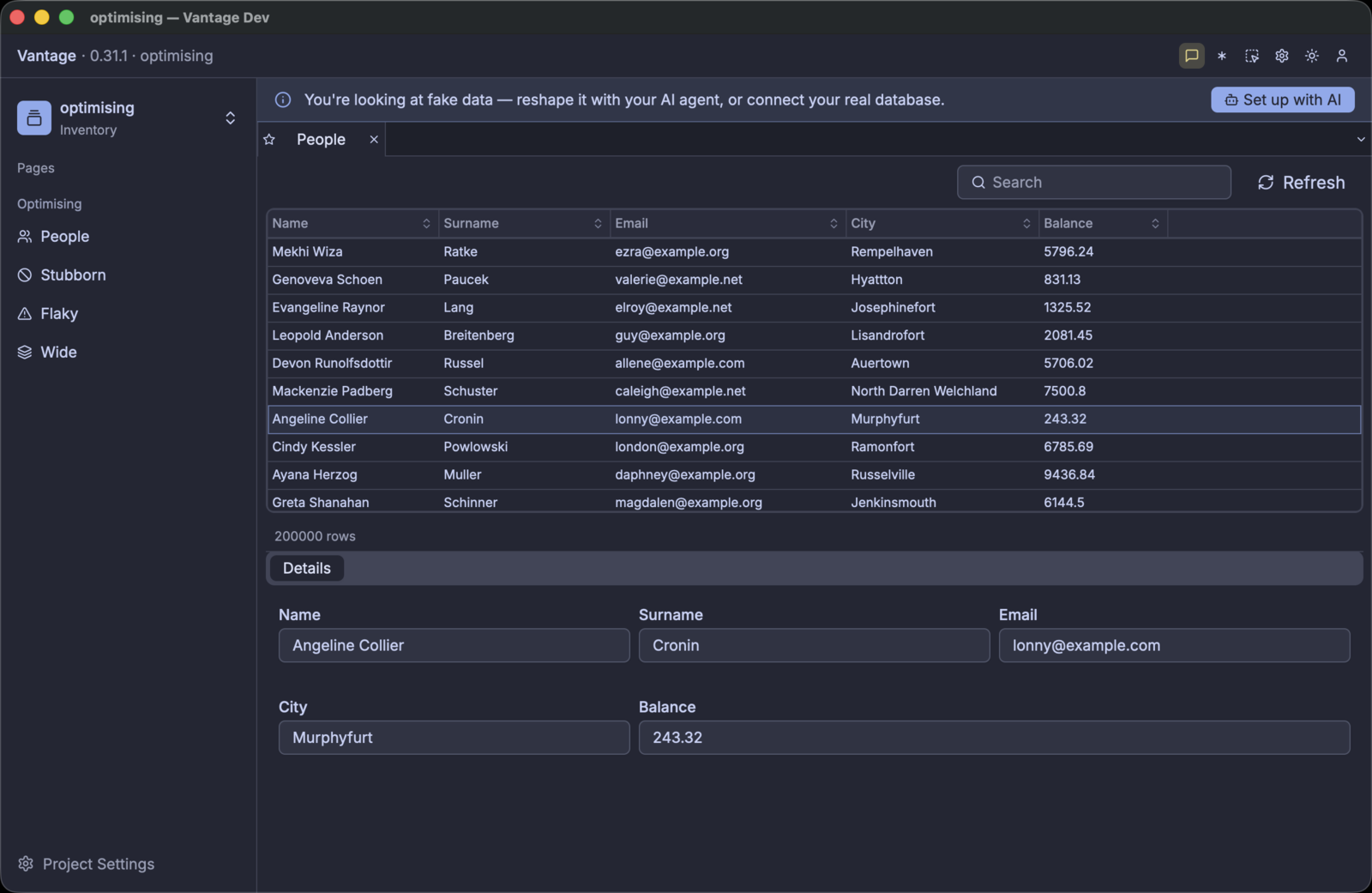
The binder lists the rows, and a click on a row fills the details panel below it. The row count says 200000, because the source counted the set. Scrolling is smooth, and no row stays empty for long enough to see.
The first argument is the project folder. --page=<key> opens that page instead of the first entry
in the menu. This matters: a page that you did not intend to measure also opens a Dio, and its
requests go into the same statistics.
Vantage UI builds one Dio for each observed table, when a page that observes it opens. The other YAML files in the folder cost nothing until you open them.
Two conditions make a measurement unclear:
- One page with components that observe different tables. Each component has its own Dio and sends its own requests.
- Tabs that stay open behind the page that you measure. Each open tab keeps its Dios active.
Use one table, one binder, and one variable. Close the pages that you do not measure.
This chapter uses Vantage UI, because Vantage UI supplies the viewport. The faker source does not
need Vantage UI. vantage-faker is a normal crate, and the YAML above is a
BackendShape
in a file. This code builds the same datasource:
#![allow(unused)]
fn main() {
use std::time::Duration;
use vantage_faker::{BackendShape, FakerTable, Latency, LatencyModel, StaticEffect};
use vantage_vista::VistaCapabilities;
let table = FakerTable::build_shaped(
"people",
columns, // Vec<FakerColumn> — name, type, flags
"id",
Box::new(StaticEffect { count: 200_000 }),
BackendShape {
capabilities: VistaCapabilities {
can_count: true,
can_fetch_window: true,
can_order: true,
can_search: true,
..VistaCapabilities::default()
},
latency: LatencyModel {
window: Some(Latency::between(
Duration::from_millis(10),
Duration::from_millis(40),
)),
get: Some(Latency::between(
Duration::from_millis(5),
Duration::from_millis(20),
)),
..LatencyModel::default()
},
seed: Some(103),
..BackendShape::default()
},
);
// From here, this is the normal reactive stack. Nothing is faker-specific.
let (vista, _handle) = table.split();
let dio = lens.make_dio(vista).await?;
}Use this code when your own code is the consumer: an integration test that calls set_viewport, a
CLI, or a scenery in a terminal.
Keep the handle. If you drop the handle, the effect loop stops, and a live effect then stops changing the data.
Switch on the debug stream
Delete the cache and start Vantage UI again. Each measurement in this chapter starts from an empty cache, because a full cache serves the first screen and asks the source for nothing.
rm -rf ~/Library/Caches/Vantage/optimising-*
vantage-ui ./optimising --page=people
Without the debug flag, the output describes the start-up and nothing else:
INFO vantage_ui: starting root="…/optimising" has_project=true
INFO catalog: loaded datasource key="people"
INFO catalog: loaded table key="people"
INFO catalog: loaded framework page key="people"
INFO vantage_ui: Dio cache dir path="~/Library/Caches/Vantage/optimising-c79233058eb9f98f"
INFO vantage_ui: configured faker datasource datasource=people effect=Some("static")
INFO vantage_ui: entity open, by phase key=people/people ms=2891
breakdown=vista=2798ms cache=82ms dio=2ms scenery=7ms
This tells you what loaded. The last line is the only measurement: 2.8 seconds inside the Vista, which is faker generating 200,000 rows at start-up. Nothing here reports a request, a cache hit, or a row.
Now add one line to the datasource:
# datasource/people.yaml
type: faker
effect: static
debug: true # ← add this
count: 200000
Delete the cache and start it again:
rm -rf ~/Library/Caches/Vantage/optimising-*
vantage-ui ./optimising --page=people
A second stream now appears beside the log:
11:53:45.591 people dio created over "people" — cache table "people_people", nothing held yet
11:53:45.592 people source can count, window, order, search · pages lazily, 100 rows at a time
11:53:45.592 people scenery opened cold — 0 rows seeded from cache
11:53:45.593 people census +1 table scenery — now 1 table, 0 record, 0 servo · rss 310MB
11:53:45.645 people viewport rows 0..200 — 2 scroll events coalesced into one
11:53:45.645 people dio fetch #1 asks for rows 0..200 — 200 missing, 0 already held
11:53:45.715 people cache +200 new, 0 updated — now holding 200 of 200,000 (0.1%)
11:53:45.715 people scenery opening → partial (chunk load succeeded)
11:53:45.716 people dio fetch #1 got 200 rows in 70ms
11:53:45.716 people payload 6 columns received · no view declared what it needs, so all were
fetched · 23KB · id,name,surname,email,city,balance
11:53:45.717 people total 200,000 rows — stated by the source in the same response
11:53:45.821 people cache all 22 rows of 0..22 served locally — no fetch
That is one page opening, from an empty cache. The binder asked for 200 rows, one request supplied them, and the last line is the repaint that followed: 22 rows on screen, no request.
The flag applies to one datasource. It is not a global setting. Your other datasources stay silent, so the question is always “what does this table do?”.
The next section makes the source slow, so that each of these lines separates in time. It then reads the stream line by line.
Reading the Debug Stream
The first thing that you learn from the stream is which line agrees with which moment on screen. Keep the window and the terminal beside each other. Sort a column, type in the quick-search box, and scroll, and watch which lines each action produces.
That is much easier when each request needs three seconds than when it needs 40 milliseconds.
Make the source slow
A source that answers in 40ms hides its behaviour. The rows are simply present, and a load is one flicker between two frames.
Change one value in the datasource. Each fetch then becomes an event with a start and an end.
# datasource/people.yaml
shape:
capabilities: [count, fetch_window, order, search]
latency:
window: 3s # each batch of rows costs three seconds
get: 500ms..1s # each single record costs half a second or more
The two classes pay for different requests:
| Latency class | The request that pays it | What causes it on screen |
|---|---|---|
window | A range of rows, such as rows 500 to 600 | The grid scrolls into rows that the cache does not hold |
get | One record, by its id | A click on a row, which opens the details panel |
window is the class that this chapter measures. A grid asks for ranges, and each unnecessary range
is a fetch that you can count. Give get a value as well, so that a click on a row is also visible
in the stream.
Nothing else changes: the same table, the same page, and the same 200,000 rows. But each decision of the framework now takes clock time that you can see.
Open the page and watch it load:
- The window opens immediately, and the page then needs a few seconds to mount. That delay is the
fixture, not the framework:
count: 200000makes faker generate 200,000 rows at each start. Decreasecountif you do not want it. - Skeleton rows appear. A skeleton row has a position, but no contents. The grid gave a position
to each of the 200,000 rows, because the source declared
count, so the scrollbar has the correct size before any row arrives. - The first batch arrives three seconds later, and those rows paint together.
- Scroll past them. The same sequence occurs again.
Now scroll back to the top. Nothing happens. There is no delay and there are no skeleton rows. That is the cache, and it is your first measurement: to return to a position that you visited costs nothing.
Cold runs and warm runs
There is one cache file for each datasource, under ~/Library/Caches/Vantage/<project>-<hash>/.
Delete the folder for a cold run:
rm -rf ~/Library/Caches/Vantage/optimising-*
A cold run and a warm run are two different experiments. A cold run answers “what does the first open cost?”. A warm run starts from a full cache and answers “what does the application do with rows that it already holds?”. Too many refreshes appear in the warm run.
The two sets of numbers are not comparable. Record which run you did, each time.
Understanding the log
The debug stream shares the terminal with the ordinary log of the application:
12:23:58.222 people dio created over "people" — cache table "people_people", 422 rows already held from a previous session
2026-07-31T11:23:58.242796Z INFO build_page_for_key{page_key="people" …}:build_entity{key="people"
datasource=Some("people")}: vantage_ui: entity open, by phase key=people/people ms=2791
breakdown=vista=2722ms cache=49ms dio=0ms scenery=18ms
12:23:58.341 people dio fetch #1 asks for rows 0..22 — 0 missing, 22 already held
12:23:58.420 people dio fetch #1 got 22 rows in 79ms
The short lines are the debug stream. Each one has four parts, always in this sequence:
| Part | Example | What it is |
|---|---|---|
| time | 12:23:58.341 | Local time, to the millisecond |
| table | people | The datasource with debug switched on. With one datasource for each table, this is also the table. |
| origin | dio | The part of the framework that wrote the line |
| message | fetch #1 asks for rows 0..22 … | One sentence, in units that a person reads: 3.0s, 24KB, 200,000, 0.1% |
Each request has an identifier, such as fetch #1. The identifier connects a request to its result.
There is one sequence for each Dio, and it starts at 1.
The lines from one load do not always appear in the same sequence. The framework writes the cache line and the state line inside the operation that the result line completes. Both can therefore come before the result line.
Use fetch #N to connect the lines. Do not use their positions.
The origin is what you search for. There are twelve origins:
| Origin | What the line reports |
|---|---|
dio | The framework created a Dio. Or a fetch asks for a range, got rows, or failed. |
source | What the source can do and cannot do, and which load method follows. One line, at open. |
scenery | A view opened with a full or an empty cache. Or the load state changed. |
census | A consumer attached or detached. Consumers are table sceneries, record sceneries, and servos, which watch one value. The line gives the current counts and the memory. |
viewport | The range that a consumer declared. Coalesced means that several scroll events became one range. |
cache | The framework wrote rows. Or it served a viewport locally, with no fetch. |
payload | The columns that arrived, the columns that a view wants, and the size in bytes. |
total | The total count changed, and what supplied the new value. |
sort | A sort changed. Says whether the source does the work. |
search | A search changed. Says whether the source does the work. |
hydrate | A second pass fetched the remaining columns of rows that are on screen. Section 4 explains the two passes. |
summary | The session summary, printed when Vantage UI quits. |
Read one origin at a time
Write the session to a file, then read one origin:
vantage-ui ./optimising --page=people 2>&1 | tee /tmp/optimising.log
grep ' dio ' /tmp/optimising.log
12:23:58.222 people dio created over "people" — cache table "people_people", 422 rows already held from a previous session
12:23:58.341 people dio fetch #1 asks for rows 0..22 — 0 missing, 22 already held
12:23:58.420 people dio fetch #1 got 22 rows in 79ms
12:24:11.295 people dio fetch #2 asks for rows 316..339 — 23 missing, 0 already held · sorted by city Desc
12:24:16.842 people dio fetch #2 got 23 rows in 5.5s ⚠ slow
Five lines report a whole session:
- The cache was warm: 422 rows from an earlier run. A cold start says nothing held yet here.
fetch #1asked for 22 rows that the cache already held. A warm start still asks the source for the window on screen, to check that the held rows are current.- Between
12:23:58.420and12:24:11.295there is no line. Thirteen seconds of use cost no request. fetch #2carriessorted by city Desc. The sort went to the source, and the source applied it to all 200,000 rows, and not to the rows that the cache held.- That sorted request cost 5.5s. ⚠ slow marks each request of one second or more.
Read the other origins in the same way:
grep ' cache ' /tmp/optimising.log # what the cache wrote, and what it served
grep 'served locally' /tmp/optimising.log # the viewports that cost nothing
grep -E 'asks for|got ' /tmp/optimising.log # the network, and nothing else
Scroll while you watch tail -f on the file. Each three-second delay must have one asks for line
and one got line. Each immediate repaint must have a served locally line, or no line.
A delay with no request is a fault in the UI. A request with no delay is a request that you did not need.
A full cold open
This is the output of the optimising project, with high latency and an empty cache, when the
People page opens. It is a capture, not an example.
21:20:15.397 people dio created over "people" — cache table "people_people", nothing held yet
21:20:15.399 people source can count, window, order, search · pages lazily, 100 rows at a time
21:20:15.401 people scenery opened cold — 0 rows seeded from cache
21:20:15.401 people census +1 table scenery — now 1 table, 0 record, 0 servo · rss 313MB
21:20:15.455 people viewport rows 0..200 — 2 scroll events coalesced into one
21:20:15.455 people dio fetch #1 asks for rows 0..200 — 200 missing, 0 already held
21:20:18.493 people cache +200 new, 0 updated — now holding 200 of 200,000 (0.1%)
21:20:18.494 people scenery opening → partial (chunk load succeeded)
21:20:18.494 people dio fetch #1 got 200 rows in 3.0s ⚠ slow
21:20:18.494 people payload 6 columns received · no view declared what it needs, so all were
fetched · 23KB · id,name,surname,email,city,balance
21:20:18.494 people total 200,000 rows — stated by the source in the same response
21:20:18.551 people cache all 13 rows of 0..13 served locally — no fetch
The framework creates the Dio before any view can use it, and its cache table is empty. That is the
cold start. The source line gives the contract that each following line obeys.
The binder declares a viewport of 200 rows, and not the 13 rows that you can see. The loader reads ahead of the screen, so that the next scroll costs nothing. Section 4 measures this.
The source line says 100 rows for each page, and the first fetch asks for 200. The first fetch
covers the opening viewport, which the binder sets to 200 rows. Later fetches use the page size of
100.
Then the delay: from .455 to 18.493, three seconds. Four facts then arrive together:
- the cache holds the rows — 200 of 200,000, which is 0.1%
- the view is no longer in the loading state
- the fetch reports its cost
- the total is known, because the source supplied it in the same response
The last line is the result: the grid painted 13 rows and made no fetch.
Now scroll. Most of the output is that same line:
21:20:20.401 people viewport rows 29..43 — 5 scroll events coalesced into one
21:20:20.401 people cache all 14 rows of 29..43 served locally — no fetch
The summary at the end
When you quit, the framework prints the summary of the session:
21:20:33.374 — diorama session summary —
21:20:33.374 people summary 3 fetches, 0 repeats · 400 rows, 0 redundant · 9.1s waiting, 3.0s slowest
21:20:33.374 summary 1 dio, 1 table scenery, 0 record, 0 servo still alive
21:20:33.374 summary session 18.0s · cpu 15.0s · peak rss 352MB
Two numbers in the first line are important. The other sections keep both at zero.
repeatsis the count of ranges that the application fetched more than one time.redundantis the count of rows that arrived when the cache already held them. A warm revalidation gives a small number. A number equal to the count of rows that arrived means that the application fetched a full page for nothing.
The second line finds leaks. Close a page, and the counts must decrease. If the count of sceneries increases while you move between pages, something keeps views alive after their page closed.
What we covered
| Item | What it does |
|---|---|
latency.window: 3s | Separates the events, so that you can attribute each line to a moment |
~/Library/Caches/Vantage/<project>-<hash>/ | The location of the cache. Delete it for a cold run. |
debug: true | Switches the stream on for one datasource. The others stay silent. |
vantage_diorama::debug | The one target, at info. It appears without RUST_LOG. |
| time · datasource · tag · clause | The four parts of each line. fetch #N connects a request to its result. |
served locally — no fetch | The line that reports a viewport that cost nothing |
repeats / redundant | The two waste counters in the session summary |
The next section removes the capabilities of the source, one at a time, and finds where the work goes. A sort that the source cannot do does not stop. It moves to a more expensive place, and it uses only the rows that the application loaded.
Where the Work Happens: Capabilities & Latency
Until now the source was capable. When the source can do everything, the layers above it do nothing that you can measure.
This section removes the capabilities. Work does not disappear when a source cannot do it. The work moves.
One line controls everything
Each session starts with this line:
people source can count, window, order, search · pages lazily, 100 rows at a time
That line is the full contract. The capabilities: list in the datasource produces it, and each
later decision follows from it. Change that line, and you change the behaviour of the application.
You change no other file.
A source that can do nothing
Remove all capabilities. One operation remains, because a source always supports list.
# datasource/stubborn.yaml
type: faker
effect: static
debug: true
count: 3000
seed: 109
shape:
capabilities: [] # no count, no order, no search, no windows
latency:
list: 2500ms..3500ms # and the one operation that it has is slow
Open the page. The stream is very short:
22:02:51.204 stubborn dio created over "stubborn" — cache table "stubborn_stubborn", nothing held yet
22:02:51.205 stubborn source can do nothing but list · cannot count, order, search · copied whole into the cache
22:02:51.205 stubborn scenery opened cold — 0 rows seeded from cache
22:02:51.206 stubborn census +1 table scenery — now 1 table, 0 record, 0 servo · rss 129MB
22:02:54.265 stubborn scenery opening → complete (reactor reseed)
22:02:54.337 stubborn cache all 22 rows of 0..22 served locally — no fetch
There are no fetch lines. The people source sends one request for each screen of rows. This
source receives one read only — the three seconds between the census line and the
opening → complete line. Each later scroll comes from the cache, because the cache holds all the
rows.
Diorama has two load methods, and the source line names the one in use.
| Method | Log string | When the framework uses it |
|---|---|---|
| paged | pages lazily | The source can serve [offset, limit) windows |
| eager | copied whole into the cache | The source cannot serve windows |
You do not select the method. It follows from what the source can do.
| paged | eager | |
|---|---|---|
| Reads | one window for each screen, on demand | one full read at open |
| Memory | proportional to the rows that you looked at | proportional to the whole table |
| Scrolling | can cost a request | costs nothing |
| A large table | stays cheap | is a large read |
Note the line opening → complete, and not → partial. A paged view stays partial for most of
its life: it holds 200 of 200,000 rows, and it knows this. An eager view goes directly to complete,
because after the copy there is nothing more to get.
This source holds 3,000 rows. The same shape with 200,000 rows would read all of them at open, and the user would wait.
If your source cannot serve windows and your table is large, do not look for a Diorama setting. Add windows to the source, or observe fewer rows.
The cost of a sort, and its location
Sort the windowed table. The stream tells you where the work goes:
people sort by name descending — pushed to the source
The next fetch then includes the sort:
people dio fetch #3 asks for rows 521..621 (viewport 521..534) — 100 missing, 0 already held · sorted by name Desc
people dio fetch #3 got 100 rows in 7.3s ⚠ slow
The framework did not sort the rows that it holds. It sent the sort to the source, because the source can order. When you hold 300 rows of 200,000, only the answer of the source is correct.
The request also became more expensive: 7.3s for 100 rows, against 3.0s for 200 rows. The source must now order 200,000 rows for each window.
The same action against the source that can do nothing gives a different line:
stubborn sort by name descending — the source cannot order; sorting the 3,000 rows held locally
No fetch follows. The cache holds all the rows, so the sort is a local operation. It is immediate, and it is correct because the cache holds the complete set.
The dangerous combination is a source that cannot order and a table that is too large to copy. The framework would then have to sort the rows that it loaded, and “sorted” would mean “the first page of a sample”.
Diorama does not do this. A paged view whose source orders the rows discards its cached row positions instead of moving them, and it fetches the visible window again:
people scenery row positions dropped — the source re-orders, so cached rows must be re-placed
The cost is one more fetch. The result is correct.
Search, and the control that the UI hides
Search obeys the same rule:
people search "smith" — pushed to the source
A source that cannot search gives the opposite line, and the framework filters the rows that it
holds. You see that line from the stubborn source, which holds all its rows.
The UI adds one condition. A grid over a source that cannot search shows no search box. The UI hides the control instead of showing a control with a smaller scope than the user expects.
A grid component shows no search box, and this does not depend on the source. Use kind: binder
for the full table controls.
A grid over a source that can search therefore offers less than the source can do.
Latency multiplies the cost
Capabilities control where the work happens. Latency controls what the work costs.
| fast source | slow source | |
|---|---|---|
| can serve windows | scrolling is almost free; waste is invisible | each unnecessary window is a visible delay |
| cannot serve windows | one large read, and it completes quickly | one large read, and the user waits for it |
The count of requests is the same in both conditions. Measure the count, not the feeling.
What we covered
| Item | What it does |
|---|---|
capabilities: [] | Removes all operations except list. This gives the eager method. |
the source line | Names what the source can do, and which load method follows |
| paged and eager | One window for each screen, against one read at open |
the sort line | Says whether the source sorts, or the framework sorts the rows that it holds |
the search line | The same, for filters. kind: grid hides the control. |
row positions dropped | A paged view that refetches instead of showing a sample as the set |
Capabilities explain the requests that the application had to send. The next section finds the requests that it did not have to send, and adds a source that sends 19MB to fill a grid of five columns.
Fetching What You Drop
This section examines the requests that the application did not have to send. These are more difficult to find. A wasteful application and an efficient application look the same on screen.
There are three types of waste, from the easiest to find to the most difficult:
- Repeats. The application fetched the same window more than one time.
- Redundant rows. Rows arrived when the cache already held them.
- Columns that no view shows. Data crossed the network and then went in the bin.
The first two have counters. The third has one line.
The two counters that must be zero
Quit Vantage UI. The session summary prints:
people summary 3 fetches, 0 repeats · 400 rows, 0 redundant · 9.1s waiting, 3.0s slowest
summary 1 dio, 1 table scenery, 0 record, 0 servo still alive
summary session 18.0s · cpu 15.0s · peak rss 352MB
repeats counts the windows that the application requested more than one time. The loader is
built to avoid repeats, so a number above zero is a defect. There are three causes:
- the cache is not operating
- a total declares rows that the source will not serve
- a viewport moves between two positions
redundant counts the rows that arrived when the cache already held them. A cold run must give
zero. A warm run gives a small number, and that is the cost of revalidation. If the redundant count
equals the received count, the application fetched a full page for nothing.
3 fetches has no meaning until you know that you scrolled through 400 rows of a table of 200,000.
Use the ratios: fetches for each screen of rows, and redundant rows for each received row. Record what you did together with what it cost.
Watch the cache do its work
22:42:19.028 people viewport rows 77..90 — 6 scroll events coalesced into one
22:42:19.029 people cache all 13 rows of 77..90 served locally — no fetch
22:42:19.516 people viewport rows 125..138 — 3 scroll events coalesced into one
22:42:19.516 people cache all 13 rows of 125..138 served locally — no fetch
22:42:19.858 people viewport rows 257..270 — 11 scroll events coalesced into one
22:42:19.859 people dio fetch #2 asks for rows 257..357 (viewport 257..270) — 100 missing
Two efficiencies are visible here.
The framework combines scroll events. Twenty scroll events produced three viewports. The loader waits for the movement to stop, and then declares one viewport for the final position. The intermediate positions never cause a fetch.
The loader reads ahead of the screen. The viewport of fetch #2 was 257..270, which is 14
rows. The request was for 257..357, which is 100 rows. The loader fetches extra rows in the
direction of movement, so that the next screen costs nothing. This is why the two ranges differ.
Read-ahead also explains the fetch count in the summary above: 3 fetches covered 400 rows, which is more screens than three.
The waste with no counter
Now add a source with large rows. The grid shows five short columns. Each row carries 200 more fields that nobody declared.
# datasource/wide.yaml
type: faker
effect: static
debug: true
count: 500
seed: 111
shape:
capabilities: [count, fetch_window, order]
latency:
window: 50ms..150ms
extra_fields:
count: 200 # 200 extra fields in each row
size: 500 # each extra field holds 500 bytes
Open it and read one line:
22:06:34.148 wide dio fetch #1 got 200 rows in 2.3s ⚠ slow
22:06:34.148 wide payload 206 columns received · no view declared what it needs, so all were
fetched · 19.6MB · id,name,surname,email,city,balance,extra_0001,
extra_0002 +198 more
The application moved 19.6MB to fill a grid of five columns. The five columns are about 19KB of that total.
Nothing failed. No counter changed. repeats is zero, and redundant is zero. Each measurement in
the session summary says that the application is correct.
This fault hides better than the others, because each other signal says that the application is
correct. Only the payload line finds it.
“No view declared what it needs”
Diorama has a mechanism for this. A scenery can declare its demand, which is the list of columns that it shows. The Dio then combines the demands of the open views. When a view declares its demand, the line reports against that demand:
wide payload 5 of 206 columns wanted · 201 fetched and dropped · 19.6MB
This grid declares nothing. The combined demand is therefore “all columns”.
The framework cannot tell the difference between a view that wants all 206 columns and a view that never declared its columns. It assumes the first, and it fetches all the columns.
Diorama can load a row in two passes. The first pass fetches the window. The second pass — the hydrate pass — fetches the augmented columns of the rows on screen.
Demand controls the second pass. A view that does not show an augmented column does not pay to hydrate it.
Demand does not yet decrease the columns in one window fetch. The 19.6MB above is therefore not a
configuration error that you can correct in YAML. Use the payload line as a measurement, and use
the size of the number as the reason to make the source return fewer columns.
What to do about a large payload
These actions are listed from the most effective to the least effective.
- Decrease the columns at the source. Use a REST endpoint with a
fields=parameter, a SQL view that selects the columns that you show, or a GraphQL query that names its columns. The cheapest byte is the byte that nobody sends. - Move the large columns into an augment. An
augment:block on the table makes the large fields the second pass, which demand controls. See Augmentation for the block and its options. - Observe fewer tables. A page that observes two tables opens two Dios and pays for both.
A checklist for one page
Run the page cold, then warm. Read four numbers.
| Number | Where | Correct value |
|---|---|---|
| fetches | summary | fewer than one for each screen, because the loader reads ahead |
| repeats | summary | zero, always |
| redundant | summary | zero when cold; small when warm |
| payload for each fetch | payload | proportional to the columns that you show |
If the first three numbers are correct and the fourth is not, you have the invisible fault.
What we covered
| Item | What it does |
|---|---|
repeats | Windows that the application fetched more than one time. Must be zero. |
redundant | Rows that arrived when the cache held them. Zero when cold, small when warm. |
| coalescing | Scroll events that became one viewport, because the loader waits for the movement to stop |
| read-ahead | The extra rows that the loader fetches in the direction of movement |
payload | The columns that arrived, the columns that a view wants, and the cost in bytes |
extra_fields | The faker setting that adds fields to each row |
| demand · hydrate | The columns that a view declares, and the second pass that they control |
Each source until now answered its requests. The next section uses a source that fails one request in five, stops for ten seconds each minute, and reports a row count that is wrong.
Faults: Errors, Outages & Lies
Each source until now answered, and its answers were true. Production sources are not always honest. A source can fail one request while the user scrolls. It can stop for ten seconds. It can also report a row count that it will not serve.
Here the cache stops being an optimisation. It becomes the component that keeps your application usable.
A source with faults
# datasource/flaky.yaml
type: faker
effect: static
debug: true
count: 1000
seed: 107
shape:
capabilities: [count, fetch_window, order]
latency:
window: 100ms..300ms
faults:
error_rate: 0.2 # one request in five fails
offline: 10s/60s # <down>/<period>: down for 10s in each 60s
total_lie: -13 # reports 13 fewer rows than it will serve
There are three independent faults, and each one repeats because the shape has a seed.
What a failure looks like
22:08:05.813 flaky dio fetch #1 asks for rows 0..200 — 200 missing, 0 already held
22:08:05.978 flaky dio fetch #1 failed after 164ms — shaped source request failed (injected fault)
The request identifier connects the two lines. The duration tells you how long you waited for the failure. The message is the error from the source.
What is absent is more important. There is no state line, no cache line, and no total line.
A failed fetch changes nothing. The rows that the view already had are still present, still in their correct positions, and still on screen. A failed refresh costs freshness, not data.
The viewport causes the retry
Nothing retries on a timer, and this is deliberate. The rows are still absent. The next time that a view declares a viewport that includes those rows, the loader asks again. A scroll, a repaint, or a window that gets focus each cause this.
flaky dio fetch #2 asks for rows 0..200 — 200 missing, 0 already held
flaky dio fetch #2 got 200 rows in 210ms
flaky cache +200 new, 0 updated — now holding 200 of 987 (20.3%)
flaky total 987 rows — stated by the source in the same response
The retry is a result of demand. It is not a policy. It therefore needs no backoff configuration, and it cannot flood the source: if no view looks at a range, the loader sends no request for it.
There is an exception, and the optimising project produced it.
A fetch can fail immediately and always — a rejected query, and not an unreliable connection. Each viewport movement then sends a request, each request fails immediately, and the application uses all available CPU.
During the writing of this guide, a faker datasource advertised order while the source refused
every ordered query. Vantage UI appeared to stop responding.
The lesson is not about retry policy. A capability that a source advertises but cannot do is worse than a capability that it never claims, because nothing limits the rate of the failure.
The dishonest total
Read the two last lines above again. The table has 1,000 rows. The source says 987.
The grid uses the total from the source, because the source is the authority on how many rows it has. One condition overrides this rule, and the next paragraph gives it.
A total that is too small is the safe direction. The grid makes its scrollbar 13 rows short, and the user cannot reach the last rows.
A total that is too large is the dangerous direction. If a fetch asks for a range with missing rows, and it fills none of them, then the set ends at the first missing row, whatever the total says. The framework caps the total and reports the cap with the message “capped: the source promises more than it serves”.
Without this rule, the grid shows rows that no fetch can fill. A missing row causes a fetch. Therefore the application asks the source again, one request each few seconds, for as long as the page stays open.
Outages
offline: 10s/60s stops the source on a schedule. In the stream, an outage looks like a sequence of
failures. There is no separate offline state to handle, no reconnect procedure, and no separate path
in your code.
- Cached rows continue on screen, and they do not change.
- Ranges that the application has not fetched stay empty. The loader asks for them again when a view looks at them.
- When the source returns, the next viewport succeeds and fills the empty rows.
The difficult condition is the first open with an empty cache during an outage. There is nothing to show and nothing to fetch. This is one more reason to measure the cold run and the warm run separately.
What to check under faults
| Question | Where to look |
|---|---|
| Did a failure delete data? | No cache line after the failed line, and rows still on screen |
| Did the retry behave correctly? | One asks for line for each viewport movement, and not a sequence of them |
| Is the total correct? | The total line, and whether the framework ever caps it |
| Did recovery need a restart? | A got line after the failures, with no restart |
An application that handles faults well produces a stream that looks normal: some failures, some retries when a view looks at the rows, and rows that never disappear.
What we covered
| Item | What it does |
|---|---|
faults.error_rate | Makes a fraction of the requests fail |
faults.offline | Stops the source on a schedule, in the form <down>/<period> |
faults.total_lie | Changes the number that the grid uses to set its size |
failed after … | The request that did not complete, with its cost and the error from the source |
| capped: promises more than it serves | The defence against a total that no fetch can fill |
The last section makes assertions from what you read. A number that becomes worse then makes a test fail, instead of nobody noticing.
Locking It In: Cache Regression Tests
The numbers that you measured are true of the code as it is today. This section answers a different question: what happens in six months, when somebody adds a refresh timer or makes a query wider, and nobody repeats the experiment?
Three measurements automate. The rest is judgement.
| Property | Assertion | Why it becomes worse without a signal |
|---|---|---|
| Requests for each open | exactly N fetches for a known scroll | a second component that observes the table, a refresh at open, or a second Dio |
| No repeats | repeats == 0 | a total that is too large, or a viewport that moves between two positions |
| No redundant rows | redundant == 0 on a cold run | a refresh that makes too much data invalid |
Put everything else in a report that you read. Do not put it in a test. Latency, memory, and payload size change for correct reasons, such as a larger fixture or a slower machine. A test that fails on those numbers gets disabled in one month.
3 fetches is a property of your code. 9.1 seconds is a property of the machine that ran the
test. Put the first in CI. Put the second in a log that you read when something feels wrong.
What a test needs from the source
Assertions on exact counts need a source that you control. A real source gives different numbers
on each run, so you cannot assert on them. You can still point the optimising project at a real
source and compare the two reports by hand, as section 1 describes.
type: faker
effect: static
debug: true
count: 1000 # a small set, so the fetch count is small
seed: 103 # the same rows, in the same sequence, on each run
shape:
capabilities: [count, fetch_window, order]
latency:
window: 20ms # one value, not a range — no variation in CI
There are three changes from the interactive project.
countdecreases from 200,000 to 1,000, so that a short scroll covers a known part of the set.seedwas always present, and now it is necessary. A test that asserts on row 0 needs row 0 to be the same row on each machine. A seed fixes the sequence of generated values, so the same seed with the samecountgives the same rows. A differentcountgives a different set.latencybecomes one value instead of a range. Variable latency is realistic in a measurement session. In a test it causes intermittent failures and gives no benefit.
The structure of a test
- Start from a known cache state. Delete the cache file of the datasource for a cold run. For a warm run, run Vantage UI one time to fill the cache, then measure the second start.
- Do a known interaction. Open one page, declare one viewport, or scroll a fixed number of
rows. Use
--page=<key>, so that no other page adds requests to your count. - Wait for the requests to stop. Do not wait for a fixed time. Poll the fetch count until it
does not change for 500ms. A fixed
sleepis slower than necessary, and it also fails on a busy CI machine. - Assert on the session summary. Read the counters, compare them, and fail with a clear message.
How to read the numbers
# each fetch of the session
grep 'asks for' session.log | wc -l
# the summary, printed when Vantage UI quits
grep -A3 'session summary' session.log
In a Rust harness, you read the same numbers directly:
#![allow(unused)]
fn main() {
use vantage_diorama::stats;
// Limit the measurement to this interaction, not to the whole process.
stats::reset_fetch_stats();
// ... drive the page ...
let stats = stats::fetch_stats();
// `table` is the name of the Dio, which is the master table of the datasource.
let people = stats.iter().find(|s| s.table == "people").expect("the table was read");
assert_eq!(people.repeats, 0, "the application fetched a window more than one time");
assert_eq!(people.rows_redundant, 0, "rows arrived that the cache already held");
}reset_fetch_stats makes the measurement local to one
test. The counters are global to the process and they accumulate. A test that does not reset them
measures each test before it.
To assert on the count of fetches, first measure the count for your interaction, then write that number into the test. The count depends on the read-ahead that section 4 describes, so you cannot calculate it from the number of screens.
The assertion that finds faults
If you write one assertion only, write this one:
#![allow(unused)]
fn main() {
assert_eq!(people.repeats, 0);
}It is cheap, it does not fail intermittently, and it finds every repeated fetch.
It does not find a large payload. Section 4 shows a fault with 19.6MB of traffic, zero repeats, and
zero redundant rows. Assert on the payload separately, or read the payload line.
The result
The result is not a faster application. The framework always did this work. The result is an application that you can measure.
What we covered
| Item | What it does |
|---|---|
seed: with one latency value | Makes a run repeatable, so that you can assert on it |
--page=<key> | Opens one page, so you count the requests of that page only |
stats::reset_fetch_stats() | Limits the counters to one interaction |
stats::fetch_stats() | Gives the counters in Rust, with no log to parse |
repeats == 0 | The one assertion to write, if you write one |
If you want to measure your own source, point the optimising project at it. The method works with
any datasource, and the faker runs stay useful as the control.
If you write a driver, Adding a New Persistence is where you select the capabilities to advertise. This chapter is where you find out whether your driver does what it advertised.
Adding a New Persistence
So you want to connect Vantage to a new database? This guide walks through the process in nine incremental steps — each one unlocks more framework features. You don’t have to implement all nine; stop whenever your persistence has enough capability for your use case.
- Overview
- Step 1: Type System
- Step 2: Expressions
- Step 3: Operators
- Step 4: Query Builder
- Step 5: Table & CRUD
- Step 6: Relationships
- Step 7: Multi-Backend Applications
- Step 8: Vista
- Step 9: Contained Relations
Overview
| Step | What you build | What it unlocks | Can skip? |
|---|---|---|---|
| 1. Type System | vantage_type_system! macro, AnyType, Record conversions | Type-safe values, struct ↔ record mapping | Required |
| 2. Expressions | Vendor macro, ExprDataSource | Execute raw queries, cross-database defer() | Skip for simple read-only sources (CSV) |
| 3. Operators | Vendor operation trait, typed .eq()/.gt()/.in_() | Ergonomic typed conditions instead of raw expression macros | Skip if you don’t expose typed columns |
| 4. Query Builder | Selectable, SelectableDataSource | Composable SELECT with conditions, ordering, limits | Skip if your persistence has no query language |
| 5. Table & CRUD | TableSource, entity tables, aggregates, writes | Table<DB, Entity>, full CRUD, ReadableDataSet, WritableDataSet | Required for table support |
| 6. Relationships | with_one, with_many, correlated subqueries | Reference traversal, expression fields | Skip if you don’t need cross-table queries |
| 7. Multi-Backend | model crate, vista_factory().from_table(), CLI example | Type-erased tables, generic UI/API code | Skip if you only use one persistence |
| 8. Vista | <Driver>VistaFactory, <Driver>TableShell, YAML extras | YAML-defined data handles consumed by UI / scripting / agents | Skip if you don’t need Vista support |
| 9. Contained Relations | embedded object/array columns as sub-tables | JSON/document sub-records surfaced as editable child sets | Skip if you have no embedded collections |
Step 1: Type System
Every database has its own idea of what types exist. The vantage_type_system! macro generates a
type trait, variant enum, and type-erased AnyType wrapper that prevents silent casting between
incompatible types.
You’ll implement the type trait for each Rust type your database supports, set up Record
conversions (free via serde for JSON-based backends, or via #[entity] macro for custom value
types), and add TryFrom<AnyType> for scalar extraction.
Step 2: Expressions
With types in place, build a vendor macro (sqlite_expr!, surreal_expr!) that produces
Expression<AnyType> with typed parameters. Implement ExprDataSource to execute expressions
against your database — handling parameter binding, deferred cross-database resolution, and result
parsing.
Skip this step if your persistence evaluates conditions in-memory (like CSV) — you can implement
TableSource directly without an expression engine.
Step 3: Operators
Build vendor-specific operation traits so typed columns get ergonomic .eq()/.gt()/.in_()
methods that produce your backend’s native condition type. Blanket-implemented over all
Expressive<T> so users don’t have to write raw expression macros for every condition.
Skip this step if you don’t expose typed columns to end users.
Step 4: Query Builder
Build a SELECT struct implementing the Selectable trait — fields, conditions, ordering, limits,
aggregates. Wire it up through SelectableDataSource so the rest of Vantage can create and execute
queries through a standard interface.
Skip this step if your persistence doesn’t have a query language. MongoDB, for instance, skips
Selectable and uses native BSON pipelines instead.
Step 5: Table & CRUD
Implement TableSource to give Vantage full table abstraction — columns, conditions, ordering,
pagination, entity CRUD, and aggregates. This is where Table<DB, Entity> comes alive and
auto-implements ReadableDataSet, WritableDataSet, and ActiveEntitySet.
Start with todo!() for every method and implement them incrementally, driven by tests.
Step 6: Relationships
Declare with_one and with_many relationships on tables and traverse them with get_ref_as.
Implement column_table_values_expr for subquery-based traversal and optionally
related_correlated_condition for correlated subqueries (expression fields like computed counts).
Skip this step if your persistence is flat (no foreign keys or cross-collection references).
Step 7: Multi-Backend Applications
Define your entities and table constructors once in a model crate, then erase the backend type with
db.vista_factory().from_table(table) so generic UI, CLI, and API code works identically across
SurrealDB, SQLite, CSV, MongoDB, or your new persistence. (Type erasure used to live in the
now-removed AnyTable; it moved up to Vista in
0.5.)
Step 8: Vista
Wrap your typed Table<Driver, E> as a Vista — the universal, schema-bearing handle that UI,
scripting, and agents consume through a CBOR / String boundary. Adds YAML schema loading and
condition delegation so callers don’t need a Rust entity struct.
Skip this step if your driver is only consumed from typed Rust code.
Step 9: Contained Relations
Surface an embedded object or array column (a JSON document, a Mongo sub-document) as an editable
child sub-table. Declare it with with_contained_one / with_contained_many; reads project the
embedded collection as records and writes patch it back into the host column. Native document
backends and JSON-blob columns share the same path.
Skip this step if your persistence has no embedded collections.
Step 1: Define Your Type System
Every database has its own idea of what types exist. SQLite has 5 storage classes (NULL, INTEGER, REAL, TEXT, BLOB). Postgres has dozens. SurrealDB has its own set with Things and Geometry types.
The vantage type system gives you two things:
- Type markers — so you can tell the difference between “this is an integer” and “this is text”
even when both are stored as
serde_json::Valueunder the hood. - Safe extraction —
try_get::<i64>()on a text value returnsNoneinstead of silently coercing. This prevents the kind of bugs where a string “42” gets treated as a number somewhere downstream.
Why not just use serde_json::Value directly?
You can! And for simple cases it works fine. The problem shows up when values move between contexts.
A JSON number 42 could be an integer, a float, or even a boolean (SQLite stores bools as 0/1).
Without type markers, you lose that distinction and get silent data corruption.
Setting it up
Use the vantage_type_system! macro. It generates a trait, an enum of variants, and a type-erased
AnyType wrapper:
#![allow(unused)]
fn main() {
vantage_type_system! {
type_trait: SqliteType,
method_name: json,
value_type: serde_json::Value,
type_variants: [Null, Integer, Text, Real, Numeric, Blob]
}
}This gives you SqliteType (trait), SqliteTypeVariants (enum), and AnySqliteType (the
type-erased wrapper that remembers which variant a value belongs to).
The value_type is whatever your database driver naturally speaks. For SQL databases that’s usually
serde_json::Value. SurrealDB uses ciborium::Value (CBOR). You could use any type — even String
if your storage is that simple.
Then implement the trait for each Rust type. Here’s bool — SQLite stores it as 0/1:
#![allow(unused)]
fn main() {
impl SqliteType for bool {
type Target = SqliteTypeIntegerMarker; // bool lives in the Integer family
fn to_json(&self) -> serde_json::Value {
Value::Number(if *self { 1.into() } else { 0.into() })
}
fn from_json(value: serde_json::Value) -> Option<Self> {
match value {
Value::Number(n) => n.as_i64().map(|i| i != 0),
Value::Bool(b) => Some(b), // accept native bools too
_ => None,
}
}
}
}And here’s how the type safety works in practice:
#![allow(unused)]
fn main() {
let val = AnySqliteType::new(42i64);
assert_eq!(val.try_get::<i64>(), Some(42)); // same variant → works
assert_eq!(val.try_get::<String>(), None); // Integer ≠ Text → rejected
let val = AnySqliteType::new("hello".to_string());
assert_eq!(val.try_get::<String>(), Some("hello".to_string()));
assert_eq!(val.try_get::<i64>(), None); // Text ≠ Integer → rejected
}You also need From conversions so values can be created conveniently:
#![allow(unused)]
fn main() {
let val: AnySqliteType = 42i64.into();
let val: AnySqliteType = "hello".into();
let val: AnySqliteType = true.into();
}Records and struct conversion
A Record<V> is an ordered key-value map (field name → value). It’s how vantage represents a single
row of data regardless of the backend. The question is: how do your structs become Records and vice
versa?
There are two paths depending on your value_type.
Path A: serde_json::Value (the easy path)
If your type system uses serde_json::Value as the value type (like SQLite does), you get struct
conversion for free. Vantage has blanket implementations of IntoRecord and TryFromRecord for any
type that implements serde’s Serialize/Deserialize:
#![allow(unused)]
fn main() {
#[derive(Serialize, Deserialize)]
struct Product {
name: String,
price: i64,
is_deleted: bool,
}
let product = Product { name: "Cupcake".into(), price: 120, is_deleted: false };
// Struct → Record<serde_json::Value> — automatic via serde
let record: Record<serde_json::Value> = product.into_record();
// Record<serde_json::Value> → Struct — automatic via serde
let restored: Product = Product::from_record(record).unwrap();
}This works because serde already knows how to turn structs into JSON objects and back. No extra code needed on your part.
Path B: Custom value type (the #[entity] path)
If your type system uses something other than serde_json::Value — like SurrealDB’s
ciborium::Value — then serde’s blanket impls don’t apply. You need the #[entity] proc macro to
generate the conversion code:
#![allow(unused)]
fn main() {
#[entity(SurrealType)]
#[derive(Debug, Clone)]
struct Product {
name: String,
price: i64,
is_deleted: bool,
}
}The #[entity(SurrealType)] macro looks at each field, and generates:
IntoRecord<AnySurrealType>— callsAnySurrealType::new(self.name)for each fieldTryFromRecord<AnySurrealType>— callsrecord["name"].try_get::<String>()for each field
This is where the type markers from Step 1 become critical. When you read a record back from the
database, each value is an AnySurrealType with a variant tag. The try_get::<String>() call
checks that the variant is Text before extracting. If someone stored an integer in a field that
should be a string, you get an error instead of garbage.
You can even target multiple type systems at once:
#![allow(unused)]
fn main() {
#[entity(SurrealType, CsvType)]
struct Product {
name: String,
price: i64,
}
}This generates conversions for both Record<AnySurrealType> and Record<AnyCsvType>, so the same
struct works across different backends.
Testing Record conversions
Test Record<AnySqliteType> in both modes — typed (write path) and untyped (read path).
Typed records simulate what you’d build when inserting data. Values have variant tags, and
try_get enforces them:
#![allow(unused)]
fn main() {
#[test]
fn test_typed_record() {
let mut record: Record<AnySqliteType> = Record::new();
record.insert("name".into(), AnySqliteType::new("Cupcake".to_string()));
record.insert("price".into(), AnySqliteType::new(120i64));
assert_eq!(record["name"].try_get::<String>(), Some("Cupcake".to_string()));
assert_eq!(record["name"].try_get::<i64>(), None); // Text ≠ Integer → blocked
assert_eq!(record["price"].try_get::<i64>(), Some(120));
assert_eq!(record["price"].try_get::<String>(), None); // Integer ≠ Text → blocked
}
}Untyped records simulate what comes back from the database. Values have type_variant: None, so
try_get is permissive — it just attempts the conversion:
#![allow(unused)]
fn main() {
#[test]
fn test_untyped_record() {
let mut record: Record<AnySqliteType> = Record::new();
record.insert("name".into(), AnySqliteType::untyped(json!("Cupcake")));
record.insert("price".into(), AnySqliteType::untyped(json!(120)));
assert_eq!(record["name"].try_get::<String>(), Some("Cupcake".to_string()));
assert_eq!(record["name"].try_get::<i64>(), None); // fails because "Cupcake" isn't a number
assert_eq!(record["price"].try_get::<i64>(), Some(120));
assert_eq!(record["price"].try_get::<f64>(), Some(120.0)); // permissive — json 120 can be f64
}
}The key difference: a typed AnySqliteType::new(42i64) blocks try_get::<f64>() because Integer ≠
Real. An untyped AnySqliteType::untyped(json!(42)) allows it because there’s no variant to check —
it just asks “can JSON number 42 be read as f64?”
Also test Option<T> fields, null handling, and missing fields.
TryFrom<AnyType> for common types
You also need TryFrom<AnyType> implementations for scalar types and Records. These are used later
by AssociatedExpression::get() in Step 2, but they belong here because they’re part of the type
system:
#![allow(unused)]
fn main() {
// Scalars — extract single value from single-row results
impl TryFrom<AnySqliteType> for i64 { ... }
impl TryFrom<AnySqliteType> for String { ... }
// etc.
// Records — extract first row from result array
impl TryFrom<AnySqliteType> for Record<AnySqliteType> { ... }
impl TryFrom<AnySqliteType> for Record<serde_json::Value> { ... }
}For scalars, if the result is a single-row, single-column array like [{"COUNT(*)": 3}], extract
the value automatically. For Records, extract the first row and wrap each field as an untyped
AnyType.
Step 1 conclusion
At this point you should have:
-
Type impls in
src/<backend>/types/— thevantage_type_system!macro call, trait implementations for each Rust type,Fromconversions onAnyType, variant detection inTypeVariants::from_*(), andTryFrom<AnyType>for scalars and Records. -
Tests in
tests/<backend>/1_types_round_trip.rscovering:- In-memory
AnyTyperound-trips for each supported type - Type mismatch rejections (wrong variant →
None) - Struct ↔ Record conversions (including Option fields and error cases)
- Values read from the actual database converting correctly
- In-memory
How type markers flow through the system
The AnyType wrapper has an Option<Variant> field — Some(Integer) means “I know this is an
integer”, None means “I don’t know, just try whatever conversion you need.”
Writing (you → database): Values created with AnySqliteType::new(42i64) get
type_variant: Some(Integer). The bind layer uses the variant to pick the right sqlx bind call —
Integer binds as i64, Text as &str, Real as f64. No guessing.
Reading (database → you): Values coming back from the database are created with
AnySqliteType::untyped(json_value) which sets type_variant: None. This means try_get::<i64>()
won’t be blocked by a variant mismatch — it just attempts the conversion. The type checking happens
later when you deserialize into a struct.
#![allow(unused)]
fn main() {
// Writing — typed, variant enforced
let val = AnySqliteType::new(true); // type_variant: Some(Bool)
val.try_get::<bool>(); // Some(true) — variant matches
val.try_get::<i64>(); // None — Bool ≠ Integer, blocked by type boundary
val.try_get::<String>(); // None — Bool ≠ Text, blocked
// Reading — untyped, permissive
let val = AnySqliteType::untyped(json!(1)); // type_variant: None
val.try_get::<i64>(); // Some(1) — no variant check, json 1 parses as i64
val.try_get::<bool>(); // Some(true) — no variant check, json 1 parses as bool (≠0)
val.try_get::<f64>(); // Some(1.0) — no variant check, json 1 parses as f64
val.try_get::<String>(); // None — json 1 can't parse as String
}Both directions use Record<AnySqliteType>, but the values behave differently:
Writing: Struct → Record<AnySqliteType> (typed) → bind_sqlite_value() → sqlx
Reading: sqlx → Record<AnySqliteType> (untyped) → try_get / serde → Struct
Step 2: Make Expressions Work
With the type system in place, you can now use Expression<AnySqliteType> to build and execute
queries. This step has two deliverables: a convenience macro and the ExprDataSource trait
implementation.
The vendor macro
Define a macro that produces Expression<YourAnyType>. SurrealDB has surreal_expr!, we create
sqlite_expr!:
#![allow(unused)]
fn main() {
let expr = sqlite_expr!("SELECT * FROM product WHERE price > {}", 100i64);
}Under the hood, 100i64 gets wrapped as AnySqliteType::new(100i64) with variant Integer. When
this expression hits the database, the bind layer knows to call query.bind(100i64) — not
query.bind("100") or query.bind(100.0).
The macro handles three kinds of parameters:
42i64→ scalar with type marker(sub_expr)→ nested expression (composed into the template){deferred}→ lazy evaluation (resolved at execution time)
Identifier quoting
SQL identifiers (table names, column names) need quoting to handle reserved words, spaces, and
special characters. Different databases use different quote styles — PostgreSQL and SQLite use
double quotes ("name"), MySQL uses backticks (`name`), SurrealDB uses something else
entirely.
Vantage centralises this in the Identifier struct (vantage-sql/src/primitives/identifier.rs).
Identifier is quote-agnostic — it stores the name parts and optional alias, but the actual quoting
happens in the Expressive<T> implementation for each backend type:
#![allow(unused)]
fn main() {
impl Expressive<AnyMysqlType> for Identifier {
fn expr(&self) -> Expression<AnyMysqlType> {
Expression::new(self.render_with('`'), vec![]) // `name`
}
}
}When you add a new SQL backend, add an Expressive<YourAnyType> impl with your quote character. The
compiler picks the right impl based on the expression type context.
In practice you use the ident() shorthand and pass it into the vendor macro with parentheses — the
(...) syntax calls .expr() automatically, so quoting is handled by the type context:
#![allow(unused)]
fn main() {
use vantage_sql::primitives::identifier::{Identifier, ident};
// The (ident(...)) syntax invokes Expressive — quoting is automatic
let expr = mysql_expr!("SELECT {} FROM {} WHERE {} = {}",
(ident("name")), (ident("product")), (ident("price")), 100i64);
// → SELECT `name` FROM `product` WHERE `price` = 100
let expr = postgres_expr!("SELECT {} FROM {} WHERE {} = {}",
(ident("name")), (ident("product")), (ident("price")), 100i64);
// → SELECT "name" FROM "product" WHERE "price" = 100
}For qualified identifiers (table.column) and aliases:
#![allow(unused)]
fn main() {
let expr = sqlite_expr!("SELECT {}", (Identifier::with_dot("u", "name")));
// → SELECT "u"."name"
let expr = mysql_expr!("SELECT {}", (ident("name").with_alias("n")));
// → SELECT `name` AS `n`
}Test identifier quoting in tests/<backend>/2_identifier.rs — cover basic names, reserved words,
spaces, hyphens, unicode, and names that start with numbers. These are all legal inside quoted
identifiers in both PostgreSQL and MySQL.
ExprDataSource
Implement DataSource (marker) and ExprDataSource<AnySqliteType> on your DB struct. The execute
method takes an expression, flattens nested sub-expressions, converts {} placeholders to your
driver’s syntax (?N for SQLite, $N for Postgres), binds parameters using type markers, and
returns results.
Results come back as AnySqliteType with type_variant: None — the database doesn’t preserve our
markers, so results are permissive (see Step 1). For SQLite that’s especially natural since it
doesn’t distinguish boolean from integer on the wire.
If the persistence layer you’re implementing does preserve type information in responses (like
SurrealDB with CBOR tags), set the correct type_variant when constructing result values in your
execute() implementation. That way try_get enforces type boundaries on both sides of the
round-trip.
Validating with INSERT expressions
The best way to test this is INSERT + SELECT round-trips. A single insert exercises all the pieces — macro, parameter binding, type markers, and result parsing:
#![allow(unused)]
fn main() {
let insert = sqlite_expr!(
"INSERT INTO product (id, name, price, is_deleted) VALUES ({}, {}, {}, {})",
"cupcake", "Flux Cupcake", 120i64, false
);
db.execute(&insert).await?;
let select = sqlite_expr!("SELECT * FROM product WHERE id = {}", "cupcake");
let result = db.execute(&select).await?;
}Nested expressions let you build multi-row inserts from composable parts:
#![allow(unused)]
fn main() {
let row1 = sqlite_expr!("({}, {}, {}, {})", "tart", "Time Tart", 220i64, false);
let row2 = sqlite_expr!("({}, {}, {}, {})", "pie", "Sea Pie", 299i64, true);
// Expression::from_vec joins sub-expressions with a delimiter
let rows = Expression::from_vec(vec![row1, row2], ", ");
// Nest into the INSERT — flattener resolves everything into a single query
let insert = Expression::<AnySqliteType>::new(
"INSERT INTO product (id, name, price, is_deleted) VALUES {}",
vec![ExpressiveEnum::Nested(rows)],
);
db.execute(&insert).await?;
}The ExpressionFlattener collapses all nesting into one flat template with positional parameters —
each one still carrying its type marker for correct binding.
Deferring: cross-database value resolution
Sometimes a query on one database needs a value from another database. That’s what defer() is for
— it wraps a query as a closure that executes later, when the outer query runs.
This is not a subquery. The deferred query runs first, produces a concrete value, and that value gets bound as a regular parameter in the outer query.
#![allow(unused)]
fn main() {
let (config_db, shop_db) = setup().await;
// This doesn't execute yet — it's a closure
let threshold_query = sqlite_expr!("SELECT value FROM config WHERE key = {}", "min_price");
let deferred_threshold = config_db.defer(threshold_query);
// Use the deferred value as a parameter in a different database
let shop_query = Expression::<AnySqliteType>::new(
"SELECT name FROM product WHERE price >= {} ORDER BY price",
vec![ExpressiveEnum::Deferred(deferred_threshold)],
);
// When shop_db.execute() runs:
// 1. Resolves the deferred → calls config_db, gets 150
// 2. Replaces the Deferred param with Scalar(150)
// 3. Flattens and binds: SELECT name FROM product WHERE price >= ?1
let result = shop_db.execute(&shop_query).await?;
}Your execute() implementation needs to resolve deferred parameters before flattening. Walk the
parameter list, call .call().await on any Deferred, and leave Scalar and Nested untouched.
The resolved value comes back as an untyped AnySqliteType (no variant marker), so it gets bound
via JSON-inference. For SQLite this is fine — the loose type system handles it. For stricter
databases, you may want defer() to preserve type information from the source query’s result.
Reading query results
So far we’ve been calling db.execute(&expr).await which returns AnySqliteType. For a SELECT
query, that value wraps a JSON array of row objects. To work with individual rows, you convert into
Records:
#![allow(unused)]
fn main() {
let result = db.execute(&sqlite_expr!("SELECT * FROM product")).await?;
// Result is AnySqliteType wrapping [{"id":"a","name":"Cheap","price":50}, ...]
// Convert to records manually:
let rows: Vec<JsonValue> = match result.into_value() {
JsonValue::Array(arr) => arr,
_ => panic!("expected rows"),
};
let record: Record<JsonValue> = rows[0].clone().into();
}That works but it’s verbose. The TryFrom<AnyType> impls from Step 1 make this cleaner through
AssociatedExpression. When you call db.associate::<R>(expr), you get an expression that knows
its return type — .get() executes and converts in one step:
#![allow(unused)]
fn main() {
// Scalar — extracts single value from single-row result
let count = db.associate::<i64>(sqlite_expr!("SELECT COUNT(*) FROM product"));
assert_eq!(count.get().await?, 3);
// Record — extracts first row
let record: Record<JsonValue> = db
.associate(sqlite_expr!("SELECT * FROM product WHERE id = {}", "c"))
.get().await?;
}From a Record, you can deserialize into a struct. For the #[entity] path:
#![allow(unused)]
fn main() {
#[entity(SqliteType)]
struct Product { id: String, name: String, price: i64 }
let record: Record<AnySqliteType> = db
.associate(sqlite_expr!("SELECT * FROM product WHERE id = {}", "c"))
.get().await?;
let product = Product::from_record(record)?;
}Or for the serde path with Record<JsonValue>:
#![allow(unused)]
fn main() {
#[derive(Deserialize)]
struct Product { id: String, name: String, price: i64 }
let record: Record<JsonValue> = db
.associate(sqlite_expr!("SELECT * FROM product WHERE id = {}", "c"))
.get().await?;
let product: Product = Product::from_record(record)?;
}Testing the failure modes (missing fields, NULL into required field, wrong types) can help spot issues in your implementation.
Step 2 conclusion
At this point you should have:
-
A vendor macro (
sqlite_expr!,surreal_expr!, etc.) that producesExpression<AnyType>with typed parameters. -
Trait impls in
src/<backend>/impls/—DataSource(marker) andExprDataSource<AnyType>withexecute()anddefer(). -
Tests in
tests/<backend>/2_*.rscovering:- INSERT with typed parameters, read back and verify
- Multi-row INSERT using nested expressions and
from_vec - Type marker verification (bool binds as bool, not as string “true”)
- Cross-database deferred value resolution
- AssociatedExpression with scalar, Record, and entity results
- Identifier quoting: basic names, reserved words, spaces, hyphens, unicode
Step 3: Implement Operators
Expressions let you build raw queries, but users shouldn’t have to write
sqlite_expr!("{} > {}", (ident("price")), 100i64) every time they want a condition. Operators
give typed columns ergonomic methods like .eq(), .gt(), .in_() that produce your backend’s
native condition type.
This step covers how to implement a vendor-specific operation trait for your persistence.
Vendor-specific operation traits
Each persistence defines its own operation trait that returns the backend’s condition type directly.
The trait is blanket-implemented for all Expressive<T> where T: Into<AnyBackendType>, so typed
columns get the methods for free.
For SQL backends, a macro generates the trait:
#![allow(unused)]
fn main() {
// In vantage-sql/src/sqlite/operation.rs
define_sql_operation!(
SqliteOperation,
SqliteCondition,
crate::sqlite::types::AnySqliteType
);
}This produces:
- A trait
SqliteOperation<T>with.eq(),.gt(),.lt(),.ne(),.gte(),.lte(),.in_(),.in_list(),.cast()— all returningSqliteCondition - A blanket impl for all
Expressive<T>whereT: Into<AnySqliteType> - An
Expressive<AnySqliteType>impl forSqliteCondition, enabling chaining
How it works internally
Each method builds an Expression<T> from the two operands, then converts it to the backend’s
condition type via From<Expression<T>>:
#![allow(unused)]
fn main() {
fn gt(&self, value: impl Expressive<T>) -> SqliteCondition {
let expr: Expression<T> = Expression::new("{} > {}", vec![
ExpressiveEnum::Nested(self.expr()),
ExpressiveEnum::Nested(value.expr()),
]);
SqliteCondition::from(expr) // maps T → AnySqliteType via Into
}
}The From<Expression<F>> for SqliteCondition impl (from Step 1’s define_sql_condition! macro)
handles the type mapping — it calls ExpressionMap::map() to convert all F scalars into
AnySqliteType.
Chaining across type boundaries
Because SqliteCondition implements Expressive<AnySqliteType>, the blanket gives it
SqliteOperation<AnySqliteType>. This enables:
#![allow(unused)]
fn main() {
let price = Column::<i64>::new("price");
price.gt(10).eq(false)
// => SqliteCondition wrapping: (price > 10) = 0
}The first operation (.gt(10)) enforces type safety — 10 must be Expressive<i64>. The second
operation (.eq(false)) operates on SqliteCondition where bool: Expressive<AnySqliteType>, so
any backend-compatible type is accepted.
Implementing for a non-SQL backend
For backends that don’t use expression trees for conditions (like MongoDB), you implement the operation trait manually instead of using the macro. MongoDB produces BSON documents:
#![allow(unused)]
fn main() {
pub trait MongoOperation<T>: Expressive<T> {
fn eq(&self, value: impl Into<AnyMongoType>) -> MongoCondition {
let field = self.expr().template.clone();
let bson_val = AnyMongoType::from(value).to_bson();
MongoCondition::Doc(doc! { field: { "$eq": bson_val } })
}
fn gt(&self, value: impl Into<AnyMongoType>) -> MongoCondition {
let field = self.expr().template.clone();
let bson_val = AnyMongoType::from(value).to_bson();
MongoCondition::Doc(doc! { field: { "$gt": bson_val } })
}
// ...
}
impl<T, S: Expressive<T>> MongoOperation<T> for S {}
}Key differences from SQL:
- Values use
Into<AnyMongoType>notExpressive<T>— MongoDB doesn’t compose expression trees, it builds BSON documents from scalar values. - Field name extraction —
self.expr().templategives the column name for simple columns. Complex expressions produce the template string as the field path. - Chaining —
MongoConditionimplementsExpressive<AnyMongoType>for the blanket, but boolean chaining (.eq(false)= negate) is handled via dedicated methods like.eq_bool(false)since MongoDB negation uses$notwrappers.
Avoiding method name conflicts
When multiple backend features are enabled, types like Identifier and &str implement
Expressive<T> for multiple backends. This causes ambiguity if the operation trait is generic.
Each backend’s operation trait lives in its own module (e.g. sqlite::operation::SqliteOperation).
Users import only the trait they need:
#![allow(unused)]
fn main() {
// In your prelude:
pub use crate::sqlite::operation::SqliteOperation;
}Condition type requirements
Your condition type must satisfy TableSource::Condition bounds — Clone + Send + Sync + 'static.
It also needs:
From<Expression<F>>for anyF: Into<AnyType>— so typed column operations convert cleanlyFrom<Identifier>— soident("field")works withwith_condition()Expressive<AnyType>— so the condition can be chained with further operations- Any backend-specific conversions (e.g.
From<Document>for MongoDB)
For SQL backends, the define_sql_condition! macro generates all of these.
Step 2b checklist
-
Define your operation trait — either via
define_sql_operation!(SQL) or manually (document-oriented backends). -
Blanket-implement it for all
Expressive<T>whereTconverts into yourAnyType. -
Implement
Expressive<AnyType>for your condition type — enables chaining. -
Export from your prelude — so users get the operation trait automatically.
-
Tests covering:
- Typed column operations:
Column::<i64>::new("price").gt(150)→ condition - Boolean column:
Column::<bool>::new("active").eq(false)→ condition - Chaining:
price.gt(10).eq(false)compiles and produces correct output - Cross-type rejection:
price.gt(false)does NOT compile - Same-type column comparison:
price.eq(price.clone())works - Condition usable with
table.add_condition()andselect.with_condition()
- Typed column operations:
Step 4: Statement Builders and SelectableDataSource
In practice, nobody writes raw expressions for every query. This step adds the Selectable trait
implementation for your SELECT builder and wires it up through SelectableDataSource so the rest of
vantage can create and execute queries through a standard interface.
Implement Selectable for your SELECT builder
The Selectable<T> trait is the standard interface for building SELECT queries across all vantage
backends. Your SELECT struct needs to implement it. The trait has two kinds of methods:
Mutating methods you must implement — set_source, add_field, add_where_condition,
add_order_by, add_group_by, set_limit, set_distinct, the clear_* methods, the has_*
methods, as_count, and as_sum.
Builder methods you get for free — with_source, with_field, with_condition, with_order,
with_expression, with_limit. These are default implementations that call the mutating methods
and return self.
This means your builder code is just the struct definition and new():
#![allow(unused)]
fn main() {
pub struct SqliteSelect {
pub fields: Vec<Expr>,
pub from: Vec<Expr>,
pub where_conditions: Vec<Expr>,
pub order_by: Vec<(Expr, bool)>,
pub group_by: Vec<Expr>,
pub distinct: bool,
pub limit: Option<i64>,
pub skip: Option<i64>,
}
impl SqliteSelect {
pub fn new() -> Self { /* initialize empty */ }
}
}The Selectable impl goes in its own file (e.g., statements/select/impls/selectable.rs) and the
builder methods come from the trait:
#![allow(unused)]
fn main() {
let select = SqliteSelect::new()
.with_source("product")
.with_field("name")
.with_field("price")
.with_condition(sqlite_expr!("\"is_deleted\" = {}", false))
.with_order(sqlite_expr!("\"price\""), false)
.with_limit(Some(10), None);
}The as_count() and as_sum() methods should clone the current query, replace the fields with
COUNT(*) or SUM(column), drop the ORDER BY (unnecessary for aggregates), and render:
#![allow(unused)]
fn main() {
let count_expr = select.as_count(); // SELECT COUNT(*) FROM product WHERE ...
let sum_expr = select.as_sum(sqlite_expr!("\"price\"")); // SELECT SUM("price") FROM ...
}Implement SelectableDataSource
This trait connects the SELECT builder to execution. It tells vantage “this database can create SELECT queries and run them”:
#![allow(unused)]
fn main() {
impl SelectableDataSource<AnySqliteType> for SqliteDB {
type Select = SqliteSelect;
fn select(&self) -> Self::Select {
SqliteSelect::new()
}
async fn execute_select(&self, select: &Self::Select) -> Result<Vec<AnySqliteType>> {
// delegate to ExprDataSource::execute()
}
}
}Live tests
Up to now, most tests used in-memory databases created in setup(). For Step 3, start running tests
against a real pre-populated database. This catches issues that in-memory tests miss — schema
mismatches, type affinity surprises, data edge cases.
Set up a test database with known data (we use a bakery schema translated from SurrealDB’s test
fixture), and write tests that query it through the Selectable interface:
#![allow(unused)]
fn main() {
let db = SqliteDB::connect("sqlite:../target/bakery.sqlite?mode=ro").await?;
let select = SqliteSelect::new()
.with_source("product")
.with_condition(sqlite_expr!("\"price\" > {}", 200i64))
.with_order(sqlite_expr!("\"price\""), false);
let record: Record<AnySqliteType> = db.associate(select.expr()).get().await?;
let product = Product::from_record(record)?;
assert_eq!(product.name, "Enchantment Under the Sea Pie");
}Implementing complex queries
The Selectable interface gives you the bare bones — fields, conditions, ordering, limits,
aggregates. Your database can do much more: JOINs, subqueries, CTEs, window functions, HAVING,
UNION, JSON operators, CASE expressions.
The best way to build this out is incrementally, driven by real queries:
-
Create a test database scaffold with enough tables and data to exercise complex features. Foreign keys, self-referential hierarchies, many-to-many junctions, JSON columns, generated columns — the more variety, the better. (See
scripts/sqlite/db/v3.sqlfor an example.) -
Write the queries first in raw SQL, as comments in your test file. Start with queries you know work against your scaffold. Each query should target specific features (JOINs, GROUP BY + HAVING, window functions, etc.).
-
Implement one query at a time. For each query:
- Read the SQL and identify which builder methods are missing
- Add the methods to your SELECT struct (e.g.,
add_join,add_having,with_cte) - Write a render test that checks the generated SQL matches
- Write a live test that executes against the scaffold and verifies results
This approach has two advantages. First, you don’t over-design — you only add features you actually need. Second, every new feature ships with a test that proves it works against a real database, not just string comparison.
When your queries outgrow what the select struct offers directly, extract primitives and
nested structs rather than bloating the builder. For example, Identifier (in
vantage-sql/src/primitives/) handles qualified column names ("u"."name") and aliases — it
implements Expressive<T> so it plugs straight into expressions. Similarly, SqliteSelectJoin
lives inside the select module and renders its own INNER JOIN ... ON ... clause. The select struct
just holds a Vec<SqliteSelectJoin> and calls render() on each one. This pattern — small struct
with Expressive impl, composed into the builder — scales to CASE, CTE, window specs, and anything
else without the select struct growing unbounded.
Other statements
Selectable only covers SELECT. INSERT, UPDATE, and DELETE don’t need a trait at this stage — they
just need to implement Expressive<AnySqliteType> so they can be passed to
ExprDataSource::execute(). The statement builders from earlier steps still work, they just need
their expression type migrated from JsonValue to AnySqliteType to flow directly into
execute().
Step 3 conclusion
At this point you should have:
-
Selectable<AnyType>impl for your SELECT builder — all standard methods implemented, builder pattern provided by trait defaults. -
SelectableDataSource<AnyType>impl for your DB struct —select()andexecute_select(). -
Tests in
tests/<backend>/3_*.rscovering:- SQL rendering via
preview()— fields, conditions, ordering, limits, distinct, group by as_count()andas_sum()render correctly- Live execution against a test database — SELECT, COUNT, SUM, ORDER+LIMIT
- Entity deserialization from live query results
- SQL rendering via
Step 5: Table Abstraction and Entity CRUD
The same entities get used hundreds of times across a codebase — constructing a query from scratch
every single time is tedious and error-prone. Vantage offers Table<> as an abstraction over your
entity definitions: it knows the table name, the columns, their types, and the ID field, so it can
build queries for you.
To use your persistence backend as a table source, you need to implement the TableSource trait.
Most of the heavy-lifting is done by the vantage-table crate — your job is to implement
TableSource trait methods.
Implement TableSource with placeholder methods
Start by adding the required dependencies:
# in your backend's Cargo.toml
vantage-table = { path = "../vantage-table" }
async-trait = "0.1"
Create a new test file (e.g. tests/<backend>/4_table_def.rs) that defines a table and populates
its columns. The columns rely on the type system you built in Step 1.
The TableSource implementation also declares several associated types:
Column— theColumntype supplied byvantage-tableis good enough for most backends.AnyTypeandValue— your type-erased value type from Step 1 (e.g.AnySqliteType).Id— useStringfor SQL databases, or a custom type if your IDs have special structure (e.g. SurrealDB’sThingwhich encodestable:id). Whatever you pick must be covered by your type system.
#![allow(unused)]
fn main() {
use async_trait::async_trait;
use vantage_table::column::core::{Column, ColumnType};
use vantage_table::traits::table_source::TableSource;
#[async_trait]
impl TableSource for SqliteDB {
type Column<Type> = Column<Type> where Type: ColumnType;
type AnyType = AnySqliteType;
type Value = AnySqliteType;
type Id = String;
// ...
}
}Implement the following methods first — they’re all straightforward delegations:
- Column management —
create_column,to_any_column,convert_any_column:
#![allow(unused)]
fn main() {
fn create_column<Type: ColumnType>(&self, name: &str) -> Self::Column<Type> {
Column::new(name)
}
fn to_any_column<Type: ColumnType>(
&self,
column: Self::Column<Type>,
) -> Self::Column<Self::AnyType> {
Column::from_column(column)
}
fn convert_any_column<Type: ColumnType>(
&self,
any_column: Self::Column<Self::AnyType>,
) -> Option<Self::Column<Type>> {
Some(Column::from_column(any_column))
}
}- Expression factory —
expr():
#![allow(unused)]
fn main() {
fn expr(
&self,
template: impl Into<String>,
parameters: Vec<ExpressiveEnum<Self::Value>>,
) -> Expression<Self::Value> {
Expression::new(template, parameters)
}
}Every other method — should start as todo!(). You’ll implement them incrementally in the following
sections, driven by tests.
Define entity tables
With TableSource in place, define your entity structs and table constructors. The pattern is the
same across all backends — #[entity(YourType)] for the struct, plus a builder method that returns
Table<YourDB, Entity>:
#![allow(unused)]
fn main() {
use vantage_sql::sqlite::{SqliteType, SqliteDB, AnySqliteType};
use vantage_table::table::Table;
use vantage_types::entity;
#[entity(SqliteType)]
#[derive(Debug, Clone, PartialEq, Default)]
struct Product {
name: String,
calories: i64,
price: i64,
bakery_id: String,
is_deleted: bool,
inventory_stock: i64,
}
impl Product {
fn sqlite_table(db: SqliteDB) -> Table<SqliteDB, Product> {
Table::new("product", db)
.with_id_column("id")
.with_column_of::<String>("name")
.with_column_of::<i64>("calories")
.with_column_of::<i64>("price")
.with_column_of::<String>("bakery_id")
.with_column_of::<bool>("is_deleted")
.with_column_of::<i64>("inventory_stock")
}
}
}Note that the entity struct does not include the id field — that’s handled separately by
with_id_column(), which registers the column and sets the table’s ID field. The remaining columns
are added with with_column_of::<Type>(), which creates typed columns via your
TableSource::create_column implementation.
Verify with a query generation test
Your first test should build a table, then call table.select(). Just like the Step 3 tests, you
can use preview() to check the rendered SQL, and later execute it against a real database:
#![allow(unused)]
fn main() {
#[tokio::test]
async fn test_product_select() {
let db = SqliteDB::connect("sqlite::memory:").await.unwrap();
let table = Product::sqlite_table(db);
let select = table.select();
assert_eq!(
select.preview(),
"SELECT \"id\", \"name\", \"calories\", \"price\", \
\"bakery_id\", \"is_deleted\", \"inventory_stock\" FROM \"product\""
);
}
}This works because table.select() (provided by vantage-table) calls your
SelectableDataSource::select() to get a fresh SELECT builder, then applies the table name via
set_source() and adds each registered column via add_field(). None of the todo!() methods are
hit — only the column and expression infrastructure you already implemented.
Implement the read methods
Table<T, E> implements two traits from vantage-dataset that provide read access:
-
ReadableValueSet— returns rawRecord<Value>(untyped storage values):list_values()→ all records asIndexMap<Id, Record<Value>>get_value(id)→Option<Record<Value>>—Noneif no record matches the idget_some_value()→ one arbitrary record (orNoneif empty)
-
ReadableDataSet<E>— returns deserialized entities (callsE::try_from_record()for you):list()→ all entities asIndexMap<Id, E>get(id)→Option<E>—Noneif no entity matches the idget_some()→ one arbitrary entity
Both traits delegate to three TableSource methods: list_table_values, get_table_value, and
get_table_some_value. The pattern is the same for all three:
- Get the id field name from
table.id_field()(falls back to"id") - Build a SELECT using
table.select()(which already applies columns, conditions, ordering) - Execute via
self.execute(&select.expr()) - Parse the result — split each row into an ID and a
Record
For get_table_value, add a WHERE condition on the id field and return Ok(None) when the
lookup misses — errors are reserved for actual connection or parse failures.
For get_table_some_value, set LIMIT 1 and return the first row (or None if empty).
Write tests for both ReadableValueSet and ReadableDataSet in separate files — import the traits
from vantage_dataset and call list_values(), get_value(), get_some_value(), list(),
get(), get_some() against your pre-populated test database. Keep these tests condition-free —
conditions get their own test file next.
Error handling
All TableSource methods return vantage_core::Result<T> (an alias for Result<T, VantageError>).
Use the error! macro from vantage_core to create errors with structured context:
#![allow(unused)]
fn main() {
use vantage_core::error;
// Simple error message
return Err(error!("expected array result"));
// With key = value context (NOT format args — the macro uses a different syntax)
return Err(error!("row missing id field", field = id_field_name));
// For database-specific errors, convert them with map_err
let rows = query.fetch_all(self.pool()).await
.map_err(|e| error!("SQLite query failed", details = e.to_string()))?;
}The macro automatically captures file, line, and column. The key = value pairs are stored as
structured context, not interpolated into the message string.
To wrap external errors with additional context, use the Context trait:
#![allow(unused)]
fn main() {
use vantage_core::Context;
// Wraps the original error as the "source" of a new VantageError
let data = std::fs::read("config.json")
.context(error!("failed to load config"))?;
}This chains errors — the original io::Error is preserved as the source, so Display renders both
messages and the source chain is available via std::error::Error::source().
Operation trait — condition building
Each backend provides an operation trait (e.g. SqliteOperation) with .eq(), .ne(), .gt(),
.gte(), .lt(), .lte(), and .in_() methods for building conditions. It has a blanket
implementation for all Expressive<T> types, so your columns get these methods automatically — no
explicit impl needed.
All methods accept impl Expressive<YourAnyType>, so you can pass native Rust values (false,
42, "hello"), other columns (table["other_field"]), or full expressions. This requires your
scalar types to implement Expressive<YourAnyType> — the same impls you added in Step 1 for the
vendor macro.
Testing conditions
Table carries conditions set via add_condition(), and table.select() applies them
automatically as WHERE clauses. Test a few patterns:
- Custom expression — pass columns as expression arguments via
table["field"]:
#![allow(unused)]
fn main() {
let mut table = Product::sqlite_table(db);
table.add_condition(sqlite_expr!("{} > {}", (table["price"]), 130));
}- Multiple conditions — combined with AND, including field-to-field comparison:
#![allow(unused)]
fn main() {
let mut table = Product::sqlite_table(db);
table.add_condition(sqlite_expr!("{} > {}", (table["price"]), 130));
table.add_condition(sqlite_expr!("{} > {}", (table["price"]), (table["calories"])));
}- SqliteOperation::eq() — the idiomatic way:
#![allow(unused)]
fn main() {
use vantage_sql::sqlite::operation::SqliteOperation;
let mut table = Product::sqlite_table(db);
table.add_condition(table["is_deleted"].eq(false));
}Implement aggregates
Implement get_table_count, get_table_sum, get_table_max, and get_table_min in your
TableSource. These build aggregate queries from table.select() and extract the scalar result.
Once implemented, Table exposes shorter get_count, get_sum, get_max, get_min methods
directly:
#![allow(unused)]
fn main() {
let table = Product::sqlite_table(db);
assert_eq!(table.get_count().await.unwrap(), 5);
assert_eq!(table.get_max(&table["price"]).await.unwrap().try_get::<i64>().unwrap(), 299);
}Implement write operations
Table also implements WritableDataSet (insert, replace, patch, delete) and InsertableDataSet
(insert with auto-generated ID). These delegate to six TableSource methods:
insert_table_value— INSERT with a known ID. Build anSqliteInsertwith the id field and record fields, execute, then read back viaget_table_value.replace_table_value— full replacement. For SQLite, useINSERT OR REPLACE INTO.patch_table_value— partial update. Build anSqliteUpdatewith only the provided fields and a WHERE condition on the id field.delete_table_value— DELETE with a WHERE condition on the id field.delete_table_all_values— DELETE without conditions.insert_table_return_id_value— INSERT without a known ID (auto-increment). UseRETURNING "id"to get the generated ID back from the database.
Test both WritableValueSet (raw records, no entity) and WritableDataSet (typed entities) using
in-memory SQLite:
#![allow(unused)]
fn main() {
// WritableValueSet — no entity needed
let rec = record(&[("name", "Gamma".into()), ("price", 30i64.into())]);
table.insert_value(&"c".to_string(), &rec).await.unwrap();
// WritableDataSet — typed entities
let item = Item { name: "Gamma".into(), price: 30 };
table.insert(&"c".to_string(), &item).await.unwrap();
// InsertableDataSet — auto-generated ID
let id = table.insert_return_id(&item).await.unwrap();
let fetched = table.get(id).await.unwrap();
}Step 6: Relationships
Tables can declare relationships using with_one and with_many, then traverse them at runtime
with get_ref_as. The relationship system is provided by vantage-table — your backend just needs
column_table_values_expr implemented to make it work.
This step covers what a driver must implement for relationships. For the consumer side —
traversing from a loaded record with get_ref, and the foreign-key invariants traversal sets up —
see Records: Traversal, Invariants & Hooks.
Implement column_table_values_expr — it builds a subquery for a single column respecting current
conditions. For SQL backends this is a SELECT "col" FROM "table" WHERE ... expression.
Define relationships when constructing tables — with_one for foreign-key-to-parent, with_many
for parent-to-children. Then traverse:
#![allow(unused)]
fn main() {
let mut clients = client_table(db);
clients.add_condition(sqlite_expr!("{} = {}", (clients["is_paying_client"]), true));
let orders = clients.get_ref_as::<SqliteDB, ClientOrder>("orders").unwrap();
// The generated query includes the subquery:
// SELECT ... FROM "client_order"
// WHERE client_id IN (SELECT "id" FROM "client" WHERE is_paying_client = 1)
assert_eq!(orders.list().await.unwrap().len(), 3);
}with_expression adds computed fields to a table using correlated subqueries. It pairs with
get_subquery_as which produces target.fk = source.id conditions (vs get_ref_as which uses
IN (subquery)).
#![allow(unused)]
fn main() {
.with_many("orders", "client_id", Order::sqlite_table)
.with_expression("order_count", |t| {
t.get_subquery_as::<Order>("orders").unwrap().get_count_query()
})
// Generates: (SELECT COUNT(*) FROM "client_order"
// WHERE "client_order"."client_id" = "client"."id") AS "order_count"
}What to implement: override related_correlated_condition in your TableSource to produce
table-qualified equality. Default panics — backends without correlated subquery support (CSV) simply
can’t use this feature.
#![allow(unused)]
fn main() {
fn related_correlated_condition(&self, target_table: &str, target_field: &str,
source_table: &str, source_column: &str) -> Self::Condition {
sqlite_expr!("{} = {}", (ident(target_field).dot_of(target_table)),
(ident(source_column).dot_of(source_table)))
}
}Requires SelectableDataSource (Step 3) since aggregate query builders use table.select().
Step 7: Multi-Backend Applications
At this point your backend works — you can define tables, query data, and traverse relationships.
But a real application typically has a model crate that defines entities once and offers table
constructors for each backend. That’s bakery_model3 in the Vantage repo. The final piece is
type erasure, which lets you treat tables from different backends uniformly.
Earlier versions erased the backend with AnyTable. It was removed in 0.5.2; type erasure now
lives one layer up in Vista, reached through the driver’s vista
factory. The mechanism below is the supported replacement.
Vista: the type-erased handle
db.vista_factory().from_table(table) erases the backend and entity types behind a uniform,
schema-bearing Vista carrying Record<ciborium::Value>. This is
what makes it possible to write generic UI, CLI, or API code that doesn’t care which database is
behind it:
#![allow(unused)]
fn main() {
// Wrap any typed Table<Driver, Entity> as a backend-agnostic Vista:
let products = Product::sqlite_table(db).vista_factory().from_table(Product::sqlite_table(db));
// (or surreal/csv/mongo — the call site is identical)
}Erasure works because each driver’s vista factory bridges its native AnyType to the CBOR value
the Vista exposes — the vantage_type_system! macro and your Step 1 conversions already provide
both directions. See Step 8 for the factory and TableShell you
implement to enable this.
Building a multi-source CLI
The CLI example in bakery_model3/examples/cli.rs shows the pattern. A build_table function
matches on the user’s chosen source, calls the right entity constructor, and wraps it through the
vista factory. Once you have a Vista, all commands are backend-agnostic — listing, counting,
reading, inserting, and deleting all work identically regardless of which database is behind it.
Because the values flow through as a typed CBOR record, the CLI renderer can inspect types at
runtime — booleans like is_deleted display as true/false with color highlighting, numbers stay
numeric, and nulls render cleanly. Your type system work in Step 1 ensures these values arrive with
the right type rather than everything being a string.
Try it out:
# List products from CSV
cargo run --example cli -- csv product list
# Same thing from SQLite
cargo run --example cli -- sqlite product list
# Count bakeries in SurrealDB
cargo run --example cli -- surreal bakery count
# Get a single product record
cargo run --example cli -- sqlite product get
# Insert a new record
cargo run --example cli -- surreal bakery add myid '{"name":"Test","profit_margin":10}'
# Delete a record
cargo run --example cli -- surreal bakery delete myid
That’s the payoff of implementing a proper type system and TableSource — one line of
vista_factory().from_table() bridges the gap between your backend’s native types and a uniform
record-based interface.
Step 8: Vista Integration
By the end of Step 6 your backend is a fully-featured persistence — typed Table<T, E>, conditions,
relationships, the lot. That’s exactly what business logic wants. It’s also exactly what generic
code can’t consume.
A CLI that lists “any table from any backend” can’t carry an entity generic. A web admin that draws
forms from a YAML schema doesn’t know your Product struct exists. A Rhai script that filters rows
by a string field name shouldn’t have to compile against your backend’s condition type. Vista is
the bridge: a schema-bearing handle that wraps a typed Table and exposes it through a uniform,
CBOR-typed surface.
This step adds Vista support to your backend. The work is small — one factory, one source, a few hundred lines — but it’s the doorway through which UI, CLI, and config-driven tooling start seeing your database at all.
Before you start
Vista is a thin layer over what Steps 1–6 already gave you. Most of the work here is decisions rather than code. Confirm you have:
- A working
TableSourceimpl (Step 4) — Vista’s read/write path delegates to it unchanged. - A native value type with an
Into<CborValue>story (Step 1). If your value type is already JSON- shaped you’re done; otherwise you need a dedicated bridge (seecbor.rsbelow). - An id type that round-trips through
String—FromStrandDisplayimpls. If the native id doesn’t have these yet, add them before going further. The vista boundary stringifies ids unconditionally.
What Vista actually is
Vista is a concrete struct in vantage-vista (no consumer-facing trait surface). It owns
universal metadata — name, columns, references, capabilities, id column — and a boxed TableShell
that does the real work. Your job as a driver author is two-fold:
- A factory that produces a
Vistafrom either a typedTable<YourDB, E>or a YAML schema. - A source that implements
TableShell— the per-driver executorVistadelegates to.
Both construction paths converge on the same source-creation code. That’s a deliberate constraint: post-construction Vista usage is fully database-agnostic, so the same UI/CLI/script drives a Mongo Vista, a SurrealDB Vista, or your CSV one without caring how it got built.
Why not just hand around Table<T, E>?
You can! Anywhere the entity is known at compile time, Table<T, E> is the better tool — it’s
typed, it composes, and it’s what you’ve spent six steps building. Vista exists for the cases where
the entity isn’t known at compile time, or where the backend itself is chosen at runtime:
- A CLI driven by
--source surreal --table client list— noClientstruct in scope. - A YAML-driven admin tool that reads schema from disk.
- A Rhai callback running in an editor that filters rows by a string column name.
For those cases you need erasure. The price of erasure is that values become CborValue and ids
become String at the boundary; the type system from Step 1 doesn’t propagate any further. That’s
fine — generic code is rendering values, not deserialising into structs.
Cargo wiring
The bridge is opt-in via a vista feature so non-Vista users don’t transitively pull in
vantage-vista:
# in your backend's Cargo.toml
[features]
default = []
vista = ["dep:vantage-vista"]
[dependencies]
vantage-vista = { path = "../vantage-vista", optional = true }
Everything Vista-related — the factory module, the source, the YAML extras — sits under
#[cfg(feature = "vista")]. The TableSource path is unaffected, and downstream crates compile
without vantage-vista in their tree.
File layout
Both in-tree drivers (CSV and MongoDB) converged on the same shape:
<driver>/src/vista/
├── mod.rs re-exports + <Driver>::vista_factory() inherent impl
├── spec.rs <Driver>TableExtras / <Driver>ColumnExtras / <Driver>VistaSpec
├── factory.rs <Driver>VistaFactory + impl VistaFactory + spec→table helpers
├── source.rs <Driver>TableShell + impl TableShell
└── cbor.rs native ↔ CBOR bridge (only when native value type ≠ JSON-shaped)
CSV doesn’t have cbor.rs — From<AnyCsvType> for CborValue already lived in the type-system
module for the AnyTable path, and the source reuses it. MongoDB’s bson::Bson needs a richer
bridge (ObjectId, DateTime, Timestamp, Decimal128 each have lossy paths) so it gets a dedicated
file. Pick whichever fits — the trait shape doesn’t change either way.
The factory
Drivers expose a vista_factory() inherent method on the data source struct, so users construct
factories without naming an extra type:
#![allow(unused)]
fn main() {
impl YourDB {
pub fn vista_factory(&self) -> YourVistaFactory {
YourVistaFactory::new(self.clone())
}
}
}The factory struct holds whatever connection state it needs, plus two entry points and a trait impl:
#![allow(unused)]
fn main() {
pub struct YourVistaFactory { db: YourDB }
impl YourVistaFactory {
pub fn new(db: YourDB) -> Self { Self { db } }
/// Typed entry point — kept off the `VistaFactory` trait to avoid making
/// vantage-vista depend on vantage-table.
pub fn from_table<E>(&self, table: Table<YourDB, E>) -> Result<Vista>
where E: Entity<AnyYourType> + 'static
{ /* ... */ }
}
impl VistaFactory for YourVistaFactory {
type TableExtras = YourTableExtras;
type ColumnExtras = YourColumnExtras;
type ReferenceExtras = NoExtras;
fn build_from_spec(&self, spec: YourVistaSpec) -> Result<Vista> { /* ... */ }
}
}The from_table method is inherent, not on the trait. That’s deliberate: putting it on the
trait would force vantage-vista to depend on vantage-table, which would couple the two crates
unnecessarily. Drivers want both, of course — but the universal Vista crate doesn’t.
One source, two paths
The two construction paths must converge on identical source-creation code. Here’s the pattern from
MongoVistaFactory:
#![allow(unused)]
fn main() {
pub fn from_table<E>(&self, table: Table<YourDB, E>) -> Result<Vista>
where E: Entity<AnyYourType> + 'static
{
let name = table.table_name().to_string();
let any_table = table.into_entity::<EmptyEntity>();
let column_paths = paths_from_table_columns(&any_table); // typed → paths
Ok(self.wrap(any_table, column_paths, name))
}
fn build_from_spec(&self, spec: YourVistaSpec) -> Result<Vista> {
let column_paths = self.paths_from_spec(&spec)?; // YAML → paths
let table = self.table_from_spec(&spec)?;
Ok(self.wrap(table, column_paths, spec.name))
}
fn wrap(&self, table: Table<YourDB, EmptyEntity>, column_paths: ..., name: String) -> Vista {
// single Vista::new call site — capability flags, source construction
}
}The two paths only differ in where they get their inputs from — column metadata, the path map,
the table itself. Once the inputs are gathered, they go through the same wrap helper. That means a
future capability flip (advertising can_subscribe, say) is a one-line edit, not two. Drift between
the two construction paths is the most common Vista bug; this pattern is what keeps it out.
Two boundary details that bite
Two more details that look incidental but trip every driver:
The vista’s display name comes from spec.name, not the underlying table name. A spec called
client mapped to a Mongo clients collection should expose vista.name() == "client" — that’s
what UIs label their tabs with. The pattern: build the table from the spec (it gets the
collection/file/table name), wrap it via the same code as from_table (which sets the vista’s name
from the table), then call vista.set_name(spec.name) to override. CSV’s factory does this in
build_from_spec with one extra line; the typed from_table path doesn’t need it because there
is no separate spec name.
Resolve the id column in a fixed order: explicit spec.id_column first, then the first column
flagged with id, then a backend default ("_id" for Mongo, "id" for most SQL, whatever your
backend’s idiom is). Both in-tree drivers ship a resolve_id_column helper following exactly this
order. Don’t reverse it — spec.id_column overrides flags is the rule that lets a YAML author
correct a bad column flag without editing the schema source.
Harvesting metadata from a typed table
The typed entry path needs to project the typed table’s columns into vista’s universal column metadata. Both in-tree drivers ship a near-identical helper:
#![allow(unused)]
fn main() {
fn metadata_from_table<T, E>(table: &Table<T, E>) -> VistaMetadata
where
T: TableSource,
E: Entity<T::Value>,
T::Column<T::AnyType>: ColumnLike<T::AnyType>,
{
let mut metadata = VistaMetadata::new();
for (name, col) in table.columns() {
let mut vc = VistaColumn::new(name.clone(), col.get_type().to_string());
if col.flags().contains(&ColumnFlag::Hidden) {
vc = vc.with_flag(vista_flags::HIDDEN);
}
metadata = metadata.with_column(vc);
}
if let Some(id) = table.id_field() {
metadata = metadata.with_id_column(id.name().to_string());
}
for title in table.title_fields() {
if let Some(col) = metadata.columns.get_mut(title) {
col.flags.push(vista_flags::TITLE.to_string());
}
}
metadata
}
}The helper is generic enough to live in vantage-vista itself, but the in-tree drivers keep their
own copy. The reason is that metadata is just the universal projection — the moment you start
adding driver-specific column attributes (Mongo’s BSON path, CSV’s header alias) the helper has to
diverge. Keeping it next to the factory leaves room for that divergence without a refactor.
The source
TableShell is the trait your executor implements. It mirrors TableSource in spirit — most
methods take &Vista so the source can read the current condition state, columns, and metadata —
but the value carrier is CborValue and the id is String:
#![allow(unused)]
fn main() {
#[async_trait]
impl TableShell for YourTableShell {
async fn list_vista_values(&self, _vista: &Vista)
-> Result<IndexMap<String, Record<CborValue>>>
{ self.read_all().await }
async fn get_vista_value(&self, _vista: &Vista, id: &String)
-> Result<Option<Record<CborValue>>>
{ /* ... */ }
fn add_eq_condition(&mut self, field: &str, value: &CborValue) -> Result<()> {
let condition = /* translate (field, value) → native condition */;
self.table.add_condition(condition);
Ok(())
}
fn capabilities(&self) -> &VistaCapabilities { &self.capabilities }
}
}Two boundary conventions you must honour:
-
Ids stringify at the boundary. Mongo’s
ObjectIdbecomes its 24-char hex; SurrealDB’sThingbecomes itstable:idform; AWS composite keys become whatever stable string they round-trip through. Inside the source you parse the string back to the native id type.MongoTableShell’sparse_idis one line —MongoId::from_str(id)with aStringfallback so non-hex ids still flow through the same call. -
Values translate to CBOR at the boundary. Drivers with already-JSON-shaped values (CSV strings, REST JSON) reuse their existing
Into<CborValue>impls. Drivers with richer native values (BSON, Surreal CBOR) need a dedicated bridge. Thecbor.rsmodule is where lossy paths live — flag them in module docs, write round-trip tests for the lossless ones, and document the rest. Mongo’sbson_to_cborcollapsesObjectId,DateTime,Decimal128,Regex,JavaScriptCode, andSymbolto strings; consumers wanting the native types back need to go throughTable<T, E>directly.Two non-obvious conventions: on the way in (CBOR → native), unwrap
CborValue::Tag(_, inner)and drop the tag — the inner value is what the backend stores. And integers wider than your native signed 64-bit type (i128, big BigInts) should stringify rather than silently truncate. Mongo’scbor_to_bsondoes both. Keep the bridge module-private (pub(crate)at most); a leaking BSON ↔ CBOR conversion gets called from places that should be going throughVistainstead.
Optional overrides
TableShell ships defaults for several methods beyond the read/write quartet the example above
overrides. The defaults are safe — each either returns the right error kind or falls back to a
slow-but-correct path — but most drivers can do better:
get_vista_countdefaults tolist_vista_values(...).await?.len(). Override with the backend’s native count path:SELECT COUNT(*)for SQL,count_documentsfor Mongo, whatever yours gives you for free. The default is fine for testing; it stops being fine the first time someone callsvista.get_count()on a 50M-row table.stream_vista_valuesdefaults to materialising the full result vialist_vista_valuesand yielding from the resulting map. Cursor-based backends — Mongo find cursors, paginated REST endpoints — should override to stream lazily. Same reasoning as the count override: the default works, it just doesn’t scale.insert_vista_return_id_valuedefaults toUnsupported. Override when the backend generates the id server-side (Mongo’sObjectId::new(), Postgres’RETURNING id, a REST POST returning aLocationheader), and advertisecan_insert: trueto match.driver_namedefaults to"unknown". Override it unconditionally; a one-linefn driver_name(&self) -> &'static str { "yourdriver" }lights upVista::driver()for CLI output and diagnostics, and there’s no reason not to.
The defaults exist for cases where the override would be a no-op or a net pessimisation. Otherwise:
override. Leaving get_vista_count defaulted on a real table is the same shape of bug as not
pushing down conditions — it works, but it works the wrong way.
Capabilities — the explicit contract
VistaCapabilities is six booleans plus a PaginateKind. They’re the contract a generic UI relies
on to decide which buttons to draw:
#![allow(unused)]
fn main() {
VistaCapabilities {
can_count: true,
can_insert: true,
can_update: true,
can_delete: true,
can_subscribe: false,
can_invalidate: false,
paginate_kind: PaginateKind::None,
}
}Set a flag to true only if you actually override the matching TableShell method. Default
trait impls return default_error(method, capability, vista), which produces one of two error
kinds:
- Flag is
false→ErrorKind::Unsupported(“backend doesn’t claim to do this; caller should have checked capabilities first”). - Flag is
true→ErrorKind::Unimplemented(“backend advertised support but didn’t override the method — placeholder bug”).
This is the lie detector. If a UI sees can_insert: true and calls insert_value, it must
either succeed or fail with a real driver error — never a “you advertised this but didn’t ship it”
placeholder. CSV illustrates the read-only end of this: can_count: true and everything else
false, so writes return Unsupported and the test asserts the kind explicitly.
Conditions delegate; they never live on Vista
This is the design decision that made everything else click into place, and it’s worth dwelling on because the original plan had it backwards.
Vista::add_condition_eq(field, CborValue) delegates straight to
TableShell::add_eq_condition(&mut self, field, value). The source translates the pair into the
driver’s native condition type and pushes it onto the wrapped Table’s condition list. Vista
itself stores no condition state.
#![allow(unused)]
fn main() {
fn add_eq_condition(&mut self, field: &str, value: &CborValue) -> Result<()> {
// CSV: build an Expression<AnyCsvType> via the operation trait
let column = self.table.columns().get(field)
.ok_or_else(|| error!("Unknown column for eq condition", field = field))?
.clone();
let csv_value: AnyCsvType = value.clone().into();
self.table.add_condition(column.eq(csv_value));
Ok(())
}
// Mongo: build a bson::Document with dot-notation for nested fields
fn add_eq_condition(&mut self, field: &str, value: &CborValue) -> Result<()> {
let dotted = self.dotted_path(field);
let bson_value = cbor_to_bson(value);
self.table.add_condition(doc! { dotted: bson_value });
Ok(())
}
}Why not filter in memory after the fetch?
Because that defeats the database. A REST source pulling 50,000 rows over the wire to discard 49,990
in-memory is not a useful product. Every backend that supports server-side filtering — and that’s
all of them — benefits from push-down. SQL drivers translate to WHERE, Mongo to find filter,
REST to query parameters, AWS to DynamoDB filter expressions. The universal CBOR pair is the lowest
common denominator that drivers translate up from.
Why &CborValue and not a typed value?
Because at the Vista boundary the Rust type isn’t known. The caller is a CLI parsing a string
argument, or a YAML field, or a Rhai script. CBOR is the carrier; the driver decides how to project
it onto its native type. CSV’s From<CborValue> for AnyCsvType and Mongo’s cbor_to_bson are the
two halves of that translation in the in-tree drivers.
References delegate too
Vista::get_ref(relation, row) is the eq-condition delegation one rung up: same principle, same
Vista-stores-nothing rule. The call lands on TableShell::get_ref, which forwards through to the
wrapped Table’s with_one/with_many machinery and re-wraps the result as a fresh Vista.
Vista itself holds reference metadata (the YAML-friendly
Reference { name, target, kind, foreign_key } struct) but no live traversal state.
The default trait impl returns Unimplemented. This is the most-forgotten override on the trait,
because the underlying Table<T, E> you handed to the factory already supports traversal —
nothing rewires it into the Vista surface unless you write the glue (SQLite’s shell, verbatim):
#![allow(unused)]
fn main() {
fn get_ref(&self, relation: &str, row: &Record<CborValue>) -> Result<Vista> {
let native_row = to_native_record(row);
let target = self.table.get_ref_from_row::<EmptyEntity>(relation, &native_row)?;
let factory = SqliteVistaFactory::new(self.table.data_source().clone());
factory.from_table(target)
}
}get_ref has a twin: get_ref_target. Where get_ref resolves a relation for a known
parent row (join condition applied), get_ref_target builds the bare target — the same table
with no condition. It has the same three-line shape, but calls the typed table’s
get_ref_target_erased(relation) instead of get_ref_from_row:
#![allow(unused)]
fn main() {
fn get_ref_target(&self, relation: &str) -> Result<Vista> {
let target = self.table.get_ref_target_erased(relation)?;
let factory = SqliteVistaFactory::new(self.table.data_source().clone());
factory.from_table(target)
}
}If your get_ref threads a resolver or converts the row into a native type, mirror that here
(minus the row) — the wrap is identical. Override both or neither: a shell that forwards
get_ref but leaves get_ref_target on the default lets read-side traversal work while every
edit-form reference dropdown — which calls Dio::get_ref_target(relation) to list the eligible
rows to pick from — silently fails with Unimplemented. That split is exactly the bug the SQL and
Mongo drivers avoid by shipping both from day one.
Two notes worth dwelling on:
- The result is another
Vista, not the inner table. Consumers stay on the universal surface; each hop fetches a row and traverses from it without falling out of Vista. - Traversal here is strictly same-persistence — a Vista describes one backend. Cross-backend
relations live one layer up in
vantage-vista-factory’sVistaCatalog, which resolves the target by name in its driver and narrows it with universal eq-conditions. Your shell doesn’t need any code for that to work.
Native conditions from outside: add_raw_condition
Universal eq-conditions cover the CBOR vocabulary, but some callers hold a condition already in
your backend’s native type — the Rhai layer is the in-tree case: a modify: or traversal script
builds a vendor Expression that no (field, value) pair can carry.
TableShell::add_raw_condition is the hatch for exactly that: it receives a Box<dyn Any>,
downcasts to the driver’s native condition type, and pushes it onto the wrapped table — SurrealDB’s
shell is the worked example (it rejects anything that isn’t an Expression<AnySurrealType>, with a
clear message). If your driver has no scripted-condition story, leave the default in place; the
advertise-what-you-mean rule applies here the same as everywhere else.
What if my backend doesn’t traverse?
LogWriter is the worked example: an insert-only sink has no references, doesn’t read its own
writes, and forwarding get_ref makes no sense. Leave the default. The error message includes
the driver type name and the relation name, so the caller sees “get_ref not implemented for
LogWriterTableShell” — accurate, unsurprising, consistent with everything else returning
Unimplemented from this trait.
Nested fields: the column_paths pattern
The MongoDB rollout surfaced a problem that any document-shaped backend will hit eventually: how do
you let a column called city in the spec map to address.city in the underlying document?
The answer is column_paths: IndexMap<String, Vec<String>> — a per-source map from spec column
name to BSON path segments. The source uses it three ways:
- On read, walk the path through the raw document and project the value out under the spec name.
- On write, rebuild intermediate sub-documents so
{ "address.city", "address.zip" }lands as oneaddress: { city, zip }BSON entry. - On filter, join the path with
.so Mongo can use the index server-side.
The path map is computed once at construction. Typed-table sources read column aliases (single-level
renames, since with_alias doesn’t carry dotted paths). YAML-driven sources read each column’s
mongo: { nested_path: "address.city" } block. Both feed the same wrap helper, so reads, writes,
and filters all see the same translation.
This is the second piece of accumulated wisdom from the rollout (alongside the eq-condition
delegation). Document-shaped backends — Surreal nested objects, REST JSON paths, AWS attribute maps
— should reuse the pattern. SQL backends won’t need it: their column-to-field mapping is already
flat, and aliases ride on with_alias.
YAML extras: three associated types, one deny_unknown_fields
Driver-specific YAML lives under three associated types on VistaFactory:
#![allow(unused)]
fn main() {
pub trait VistaFactory: Send + Sync + 'static {
type TableExtras: Serialize + DeserializeOwned + Default + Send + Sync + 'static;
type ColumnExtras: Serialize + DeserializeOwned + Default + Send + Sync + 'static;
type ReferenceExtras: Serialize + DeserializeOwned + Default + Send + Sync + 'static;
/* ... */
}
}Each defaults to NoExtras for drivers with no driver-specific blocks. The convention is a
top-level key named after the driver — csv:, mongo:, surreal: — and the same key inside each
column entry:
name: client
columns:
_id:
type: object_id
flags: [id]
full_name:
type: string
flags: [title]
mongo:
field: fullName # column-level extras under `mongo:`
city:
type: string
mongo:
nested_path: address.city
mongo:
collection: clients # table-level extras under `mongo:`
Set #[serde(deny_unknown_fields)] on every extras struct. The outer VistaSpec can’t (it uses
#[serde(flatten)] to merge the driver block in), but each driver-owned block must reject
typos — otherwise mongo: { collctiom: clients } silently falls back to defaults and you’re
debugging a missing collection at runtime instead of at parse time.
Make every field inside the block Option<T> with #[serde(default)], so the entire block can be
omitted when the spec name is enough. CSV’s csv: { path } is mandatory (no path means no file);
Mongo’s mongo: { collection } is optional and falls back to spec.name. Pick the convention that
fits your backend, but lean omit over required — YAML authors hate writing the same name twice.
Treat YAML errors as parse errors, not runtime errors. Validate paths, reject empty segments,
reject mutually-exclusive options up-front in build_from_spec and friends. The Mongo driver’s
MongoColumnBlock::resolved_path is a worked example — it errors on empty nested_path, on
a..b style paths, and on empty field — woven with the column name so the YAML author can find
the bad entry.
Tests
Vista tests are gated on feature = "vista" and run against the real backend, not a mock —
same as the TableSource tests in earlier steps. Use Result<(), Box<dyn Error>> so ? covers
both your driver’s native error type and vantage_core::Error uniformly:
#![allow(unused)]
#![cfg(feature = "vista")]
fn main() {
type TestResult = std::result::Result<(), Box<dyn Error>>;
#[tokio::test]
async fn vista_lists_typed_as_cbor() -> TestResult {
let (db, name) = setup().await; // fresh randomised database
let table = product_table(db.clone());
/* seed a row */
let vista = db.vista_factory().from_table(table)?;
let rows = vista.list_values().await?;
assert_eq!(rows.len(), 1);
/* assert CborValue shapes */
teardown(&db, &name).await;
Ok(())
}
}Ship two layers. Cheap unit tests (no backend needed) cover:
- The CBOR bridge — round-trip every native variant through CBOR and back. Scalars, nested maps, nested arrays. Lossy variants assert the documented lossy form rather than equality.
- YAML parsing — a minimal spec parses, an unknown field in the driver block errors loudly, optional blocks can be omitted.
Gated integration tests against the real backend then cover:
- Typed
from_tableround-trip — list, get-by-id, count match the seeded data. - YAML
from_yamlround-trip — same, plus the spec name overrides the underlying table name. add_condition_eqpush-down — the count and list both honour the filter, and a second condition stacks via AND.- Capability advertisement — the booleans match what the driver actually overrode. Read-only
drivers must assert
can_insert: falseetc. - Read-only error kinds — for an unsupported op, assert
ErrorKind::Unsupportedand that the message mentions the capability name. This is what catches the “advertised but unimplemented” drift. - Write round-trip via CBOR (writeable drivers only) — insert, get, delete via the spec column names; verify the raw underlying document has the native shape (e.g. nested sub-doc rather than flattened keys).
- Nested-path read/write/filter (drivers using
column_paths) — the most subtle of the lot, since it’s where read, write, and filter must agree on the path map.
Sharp edges
A few things bite every driver. They’re worth flagging up front rather than discovering during review.
Id translation is the most common bug. Round-trip your native id through String and back.
Assert that vista.get_value(&id) finds what vista.list_values() returned the id for — using
the same string, not a re-parsed one. Mongo’s MongoId::from_str falling back to String for
non-hex inputs is the kind of asymmetry that hides until production.
Aliases at the table level may not survive. Column::with_alias is honoured by some
TableSource impls and ignored by others when materialising records — Mongo’s doc_to_record
ignores them, which is why MongoDB’s vista layer routes single-level renames through
column_paths instead. Audit your read path before relying on aliases for column renames; if the
table layer doesn’t honour them, do the renaming in the vista source.
get_ref and get_ref_target are the easiest methods to forget — and forgetting just one is
worse than forgetting both. The defaults return Unimplemented even though the typed
Table<T, E> you wrapped has full with_one/with_many support sitting right there. Forwarding
each is three lines (see “References delegate too” above), but a test file that never traverses
won’t catch a missing override — and these are exactly the entry points YAML-driven UIs and CLIs
reach for first (get_ref for drill-down, get_ref_target for the edit-form pick-a-related-record
dropdown). Add a smoke test that exercises both to every driver’s tests/N_vista.rs.
Cursor-only backends should not advertise offset. PaginateKind is a UI hint as much as a
declaration; getting it wrong means the UI offers an offset slider that never works. If the
backend is genuinely cursor-only (DynamoDB, many REST APIs), say so, and let consumers reject the
pagination shape they can’t render.
Conditions stay driver-typed for now. Universal/portable conditions are a later stage. Until
then, only translate eq, and reject the rest at construction with a clear message — “operator
Lt not yet supported on <DriverTableShell>” beats a silent fall-back to in-memory filtering
every time.
Capability flags are cheap to flip later. Start narrow. A driver that ships with
can_subscribe: false and turns it on the day LIVE-query lands is a healthier state than one that
flagged it true in week one and has been shipping Unimplemented errors ever since.
Step 7 conclusion
At this point your backend should have:
-
A
vistacargo feature gating the bridge so non-Vista users don’t pull invantage-vista. -
<Driver>::vista_factory()— inherent method on the data source returning a<Driver>VistaFactory. -
<Driver>VistaFactorywith two entry points and a trait impl:from_table<E>(Table<YourDB, E>) -> Result<Vista>(inherent, typed path).impl VistaFactorywithbuild_from_spec(YAML path).- Both routing through one
wraphelper that callsVista::newexactly once.
-
<Driver>TableShellimplementingTableShell:- Read methods translate native ids →
Stringand native values →CborValueat the boundary. - Write methods (where supported) translate the other way.
add_eq_conditionpushes a native condition onto the wrappedTable.get_refandget_ref_targetforward reference traversal through the wrappedTableand re-wrap the result as a freshVista—get_refwith the parent-row join condition,get_ref_targetas the bare eligible-rows target the edit-form dropdown lists. Ship both or neither.add_raw_conditionis also overridden if the driver participates in cross-backend YAML references.driver_namereturns a stable short label;get_vista_countandstream_vista_valuesare overridden where the backend has a native fast path.capabilities()returns aVistaCapabilitieswhosetrueflags exactly match the methods you actually overrode.
- Read methods translate native ids →
-
Live subscription (optional) —
watch_vistapluscan_subscribe, if the backend can push changes at all. Four promises bind every implementation:- The stream may be coarser than the vista. Subscribing table-wide and letting the consumer discard the rest is a legitimate v1; callers always pass the full vista and never depend on how narrowly you filter, so you can tighten scope later without breaking them.
- Rows you push may fall outside the vista’s conditions, precisely because of the above.
Either reconcile in the driver — SurrealDB re-reads each notified id through the conditions,
so a row that no longer matches surfaces as
Deleted— or leave it to the consumer, but say which in your docs. VistaChange::Invalidatedmeans “re-read everything”. Emit it when you have a signal but no payload; PostgresLISTEN/NOTIFYhas nothing else to offer.- Ending the stream is normal. Consumers resubscribe with backoff and reconcile the gap, so you need no internal reconnect loop.
Advertise
can_subscribeonly when the feed works with no further setup, or when the application has explicitly declared that setup exists. Postgres is the cautionary case:LISTENsucceeds on a channel no trigger ever feeds, so its capability is opt-in (PostgresVistaFactory::with_notify) rather than inferred from the table being writable. A flag lefttrueover a permanently silent stream is worse than one leftfalse— consumers cannot tell it apart from an idle table. -
YAML extras under
spec.rs:<Driver>TableExtrasand<Driver>ColumnExtras— bothdeny_unknown_fields.<Driver>VistaSpectype alias resolving the three associated types.- Up-front validation of paths, mutual-exclusion rules, etc., as part of spec lowering.
-
Tests in
tests/<n>_vista.rs— gated onfeature = "vista", run against a real backend, covering typed/YAML construction, read, write (where supported),add_condition_eqpush-down, capability advertisement, and theUnsupportedvsUnimplementederror-kind boundary.
Once Vista’s wired up, the same generic CLI, admin UI, or scripting layer that already drives CSV and MongoDB drives your backend too — without recompiling, without an entity import, without a single backend-specific line of code on the consumer side. That’s what the six previous steps were clearing the runway for.
Step 9: Contained Relations
Some data doesn’t live in its own table. A product carries an inventory object; an order carries
a lines array. The records are real — they have fields, you want to list them, add to them, edit
one — but they’re physically embedded in a column of the parent row, not stored in a table of their
own.
with_one / with_many (Step 6) can’t model this: they resolve to another table via a foreign
key. A contained relation resolves to a sub-Vista backed by one column of the same row.
Reads project that column into records; writes patch the column back in place. To the consumer it
looks exactly like any other relation — get_ref("lines"), then list_values / insert / patch
/ delete.
This step is optional. Skip it unless your backend stores embedded objects or arrays that users should be able to edit as records.
What the framework gives you
Almost all of it is backend-agnostic and already done:
-
Declaration is on the typed
Table, mirroringwith_one:#![allow(unused)] fn main() { Table::new("order", db) .with_id_column("id") .with_column_of::<…>("lines") // declare the host column (see Sharp edges) .with_contained_many("lines", "lines", |db| { Table::new("lines", db) .with_column_of::<i64>("quantity") .with_one("product", "product", Product::table) // a line can traverse out }, None) }The closure builds the contained record’s schema — same shape as
with_one’sbuild_target, same type system, evaluated lazily.vista_contained()surfaces these asContainedSpecs. -
The sub-Vista is
vantage_vista::build_contained_vista. It materializes the column’s records into an in-memoryImTable, serves reads from it, and on every write re-serializes the whole collection and calls a writeback closure. That writeback — patch the parent row’s host column — is the only persistence-specific part you supply.
So your job is one TableShell method.
TableShell::get_contained_ref
#![allow(unused)]
fn main() {
fn contained(&self) -> &IndexMap<String, ContainedSpec> {
&self.metadata.contained
}
fn get_contained_ref(&self, relation: &str, row: &Record<CborValue>) -> Result<Vista> {
let rel = self.table.contained_relation(relation)?; // host column, kind, build_target
let host_value = /* the embedded collection as a CBOR map/array — see below */;
let parent_id = /* this row's id, as your native id */;
// Columns for the sub-Vista's schema, harvested from the closure-built table.
let columns = metadata_from_table(&rel.build_target(self.db())).columns;
let spec = ContainedSpec::new(rel.name(), rel.host_column(), rel.kind()).with_columns(columns);
// Eager writeback: re-serialize → patch the host column on the parent row.
let writeback = Arc::new(move |collection: CborValue| { /* patch parent[host] = collection */ });
// Traverse-out: resolve the contained record's own relations (line → product).
let ref_resolver = Arc::new(move |rel, child_row| { /* get_ref_from_row on the contained table */ });
build_contained_vista(&spec, host_value.as_ref(), writeback, Some(ref_resolver))
}
}And in the factory’s metadata_from_table, copy the specs so the relation surfaces:
#![allow(unused)]
fn main() {
for spec in table.vista_contained() {
metadata = metadata.with_contained(spec);
}
}That’s the whole integration. The two driver-specific decisions are how the host value crosses the boundary, and what the writeback does — and those split cleanly along one line.
Native vs JSON-blob
Native backends (SurrealDB, MongoDB) store the host column as a real nested object/array. The
value arrives as CborValue::Map/Array already, and the writeback patches it back as-is —
SurrealDB UPDATE … MERGE, MongoDB $set. No serialization on either side:
#![allow(unused)]
fn main() {
let host_value = row.get(rel.host_column()).cloned(); // already a Map/Array
// writeback: patch { host: AnyNativeType::from(collection) }
}JSON-blob backends (SQL with no native nesting — the SQLite path) store the collection as a
JSON string in a TEXT column. Parse on read, serialize on write, using the shared
json_to_cbor / cbor_to_json bridge:
#![allow(unused)]
fn main() {
let host_value = row.get(rel.host_column()).and_then(parse_json_host); // Text(json) → Map/Array
// writeback: patch { host: Text(cbor_to_json(collection).to_string()) }
}parse_json_host also passes a Map/Array straight through, so the same code copes with a
backend that does parse JSON columns natively (Postgres jsonb, MySQL json) — there, declaring
the host column as TEXT keeps the round-trip a plain string and avoids the write-side bind for
nested values. Postgres and MySQL share the SQLite implementation verbatim for exactly this reason.
Why not just flatten the keys?
You can, for reading a fixed shape — inventory.stock as a scalar column is fine when there’s
one known field. It falls apart the moment the embedded data is a collection (an order has N
lines, not a fixed set), or the user needs to add and remove elements. A contained relation gives
you a record set with ids, not a bag of dotted columns.
Why not model it as a foreign-key relation?
Because there’s no other table to point at, and no foreign key to join on. The data is in the row.
Forcing it into with_many would mean inventing a synthetic table and writing a join that the
storage engine can’t honour. Contained relations are the natural model: traversal is a column
projection, not a query.
Eager writeback
Every mutation on the sub-Vista patches the parent row immediately — there’s no flush. This keeps
the sub-Vista and the parent row coherent at all times, and it’s deliberate: batching belongs to a
higher layer (a UI’s write queue), not the storage boundary. The cost is one parent patch per edit,
which is trivial for the small collections this targets.
The flip side: the whole collection is re-serialized and written each time. A contained relation is for line items and embedded objects, not for a thousand-element array you mutate in a tight loop.
Sharp edges
Declare the host column. This is the bug every backend hits. If lines isn’t a declared
column, your read path won’t select or project it (SQL builds its SELECT from declared columns;
MongoDB projects from column_paths), so the parent row arrives without it and traversal sees an
empty collection. Declare it alongside the with_contained_* call.
Positional ids shift. With no declared id column, contained-many records are keyed by index
("0", "1", …). Deleting element 0 renumbers the rest. Give the contained schema an id column
(with_contained_many(…, Some("line_id"))) when callers hold onto ids across mutations.
Contained-one uses a fixed id. A single embedded object is addressed as "0"; there’s no
ambiguity to resolve.
The writeback is not atomic with the contained record’s own children. A contained record can
traverse out (line → product) or even nest further, but each backend write is its own statement.
That’s the same best-effort contract as nested insert (Step 6’s neighbour) — fine for these shapes,
not a transaction.
From YAML
Contained relations are declarable in a YAML vista spec too, via a contained: section that mirrors
columns:/references::
name: order
columns:
id: { type: string, flags: [id] }
lines: { type: string } # the host column — declare it so it's selected
sqlite:
table: order
contained:
lines:
host_column: lines
kind: contains_many # or contains_one
id_column: line_id # optional; omit for positional ids
columns:
product: { type: string }
quantity: { type: int }
The loader lowers this through one generic helper —
Table::with_contained_specs — which calls
your driver’s existing build_column on each contained column, so the YAML and code-first paths
converge on the same registration. Wiring it is one line per driver in table_from_spec:
#![allow(unused)]
fn main() {
table = table.with_contained_specs(&spec.contained, build_column)?;
}Limitation: YAML-declared contained records carry columns only — no nested relations, so
traverse-out (line.product) isn’t expressible from YAML yet (the code-first closure still supports
it, since it can add with_one to the contained table). Lifting this means letting the contained
columns carry references: sugar plus a resolver, the same machinery YAML foreign-key references
would need.
Step 9 checklist
A backend supports contained relations once it has:
-
TableShell::contained()returning&self.metadata.contained. -
TableShell::get_contained_ref— a thin shim that extracts the parent row’s id (in the driver’s native id type) and forwards to the sharedTable::get_contained_ref, passing three things only the driver knows: thewrapclosure (targetTable→Vistavia its factory), and the hostdecode/encodecodec (native passthrough, or JSON parse/serialize). The generic helper seeds the records, harvests the contained schema, wires the eager writeback, and resolves traverse-out. -
metadata_from_tablecopyingtable.vista_contained()intoVistaMetadata. -
YAML — one line in
table_from_spec:table = table.with_contained_specs(&spec.contained, build_column)?; -
Tests (gated on
feature = "vista", against a real backend): declare a host column holding a collection (code-first and viafrom_yaml), traverse it, insert/patch through the sub-Vista, and re-read the parent row to prove the writeback landed.
Native and JSON-blob backends differ only in two closures — how the host value enters and how the writeback leaves. Everything between is shared.
Augmentation
A Vista reads one table from one backend. But a row is often only half the
story: an S3 bucket listing tells you a file’s key and size, not how many
resources the terraform state inside it declares. A REST list of repositories
doesn’t carry the CI status that lives behind a shell command. The data you want
to show lives in a second source, keyed off the first.
Augmentation wires two Vistas into one Dio: a master that is listed, and
a detail source that is loaded one row at a time and merged on top. The two can
be the same Vista (a backend whose list and detail are separate operations) or
entirely different backends — a REST master enriched by a cmd detail, or the
reverse. The detail source is resolved by name through the
VistaCatalog, so it is
persistence-agnostic.
Why this lives in the Dio, not the Vista
This is a join, and joins are governed by the capability contract. A SQL Vista can join its own tables; a REST Vista cannot; two different backends can never push a join down to either engine. Where the backend can’t, the layer above fills the gap — that is the whole job of the Dio.
So augmentation is deliberately a Dio-layer feature. A Vista honestly
describes one backend and has no cache, no viewport, and no catalog; declaring
“enrich from another Vista, loaded lazily and cached” on it would be a promise it
can’t keep. The Dio has all three, so it owns the augmentation: it lists the
master cheaply, and for each row the user actually scrolls to, it fetches the
detail and stitches the columns together. It is a per-row join, executed
client-side, exactly where a push-down is impossible.
The previous progressive-loading path — a cmd table with a detail script —
is just the special case where the detail source is the master and the key is
the id. Expressed as augmentation it is table: <self>, source: id, fetch: per_row. Nothing about that behaviour changed; it stopped being a backend quirk.
How it runs
Augmentation engages the two-pass machinery:
- List pass — the master is listed cheaply (a page at a time). Each row is
written to the cache as
Incomplete, carrying only the columns the list returns. When the master can serve windows (can_fetch_window) the page is pushed down; otherwise the set is listed and windowed locally. - Detail pass — viewport-driven. For each visible
Incompleterow, every augmentation resolves its detail Vista, fetches the matching record, and merges the chosen columns onto the cached row, which flips toFresh. Rows off-screen are never fetched; rows already hydrated are never re-fetched.
A failed detail fetch marks only that row, leaving its cheap columns intact — the rest of the page hydrates normally.
Declaring it
On the Lens, supply the catalog and one or more augmentations:
#![allow(unused)]
fn main() {
let lens = Lens::new()
.cache_at(cache_path)
.catalog(catalog) // resolves `table:` names
.augment(vec![augmentation]) // ≥1 engages two-pass
.build()?;
}Each Augmentation has four parts:
#![allow(unused)]
fn main() {
Augmentation {
table: "tfstate_detail".into(), // catalog name of the detail Vista
source: Source::Column { from: "key".into(), to: None },
fetch: Fetch::PerRow,
merge: MergeRule { columns: vec!["resources".into(), "serial".into()] },
}
}source and fetch are two orthogonal axes:
Source | how a master row selects its detail |
|---|---|
Id | master.id → detail.id |
Column { from, to } | master[from] → detail[to or detail.id] |
Build(closure) | arbitrary narrowing from the whole row — per-row only |
Fetch | how the detail is read |
|---|---|
PerRow | one record per master row (get_value, or narrow-and-take-first) |
Custom(closure) | a caller-supplied async fetch |
Id and id-keyed Column sources read by key through get_value — the uniform
“one record by key” primitive (a cmd detail script, a SQL WHERE id =, a REST
GET /{id}). Build returns an arbitrary narrowed Vista, so it is per-row only.
Declaring one
An Augmentation is built in Rust. There is no serde mirror of these types: a
consumer already has its own config vocabulary — vantage-ui reads an augment:
block naming a source table, a key and a column list — and maps that onto
Augmentation directly. A second, parallel YAML shape in diorama would be one
more spelling of the same idea for each consumer to ignore.
Rhai as a closure factory
The runtime types carry closures, not script strings — Source::Build is a
Fn(&row, base) -> Vista. Rhai is one factory that produces such a closure;
hand-written Rust is another. A consumer that wants a scripted narrowing builds
the closure with vantage_vista::augment_source_closure (vista’s rhai
feature) and hands the result to Source::Build:
self.add_condition_eq("key", row.key)
This is the same machinery a reference build-script uses, pointed at a possibly
different persistence. The diorama core never sees a script string; all engine
assembly stays in vantage-vista.
Merging
merge.columns lists the detail columns to lift; an empty list lifts all of
them. The detail record is the authoritative hydration of the row, so on a name
clash its value wins — it overwrites the cheap list-pass value and adds its new
columns. (An empty list plus overwrite is exactly the old cmd two-pass: the
detail script returns the full record, which replaces the stub.) The augmented
Dio therefore advertises the union of the master’s columns and the lifted
detail columns — the “Dio advertises a superset” principle: below it, sources are
partial; above it, the view is whole.
Anticipated objections
Why not model the detail as a foreign-key relation? A relation resolves within one persistence and can be pushed down as a join. The detail here may be a different backend entirely; there is nothing to join on and no engine that could honour it. Augmentation is the cross-Vista form, stitched by the Dio.
Why one row at a time? Because the expensive work should follow the user’s attention. The list pass is cheap and immediate; only rows that reach the viewport pay for their detail, and they pay once.
What’s next
Three things are planned but not yet implemented; each fails honestly today rather than degrading silently:
Batchedfetch — collect the window’s distinct keys into one set query and scatter the results back, forId/Columnsources.- Detail-key cache — dedupe fetches across master rows that share a key
(non-unique
Columnsources). - Scripted fetch — Rhai fetch verbs choosing how to pull.
Checklist
To augment a master with a second source:
- Register the detail model in the
VistaCatalogby name. - Build the
Augmentation— pick aSource(id, column, or a closure) and aFetch(PerRowfor now), and list themergecolumns. - Wire the Lens —
.catalog(...)then.augment(vec![...]); building it engages the two-pass passes automatically. - Show the columns — the lifted detail columns appear on hydrated rows alongside the master’s.
A runnable end-to-end example (two in-memory Vistas, list pass then detail pass)
lives in vantage-diorama/examples/augmentation.rs:
cargo run -p vantage-diorama --example augmentation
Persistence-aligned Type System
Every Vantage persistence defines its own type trait — SqliteType, PostgresType, SurrealType,
MongoType, CsvType — that maps Rust values to and from the storage format. This is how
expressions like sqlite_expr!("price > {}", 150i64) know how to bind 150i64 as a parameter.
Built-in implementations cover the common ground: bool, i64, f64, String,
Option<T>, chrono date/time types, and more. Each persistence supports exactly the types its
backend can handle natively.
Because the trait is open, you can implement it for your own types — enums, newtypes, domain objects — and they’ll work everywhere expressions are used: conditions, inserts, updates.
See Adding Custom Types for a walkthrough.
Adding Custom Types
You can teach Vantage to store any Rust type by implementing the persistence type trait. Here’s the
pattern, using an Animal enum that maps to a text column across every backend:
- Define your type — a plain Rust enum (or struct).
- Implement the persistence trait —
SqliteType,PostgresType, etc. Each impl says how to convert to/from the storage format (CBOR for SQL backends, BSON for MongoDB). - Use it in expressions — once the trait is implemented,
sqlite_expr!("species = {}", animal)just works.
A single type can implement traits for multiple backends, so the same Animal enum works with
SQLite, Postgres, SurrealDB, MongoDB, and CSV — each with its own serialization logic.
SQL: PostgreSQL, MySQL & SQLite
The vantage-sql crate provides persistence implementations for three SQL databases via
sqlx. All three share the same architecture — CBOR-based type
systems, expression engine, query builder, and full TableSource implementation — but each has
vendor-specific behaviour around type affinity, quoting, and parameter binding.
Backends
| Backend | Struct | Type System | Param style | ID quoting |
|---|---|---|---|---|
| PostgreSQL | PostgresDB | AnyPostgresType | $1, $2 | "double_quote" |
| MySQL | MysqlDB | AnyMysqlType | ?, ? | `backtick` |
| SQLite | SqliteDB | AnySqliteType | ?1, ?2 | "double_quote" |
What they implement
All three implement the full trait stack:
DataSource— markerExprDataSource— parametric SQL execution with CBOR valuesSelectableDataSource— query builder with JOINs, CTEs, window functionsTableSource— full CRUD, columns, conditions, aggregatesTableQuerySource— table definition → full query
CBOR value representation
All SQL backends use CBOR (ciborium::Value) as their internal value type — not JSON. This
preserves type fidelity that JSON loses:
- Integer vs Float — JSON’s
42is ambiguous; CBOR distinguishesInteger(42)fromFloat(42.0) - Binary data — CBOR has native byte arrays; JSON would need base64 encoding
- Precise decimals — stored as tagged CBOR values, not lossy floats
Values are converted to CBOR on write (via the type system’s to_cbor()) and read back as untyped
CBOR (via from_cbor()). The type markers from vantage_type_system! ensure correct binding —
integers bind as i64, text as &str, booleans as bool.
Type conversion reference
Each database handles Rust types differently depending on the column type. See the Type Conversions reference for detailed round-trip tables covering:
- Chrono types —
NaiveDate,NaiveTime,NaiveDateTime,DateTime<Utc>,DateTime<FixedOffset> - Numeric types —
Decimal,i64,f64 - Exact vs lossy vs truncated behaviour per column type
- Cross-type coercion rules and error cases
SQL Primitives
Primitives are reusable building blocks for constructing SQL expressions. They handle quoting, escaping, vendor-specific syntax, and logical composition so you don’t have to.
Conditions built with typed columns and SqliteOperation cover simple comparisons, but real queries
need more — OR groups, function calls, string concatenation, date formatting. That’s what
primitives are for.
Import them with:
#![allow(unused)]
fn main() {
use vantage_sql::primitives::*;
}Primitives are not part of the prelude — import them explicitly when needed.
Some primitives have convenience macros that accept a variable number of arguments and call
.expr() on each one automatically: fx! → Fx, concat_! → Concat. The macros are
syntactic sugar — if you need to build arguments programmatically (e.g. from a Vec), use
the underlying struct directly.
or_() / and_() — Logical Combinators
By default, multiple calls to .with_condition() combine with AND. When you need OR, use
or_():
#![allow(unused)]
fn main() {
use vantage_sql::primitives::*;
// role = 'admin' OR role = 'superuser'
let cond = or_(ident("role").eq("admin"), ident("role").eq("superuser"));
}For nested logic, combine with and_():
#![allow(unused)]
fn main() {
// (price > 100 AND in_stock = 1) OR (featured = 1)
let cond = or_(
and_(ident("price").gt(100), ident("in_stock").eq(true)),
ident("featured").eq(true),
);
}Both return Expression<T>, so they plug directly into .with_condition().
ident() — Identifiers
Creates a quoted column or table name. Quoting adapts per backend (" for SQLite/Postgres, `
for MySQL).
#![allow(unused)]
fn main() {
let col = ident("price"); // "price"
let qualified = ident("name").dot_of("u"); // "u"."name"
let aliased = ident("total").with_alias("t"); // "total" AS "t"
}ident() is a shorthand for
Identifier::new(). Reserved words and
names with spaces are quoted automatically.
Each backend also has a typed identifier — sqlite_ident(), pg_ident(), mysql_ident() —
returning a backend-pinned wrapper so operations like .eq() and .gt() resolve without
ambiguity. The generic ident() works when the backend can be inferred from context (inside
sqlite_expr!(), or passed where a specific Expressive<T> is expected); reach for the typed
variant when calling operations directly.
fx! — Function Calls
The fx! macro builds a SQL function call. Arguments are passed directly —
.expr() is called on each one automatically:
#![allow(unused)]
fn main() {
fx!("count", sqlite_expr!("*"))
// => COUNT(*)
fx!("avg", ident("price"))
// => AVG("price")
// Multiple arguments
fx!("coalesce", ident("nickname"), "anonymous")
// => COALESCE("nickname", 'anonymous')
// Nested
fx!("round", fx!("avg", ident("price")), 2i64)
// => ROUND(AVG("price"), 2)
}If you need to build arguments programmatically (e.g. from a Vec), use
Fx::new() directly:
#![allow(unused)]
fn main() {
let args: Vec<Expression<AnySqliteType>> = columns.iter().map(|c| c.expr()).collect();
let f = Fx::new("coalesce", args);
}ternary() — Conditional Expression
Three-valued conditional. Renders as IIF() on SQLite, IF() on MySQL, and
CASE WHEN ... THEN ... ELSE ... END on PostgreSQL:
#![allow(unused)]
fn main() {
let expr = ternary(
ident("stock").gt(0),
"in stock",
"sold out",
);
}ternary() is a shorthand for
Ternary::new().
Case — CASE Expressions
For more than two branches, use Case to build a full
CASE WHEN ... END block:
#![allow(unused)]
fn main() {
let expr = Case::new()
.when(ident("status").eq("active"), "yes")
.when(ident("status").eq("banned"), "no")
.else_("unknown");
}concat_! — String Concatenation
Concatenates expressions. Renders as || on SQLite/Postgres, CONCAT() on MySQL. The
concat_! macro calls .expr() on each argument automatically:
#![allow(unused)]
fn main() {
concat_!(ident("first_name"), " ", ident("last_name"))
}Use .ws() for a separator — it accepts any
Expressive<T>, including string literals:
#![allow(unused)]
fn main() {
concat_!(ident("first_name"), ident("last_name")).ws(", ")
// SQLite: "first_name" || ', ' || "last_name"
// MySQL: CONCAT_WS(', ', `first_name`, `last_name`)
}Interval — Date Intervals
Portable date interval that adapts per backend:
#![allow(unused)]
fn main() {
let i = Interval::days(30);
// SQLite: 30 (used with date functions)
// MySQL: INTERVAL 30 DAY
// Postgres: INTERVAL '30 days'
}See Interval for available constructors (days,
hours, months, etc.).
date_format() — Date Formatting
Portable strftime-style formatting. Translates format tokens per backend:
#![allow(unused)]
fn main() {
let formatted = date_format(ident("created_at"), "%Y-%m-%d");
// SQLite: STRFTIME('%Y-%m-%d', "created_at")
// MySQL: DATE_FORMAT("created_at", '%Y-%m-%d')
// Postgres: TO_CHAR("created_at", 'YYYY-MM-DD')
}date_format() is a shorthand for
DateFormat::new(). Use
.raw_format() to skip token
translation and pass a native format string.
Type Conversions
How Rust native types round-trip through different SQL column types. Tested via entity insert + read-back (Table API).
Legend:
- exact = lossless round-trip, value identical after insert + read
- lossy = value stored but precision reduced (e.g. f64 rounding)
- truncated = value stored but digits beyond column precision are cut
- err = database rejects the insert or entity conversion fails on read
Chrono Types
MySQL
| Column \ Rust type | NaiveDate | NaiveTime | NaiveDateTime | DateTime<Utc> | DateTime<FixedOffset> |
|---|---|---|---|---|---|
| VARCHAR | exact | exact | exact | exact | exact |
| DATE | exact | err | err | err | — |
| TIME | err | truncating µs | err | err | — |
| TIME(6) | err | exact | err | err | — |
| DATETIME | err | err | truncating µs | truncating µs | offset → +00:00 |
| DATETIME(6) | err | err | exact | exact | — |
| TIMESTAMP | err | err | truncating µs | truncating µs | offset → +00:00 |
| TIMESTAMP(6) | err | err | exact | exact | — |
- Format:
"2025-01-10 12:00:00"(space separator, no T);FixedOffsetappends+05:30 - TIME/DATETIME/TIMESTAMP default to 0 fractional digits — use
(6)for microseconds DateTime<FixedOffset>: VARCHAR preserves offset; DATETIME/TIMESTAMP normalize to UTC- Cross-type coercions (e.g. NaiveTime → DATE) fail with variant mismatch
PostgreSQL
| Column \ Rust type | NaiveDate | NaiveTime | NaiveDateTime | DateTime<Utc> | DateTime<FixedOffset> |
|---|---|---|---|---|---|
| VARCHAR | exact | exact | exact | exact | offset → +00:00 |
| DATE | exact | err | err | err | — |
| TIME | err | exact | err | err | — |
| TIMESTAMP | err | err | exact | exact | offset → +00:00 |
| TIMESTAMPTZ | err | err | exact | exact | offset → +00:00 |
- Format:
"2025-01-10 12:00:00+00"(space separator, abbreviated tz offset) - Microsecond precision by default — no
(6)suffix needed - Typed binds (chrono types, not text) required for DATE/TIME/TIMESTAMP/TIMESTAMPTZ
DateTime<FixedOffset>: offset always normalized to UTC (typed binds), no column preserves it- Cross-type coercions fail with variant mismatch
SQLite
| Column \ Rust type | NaiveDate | NaiveTime | NaiveDateTime | DateTime<Utc> | DateTime<FixedOffset> |
|---|---|---|---|---|---|
| TEXT | exact | exact | exact | exact | exact |
- All dates stored as TEXT — format: ISO 8601 with T separator (
"2025-01-10T12:00:00Z") - Subsecond precision and timezone offsets preserved as-is
Numeric Types
MySQL
| Column \ Rust type | Decimal | i64 | f64 |
|---|---|---|---|
| VARCHAR | exact | exact | exact |
| DECIMAL(20,6) | truncated to 6 places | err | err |
| DECIMAL(38,15) | exact | err | err |
| DOUBLE | lossy (~15 digits) | err | exact |
| FLOAT | lossy (~7 digits) | err | lossy (~7 digits) |
| BIGINT | fractional part lost | exact | err |
- No cross-conversion between Integer, Float, and Decimal CBOR types
- VARCHAR works for all types —
from_cborparses text as fallback
PostgreSQL
| Column \ Rust type | Decimal | i64 | f64 |
|---|---|---|---|
| VARCHAR | exact | exact | exact |
| NUMERIC(20,6) | truncated to 6 places | err | err |
| NUMERIC(38,15) | exact | err | err |
| DOUBLE PRECISION | lossy (~15 digits) | err | exact |
| REAL | lossy (~7 digits) | err | lossy (~7 digits) |
| BIGINT | fractional part lost | exact | err |
- Typed binds (
rust_decimal::Decimal) used for NUMERIC columns
SQLite
| Column \ Rust type | Decimal | i64 | f64 |
|---|---|---|---|
| TEXT | exact | exact | exact |
| NUMERIC | lossy (~15 digits, stored as REAL) | exact | exact |
| REAL | lossy (~15 digits) | err | exact |
| INTEGER | fractional part lost | exact | err |
- SQLite infers CBOR type from stored value, not declared column type
- NUMERIC/REAL affinities coerce to float —
i64in REAL comes back as Float and fails - Store Decimal in TEXT for lossless precision
SurrealDB
The vantage-surrealdb crate targets SurrealDB — a document-graph database
whose query language (SurrealQL) is close enough to SQL to share a vocabulary, but diverges where it
matters: graph traversals instead of joins, embedded arrays with closures, record links, and a
math::/array::/string:: function namespace.
Behind the rhai feature the crate exposes a scripting surface: a Rhai engine
(registered by the register_surreal_engine! macro) that builds SELECT statements from the same
named primitives as vantage-sql where the two overlap, and surreal-specific ones where they don’t.
Pages
- Primitives — the named expression vocabulary and how each lowers to SurrealQL.
SurrealDB Primitives
Primitives are the named building blocks for SurrealQL expressions. Each one does a single job and
lowers to the SurrealQL it’s named for — you call coalesce(a, b) and get a ?? b, not a string you
had to escape yourself.
The guiding rule is one meaningful name per concept, reusing the vantage-sql name wherever the
concept already exists. A script that says count(), avg(), round(), coalesce(),
case_when(), date_format() reads the same against SQLite, Postgres, or SurrealDB; only the
lowering differs (avg → AVG on SQL, math::mean on SurrealDB). Where SurrealDB has no SQL
analogue — graph traversals, embedded-array closures, SPLIT — the primitive carries SurrealDB’s own
term.
The surface is the Rhai engine built by register_surreal_engine!. The examples below are Rhai; the
// → comment shows what each renders to.
expr("…") and fx("name", […]) drop to raw SurrealQL when no primitive fits — expr("tags"),
fx("crypto::md5", [ident("email")]). Prefer a named primitive; reach for these only at the edges.
The shared vocabulary
Same names as vantage-sql, lowered to SurrealQL:
| Primitive | SurrealQL | Notes |
|---|---|---|
count() | count() | zero-arg row count |
count(expr) | count(expr) | count truthy / array values |
count_distinct(expr) | count(array::distinct(expr)) | |
sum(expr) | math::sum(expr) | |
avg(expr) | math::mean(expr) | SQL name, surreal lowering |
min(expr) / max(expr) | math::min / math::max | |
round(expr) | math::round(expr) | nearest integer |
round(expr, n) | math::fixed(expr, n) | round to n decimals — math::round has no places arg |
coalesce(a, b) | a ?? b | null-coalescing |
nullif(a, b) | IF a = b THEN NONE ELSE a END | |
cast(expr, "int") | type::int(expr) | also float/string/decimal/datetime/number/bool |
date_format(expr, fmt) | time::format(expr, "fmt") |
coalesce(ident("nickname"), "anonymous") // → nickname ?? "anonymous"
round(avg(ident("price")), 2) // → math::fixed(math::mean(price), 2)
cast(ident("qty"), "float") // → type::float(qty)
case_when() — multi-branch conditional
Builds a SurrealQL IF … THEN … ELSE … END. Note SurrealQL uses a single trailing END, not one
per branch:
case_when()
.when(avg(ident("price")) >= 250, "premium")
.when(avg(ident("price")) >= 150, "mid")
.else_("value")
.expr()
// → IF math::mean(price) >= 250 THEN "premium" ELSE IF math::mean(price) >= 150 THEN "mid" ELSE "value" END
Surreal-specific functions
Stats, collection, string, and time helpers — each a single-purpose name over a math::/array::/
object::/string::/time:: function:
| Primitive | SurrealQL |
|---|---|
first(expr) | array::first(expr) |
len(expr) | array::len(expr) |
stddev(expr) | math::stddev(expr) |
median(expr) | math::median(expr) |
lower(expr) | string::lowercase(expr) |
words(expr) | string::words(expr) |
object_entries(expr) | object::entries(expr) |
object_values(expr) | object::values(expr) |
similarity(expr, term) | string::similarity::jaro_winkler(expr, 'term') |
time_group(expr, unit) | time::group(expr, 'unit') |
similarity and time_group inline their second argument as a single-quoted literal (the search
term, the bucket unit) to match how SurrealQL writes those fixed tokens — distinct from a scalar
string operand, which renders double-quoted (coalesce(…, "n/a") → ?? "n/a").
Field and element access
Dotted paths and indexing use the […] indexer rather than a separate primitive:
ident("department")["name"] // → department.name
ident("nutrition")["sugar"] // → nutrition.sugar
some_subquery[0] // → (…)[0] (integer index)
ident("t")["col"].alias("x") projects a path: col_path AS x.
Graph traversal
SurrealDB replaces joins with graph paths (->edge->table, <-edge<-table). One positional
primitive expresses both directions — exactly one argument is the anchor (me, the current
record, or a nested graph(…)), and its position sets direction:
graph(me, "placed", "order") // → ->placed->order (anchor left = outward)
graph("reports_to", me) // → <-reports_to (anchor right = inward)
graph(me, "reports_to", "employee")["name"] // → ->reports_to->employee.name
Mixed direction comes from nesting — each graph() appends one directed hop:
graph("client", "placed", graph(me, "placed", "order"))
// → ->placed->order<-placed<-client
recurse(path, min, max) wraps a path in ranged recursion:
recurse(graph("employee", "reports_to", me), 1, 5)["name"]
// → @.{1..5}(<-reports_to<-employee).name
An out/in/up/down vocabulary either assumes a hierarchy or names the arrow rather than the
meaning. Anchoring by position keeps the call reading like the path it produces, and composition
(nesting) carries mixed direction without per-edge glyph overrides.
Select clauses
Surreal-only clauses on the select builder:
select().value().expression(max(ident("total"))).from("order").group_all()
// → SELECT VALUE math::max(total) FROM order GROUP ALL
select().field("price").from("product").split("tags")
// → SELECT price FROM product SPLIT tags
.subquery() parenthesizes a select so it composes as a scalar expression — it bridges a select into
the expression layer, where it pairs with the [n] indexer, .alias(), comparisons, and from():
select().value().expression(max(ident("total")))
.from("order").where(ident("client") == parent("id")).group_all()
.subquery()[0].alias("biggest_order")
// → (SELECT VALUE math::max(total) FROM order WHERE client = $parent.id GROUP ALL)[0] AS biggest_order
Parameters
param(name) is any SurrealDB $-parameter ($auth, $this, $parent, a LET-bound name).
“Parameter” is SurrealDB’s own term for $-prefixed names, so the primitive is named for it — and
not var, which Rhai reserves as a keyword.
param("auth")["id"] // → $auth.id
parent("id") // → $parent.id (sugar for the correlated-subquery case)
Embedded-array closures
SurrealDB’s array.map/fold/filter take an inline closure — the one place it exceeds the SQL
vocabulary. These are written as native Rhai closures, not a closure-as-data constructor: each
parameter is bound to a placeholder expression and the closure runs symbolically, so every operator
and indexer in the body builds SurrealQL instead of computing a value. A #{…} map lowers to an
object literal, […] to an array literal, and * + - / render parenthesized.
ident("lines").map(|l| #{
product: l["product"]["name"],
subtotal: l["quantity"] * l["price"]
})
// → lines.map(|$value| { product: $value.product.name, subtotal: ($value.quantity * $value.price) })
ident("lines").fold(0, |acc, l| acc + l["quantity"] * l["price"])
// → lines.fold(0, |$acc, $value| ($acc + ($value.quantity * $value.price)))
A Rhai local can’t carry a $, so the engine never sees your |l| — it binds its own placeholders
($value for the item, $acc for a fold accumulator). The emitted SurrealQL therefore reads
|$value| …, not |$l| …. This is cosmetic: SurrealQL doesn’t care about the parameter name, and the
result executes identically.
Checklist
- Reach for a named primitive first; it handles the lowering, quoting, and escaping.
- Use the
vantage-sqlname when the concept overlaps (count,avg,round,coalesce,case_when,date_format) — scripts stay portable across backends. - Build field paths with the
["col"]indexer, graph paths withgraph()+me, and mixed direction by nesting rather than glyphs. - Write array closures as native
|l| …Rhai closures; expect engine-chosen$value/$accparameter names in the output. - Drop to
expr("…")/fx(…)only when no primitive fits.